Canva
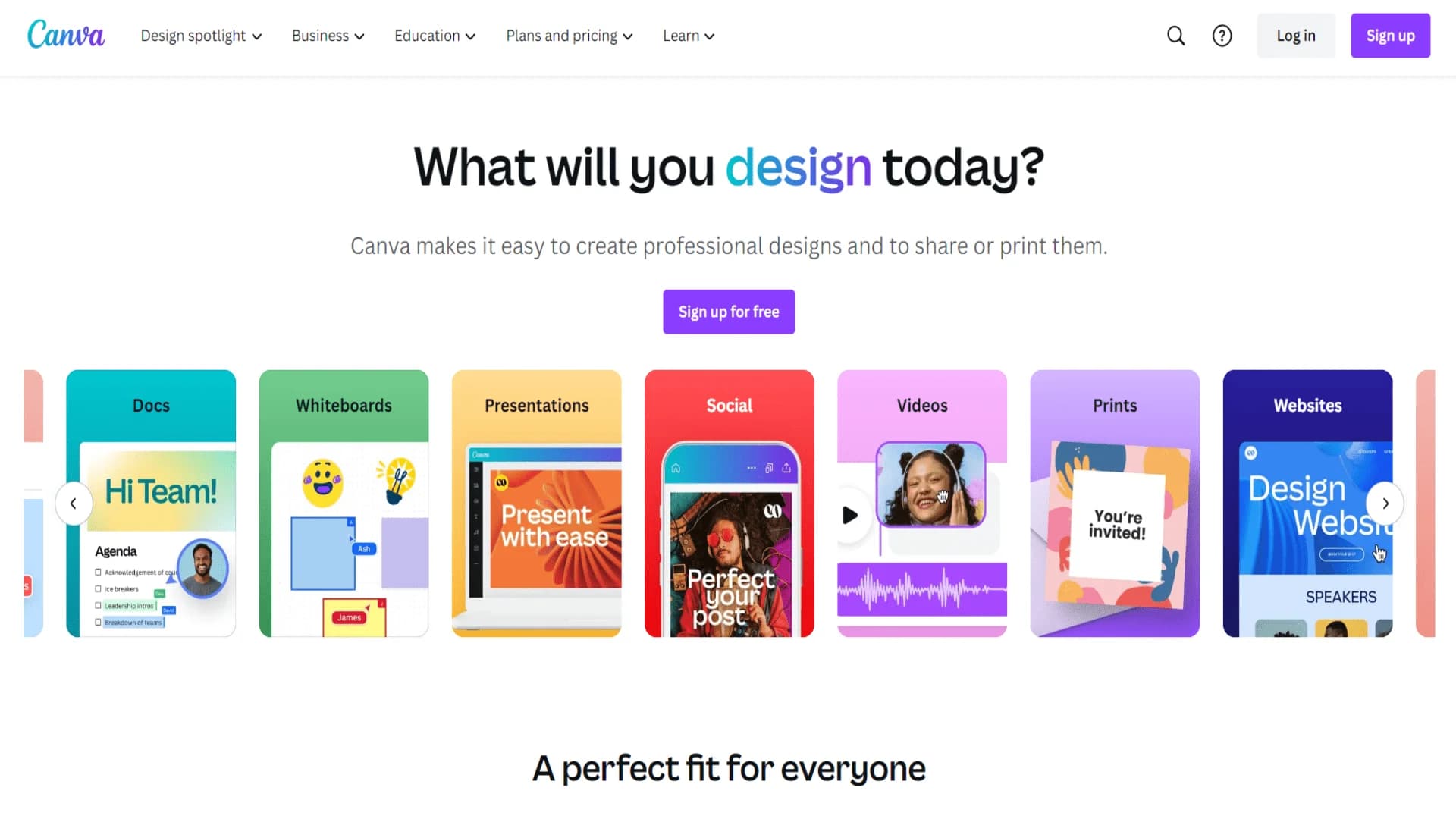
Design stunning visuals effortlessly with Canva's intuitive tools.
Key Takeaways
- What it is
- Design stunning visuals effortlessly with Canva's intuitive tools.
- Pricing
- Freemium · $12.99 per month
- Best for
- AI-Powered Design Suggestions
- Extensive Template Library
- Drag-and-Drop Interface
- Rating
- 4.6/5
What is Canva?
Canva is a versatile online design platform that revolutionizes graphic design, offering a wide range of intuitive tools and templates. Designed for individuals, businesses, and educators, it simplifies the process of creating visually stunning content across various mediums, from social media posts to presentations and marketing materials. Canva's AI-powered features enhance creativity and efficiency, making it a go-to solution for both novice and experienced designers.
Canva stands out with its AI-driven design suggestions, a game-changer for those seeking creative inspiration without extensive design knowledge. Its ability to integrate seamlessly into team workflows, coupled with its extensive resource library, sets it apart from traditional design software.
Canva is a powerful tool that democratizes design, making it accessible to everyone from hobbyists to professionals. Its AI-enhanced features and vast template library empower users to create stunning visuals effortlessly, while its collaborative tools make it ideal for team projects. Whether you're designing a simple social media post or a comprehensive marketing campaign, Canva offers the resources and flexibility needed to bring your vision to life.
Who is Using Canva?
Small Business Owners
Utilizing Canva for creating marketing materials and social media content.
Social Media Influencers
Employing Canva to design engaging posts and stories.
Educators
Leveraging Canva for creating interactive presentations and educational materials.
Non-Profit Organizations
Using Canva to design promotional content and fundraising materials.
Uncommon Use Cases
Adopted by wedding planners for designing invitations; used by authors for creating book covers and promotional graphics.
Key Features
Rating Breakdown
Pricing Plans
Free Tier
Free
- Offers a comprehensive range of features at no cost
- Perfect for personal use and small projects
Pro Tier
$12.99 per month
- Providing access to premium features
- Including a larger content library and advanced tools
Enterprise Tier
- Tailored solutions for large teams with custom pricing
- Offering enhanced collaboration and brand management features
Which Canva plan should you pick?
Start with Free for basic design work, upgrade to Pro for individual premium content and AI, choose Business for small-team collaboration, and move to Enterprise for SSO, SCIM, governance, and large-scale administration.
Free
Good for individuals who need basic design tools, templates, stock assets, 5GB of storage, and limited AI usage.
Pro
Good for individual creators who need premium content, advanced resizing and editing tools, brand kits, scheduling, and higher AI allowances.
Business
Good for individuals and small teams who need collaboration, approvals, expanded brand management, higher AI access, and business-focused tools.
Enterprise
Good for large organizations that need SSO, SCIM provisioning, advanced security controls, multi-team management, approvals, and dedicated support.
Canva Use Cases
Generate branded marketing content
Use Canva AI to create social posts, presentations, flyers, and other content from prompts while applying brand assets and layouts.
Outcome: Faster production of on-brand visual content.
Create interactive web experiences
Prompt Canva Code to build calculators, forms, games, landing pages, or other interactive experiences, then customize and publish them.
Outcome: A responsive interactive website or tool without traditional coding.
Convert and edit documents
Upload PDFs, presentations, spreadsheets, images, or other supported files and edit their contents in Canva.
Outcome: More visual, editable, and shareable documents.
Manage team review and approvals
Invite collaborators, assign permissions, comment on designs, mention teammates, and route content through reviews and approvals.
Outcome: More coordinated team production with clearer feedback and accountability.
Connect content workflows
Import content from connected applications and share or publish Canva designs through services such as Google Drive, Dropbox, Slack, YouTube, and Instagram.
Outcome: Less application switching and more centralized content distribution.
Workflow Ideas with Canva
Prompt-to-published interactive experience
- 1Open Canva Code and describe the interactive experience you want.
- 2Edit the generated text, colors, images, and layout.
- 3Preview responsiveness and publish the result as a website.
Team design approval
- 1Create a team and invite collaborators.
- 2Assign view, edit, or edit-and-approval permissions.
- 3Use comments and mentions to collect feedback and finalize the design.
AI-assisted content production
- 1Connect supported sources such as Slack, Gmail, Google Drive, or Zoom.
- 2Ask Canva AI to summarize, transform, or generate content from the connected context.
- 3Schedule recurring tasks so Canva AI runs the work automatically.
How Canva fits into your stack
Browser
Canva is a web-based visual design workspace for creating presentations, documents, videos, websites, social content, and other designs.
Docs and writing
Canva supports visual Docs and AI-assisted writing and design workflows, including presentations, documents, and interactive content.
Team chat and tickets
The Canva Slack integration brings design notifications, comments, mentions, sharing, and Magic Design into Slack conversations.
Automation and APIs
Canva provides Apps SDK and Connect APIs for building Canva apps, external integrations, and automated processes. Named integrations include Slack, Asana, Microsoft Teams, Salesforce, and Google Workspace.
Pros
- +User-Friendly Experience: The intuitive interface ensures a smooth design process for users of all skill levels.
- +Cost-Effective: Offers a free version with a wide array of features, making it accessible to everyone.
- +Rich Resource Library: Provides access to millions of photos, icons, and graphics, enhancing design possibilities.
- +Versatile Application: Suitable for a variety of design needs, from social media graphics to business presentations.
Cons
- −Limited Advanced Features: Some professional designers may find the lack of advanced editing tools limiting.
- −Internet Dependence: Requires a stable internet connection for optimal performance and access to features.
- −Template Overuse: Popular templates can lead to designs that lack uniqueness if not customized adequately.
Limitations & when to consider alternatives
Known limitations
- AI usage is allowance-based. AI tools draw from a shared monthly allowance, and free users may need to upgrade after reaching their AI credit limit.
- AI tools require an account. Users must sign in or create a Canva account before AI conversion or processing is completed.
- Magic Design does not generate complete videos. Magic Design arranges and stylizes content but does not generate videos from scratch; video generation requires Magic Media or Canva AI Video.
- Canva AI file imports have limits. Canva AI imports are limited to files up to 10MB each and up to three files at a time.
- Connect API preview features may change. Preview APIs can undergo breaking changes without a new API version and are not recommended for production use.
Look elsewhere when
- You need fine-tuning or custom model training.
- You need a browser extension rather than a web or desktop application.
How to Use Canva
- 1
Create or choose a starting point
Open Canva and choose a template, blank design, Canva AI prompt, document, presentation, or other supported format.
- 2
Add your content
Upload files from your device or import content from Canva, Google Drive, Dropbox, OneDrive, or other connected sources.
- 3
Use Canva AI when helpful
Generate or refine designs, images, text, code, or layouts with Canva AI, Magic Design, Canva Code, or other AI tools.
- 4
Apply brand and layout controls
Use Brand Kits, templates, fonts, colors, images, and layout editing to align the result with your intended style.
- 5
Collaborate and review
Invite teammates, set permissions, comment, mention collaborators, and use approvals when working as a team.
- 6
Export, publish, or share
Download supported formats, publish websites or social content, or share designs through connected services such as Slack, Google Drive, YouTube, and Instagram.
Who is Canva For?
Personal creators
Canva supports personal projects such as interactive cards, itinerary builders, social posts, and other visual content.
Businesses and marketers
Business users can create branded campaigns, interactive landing pages, sales tools, social content, and marketing materials.
Education
Educators can use Canva for interactive worksheets, educational games, visual simulations, classroom materials, and campus-wide deployment.
Small teams
Canva Business provides collaboration, brand management, approvals, shared assets, and team workflows for growing businesses.
Enterprise organizations
Canva Enterprise is aimed at large or multi-team organizations needing SSO, SCIM, advanced controls, approvals, and centralized administration.
Frequently Asked Questions
Does Canva have a free plan?
Yes. Canva Free costs US$0 and includes templates, stock assets, 5GB of storage, and a limited AI allowance.
Which Canva plan is best for teams?
Canva Business is designed for individuals and small teams, while Canva Enterprise is intended for large or multi-team organizations needing advanced security, SSO, SCIM, and administration.
Can Canva import files?
Yes. Canva AI can import files such as CSV, DOC, DOCX, XLS, XLSX, TXT, MD, PDF, JPG, and PNG. Imports are limited to 10MB per file and up to three files at once.
Can Canva generate code?
Yes. Canva Code generates interactive experiences such as calculators, games, forms, and websites, and can also turn uploaded HTML or code files into editable Canva designs.
Does Canva support single sign-on?
Yes. Canva supports SAML-based SSO and documents integrations with identity providers including Azure AD, Okta, Google Workspace, ADFS, Duo, OneLogin, and Salesforce.
Can Canva connect to other applications?
Yes. Canva provides an Apps Marketplace and lists integrations such as Google Drive, Dropbox, Slack, Microsoft Teams, YouTube, Instagram, and Google Maps.
Community reviews
Be the first to share your experience.
Sign in to leave a review for Canva.
Canva Alternatives
Looking for alternatives to Canva? Here are similar tools in the same category: