
Carepatron
Streamline healthcare with AI-driven transcription and integrated management tools.
Key Takeaways
- What it is
- Streamline healthcare with AI-driven transcription and integrated management tools.
- Best for
- Free AI Medical Transcription
- Enhanced Accuracy
- Efficiency Boost
- Rating
- 4.4/5
What is Carepatron?
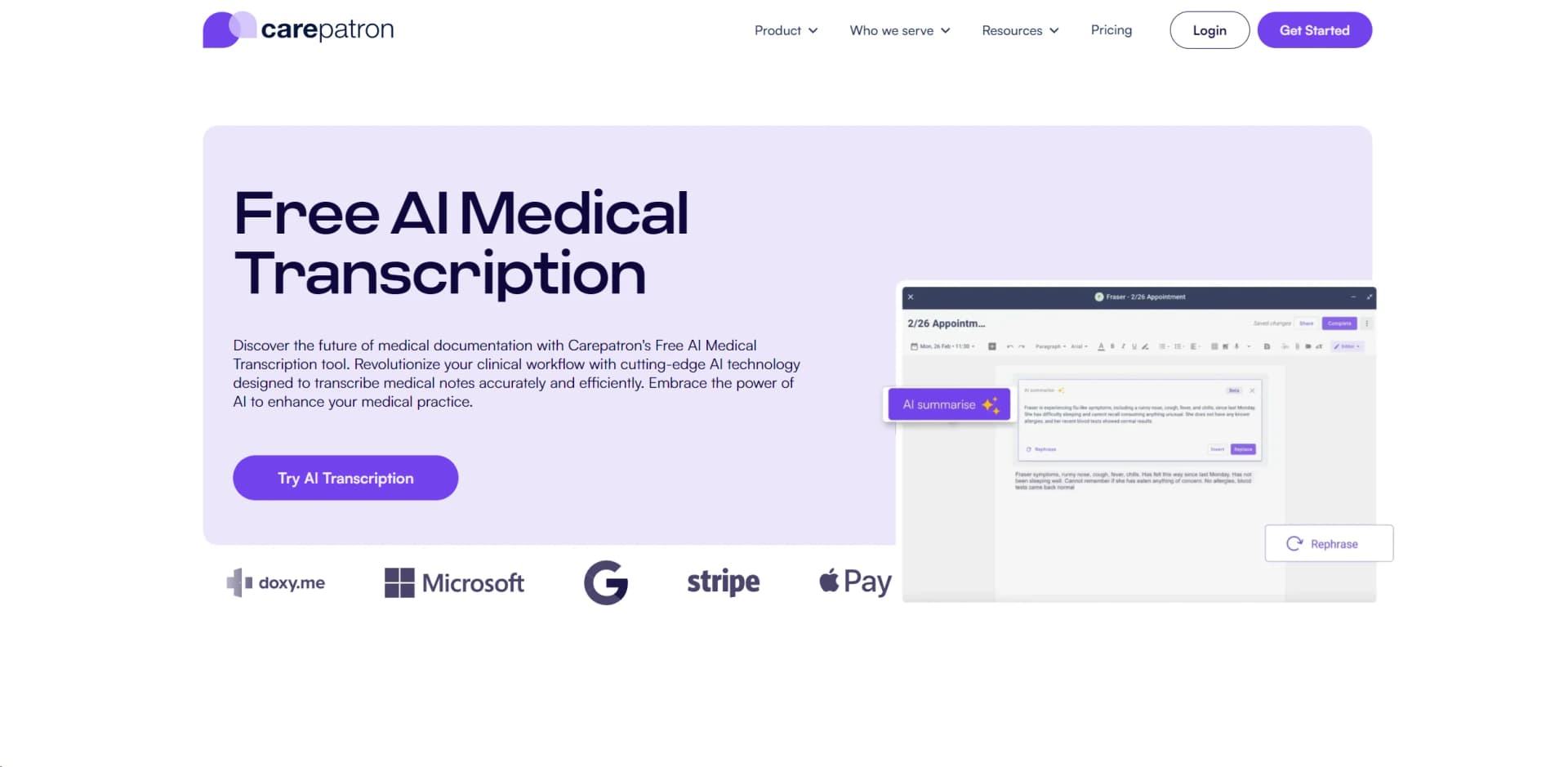
Carepatron is a comprehensive healthcare management platform designed to streamline the medical documentation process through its AI Medical Transcription feature. Targeted at healthcare professionals, this tool promises to enhance clinical workflows by providing accurate and efficient transcriptions of medical notes. With the integration of advanced AI technology, Carepatron aims to minimize manual transcription efforts, thus improving the overall quality of patient care.
Carepatron's AI Medical Transcription stands out due to its seamless integration with a full suite of healthcare management tools, providing a holistic approach to practice management. Its emphasis on accuracy and security in handling sensitive medical information positions it as a trusted solution for healthcare providers.
Carepatron emerges as a robust platform for healthcare professionals seeking to improve efficiency and accuracy in medical documentation. Its AI Medical Transcription feature, in particular, offers a significant advantage by reducing the time and effort associated with manual transcriptions. With its commitment to data security, comprehensive integration capabilities, and user-friendly design, Carepatron is poised to become an essential tool in the healthcare industry.
Who is Using Carepatron?
Therapists
For more efficient management of clinical notes and scheduling.
Chiropractors
To streamline patient documentation and billing processes.
General Practitioners
Enhancing patient care with quick access to health records.
Psychiatrists
For secure and efficient clinical documentation.
Uncommon Use Cases
Speech therapists and health coaches are also finding value in Carepatron's AI transcription capabilities.
Key Features
Rating Breakdown
Pricing Plans
Free Access
- Carepatron offers its AI Medical Transcription tool for free
Subscription Plans
- Additional pricing details for upgraded features and services may apply
Which Carepatron plan should you pick?
Start with Free to evaluate core practice-management features, upgrade to Plus for unlimited storage and advanced workflows, and contact sales for Advanced when you need larger-team or custom setup support.
Free
Good for practitioners who need core scheduling, telehealth, client records, client-portal access, payments, and basic AI features at $0.
Plus
Good for growing practices that need unlimited storage, advanced workflows, group telehealth, shared inboxes, and custom branding.
Advanced
Good for larger teams or custom needs that require expanded automation, permissions, API access, and sales-assisted setup.
Carepatron Use Cases
Clinical documentation
Record or upload session content, transcribe it, and generate structured notes using templates.
Outcome: Faster, more consistent clinical documentation.
Automated client onboarding
Trigger intake-form delivery and portal invitations when new clients are added.
Outcome: A more consistent onboarding process with fewer manual follow-ups.
Telehealth delivery
Schedule and conduct secure video sessions, including group sessions.
Outcome: Remote care delivered from within the practice-management platform.
Client and health-record management
Store notes, forms, uploaded documents, communications, appointments, and billing information in client records.
Outcome: A centralized client record.
Practice billing
Create invoices, accept online payments, submit claims, and record insurance-related billing activity.
Outcome: More streamlined payment and revenue-cycle processes.
Workflow Ideas with Carepatron
New-client onboarding
- 1Add the new client to Carepatron
- 2Automatically send intake forms
- 3Automatically invite the client to the patient portal
Appointment reminder workflow
- 1Create an appointment reminder
- 2Choose email or SMS delivery
- 3Set the timing and save the reminder
AI-assisted session documentation
- 1Start AI Scribe during a call or upload a recording
- 2Generate a transcript and draft note
- 3Review, edit, and sign the completed note
How Carepatron fits into your stack
Comprehensive Suite Integration
Integrates with Carepatron’s other tools, such as scheduling and billing.
Cross-Device Compatibility
Works across various devices, ensuring accessibility from anywhere.
Custom Template Support
Allows for the use of custom templates to suit specific documentation needs.
Secure Data Handling
Adheres to HIPAA compliance for data privacy and security.
Pros
- +Time Savings: Significantly cuts down the time spent on manual documentation.
- +Improved Patient Interaction: Frees up healthcare providers to engage more with patients.
- +Customization: Adapts to the specific needs of various healthcare specialties.
- +Integrated Workflow: Seamlessly connects with Carepatron's suite of healthcare management tools.
- +Data Security: Ensures the protection of sensitive medical information with robust security protocols.
Cons
- −Learning Curve: Users may need time to familiarize themselves with the AI features and maximize their potential.
- −Internet Dependency: As a cloud-based platform, consistent internet access is required for optimal functionality.
- −Feature Overload: Some users might find the wide array of features overwhelming at first.
Limitations & when to consider alternatives
Known limitations
- Public API scope is currently limited. The first API release focuses on contact export; Carepatron says additional platform functionality will be released in later phases.
- Custom workflows cannot yet be built entirely from scratch. Users can customize existing workflow categories, but the help center says fully scratch-built workflows are not currently available.
- Free-plan storage is limited. The current pricing page lists 1GB of data storage for the Free plan.
- Ask AI has a per-file upload limit. Ask AI uploads are limited to 100MB per file and documented support is focused on PDF, DOCX, PNG, and JPG files.
- Managed billing is currently US-only. Carepatron's managed revenue-cycle billing service is documented as available in the United States only.
Look elsewhere when
- You need SSO or SAML authentication.
- You need a dedicated browser extension.
- You need model fine-tuning or custom AI training.
- You need programming-code generation.
How to Use Carepatron
- 1
Carepatron provides a range of support and resources, including guides and tutorials, to help users navigate and make the most of its features.
Who is Carepatron For?
Mental health professionals
Carepatron provides therapy-oriented documentation, telehealth, client portals, and AI-assisted notes.
Medical practitioners
The platform combines health records, scheduling, telehealth, billing, and electronic claims.
Allied health professionals
Physical therapists, occupational therapists, dietitians, speech therapists, and social workers are listed as supported specialties.
Wellness practitioners
Chiropractors, acupuncturists, health coaches, life coaches, massage therapists, and personal trainers are named audiences.
Healthcare teams and multi-site practices
Team invitations, permissions, shared inboxes, and advanced plans support larger or multi-user practices.
Frequently Asked Questions
Does Carepatron have a free plan?
Yes. The current pricing page lists a $0 Free plan. New users also receive a 14-day Advanced-plan trial.
What does Carepatron's API provide?
The public API currently provides contact export, with API keys, endpoint documentation, asynchronous jobs, rate limits, and dated versioning.
Can Carepatron automate client onboarding?
Yes. Workflows can automatically send intake forms and patient-portal invitations when new clients are added.
What file types can Ask AI process?
Ask AI supports PDF and DOCX documents plus PNG and JPG images. File uploads are limited to 100MB per file.
Is Carepatron available on mobile?
Yes. Carepatron has official iOS and Android store listings.
Is Carepatron HIPAA compliant?
Carepatron states that it is HIPAA compliant and uses AES-256 encryption at rest and TLS 1.2 or higher in transit.
Community reviews
Be the first to share your experience.
Sign in to leave a review for Carepatron.
Carepatron Alternatives
Looking for alternatives to Carepatron? Here are similar tools in the same category:
Learn to Master Carepatron
With Skill Leap courses
Get in-depth training on Carepatron and 50+ other AI tools with our expert-led video courses.
Start 7-Day Free Trial