
Cassidy
Automate tasks, enhance efficiency, and personalize solutions with AI.
Key Takeaways
- What it is
- Automate tasks, enhance efficiency, and personalize solutions with AI.
- Pricing
- Freemium · $79 per user per month
- Best for
- AI Assistants
- Multi-Step Workflows
- Extensive Integrations
- Rating
- 4.5/5
What is Cassidy?
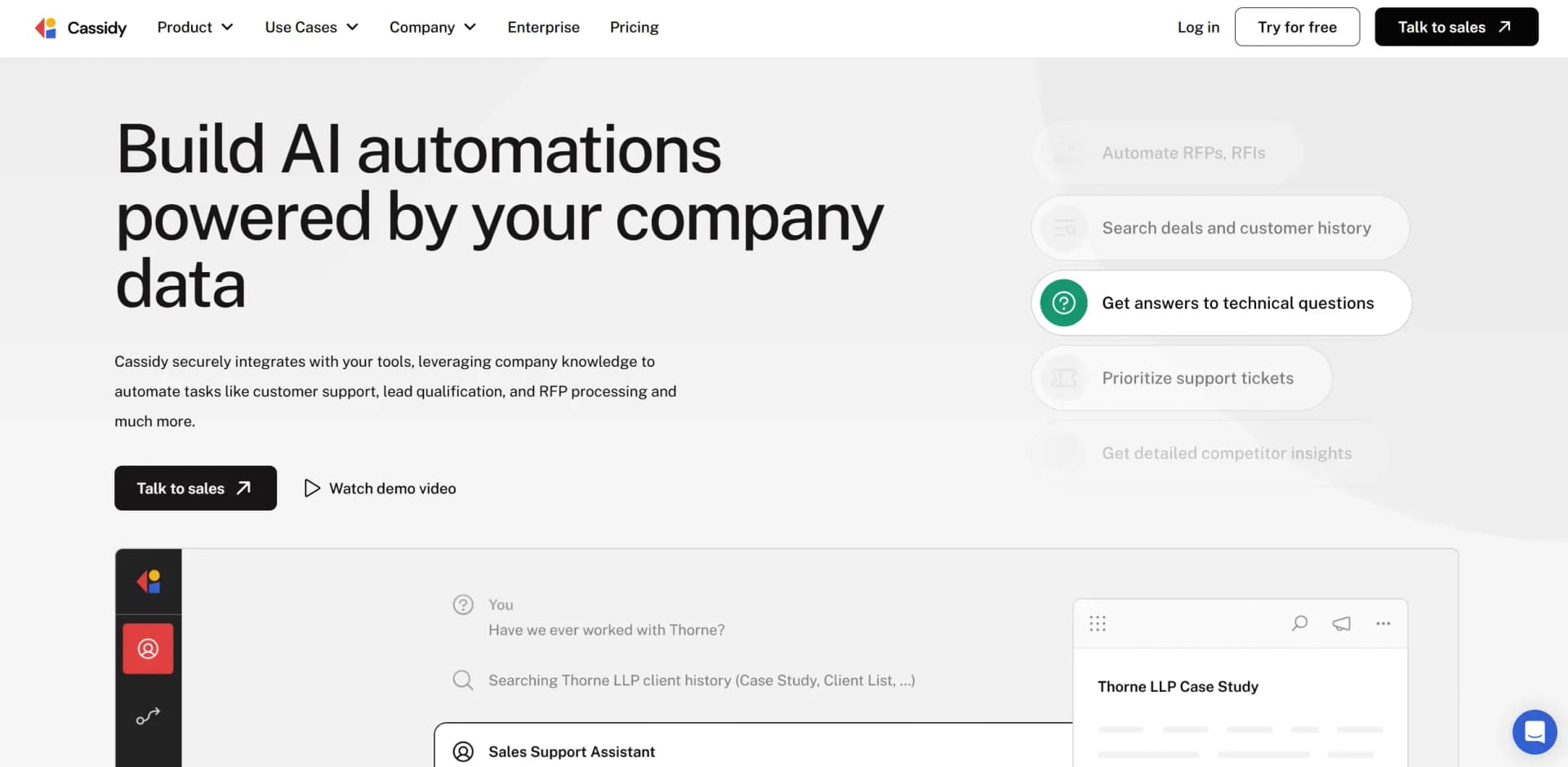
Cassidy is a cutting-edge AI platform designed to revolutionize business operations by automating tasks and enhancing efficiency. This tool harnesses the power of AI to streamline processes like customer support, lead qualification, and RFP processing, making it an indispensable asset for teams across various industries. With Cassidy, businesses can build AI automations powered by their own company data, ensuring personalized and context-aware solutions for everyday challenges.
Cassidy stands out with its ability to leverage company-specific data to create AI solutions that are highly personalized and context-aware. Its unique feature of building AI copilots that understand the intricacies of a business sets it apart, offering a game-changing approach to automating and optimizing workflows.
Cassidy offers a robust platform for businesses looking to enhance efficiency through AI-driven automation. Its seamless integration with over 100 tools and the ability to create personalized AI assistants make it a valuable asset for any team. Whether you're looking to streamline customer support, sales, or marketing, Cassidy provides the tools necessary to automate and optimize operations, all while ensuring top-notch security and privacy.
Who is Using Cassidy?
Customer Support Teams
Automating ticket triage and drafting replies to enhance response times.
Sales Departments
Streamlining RFP responses and lead qualification processes.
Marketing Teams
Creating content faster and automating routine tasks.
IT Departments
Integrating various tools and managing workflows efficiently.
Key Features
Rating Breakdown
Pricing Plans
Free Tier
Free
- Experience Cassidy with a 14-day free trial
Pro Tier
$79 per user per month
Which Cassidy plan should you pick?
Start with Starter for a small team exploring Agents and Workflows; upgrade to Business or Enterprise when you need more seats, capacity, real-time syncing, SSO, advanced controls, or implementation support.
Starter
Good for small teams who need a low-risk starting point with 3 seats, 1 workspace, 10,000 monthly AI credits, 30,000 pages of storage, and limited Agents and Workflows.
Business
Good for teams moving automations into production who need custom seats, workspaces, credits, storage, premium onboarding, and access to all features.
Enterprise
Good for larger organizations that need SSO, advanced permissioning, live syncing, API access, workflow deployment support, dedicated experts, and priority support.
Cassidy Use Cases
Used by educational institutions for administrative automation.
Adopted by non-profits to manage donor communications.
Workflow Ideas with Cassidy
Automated support-ticket triage
- 1Trigger a Workflow when a new Zendesk ticket is created
- 2Use an Agent or AI action to classify and prioritize the ticket
- 3Post the result back to Zendesk or notify the support team in Slack
RFP response drafting
- 1Upload or reference the RFP and supporting company documents
- 2Search the Cassidy Knowledge Base for relevant proposals and approved content
- 3Generate a draft response and export it as a Word document or PDF
Meeting follow-up automation
- 1Record and transcribe a meeting with Cassidy Meetings
- 2Run a Workflow when the meeting ends to summarize decisions and action items
- 3Send follow-up emails and update CRM records with the results
How Cassidy fits into your stack
Browser
Cassidy operates as a web application and Chrome/Edge extension, letting users chat with Agents, reference business knowledge, analyze webpages, and trigger Workflows without changing tabs.
Knowledge and files
Its Knowledge Base imports and indexes documents, websites, meeting transcripts, and connected sources such as Google Drive, SharePoint, Notion, Confluence, and Slack for grounded Agent and Workflow responses.
Team chat and tickets
Agents can be deployed into Slack, Microsoft Teams, and Google Chat, while Workflows can trigger from or update tools such as Zendesk, Salesforce, HubSpot, and Jira.
Automation and APIs
Cassidy provides multi-step Workflows with scheduled, webhook, email, and integration triggers, plus API deployment and connections through Zapier, webhooks, MCP, and external API requests.
Pros
- +Time Efficiency: Automates repetitive tasks, saving teams up to 10 hours per week.
- +Cost-Effective: Reduces the need for extensive manual labor, cutting operational costs.
- +Personalization: Tailors AI responses to match the brand's voice, ensuring consistent customer interactions.
- +Scalability: Easily scales with business growth, allowing for the integration of more tools and processes as needed.
Cons
- −Initial Setup Complexity: Setting up workflows and integrations may require technical expertise.
- −Limited Non-English Language Support: Predominantly supports English, which might be a limitation for global teams.
Limitations & when to consider alternatives
Known limitations
- Starter syncing is not real time. The pricing page says Starter integrations such as Google Drive and SharePoint sync every 24 hours, while Enterprise provides real-time syncing.
- Starter has usage and capacity limits. The Starter plan includes 3 seats, 1 workspace, 10,000 AI credits per month, 30,000 pages of storage, 5 Agents, and 5 Workflows.
- SSO is enterprise-only. Cassidy's SSO help article states that SAML-based SSO is available for enterprise customers only.
- Chat uploads are temporary. Files and media uploaded directly in chat are temporary and are not saved to the Knowledge Base unless explicitly stored there.
- Cassidy does not train models on customer data. Cassidy states that customer data, Knowledge Base content, and Agent conversations are not used to train AI models.
Look elsewhere when
- You need a native iOS or Android app.
- You need a downloadable Windows, Mac, or Linux application.
- You need to fine-tune model weights using your own data.
How to Use Cassidy
- 1
Create an account and choose a plan
Start with the Starter plan to explore Cassidy, or contact sales for Business or Enterprise requirements.
- 2
Build the Knowledge Base
Upload documents or connect sources such as Google Drive, SharePoint, Slack, Notion, or Box so Agents can use company-specific knowledge.
- 3
Create an Agent
Describe the Agent's role in natural language, then configure its instructions, Knowledge Base access, connectors, capabilities, and brand voice.
- 4
Build a Workflow
Choose a template, use Workflow Copilot, or start from a blank canvas. Add triggers and actions for the multi-step process you want to automate.
- 5
Connect external tools
Authorize integrations such as Slack, HubSpot, Salesforce, Google Workspace, Airtable, or Zapier so Agents and Workflows can read and update business systems.
- 6
Deploy and share
Publish Agents or Workflows, share them with teammates using view/edit permissions, and deploy Agents through Slack, Microsoft Teams, Google Chat, browser extensions, embed, email, or API.
Who is Cassidy For?
Sales teams
Sales teams can search customer and company knowledge, answer deal questions, enrich leads, and automate sales workflows.
Customer support teams
Support teams can triage and route tickets, search internal knowledge, and connect Agents to support systems such as Zendesk, Intercom, and Front.
Operations teams
Operations teams can automate internal answer search, meeting preparation, CRM updates, and repeatable cross-system processes.
Marketing teams
Marketing teams can use Agents and Workflows for SEO article drafting, content generation, research, and brand-consistent communications.
Professional services teams
Professional services teams can draft RFP responses, generate proposals and deliverables, conduct client research, and reuse institutional knowledge.
Frequently Asked Questions
What is Cassidy?
Cassidy is an AI automation platform built around Agents, Workflows, a Knowledge Base, and Meetings. It connects business data and external tools so automations can use company-specific context.
Does Cassidy offer a free plan?
Cassidy has a Starter plan that includes 3 seats, 1 workspace, 10,000 AI credits per month, and 30,000 pages of storage. The pricing page also describes a 14-day free trial.
What integrations does Cassidy support?
Cassidy supports integrations including Google Drive, SharePoint, Slack, HubSpot, Salesforce, Airtable, Snowflake, Notion, Jira, Zapier, Zendesk, Microsoft Teams, and many more.
Can Cassidy automate multi-step processes?
Yes. Workflows can use scheduled, webhook, manual, and integration triggers, then execute actions such as generating text, sending email, updating CRM records, running code, and creating files.
Is Cassidy secure?
Cassidy states that it is SOC 2 Type II compliant and encrypts data at rest and in transit. It also provides role-based permissions, SSO, data-retention controls, and other enterprise governance features.
Can Cassidy process uploaded files and images?
Yes. Users can upload files, images, videos, and audio in chat. Agents can analyze the content, extract visible text, summarize documents, and process structured data.
Community reviews
Be the first to share your experience.
Sign in to leave a review for Cassidy.
Cassidy Alternatives
Looking for alternatives to Cassidy? Here are similar tools in the same category:
Learn to Master Cassidy
With Skill Leap courses
Get in-depth training on Cassidy and 50+ other AI tools with our expert-led video courses.
Start 7-Day Free Trial