
Chaindesk
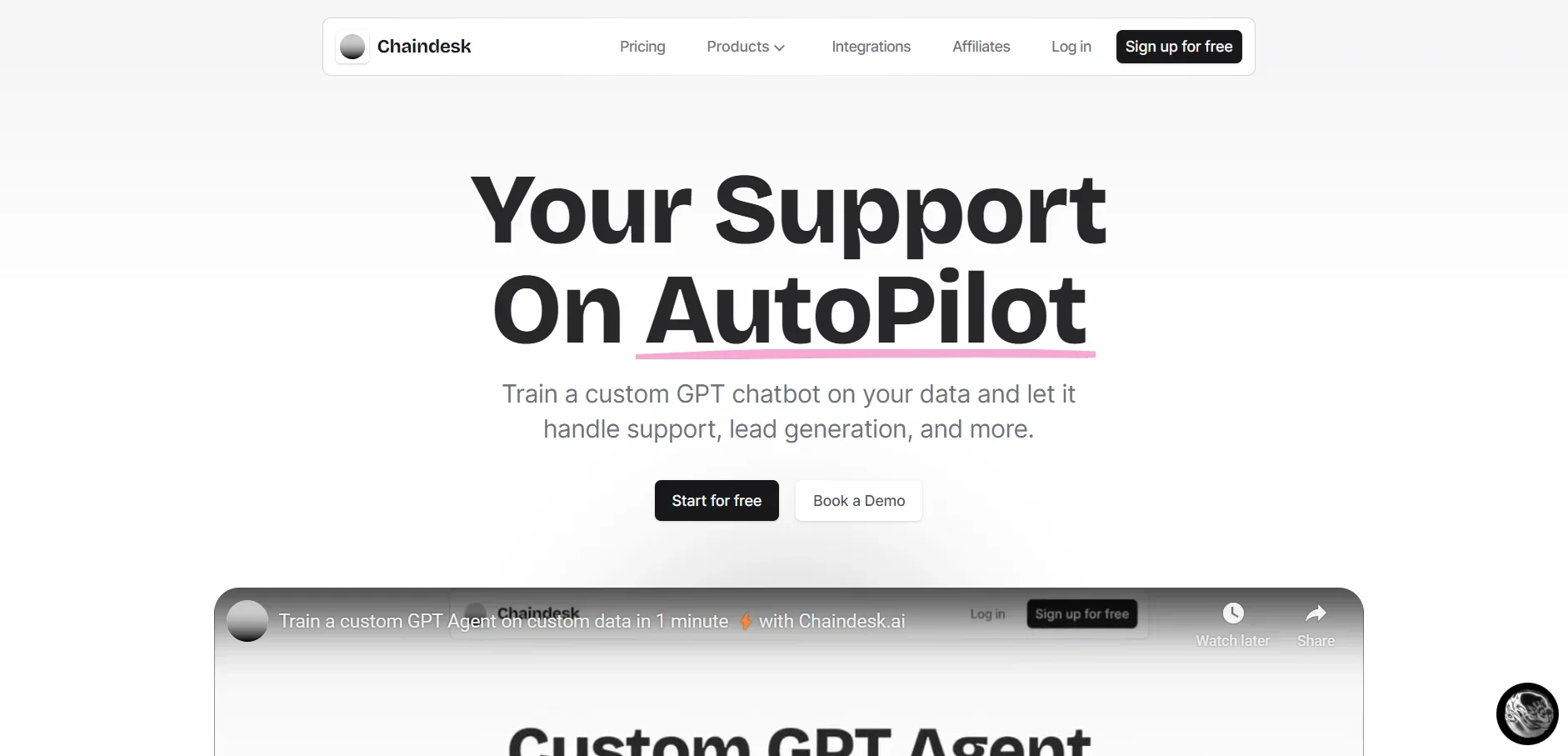
Revolutionize customer support with AI, no-code customization, and omnichannel integration.
Watch Chaindesk in Action
Key Takeaways
- What it is
- Revolutionize customer support with AI, no-code customization, and omnichannel integration.
- Pricing
- Freemium
- Best for
- Generative AI Technology
- No-Code Customization
- Omnichannel Support
- Rating
- 4.6/5
What is Chaindesk?
Chaindesk is a cutting-edge AI chatbot platform designed to revolutionize the way businesses manage customer support, lead generation, and various other interactive tasks. By leveraging the power of Generative AI models like GPT-4, Chaindesk offers a no-code solution that allows companies to easily train custom chatbots on their own data. This innovative tool is crafted to seamlessly integrate into a business's existing ecosystem, providing round-the-clock support and enhancing customer engagement without the need for extensive IT support.
Chaindesk distinguishes itself through its combination of no-code flexibility, advanced AI capabilities, and comprehensive integration options. Its ability to provide instant, accurate support across multiple channels, coupled with the ease of deployment and customization, sets it apart in the crowded field of AI customer service solutions.
Chaindesk is an innovative AI chatbot platform that excels in delivering personalized, efficient customer support and engagement solutions. Its no-code approach, combined with the power of GPT-4 technology, makes it a valuable tool for businesses looking to enhance their customer service operations without significant investment in IT resources. With its wide array of features, ease of integration, and commitment to privacy and security, Chaindesk is poised to be a game-changer for businesses worldwide seeking to innovate their customer interaction strategies.
Who is Using Chaindesk?
E-commerce Platforms
For automating customer service and sales processes.
Tech Startups
Utilizing the platform to handle dynamic customer interactions efficiently.
Healthcare Providers
Offering patient support and information dissemination.
Educational Institutions
To automate administrative tasks and student support services.
Uncommon Use Cases
Non-profits using it for donor engagement and environmental organizations for public education.
Key Features
Rating Breakdown
Pricing Plans
Free Tier
Free
- Start with Chaindesk for free
- Access to basic features
Custom Pricing Plans
- Chaindesk offers tailored pricing based on the specific needs and scale of your business
Which Chaindesk plan should you pick?
Start with Free to test a single chatbot and limited data; upgrade to Growth when you need automatic retraining, more capacity, and team seats.
Free
Good for individuals or small experiments that need one agent, one datastore, limited storage, and 200 monthly message credits.
Growth
Good for growing businesses that need 20,000 monthly message credits, larger storage, automatic synchronization, and 10 team seats.
Pro
Good for power users that need more agents, datastores, storage, message credits, and 25 team seats.
Enterprise
Good for larger teams that need up to 100 agents, 200 team seats, higher limits, and dedicated support.
Chaindesk Use Cases
Automated customer support
Train an AI chatbot on company data and answer customer questions around the clock.
Outcome: Reduce support-ticket volume and response time.
Lead generation
Collect customer information conversationally while answering questions.
Outcome: Capture leads during support or sales conversations.
Website chatbot deployment
Embed an AI chatbot widget on a website and customize its appearance and behavior.
Outcome: Provide self-service support directly on the website.
Shared inbox management
Monitor conversations, assign them to team members, and take over from the AI when needed.
Outcome: Coordinate human and AI support in one workspace.
Knowledge-base chatbot
Import files, public URLs, Notion pages, Google Drive content, and help-center data.
Outcome: Answer questions using the organization's own information.
Workflow Ideas with Chaindesk
Automated support escalation
- 1Import company support content into a datastore
- 2Deploy the chatbot on the website or a messaging channel
- 3Assign complex conversations to a team member through the shared inbox
Zapier lead-routing workflow
- 1Collect lead information through a conversational chatbot or form
- 2Connect Chaindesk to Zapier
- 3Send the captured lead data into connected business applications
Continuously updated knowledge bot
- 1Connect sources such as Google Drive, Notion, or a website
- 2Enable automatic data synchronization
- 3Use the refreshed datastore to answer customer questions
How Chaindesk fits into your stack
Wide Range of Integrations
Supports popular platforms like WordPress, Notion, Google Drive, Slack, Zendesk, and Shopify.
Embeddable Widgets
Allows for easy addition of chatbots to websites.
Custom API Endpoint Calls
Offers function calling capabilities for extended agent functionality.
Pros
- +Instant Support Resolution: Capable of resolving up to 80% of support queries instantly, significantly reducing ticket volume.
- +Custom Data Importation: Offers the flexibility to train the chatbot with specific company data for tailored customer interactions.
- +Ease of Deployment: Chatbots can be added to websites or existing tools with just a few clicks, simplifying the setup process.
- +Scalability: Enables businesses to scale their customer service capabilities without the need to hire additional staff.
Cons
- −Initial Setup Time: While Chaindesk is designed to be user-friendly, setting up and training the chatbot with specific data might require some initial time investment.
- −Complexity in Advanced Customizations: Businesses with highly specialized needs may find they need additional support for complex customizations.
- −Dependence on Data Quality: The effectiveness of the AI chatbot is largely dependent on the quality and comprehensiveness of the data it is trained on.
Limitations & when to consider alternatives
Known limitations
- Free-plan inactivity deletion. Agents and datastores are deleted after 14 days of inactivity on the Free plan.
- Free-plan usage limits. The Free plan includes 200 message credits per month, one agent, one datastore, 20,000 words of storage, and a 25-page website loader limit.
- Automatic retraining starts on paid plans. The pricing FAQ says automatic retraining begins with the first paid plan and currently occurs weekly.
- Probabilistic responses. The documentation notes that large language models may not return the exact same response to the same question.
Look elsewhere when
- You need a native mobile application.
- You need native image understanding.
- You need model fine-tuning.
How to Use Chaindesk
- 1
Chaindesk provides a variety of resources to help users get started and make the most out of their chatbot, including comprehensive documentation and step-by-step guides available on their website.
Who is Chaindesk For?
Customer support teams
Use shared inboxes, AI answers, human handoff, and automated workflows to handle customer conversations.
Businesses
Train customer-facing AI agents on company data and deploy them across websites and communication channels.
E-commerce businesses
Connect agents to Shopify and other channels to support customers and generate leads.
Teams using multiple business tools
Connect Chaindesk with tools such as Google Drive, Notion, Slack, Zendesk, WhatsApp, and Zapier.
Frequently Asked Questions
Can I use Chaindesk for free?
Yes. The Free plan costs $0 per month and includes limited message credits, one agent, one datastore, and limited storage. Free-plan agents and datastores are deleted after 14 days of inactivity.
Can I embed a chatbot on multiple websites?
Yes. Chaindesk says any chatbot can be added to any number of websites.
Does Chaindesk support languages other than English?
Yes. The chatbot can answer questions in other languages, and users can ask questions in a different language.
Can Chaindesk build custom integrations?
Yes. The pricing FAQ says enterprise customers can request custom integrations or unsupported features under a custom plan.
Does Chaindesk automatically retrain when source data changes?
Starting with the first paid plan, the chatbot is automatically retrained when source content changes, currently on a weekly schedule. Manual retraining is also available.
How can I improve agent answers?
Chaindesk recommends using a more advanced model such as GPT-4-turbo when the agent does not follow instructions properly.
Community reviews
1 review from people who use Chaindesk.
Sign in to leave a review for Chaindesk.
Abdullah Shahid
Chaindesk Alternatives
Looking for alternatives to Chaindesk? Here are similar tools in the same category:
Learn to Master Chaindesk
With Skill Leap courses
Get in-depth training on Chaindesk and 50+ other AI tools with our expert-led video courses.
Start 7-Day Free Trial