
ChatPDF
Interact with PDFs: chat, summarize, voice calls, multi-language support.
Key Takeaways
- What it is
- Interact with PDFs: chat, summarize, voice calls, multi-language support.
- Pricing
- Freemium
- Best for
- Realistic Voice Calls
- Multi-File Chats
- Cited Sources
- Rating
- 4.6/5
What is ChatPDF?
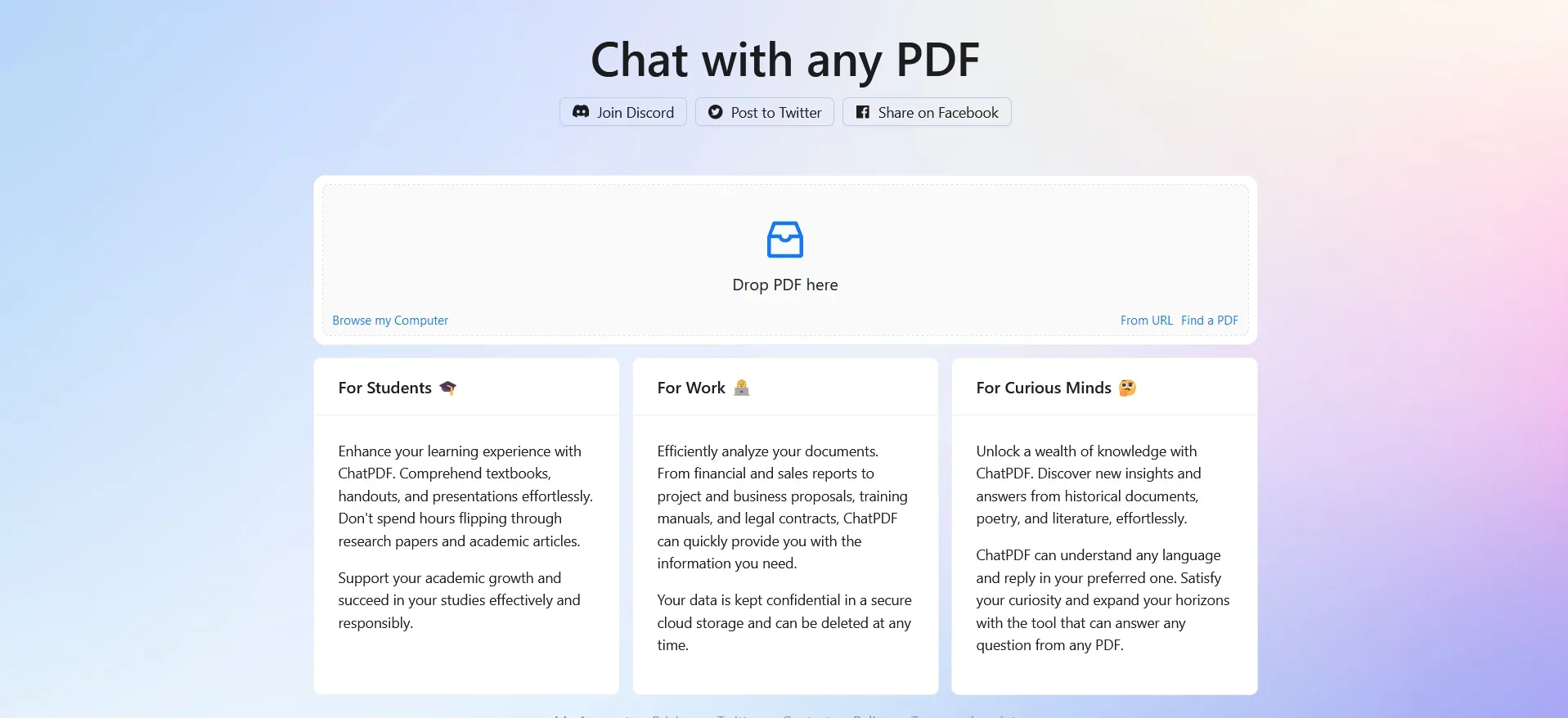
In the ever-evolving landscape of AI tools that aim to enhance our productivity and understanding, ChatPDF emerges as a groundbreaking solution. This innovative platform, accessible via https://www.chatpdf.com, is designed to revolutionize how we interact with PDF documents. ChatPDF allows users to "chat" with any PDF file, making it easier than ever to extract information, summarize contents, and even engage in realistic voice calls with characters from the documents. Tailored for students, researchers, and professionals, ChatPDF simplifies the process of digesting complex information contained within PDFs, offering a user-friendly interface that facilitates instant answers and comprehension through AI.
What sets ChatPDF apart is its unique capability to transform static PDF documents into interactive, engaging conversations. This not only enhances the user's comprehension but also adds a layer of interaction that is absent in traditional PDF readers. The ability to chat in any language and receive cited answers directly from the document are features that position ChatPDF as a pioneering tool in the realm of educational and professional tools.
ChatPDF stands out as an essential tool for anyone dealing with PDF documents regularly. Its innovative approach to transforming static PDFs into interactive, conversational platforms offers unprecedented advantages in terms of learning, research, and professional efficiency. The ability to engage with documents in any language and receive cited responses directly enhances its utility across diverse fields. Whether you're a student, researcher, or professional, ChatPDF offers a unique, time-saving solution to navigate the often overwhelming world of PDF documents.
Who is Using ChatPDF?
Students
Leveraging the tool for studying for exams, homework help, and answering multiple-choice questions.
Researchers
Utilizing the platform to dive deep into scientific papers, academic articles, and books for comprehensive research insights.
Professionals
Employing ChatPDF to quickly glean insights from legal contracts, financial reports, manuals, and training materials.
Educational Institutions
Integrating ChatPDF into teaching methodologies to facilitate the understanding of complex subjects.
Uncommon Use Cases
Writers and journalists might use ChatPDF to quickly research and verify facts or quotes from extensive documents.
ChatPDF's versatility makes it a valuable asset for a wide range of users
Key Features
Rating Breakdown
Pricing Plans
Free Tier
Free
- ChatPDF offers its core features for free
- Making it accessible to a broad audience without initial investment
Premium Plans
- Enhanced functionalities and more advanced features
- Users might explore potential premium options
Which ChatPDF plan should you pick?
Start with the free plan for occasional document analysis, then upgrade to ChatPDF Plus when you need unlimited analysis or higher usage limits.
Free plan
Good for students, researchers, and professionals who need occasional document summaries, questions, and analysis within daily limits.
ChatPDF Plus
Good for power users who need unlimited document analysis and expanded access to advanced tools such as Writer, Slides, and Flashcards.
ChatPDF Use Cases
Research paper analysis
Upload academic papers or books and ask questions about their content.
Outcome: Find relevant information and understand research faster.
PDF summarization
Summarize academic articles, research papers, reports, or other documents.
Outcome: Extract key insights without reading the entire document.
Cross-document comparison
Place multiple PDFs in one folder and ask questions across the combined sources.
Outcome: Compare content and identify relationships between documents.
Document translation
Upload a document in one language and chat about it in another language.
Outcome: Make documents from different languages easier to understand.
Professional document review
Ask questions about contracts, financial reports, manuals, and training materials.
Outcome: Navigate complex professional documents more efficiently.
Workflow Ideas with ChatPDF
Summarize and verify a document
- 1Upload a PDF or supported document
- 2Generate a summary
- 3Open the cited page references to verify key points
Compare multiple research papers
- 1Create a folder and add multiple PDFs
- 2Ask questions that reference more than one document
- 3Compare findings and identify connections across sources
How ChatPDF fits into your stack
Multi-Language Support
Ensures users worldwide can benefit from its features.
Cloud Storage Integration
Users can likely upload and organize PDFs from various cloud storage services, streamlining document management.
Pros
- +Enhanced Learning and Research: Streamlines the study process for exams and facilitates in-depth research by providing quick insights from scientific papers and academic articles.
- +Professional Efficiency: Helps navigate through dense materials like legal contracts, financial reports, and manuals by allowing users to ask targeted questions.
- +Time-Saving: Reduces the time spent on understanding and analyzing PDF documents, from complex research papers to lengthy reports.
- +Accessibility: The platform's ability to interact in any language broadens its appeal and utility across different regions and linguistic backgrounds.
Cons
- −Dependency on PDF Quality: The effectiveness of ChatPDF's AI in extracting and summarizing information may depend on the quality and clarity of the PDF document.
- −Internet Requirement: Being an online tool, it requires a stable internet connection, which might limit accessibility in areas with poor connectivity.
- −Potential Information Overload: Users might experience information overload if not specific with their queries, given the vast amount of data that can be extracted from multiple documents.
Limitations & when to consider alternatives
Known limitations
- Free usage is limited. The free plan allows analysis of two documents per day; unlimited analysis requires ChatPDF Plus.
- API file size and page limits. The API limits PDFs to 2,000 pages or 32 MB per file.
- API conversations are stateless. Previous messages are not automatically included in API requests; relevant conversation messages must be sent again.
- API message limits. API requests support up to six messages, and older messages may be ignored when the token limit is exceeded.
- Some mobile features are limited. ChatPDF Writer states that some features are available only on desktop, even though the interface adapts to phones and tablets.
How to Use ChatPDF
- 1
For new users, ChatPDF provides accessible tutorials and guides on their website, offering a smooth learning curve for navigating its features and maximizing its potential.
Who is ChatPDF For?
Researchers
Explore scientific papers, academic articles, and books to find and understand research information.
Students
Study for exams, get homework help, and understand academic materials more quickly.
Professionals
Analyze legal contracts, financial reports, manuals, and training materials.
Frequently Asked Questions
Is ChatPDF free?
ChatPDF offers a free plan that allows analysis of two documents per day. ChatPDF Plus provides unlimited document analysis and additional features.
Does ChatPDF support file types other than PDFs?
Yes. Supported formats include PDF, Word, PowerPoint, Markdown, and text files.
Do I need to create an account to use ChatPDF?
No account is required to get started. Creating a free account adds features such as saved history and multi-document chats.
Can I chat with multiple files at the same time?
Yes. Users can create a folder, add files, and ask questions that compare or connect information across multiple documents.
Is my data secure and confidential?
ChatPDF states that documents are protected by SSL encryption during transfer and remain encrypted while stored. Users can delete their documents.
Can I use ChatPDF in different languages?
Yes. Users can upload documents in one language and ask questions in another.
Community reviews
3 reviews from people who use ChatPDF.
Sign in to leave a review for ChatPDF.
Elmer “Lothar” Suarez Jr.
Brandon Smith
Brandon Higgs
ChatPDF Alternatives
Looking for alternatives to ChatPDF? Here are similar tools in the same category:
Learn to Master ChatPDF
With Skill Leap courses
Get in-depth training on ChatPDF and 50+ other AI tools with our expert-led video courses.
Start 7-Day Free Trial