
Chatterdocs
Create GPT-powered chatbots effortlessly to automate customer interactions.
Key Takeaways
- What it is
- Create GPT-powered chatbots effortlessly to automate customer interactions.
- Pricing
- Freemium · $79 per month
- Best for
- No Coding Required
- 24/7 Support
- Data Integration
- Rating
- 4.5/5
What is Chatterdocs?
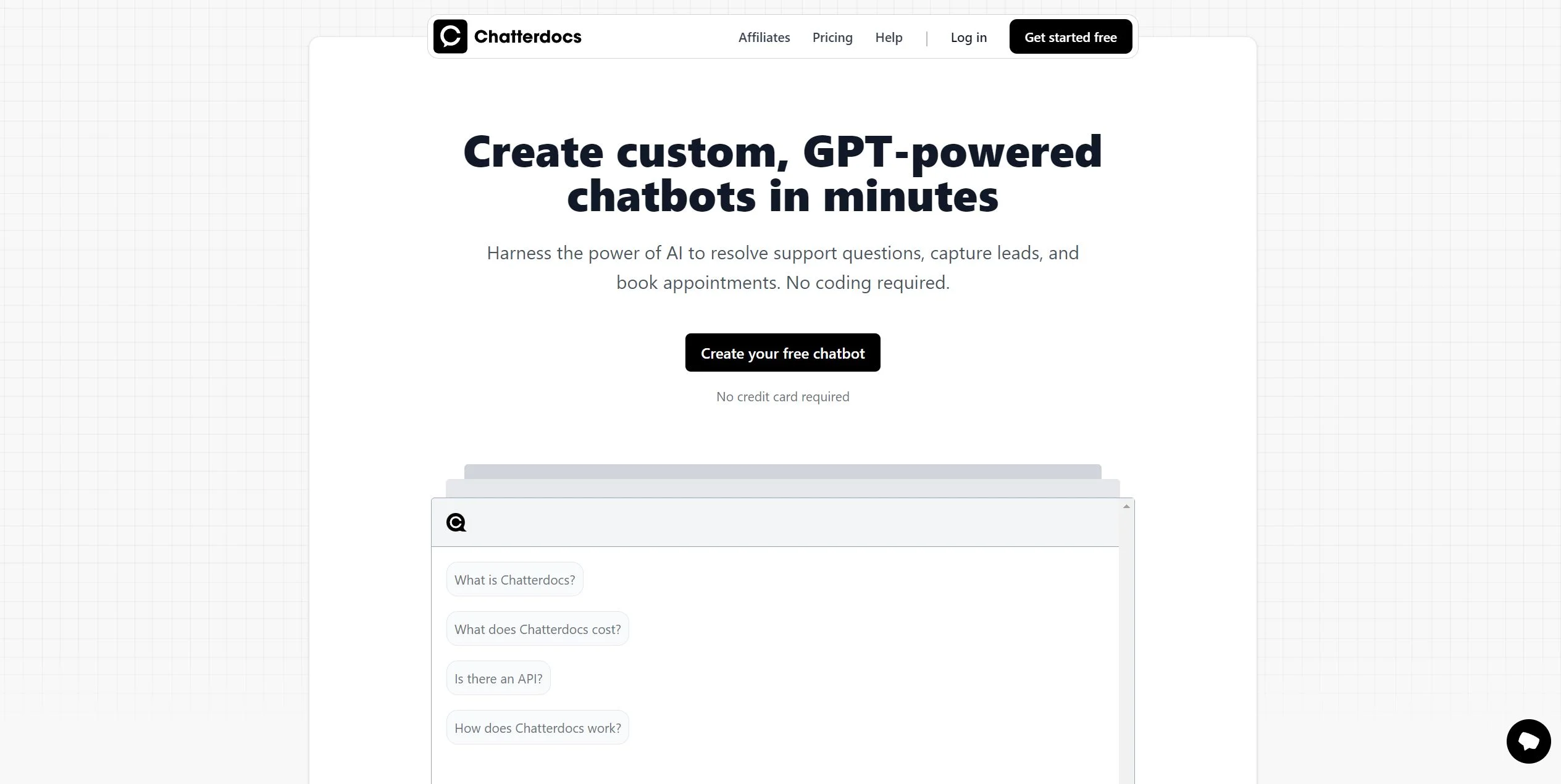
Chatterdocs is a cutting-edge AI tool that enables users to create custom, GPT-powered chatbots in just minutes. Designed for businesses and professionals aiming to enhance customer engagement, Chatterdocs offers a seamless way to automate support, capture leads, and manage appointments without the need for coding. By leveraging the advanced technology behind ChatGPT, it provides fast, accurate responses, making it an ideal solution for those looking to streamline customer interactions and improve service efficiency.
Chatterdocs stands out with its ability to create custom, brand-aligned chatbots without requiring any coding knowledge. Its integration capabilities with various data sources and platforms, combined with the power of GPT technology, make it a versatile tool for businesses seeking to enhance customer interaction and operational efficiency.
Chatterdocs offers a powerful solution for businesses looking to automate and enhance customer interactions. Its ease of use, combined with robust features and integration capabilities, makes it an ideal choice for those seeking to improve efficiency and customer satisfaction. Whether you're a small business or a large enterprise, Chatterdocs provides the tools needed to stay ahead in the competitive landscape of customer service and engagement.
Who is Using Chatterdocs?
Customer Support Teams
Automating responses to frequently asked questions and improving customer service efficiency.
Marketing Agencies
Capturing leads and engaging potential clients through interactive chatbots.
E-commerce Platforms
Assisting customers with product inquiries and facilitating purchases.
Healthcare Providers
Managing appointment bookings and patient queries.
Uncommon Use Cases
Educational institutions using chatbots for student support; real estate agencies automating property inquiries.
Key Features
Rating Breakdown
Pricing Plans
Free Plan
Free
- Offers basic features to get started with creating chatbots
Pro Plan
- More advanced functionalities
Agency Plan
$79 per month
- Suitable for larger teams with extensive needs
Enterprise Plan
- Custom pricing available upon request for tailored solutions
Which Chatterdocs plan should you pick?
Start with the free chatbot option to validate a use case, then upgrade to Agency or request Enterprise pricing as deployment needs grow.
Agency
Good for agencies that need the documented $499/month plan for larger chatbot deployments.
Enterprise
Good for organizations needing custom pricing and an enterprise arrangement.
Chatterdocs Use Cases
Website customer support
Upload FAQs and link website content, then embed a chatbot widget.
Outcome: Visitors get immediate answers from the organization’s content.
Lead capture
Configure the chatbot to collect emails, phone numbers, and other visitor information.
Outcome: Businesses gather contact details through conversations.
Appointment booking
Use the chatbot to book appointments with visitors.
Outcome: Visitors can schedule appointments through the chat experience.
Slack knowledge assistant
Connect a chatbot to a Slack workspace and use /ask or /find commands.
Outcome: Team members can query connected content inside Slack.
Internal support agent
Create a private chatbot for a customer support team using company sources.
Outcome: Support staff can access answers from internal content.
Workflow Ideas with Chatterdocs
Launch a website support chatbot
- 1Create a chatbot with the creation wizard
- 2Add website pages, FAQs, or uploaded files as sources
- 3Configure a website widget or embed destination
Deploy a Slack knowledge assistant
- 1Create and configure a chatbot with relevant sources
- 2Install the Chatterdocs Slack destination with administrator permissions
- 3Use /ask and /find to query connected content
Create a lead-capture bot
- 1Create a chatbot and refine its prompt
- 2Configure fields to collect visitor information
- 3Embed the chatbot on a website and review collected insights
How Chatterdocs fits into your stack
Browser
Chatterdocs is primarily used as a web-based chatbot-building platform. Users create bots, configure prompts and sources, and publish them through browser-accessible destinations.
Team chat and tickets
Chatterdocs integrates with Slack, where users can query connected chatbot content with /ask and find source links with /find.
Knowledge and files
Teams can build chatbot knowledge bases from websites, PDFs, RichText, Markdown, audio, CSV links, YouTube or MP3 transcriptions, RSS feeds, and Notion.
Automation and APIs
The platform provides ingestion, destination-management, and chatbot APIs, allowing developers to add sources, create destinations, and submit questions programmatically.
Pros
- +Time Efficiency: Automates responses, reducing wait times and enhancing customer satisfaction.
- +Scalability: Offers solutions for teams of all sizes, from individuals to large enterprises.
- +User-Friendly Design: Simple setup process that allows quick deployment of chatbots.
- +Versatile Integration: Connects with a variety of platforms and tools for seamless operation.
Cons
- −Initial Learning Curve: Users may need time to explore and utilize all advanced customization features.
- −Limited Free Features: The free plan may not include all functionalities required by larger teams.
Limitations & when to consider alternatives
Known limitations
- CSV imports are limited to 50 rows. The sources documentation says bulk CSV uploads currently support only 50 rows at a time.
- Slack installation requires administrator permissions. The Slack destination requires a Slack workspace administrator to install the app.
- Source content is converted to text. Chatterdocs converts uploaded files into text for the sources library.
- The product has merged into ResolveAI. The Chatterdocs site states that Chatterdocs is now merged into ResolveAI.
Look elsewhere when
- You need a native mobile app
- You need a desktop installer
- You need SSO or SAML
- You need model fine-tuning
How to Use Chatterdocs
- 1
Create an account
Register and open the Chatterdocs interface to begin building a chatbot.
- 2
Create a chatbot
Use the creation wizard to define the chatbot and choose an initial prompt.
- 3
Add sources
Upload documents, import website content, connect Notion, or add other supported sources.
- 4
Refine the prompt
Write instructions that control tone, response format, and how the chatbot handles uncertainty.
- 5
Choose a destination
Publish as a landing page, website widget, website embed, or Slack chatbot.
- 6
Connect the API when needed
Retrieve the API token from settings and call the documented ingestion, destination, or chatbot endpoints.
Who is Chatterdocs For?
Customer support teams
Build internal or public chatbots that answer support questions from company content.
Businesses with websites
Embed a branded widget or chatbot on a website to answer visitor questions.
Marketing and sales teams
Use chatbots to capture leads, collect contact information, and book appointments.
Teams using Slack
Connect a chatbot to Slack and query company content with slash commands.
Agencies
The site identifies an Agency plan for organizations managing chatbot deployments.
Frequently Asked Questions
What is Chatterdocs?
Chatterdocs is an AI chatbot platform for building custom GPT-powered chatbots without code.
What sources can Chatterdocs use?
Sources include websites, CSV links, RichText, Markdown, PDF, audio, YouTube, MP3, Notion, and RSS links.
Where can I deploy a chatbot?
You can deploy a chatbot as a landing page, website widget, website embed, or Slack destination.
Does Chatterdocs provide an API?
Yes. The documentation provides API-token authentication and endpoints for ingestion, destinations, and chatbot questions.
Can Chatterdocs collect visitor information?
Bots can collect emails, phone numbers, and other customer information directly in the chat interface.
Is there a free option?
The site says users can create their first chatbot free without a credit card.
Community reviews
1 review from people who use Chatterdocs.
Sign in to leave a review for Chatterdocs.
Thibault BM
Chatterdocs Alternatives
Looking for alternatives to Chatterdocs? Here are similar tools in the same category:
Learn to Master Chatterdocs
With Skill Leap courses
Get in-depth training on Chatterdocs and 50+ other AI tools with our expert-led video courses.
Start 7-Day Free Trial