Cheq
Separates real customers from bots, fraud, and AI agents.
Key Takeaways
- What it is
- Separates real customers from bots, fraud, and AI agents.
- Best for
- Hybrid Journey Governance
- Traffic, Trust, and Identity Intelligence
- Agent Intent
- Rating
- 4.1/5
What is Cheq?
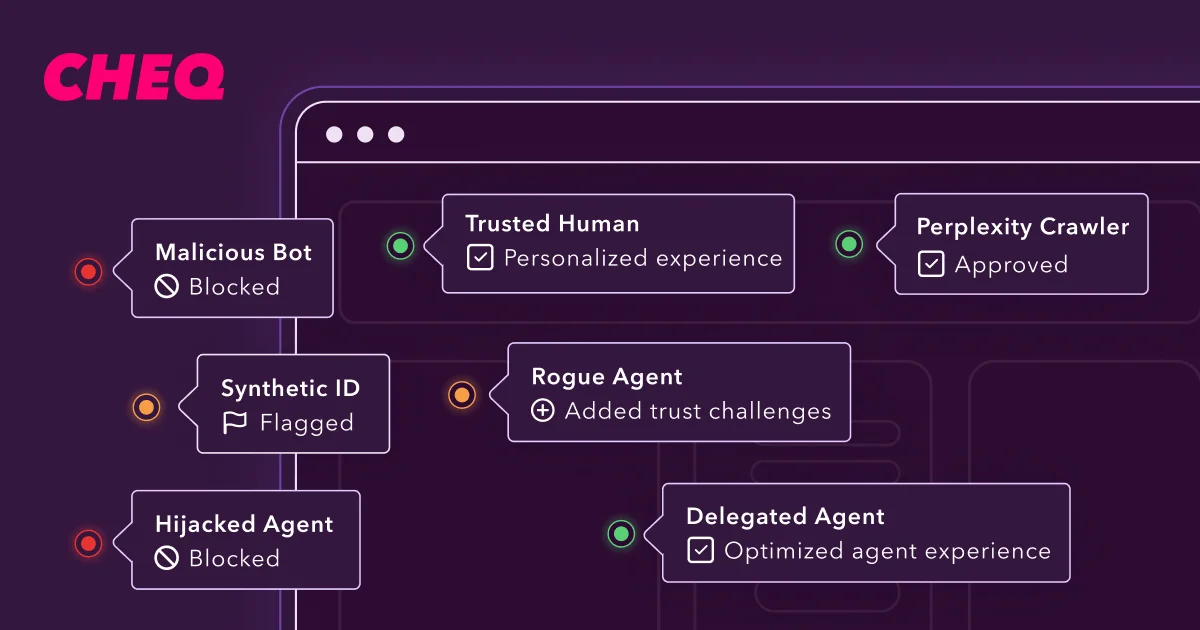
CHEQ helps marketing, security, and revenue teams tell legitimate people and trusted automation apart from bots, fraud, fake leads, and unauthorized AI agents. Its Traffic, Trust, and Identity Intelligence evaluates digital interactions across websites, forms, campaigns, and customer journeys, then sends verdicts into the systems teams already use.
CHEQ can link AI-agent activity to the human customer behind it, including probabilistic linking before login and deterministic linking after authentication.
The platform fits organizations that need to protect paid media, lead pipelines, customer accounts, and web data at high traffic volumes. It is less suited to small teams seeking a self-serve app or a narrow bot blocker, since implementation and pricing are built around enterprise deployments. CHEQ is strongest when digital trust must cover the full customer journey.
Who is Using Cheq?
CMOs and Marketing Directors
Campaign performance becomes more reliable when invalid clicks, fake conversions, and bad leads are removed from optimization signals.
Demand Generation Managers
Lead verdicts and identity checks help teams focus sales follow-up on submissions that show credible intent.
CISOs and Security Architects
Policy-based controls help security teams govern automation, credential abuse, sensitive actions, and suspicious data access.
Marketing Operations Managers
Tag controls, connectors, and data-flow oversight reduce errors across complex martech environments.
Fraud and Risk Analysts
Explainable signals and session evidence support investigation of click fraud, fake identities, account takeover risk, and malicious automation.
Uncommon Use Cases
Measuring which AI agents influence customer journeys; controlling sensitive data exposure during agent-assisted browsing
Key Features
Rating Breakdown
Pricing Plans
Quote-Based or Usage-Based Pricing
- CHEQ does not publicly disclose plan prices.
- Pricing is based on the organization's requirements, usage, and deployment scope.
- Contact CHEQ to request a quote or book a demo.
Which Cheq plan should you pick?
Start with the free trial to validate detection and integrations, then choose Standard for a defined deployment or Enterprise Solutions when your domains, traffic, and policy needs require broader coverage.
Free Trial
Good for teams that need to test traffic detection, integrations, and policy fit before committing.
Standard Plan
Good for organizations that need a defined CHEQ deployment at a published monthly price.
Enterprise Solutions
Good for large organizations with multiple domains, high traffic volumes, custom integrations, or advanced governance requirements.
Cheq Use Cases
Paid Media Protection
Campaign teams can identify invalid traffic and stop fraudulent interactions from affecting spend, conversion data, and bidding decisions.
Outcome: Cleaner advertising signals and less budget lost to fraudulent activity.
Lead Validation
Sales and marketing workflows receive verdicts about whether form submissions appear human, authentic, and worth follow-up.
Outcome: Fewer fake leads and more trustworthy pipeline reporting.
AI-Agent Governance
Digital teams can identify agent activity, connect it to customers, and apply different rules to trusted and risky automation.
Outcome: More control over agent-assisted customer journeys.
Account and Transaction Protection
Security policies can add friction only at risky transitions such as login, account changes, PII access, and checkout.
Outcome: Reduced abuse without treating every visitor as suspicious.
Marketing Data Governance
Operations teams can control tags, consent, third-party vendors, and data movement across web properties and marketing systems.
Outcome: Better control over customer data and digital measurement.
Workflow Ideas with Cheq
Filter Paid Traffic Before Optimization
- 1Deploy the CHEQ tag across campaign landing pages.
- 2Connect the relevant advertising platforms.
- 3Send valid conversion signals back to campaign optimization systems.
Validate Leads Before Sales Routing
- 1Connect Form Guard to Salesforce, Marketo, or HubSpot.
- 2Evaluate each submission for traffic and identity risk.
- 3Route, score, review, or suppress leads based on the verdict.
Govern AI-Agent Sessions
- 1Classify humans, known agents, unknown agents, and malicious automation.
- 2Link agent activity to the underlying customer where possible.
- 3Apply allow, rate-limit, step-up, suppress, or block policies.
How Cheq fits into your stack
Website and Edge Layer
CHEQ can run through a site tag, server-side deployment, CDN integration, or edge processing to evaluate activity close to the request.
Advertising Stack
Google Ads, Meta Ads, Microsoft Ads, LinkedIn Ads, YouTube Ads, TikTok Ads, and other supported platforms can receive cleaner traffic and conversion signals.
CRM and Marketing Automation
Salesforce, Marketo, HubSpot, and Qualified can use CHEQ verdicts for lead enrichment, scoring, routing, and review.
Analytics and Data Platforms
Google Analytics, Adobe Analytics, Adobe Experience Platform, and Amplitude can receive traffic quality and identity context.
Tag and Data Governance
CHEQ Manage fits between teams, tags, vendors, and data systems by controlling deployment, permissions, consent, and collection paths.
Pros
- +Hybrid traffic detection: Distinguishes legitimate people and AI agents from malicious automation instead of treating every bot alike.
- +Broad integrations: Connects with advertising, CRM, marketing automation, analytics, tag management, CDN, and cloud platforms.
- +Real-time enforcement: Can allow, monitor, rate-limit, step up, redirect, or block activity through configurable policies.
- +Enterprise security: Publishes support for SSO, role-based access controls, encryption, SOC 2 Type 2, and ISO certifications.
- +Lead quality controls: Sends structured verdicts into Salesforce, Marketo, HubSpot, and custom lead workflows.
Cons
- −Enterprise buying process: The platform is positioned for organizations with complex digital environments rather than casual users.
- −Implementation effort: Website tags, APIs, policy rules, and downstream integrations require technical coordination.
- −Limited price transparency: Most buyers need a sales conversation to confirm the right scope and commercial terms.
Limitations & when to consider alternatives
Known limitations
- Enterprise implementation. CHEQ relies on tags, integrations, APIs, policy configuration, and downstream systems, so deployment usually involves marketing operations and technical teams.
- Policy configuration required. The platform supports customer-defined decisions and controls, which means teams must decide how different entity types and risk levels should be handled.
- No general-purpose AI training. CHEQ states that customer data is not used to train general-purpose AI models unless the customer expressly agrees.
- Scope depends on connected systems. The value of CHEQ's verdicts depends on connecting the relevant ad, CRM, analytics, CDN, identity, or security tools.
Look elsewhere when
- You need a self-serve consumer AI app with no technical deployment.
- You need a standalone CAPTCHA or basic bot filter for a small website.
- Your team cannot support website tags, APIs, policy rules, or enterprise integrations.
How to Use Cheq
- 1
Choose the customer journey to protect
Start with paid acquisition, forms, account access, checkout, tag governance, or another high-risk area.
- 2
Deploy CHEQ
Install the site tag directly or through Google Tag Manager, Tealium iQ, Adobe Data Collection Tags, or another supported method.
- 3
Connect downstream systems
Send verdicts and trust signals to advertising, CRM, analytics, CDN, identity, and security tools.
- 4
Set policy actions
Decide when CHEQ should allow, monitor, rate-limit, redirect, require a step-up check, or block activity.
- 5
Review evidence and reports
Use dashboards, exports, and explainable signals to tune rules and investigate suspicious interactions.
Who is Cheq For?
Go-to-Market Teams
Marketing and revenue groups can protect campaign spend, lead quality, attribution, and pipeline data from invalid activity.
Enterprise Security Teams
Security organizations can govern bots, AI agents, account abuse, sensitive data access, and client-side threats.
Digital Commerce Organizations
Commerce teams can apply trust checks at login, account changes, checkout, and other high-risk customer actions.
Data and Analytics Teams
Analytics teams can separate trusted human activity from automation noise before it reaches reporting and optimization systems.
Large Marketing Operations
Organizations with many domains, ad platforms, tags, and marketing systems can manage shared traffic intelligence from a central layer.
Frequently Asked Questions
Does CHEQ detect AI agents as well as bots?
Yes. CHEQ classifies humans, known agents, unknown agents, good bots, and malicious automation, then applies policies based on entity type and risk.
What does CHEQ integrate with?
Published integrations include Google Ads, Meta Ads, Microsoft Ads, LinkedIn Ads, Salesforce, Marketo, HubSpot, Google Analytics, Adobe Analytics, Google Tag Manager, Cloudflare, Amazon CloudFront, and Akamai.
Does CHEQ offer an API?
Yes. CHEQ provides API access for real-time verdict delivery, manual lead uploads, proprietary system connections, and routing signals to connected platforms.
Does CHEQ support SSO and encryption?
CHEQ publishes support for SSO and role-based access controls, along with encryption for data in transit and at rest.
Is there a free CHEQ plan?
CHEQ offers a free trial rather than a permanent free tier.
How much does CHEQ cost?
The published Standard Plan price is $500 per month. Enterprise Solutions use custom pricing, and the free trial has no published list price.
Community reviews
Be the first to share your experience.
Sign in to leave a review for Cheq.
Cheq Alternatives
Looking for alternatives to Cheq? Here are similar tools in the same category: