
Claude Code
Terminal coding coworker for professional developers handling refactors, tests, and migrations.
Watch Claude Code in Action
Key Takeaways
- What it is
- Terminal coding coworker for professional developers handling refactors, tests, and migrations.
- Pricing
- $20 per month · $100 per month · $200 per month · $20 per seat per month · $100 per seat per month
- Best for
- Codebase Understanding
- Terminal and IDE Workflows
- Long-Running Tasks
- Rating
- 4.8/5
What is Claude Code?
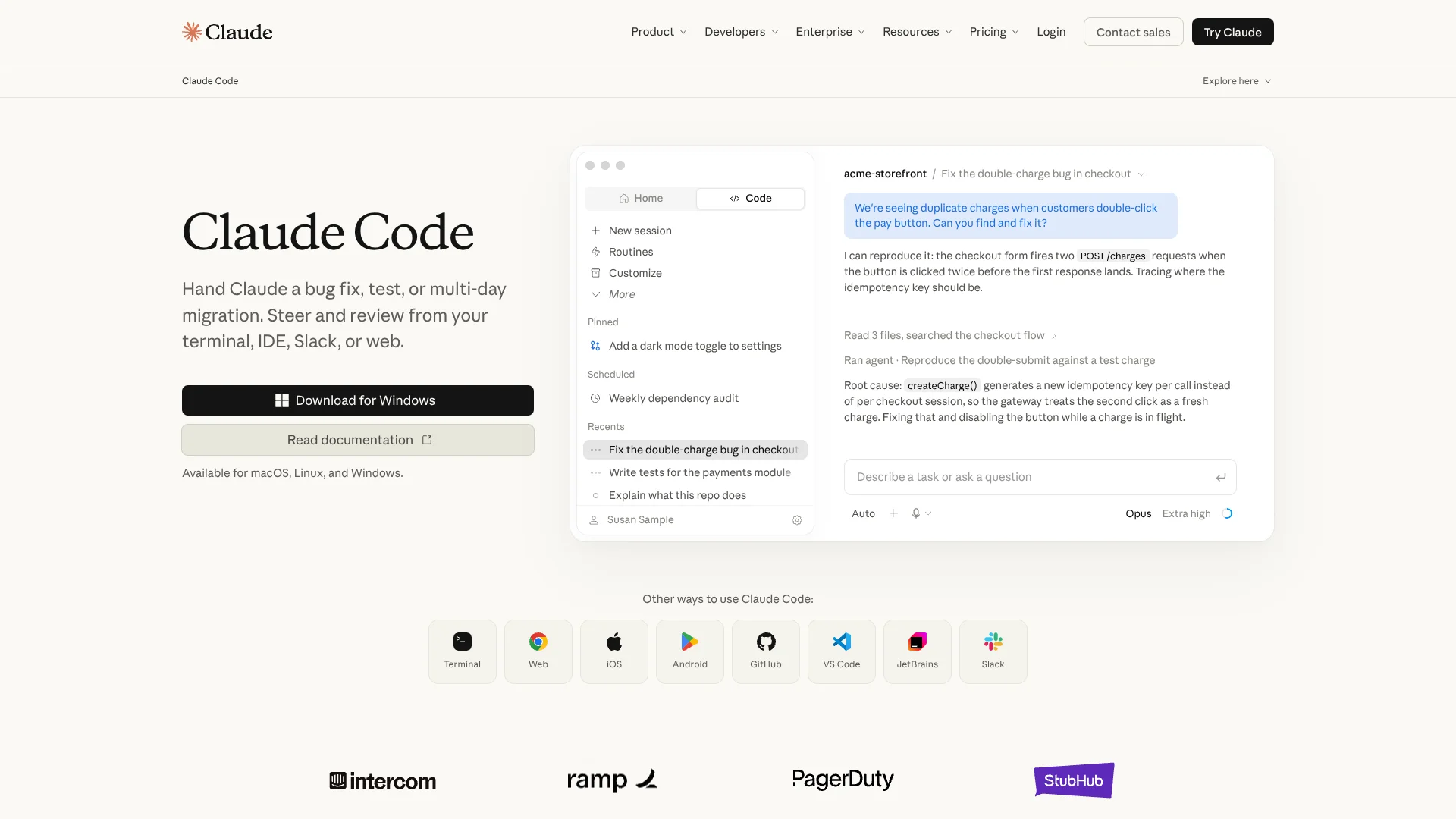
Claude Code works inside a terminal, IDE, desktop app, or browser and handles software tasks across an existing codebase. It can map project structure, edit files, run commands, test changes, and open pull requests. Developers stay responsible for direction and review while Claude handles the repetitive steps between a bug report and a verified change.
A long-running migration can continue across multiple files, failed tests, and follow-up fixes while Claude keeps the project context in view. It can also connect to external services through MCP servers, letting a coding session query a database, inspect GitHub issues, or post to Slack.
Claude Code fits developers and engineering teams that want an AI coding agent close to their existing command-line workflow. It takes more supervision than a code autocomplete tool because generated changes and commands still need review, especially in unfamiliar or sensitive repositories. Its strength is delegated, repo-level work rather than isolated code snippets.
Who is Using Claude Code?
Software Engineers
Bug fixes, feature work, test creation, and refactors move from a written request to reviewed code.
Staff Engineers
Large migrations and multi-step architecture changes benefit from codebase mapping and long-running sessions.
DevOps Engineers
Command-line access, Git operations, CI checks, and connected deployment tools keep infrastructure work near the terminal.
Security Engineers
The security review command and GitHub Actions can check code for common vulnerabilities before release.
Engineering Managers
Team plans provide centralized billing, seat management, usage controls, and access to Claude Code for developers.
Uncommon Use Cases
Scheduled dependency audits; parallel subagents for competing debugging hypotheses
Key Features
Rating Breakdown
Pricing Plans
Pro
$20 per month
- $17 per month with annual subscription discount, billed as $200 up front
- Claude Code included
- Standard usage and usage credits
Max 5x
$100 per month
- Five times Pro capacity per session
- Claude Code included
- Monthly billing
Max 20x
$200 per month
- Twenty times Pro capacity per session
- Claude Code included
- Monthly billing
Standard seat
$20 per seat per month
- $25 per seat per month when billed monthly
- Claude Code included
- Team plan seats include more usage than Pro
Premium seat
$100 per seat per month
- $125 per seat per month when billed monthly
- Five times more usage than standard seats
- Claude Code included
Enterprise
$20 per seat per month
- Billed annually with a minimum of 20 seats
- Usage billed separately at API rates
- Includes Claude Code, SSO, SCIM, audit logs, role-based access, and custom data retention
Which Claude Code plan should you pick?
Start with Pro for occasional individual coding, move to Max for heavier daily use, and choose Team or Enterprise when administration, shared access, or organization-wide controls matter.
Pro
Good for individual developers who need Claude Code with standard usage.
Max 5x
Good for frequent individual coding with five times Pro capacity per session.
Max 20x
Good for daily power users who need twenty times Pro capacity per session.
Team
Good for teams that need shared administration, SSO, collaboration, and Claude Code seats.
Enterprise
Good for larger organizations that need usage billing, fine-grained permissions, SCIM, audit logs, and custom data retention.
Claude Code Use Cases
Bug Fixes
A reported issue becomes a traced root cause, code change, and test run inside the repository.
Outcome: A reviewed fix with evidence from the test or validation step.
Codebase Onboarding
New contributors can ask Claude to explain a repository's structure, components, dependencies, and conventions.
Outcome: A project overview without manually reading every directory first.
Refactors and Migrations
Large changes can be broken into steps while Claude follows imports, edits related files, and responds to failures.
Outcome: A broader code change with ongoing test feedback.
Pull Request Automation
GitHub issues, CI failures, and review comments can trigger coding work that ends in a pull request.
Outcome: A proposed change ready for human review.
Security Reviews
The security review command and GitHub Actions look for issues such as SQL injection, XSS, authentication flaws, and dependency vulnerabilities.
Outcome: Findings with suggested patches before production release.
Workflow Ideas with Claude Code
Issue to Pull Request
- 1Connect Claude Code to the repository and issue tracker.
- 2Give Claude the issue, constraints, and expected behavior.
- 3Review the diff, run tests, and open the pull request.
Safe Multi-File Refactor
- 1Start in Plan mode and ask Claude to map affected files and dependencies.
- 2Approve the plan and let Claude edit the repository.
- 3Review test results and inspect the final diff before committing.
Automated Security Check
- 1Run the security review command in the project directory.
- 2Review the reported vulnerability patterns and affected files.
- 3Ask Claude to draft patches, then validate them with tests and manual review.
How Claude Code fits into your stack
Terminal and Shell
Claude Code runs from the command line and can work with Git, test runners, package managers, deployment tools, and other CLI utilities.
Editors
Native integrations bring Claude Code into VS Code, Cursor, other VS Code forks, and JetBrains IDEs.
Repositories and CI
GitHub, GitLab, GitHub Actions, branches, issues, tests, and pull requests fit into the same development loop.
External Services
MCP servers and connectors add services such as GitHub, Slack, Linear, Notion, databases, and browser tools.
Team Administration
Team and Enterprise plans add shared workspaces, central billing, SSO, role-based access, usage controls, and audit features.
Pros
- +Repo-level execution: Handles planning, edits, commands, tests, and pull requests in one coding session.
- +Terminal-first workflow: Works with the CLI tools and version-control habits developers already rely on.
- +Permission controls: Requests approval for file changes and commands by default.
- +Editor coverage: Supports VS Code, Cursor, other VS Code forks, and JetBrains IDEs.
- +Automation options: Hooks, routines, GitHub Actions, skills, and subagents support repeatable development work.
Cons
- −Usage limits: Subscription plans limit how much Claude Code you can run, while Console access bills API tokens.
- −Review burden: Developers still need to inspect diffs, approve risky actions, and verify important changes.
- −Setup depth: The largest gains come after configuring project instructions, permissions, MCP servers, and reusable skills.
Limitations & when to consider alternatives
Known limitations
- Plan-Based Usage Limits. Pro, Max, and Team usage is subject to plan limits, while Enterprise and Console access can use consumption billing at API rates.
- Permission Prompts. The default permission model asks before file edits, shell commands, and external calls, which can slow long tasks.
- Local Session Storage. Terminal sessions are stored locally per project and are not automatically shared with teammates or shown in a shared dashboard.
- Desktop Beta. Claude Code Desktop is listed as a beta feature, so its availability and behavior may differ from the terminal workflow.
Look elsewhere when
- You need a free Claude Code plan with no paid subscription or API billing.
- You want a dedicated mobile coding app rather than browser or desktop access.
- Your workflow depends on an established visual drag-and-drop coding interface.
How to Use Claude Code
- 1
Install Claude Code
Install the native CLI on macOS, Linux, WSL, or Windows, then run claude from a repository.
- 2
Sign In
Authenticate with a Pro, Max, Team, Enterprise, or Claude Console account.
- 3
Set Project Context
Run /init or add a CLAUDE.md file with the repository's commands, conventions, and testing rules.
- 4
Plan the Task
Start complex work in Plan mode so Claude maps the approach before making changes.
- 5
Review and Verify
Approve actions, inspect diffs, run tests, and check changes that affect critical paths.
- 6
Add Integrations
Connect MCP servers, GitHub Actions, skills, hooks, or routines when the workflow needs external data or repeatable automation.
Who is Claude Code For?
Developers
Repo-aware coding help is useful for bugs, tests, refactors, migrations, and new features.
Engineering Teams
Shared Claude plans add centralized administration, collaboration, SSO, and connected company tools.
Technical Leads
Plan mode, project instructions, and review controls help set boundaries around delegated coding work.
Enterprise Engineering Organizations
Enterprise adds usage controls, role-based permissions, SCIM, audit logs, and custom data retention.
Frequently Asked Questions
Does Claude Code have a free plan?
No. Claude Code access is included with Pro, Max, Team, and Enterprise plans, or it can use a Claude Console account with API token billing.
How much does Claude Code cost?
The lowest monthly individual plan that includes Claude Code is Pro at $20 per month. Team, Max, and Enterprise plans have separate seat or usage pricing.
Which operating systems support Claude Code?
Claude Code supports macOS, Linux, and Windows. WSL is also supported for installation.
Can Claude Code work inside an IDE?
Yes. Official integrations support VS Code, Cursor, other VS Code forks, and JetBrains IDEs such as IntelliJ and PyCharm.
Can Claude Code connect to GitHub and Slack?
Yes. Claude Code supports GitHub and Slack connections, and MCP servers can add other services such as Linear, Notion, and databases.
Does Claude Code make changes without asking?
By default, Claude Code asks for permission before making file changes or running commands. Other permission modes can reduce prompts, but they require careful use.
Part of the Claude family

Claude
View parent product
Community reviews
Be the first to share your experience.
Sign in to leave a review for Claude Code.
Claude Code Alternatives
Looking for alternatives to Claude Code? Here are similar tools in the same category:
Learn to Master Claude Code
With Skill Leap courses
Get in-depth training on Claude Code and 50+ other AI tools with our expert-led video courses.
Start 7-Day Free Trial