
Claude Cowork
Lets teams offload recurring document and spreadsheet work across their tools.
Watch Claude Cowork in Action
Key Takeaways
- What it is
- Lets teams offload recurring document and spreadsheet work across their tools.
- Pricing
- $20 per month · $100 per month · $200 per month · $20 per seat per month
- Best for
- Multi-step task execution
- Scheduled tasks
- Local folders and files
- Rating
- 4.8/5
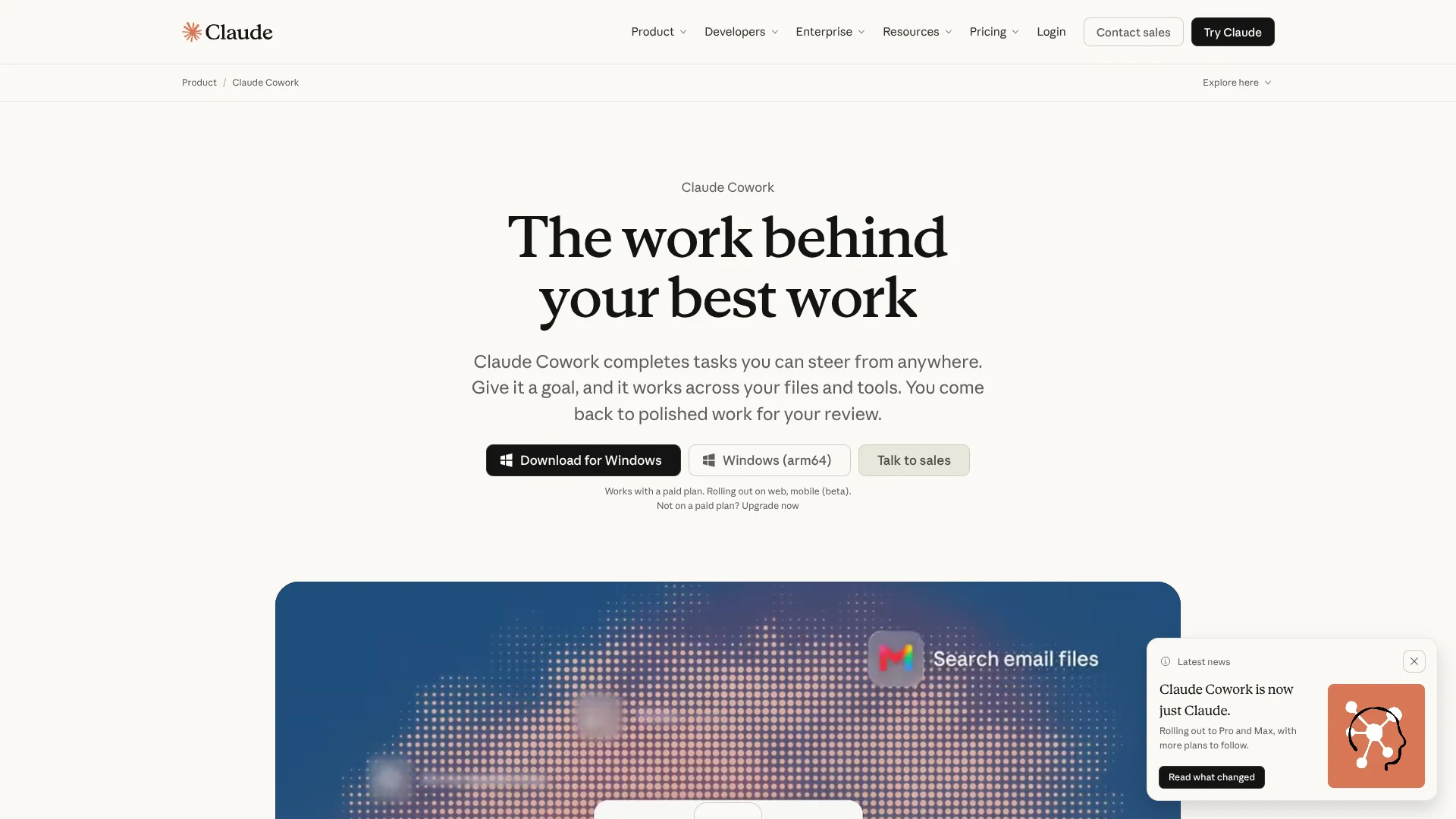
What is Claude Cowork?
Claude Cowork takes a goal such as reviewing contracts, reconciling spreadsheets, or preparing a research report and works through the steps across selected files and connected tools. It can plan subtasks, run code in an isolated environment, create finished documents, and show you what it is doing. It is built for people who want Claude to complete knowledge-work tasks instead of only explaining them.
A scheduled Cowork task can continue in Anthropic’s cloud after your laptop closes, then return a finished deck, spreadsheet, document, or research result for review. You can also start from your phone, redirect the work, and keep the same task moving across desktop, web, and mobile.
Cowork fits marketing, sales, legal, finance, operations, and other teams with repeatable work spread across folders and business tools. It is less suited to software engineering, where Anthropic positions Claude Code as the dedicated product, and it still needs human review for consequential actions. The strongest reason to choose Cowork is its ability to turn a stated outcome into a multi-step deliverable.
Who is Using Claude Cowork?
Marketing managers
Weekly performance decks can be built from web data, connected tools, and files on a schedule.
Sales representatives
Account research and call-note review produce briefing memos before customer conversations.
In-house counsel
Contract folders can be compared with a legal playbook and returned as clause-level review memos.
Financial analysts
Regional exports and budget files can be combined into summary workbooks with flagged variances.
Operations managers
Repeatable reports and cross-tool processes can be scheduled while the manager reviews the finished result.
Uncommon Use Cases
Brand voice guidelines distilled from existing documents and conversations; private plugins that package an organization’s skills, connectors, and sub-agents
Key Features
Rating Breakdown
Pricing Plans
Pro
$20 per month
- Annual billing is $200 billed up front, equivalent to $17 per month.
- Includes hand off and schedule tasks.
- Cowork consumes limits faster than Chat.
Max 5x
$100 per month
- 5x Pro usage capacity per session.
- Higher output limits for all tasks.
- Priority access during high-traffic periods.
Max 20x
$200 per month
- 20x Pro usage capacity per session.
- Higher output limits for all tasks.
- Priority access during high-traffic periods.
Team
$20 per seat per month
- Standard and premium seats are $20 per seat per month.
- For teams of 2 to 150.
Enterprise
$20 per seat per month
- Billed annually.
- Requires a minimum of 20 seats.
- Usage is billed separately at API rates.
- Includes advanced security and organization controls.
Which Claude Cowork plan should you pick?
Start with Pro for occasional task handoffs, move to Max for frequent individual use, and choose Team or Enterprise when shared projects and organization controls matter.
Pro
Good for individual users who need scheduled tasks, local file work, and finished reports without the higher capacity of Max.
Max 5x
Good for frequent individual users who run longer or more complex Cowork tasks throughout the day.
Max 20x
Good for power users who hand off work repeatedly and need the highest individual usage option.
Team
Good for teams that need shared projects, SSO, central administration, plugin distribution, and standard or premium seats.
Enterprise
Good for larger organizations that need role-based permissions, spend limits, audit logs, SCIM, observability, and custom retention controls.
Claude Cowork Use Cases
Recurring performance reports
A scheduled task pulls the latest metrics, compares them with the prior period, and prepares a presentation for review.
Outcome: A repeatable readout is ready when the reporting period begins.
Contract batch review
A folder of agreements can be checked against a playbook with clause citations, severity levels, and uncovered issues.
Outcome: Each contract receives a structured first-pass memo.
Spreadsheet reconciliation
Regional exports and budget files can be rolled into summary tabs while material variances are flagged.
Outcome: A working spreadsheet shows differences and unresolved items.
Sales call analysis
Quarterly call notes can be read together to summarize deal status, blockers, sign-offs, and repeated objections.
Outcome: A sales memo brings scattered customer feedback into one review.
Web research and form work
The built-in browser handles site reading, navigation, and form completion in a separate browser environment.
Outcome: Web-based steps are completed inside the task while you retain oversight.
Workflow Ideas with Claude Cowork
Weekly marketing readout
- 1Connect the relevant analytics and file sources.
- 2Schedule the task for the desired day and cadence.
- 3Review the generated presentation and flagged trends.
Inbound contract triage
- 1Select the contracts folder and legal playbook.
- 2Ask Claude to compare each agreement against the playbook.
- 3Review the clause-level memos and unresolved policy gaps.
Month-end reconciliation
- 1Point the project to regional exports and the budget workbook.
- 2Have Claude combine the data and flag material variances.
- 3Check the summary tabs and investigate items that did not reconcile.
How Claude Cowork fits into your stack
Desktop files
The Claude Desktop app connects Cowork to selected folders and local applications on macOS or Windows. Local file and computer access require the desktop app.
Business tools
Connectors bring services such as Google Drive, Slack, Gmail, DocuSign, Microsoft 365, Amplitude, and Salesforce into task workflows.
Web research
The built-in browser handles sites, pages, and forms in a separate environment. Claude in Chrome adds browser-side interaction for supported paid plans.
Projects and shared work
Projects keep files, instructions, context, scheduled tasks, and memory together. Team and Enterprise users can share projects with view or edit access.
Plugins and organization controls
Plugins package skills, connectors, and sub-agents for a role or department. Team and Enterprise admins can distribute plugins and manage access.
Pros
- +Finished deliverables: Returns editable documents, spreadsheets, presentations, and research outputs for review.
- +Cross-device continuity: A task can start on desktop, continue in the cloud, and be checked from a phone.
- +Visible control: Shows its plan, opened files, tools, and decisions so you can redirect or stop the work.
- +Recurring work: Scheduled tasks can handle repeat reports and other time-based workflows.
- +Role-specific setup: Plugins can combine domain skills, connectors, and sub-agents for teams such as legal, finance, or sales.
Cons
- −Paid access required: Cowork is available on Pro, Max, Team, and Enterprise plans, not the Free plan.
- −Higher usage draw: Agentic tasks consume Claude capacity faster than ordinary chat.
- −Human review remains necessary: Computer use and connected-tool actions can have real consequences.
Limitations & when to consider alternatives
Known limitations
- Paid-plan requirement. Cowork is available on Pro, Max, Team, and Enterprise plans, while the Free plan does not include Cowork.
- Desktop dependency for local access. Local files, browser use, and computer use require the Claude Desktop app for macOS or Windows to be open and connected.
- Usage limits. Cowork tasks draw from the same plan capacity as Claude and can consume limits faster because they use multiple tool calls and, when needed, sub-agents.
- No session sharing. Cowork sessions cannot be shared with other people, although individual artifacts and Team or Enterprise projects can be shared.
- Computer use is a research preview. Computer use can interact with screens and applications, but Anthropic identifies it as a research preview and recommends reviewing actions with real consequences.
Look elsewhere when
- You need a dedicated software engineering workflow for writing, debugging, and shipping code.
- You need a free plan that includes autonomous task execution.
- Your workflow depends on a local device that cannot keep the Claude Desktop app open for computer access.
- You need shared live sessions rather than shared projects or finished artifacts.
How to Use Claude Cowork
- 1
Choose a paid Claude plan
Start with Pro for lighter work, or choose Max, Team, or Enterprise when you need more capacity or organization controls.
- 2
Open Claude on your preferred surface
Cowork is available through the desktop app, web, and mobile beta, with the desktop app needed for local folders and computer access.
- 3
Describe the finished result
State the goal, source folders or connected tools, desired format, and any rules Claude should follow.
- 4
Review the proposed approach
Check Claude’s plan and permission requests before allowing it to continue.
- 5
Guide the task while it runs
Watch the files, tools, and decisions Claude uses, then redirect or stop the task when needed.
- 6
Schedule repeat work when useful
Set a daily, weekly, or monthly cadence for reports and other recurring tasks, then review each result.
Who is Claude Cowork For?
Marketing teams
Recurring readouts, campaign analysis, and polished content can be assembled from connected data and files.
Sales teams
Account research, call-note analysis, deal summaries, and objection tracking fit Cowork’s multi-step workflow.
Legal teams
Contract batches can be checked against a playbook with clause references, severity notes, and negotiation suggestions.
Finance and operations teams
Spreadsheet reconciliation, variance analysis, reporting, and other folder-based processes can run as repeatable tasks.
Organizations deploying AI workflows
Team and Enterprise plans add project sharing, admin controls, plugin marketplaces, SSO, and usage oversight.
Frequently Asked Questions
Is Claude Cowork free?
No. Cowork is available on paid Pro, Max, Team, and Enterprise plans. The Free plan does not include Cowork.
What is the difference between Cowork and regular Claude chat?
Chat mainly responds to messages, while Cowork can work through multi-step tasks using selected files, connectors, browsers, and tools, then return finished outputs.
Can Claude Cowork work while my laptop is closed?
Cloud sessions can continue after the desktop app is closed or the computer is asleep. Local file and computer access still require the Claude Desktop app to be open and connected.
Can I use Claude Cowork from my phone?
Yes. Cowork is available in the Claude mobile app in beta on Pro, Max, and Team plans, with Enterprise access controlled by the organization administrator.
Which tools connect to Claude Cowork?
Supported connectors include Google Drive, Gmail, Slack, DocuSign, Microsoft 365, Amplitude, and Salesforce, with additional connectors available through Claude’s connector and plugin system.
Does Claude Cowork include API access?
No. A Claude subscription and the Claude Console API are separate products, so API access requires separate Console setup and billing.
Part of the Claude family

Claude
View parent product
Community reviews
Be the first to share your experience.
Sign in to leave a review for Claude Cowork.
Claude Cowork Alternatives
Looking for alternatives to Claude Cowork? Here are similar tools in the same category:
Learn to Master Claude Cowork
With Skill Leap courses
Get in-depth training on Claude Cowork and 50+ other AI tools with our expert-led video courses.
Start 7-Day Free Trial