
Clueso
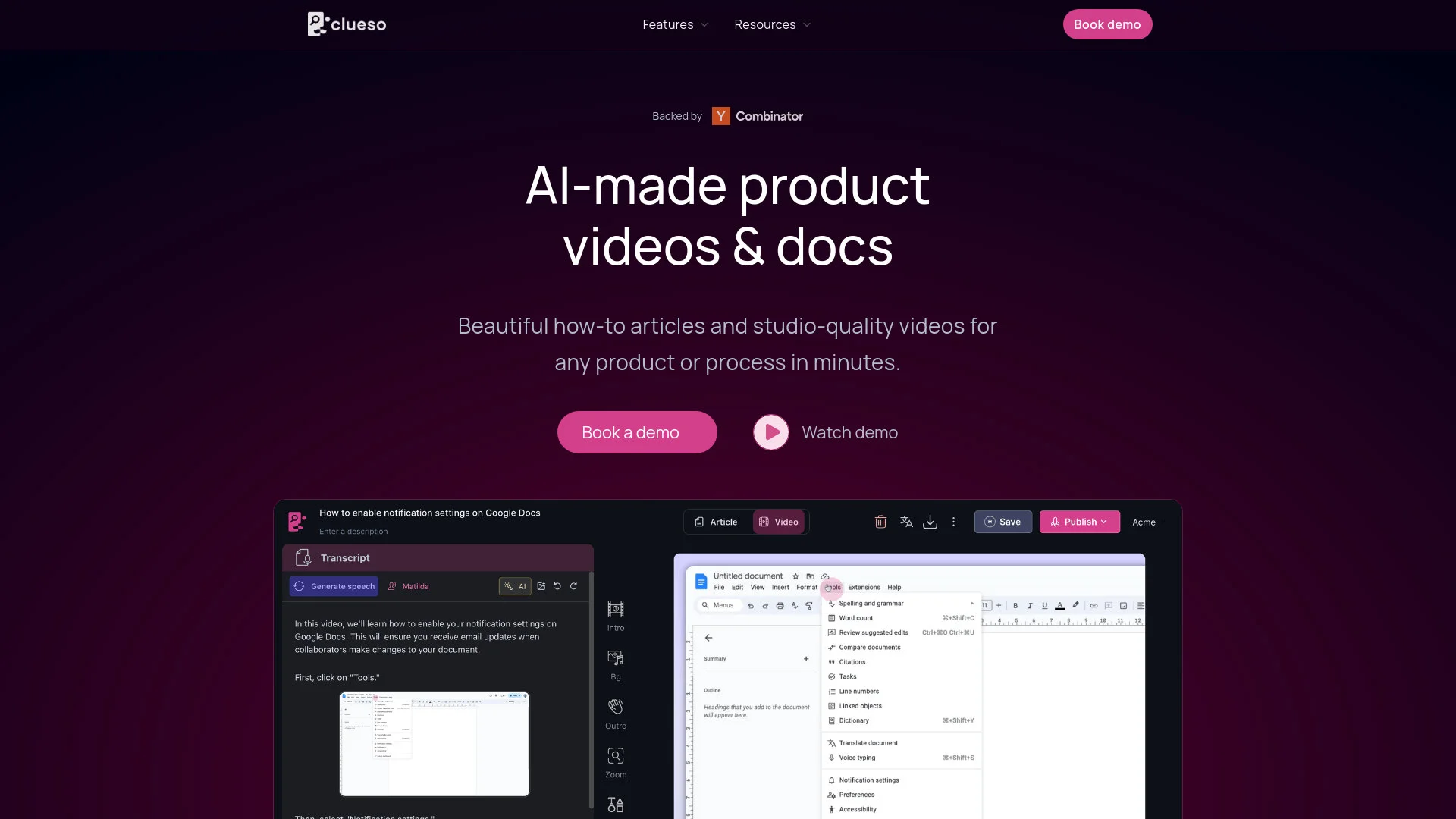
Transform screen recordings into multilingual videos and documents effortlessly.
Key Takeaways
- What it is
- Transform screen recordings into multilingual videos and documents effortlessly.
- Best for
- Studio-Quality Video Production
- Automated Documentation
- Multi-Language Support
- Rating
- 4.7/5
What is Clueso?
As someone constantly on the lookout for tools that streamline content creation, I’ve recently turned my attention to Clueso, a robust AI-powered platform designed to transform how we create educational and marketing content. Clueso specializes in generating high-quality, studio-style videos and step-by-step documentation from mere screen recordings. Aimed at enhancing both customer education and employee training, this tool simplifies the creation of engaging, informative content that can be translated and shared across global platforms.
Clueso stands out with its ability to instantly transform screen recordings into high-quality, engaging educational content. Its one-click translation feature supports over 20 languages, making it a game-changer for global businesses. The platform’s integration of video and documentation capabilities into one seamless workflow sets it apart from traditional content creation tools.
Clueso excels in transforming the way we create and distribute educational content. Its unique features, such as the one-click translation and integration of video and documentation, make it an indispensable tool for businesses aiming to scale their training and marketing efforts globally. With its high ratings in efficiency, ease of use, and functionality, Clueso is poised to be a frontrunner in the AI content creation landscape.
Who is Using Clueso?
Corporate Trainers
Utilizing the tool to speed up employee onboarding and training processes.
Marketing Teams
Creating compelling product demos and tutorials for product marketing.
Customer Support Managers
Developing detailed help articles and videos to enhance customer support.
Software Developers
Streamlining developer onboarding with engaging educational content.
Uncommon Use Cases
Non-profit organizations use it for creating training materials for volunteers; small startups use it for cost-effective content creation without needing external agencies.
Key Features
Rating Breakdown
Pricing Plans
Free Trial
- Get started with Clueso with a free demo to explore its capabilities
Subscription Plans
- Detailed pricing plans are available upon request
- Ensuring you get the features you need tailored to your business size
Which Clueso plan should you pick?
Start with Free to evaluate Clueso; upgrade to Solo for individual watermark-free work, Business for collaboration, or Enterprise for SSO and advanced automation.
Free
Good for exploring Clueso with one user, limited exports, and limited AI credits.
Solo
Good for individual creators who need higher limits, watermark-free exports, and more AI credits.
Business
Good for small teams who need two users, live collaboration, roles, and higher export limits.
Enterprise
Good for larger teams who need SSO, custom limits, advanced automation, voice cloning, and enterprise controls.
Clueso Use Cases
Product walkthroughs
Record a product workflow and turn it into a polished demonstration video.
Outcome: A branded, narrated product video.
Step-by-step help articles
Convert screen recordings into structured guides with automatically captured screenshots.
Outcome: Publishable documentation generated from the recording.
Training and onboarding
Create tutorials, onboarding guides, and support articles from a single screen recording.
Outcome: Reusable training and enablement content.
Feature launch videos
Use Clueso Agents and connected product context to create videos for new releases.
Outcome: Launch and announcement videos that can stay updated.
Content localization
Translate voiceovers, captions, scripts, and documentation into additional languages.
Outcome: Localized videos and articles for international audiences.
Workflow Ideas with Clueso
Screen recording to guide
- 1Record a product workflow with the Clueso extension
- 2Let Clueso generate the script, screenshots, and article
- 3Edit and export the video and step-by-step guide
Slide deck to narrated video
- 1Upload a PPTX through Clueso MCP
- 2Import slides as clips and generate narration
- 3Render and export the completed video
Release workflow to updated videos
- 1Connect the product frontend repository through GitHub
- 2Let Clueso detect product changes and identify outdated videos
- 3Regenerate affected videos and review the editable drafts
How Clueso fits into your stack
Custom Help Sites
Easily integrate your content into a beautifully designed help site.
Multi-platform Support
Compatible with various operating systems, ensuring smooth operation across different devices.
API Access
Offers API integration for custom usage in large-scale operations.
Third-Party Integration
Seamlessly works with existing content management systems.
Pros
- +Efficiency in Content Creation: Reduces the time taken to create videos and documents from hours to minutes.
- +Ease of Use: Intuitive interface that requires no prior script or extensive preparation.
- +High Customizability: Offers numerous formatting options and the ability to match the visual design to your brand identity.
- +Scalability: Suitable for both small businesses and large enterprises looking to enhance their training and marketing materials.
Cons
- −Dependency on Screen Recordings: Primarily relies on the quality of input screen recordings.
- −Learning Curve: New users might need some time to fully exploit the advanced features.
- −Limited Offline Functionality: Requires an internet connection for full functionality, including translation features.
Limitations & when to consider alternatives
Known limitations
- Free-plan export limits. The Free plan includes 10 minutes of video exports and 15 article exports per month.
- Free-plan input length. Free-plan videos are limited to inputs of up to 10 minutes per video.
- Watermarks on lower plans. Watermark-free exports are not included on the Free plan.
- SSO availability. SAML/SSO is available only on the Enterprise plan.
- Voice cloning availability. Voice cloning is listed as an Enterprise feature and is not included on Free, Solo, or Business.
Look elsewhere when
- You need a native iOS or Android app.
- You need programming-code generation rather than documentation code snippets.
- You need custom model fine-tuning rather than visual-style customization.
How to Use Clueso
- 1
Explore a range of tutorials from basic setup to advanced features directly on the Clueso website, ensuring users can make the most of the platform from day one.
Who is Clueso For?
Customer education teams
Create video libraries and documentation for training and customer enablement.
Product marketing teams
Produce launch videos and feature demonstrations without waiting on a video team.
Learning and development teams
Create training content for internal tools and processes.
Sales enablement teams
Turn live calls and demonstrations into short videos and SOPs.
Technical writers and documentation teams
Pair help articles with videos and generate step-by-step documentation from recordings.
Frequently Asked Questions
What is Clueso and what does it do?
Clueso turns raw screen recordings into polished videos and step-by-step articles automatically.
Who is Clueso built for?
It is built for customer education, product marketing, product management, customer success, support, sales enablement, learning and development, operations, and technical writing teams.
How do I get started with Clueso?
Record a video with the Chrome extension or upload a recording directly to the platform.
Does Clueso create both videos and written content automatically?
Yes. Clueso generates a polished video and a structured step-by-step article from the same screen recording.
Does Clueso support SSO or SAML authentication?
Yes. SSO and SAML-based authentication are available for enterprise customers.
Can I try Clueso before paying?
Clueso offers a free plan and also describes a seven-day free trial in its FAQ.
Community reviews
Be the first to share your experience.
Sign in to leave a review for Clueso.
Clueso Alternatives
Looking for alternatives to Clueso? Here are similar tools in the same category:
Learn to Master Clueso
With Skill Leap courses
Get in-depth training on Clueso and 50+ other AI tools with our expert-led video courses.
Start 7-Day Free Trial