
Cockatoo
Unveil speech's text essence swiftly; multilingual, accurate, secure transcription for professionals.
Key Takeaways
- What it is
- Unveil speech's text essence swiftly; multilingual, accurate, secure transcription for professionals.
- Pricing
- Freemium
- Best for
- Superhuman Accuracy
- Rapid Transcription
- Multilingual Support
- Rating
- 4.6/5
What is Cockatoo?
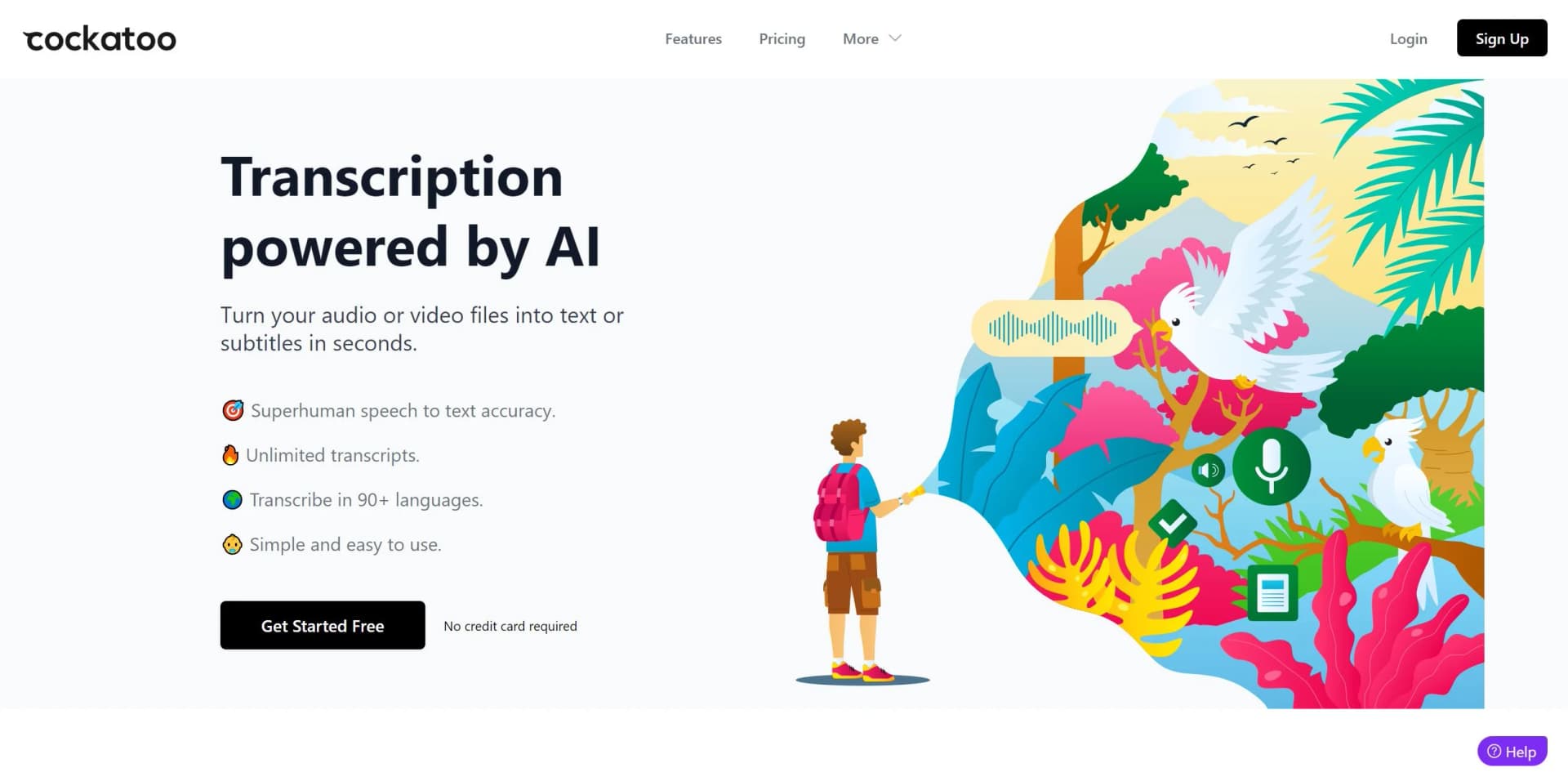
As an AI enthusiast and a professional reviewer, I've come across numerous tools designed to make our digital lives more efficient. Today, I'm exploring Cockatoo, an AI-powered transcription service that promises to convert audio and video into text with remarkable accuracy and speed. Catering to a wide range of users, from content creators to legal professionals, Cockatoo stands out with its ability to handle different accents, background noises, and technical language across 90+ languages. Let's dive into what makes Cockatoo a potentially invaluable tool for individuals and businesses alike.
Cockatoo's standout feature is its exceptional accuracy and speed in transcription. Its ability to transcribe content across an impressive range of languages and dialects makes it a versatile tool in a globalized world. Furthermore, its commitment to privacy and security ensures that users can trust the platform with sensitive information.
Cockatoo excels in delivering fast and accurate transcription services, making it a standout tool for anyone in need of converting speech to text. Its robust language support and user-friendly interface cater to a diverse and global user base. While there may be a slight learning curve and dependency on audio quality, Cockatoo's benefits far outweigh its limitations. With its focus on privacy and security, it's a reliable choice for professionals and casual users alike, seeking to streamline their transcription workflow.
Who is Using Cockatoo?
Journalists and Writers
For transcribing interviews and creating accurate quotes for their articles.
Podcasters and Content Creators
To generate transcripts for their audio and video content, enhancing SEO and accessibility.
Academic Researchers
For transcribing lectures, interviews, and field notes efficiently.
Legal Professionals
To create accurate records of depositions, testimonies, and meetings.
Uncommon Use Cases
Language learners use Cockatoo to practice transcription in different languages; Musicians transcribe spoken word samples for their compositions.
Key Features
Rating Breakdown
Pricing Plans
Free Tier
Free
- Get started with Cockatoo without any cost and with no credit card required
Pro Tier
- More features and higher volume transcription
- The Pro plan is available at a competitive monthly or annual rate
Which Cockatoo plan should you pick?
Start with Free for light transcription and translation; upgrade to Pro for unlimited individual use or Team for collaborative editing.
Free
Good for individuals who need limited AI transcription, translation, storage, and file transfers.
Pro
Good for individuals who need unlimited transcription, translation, transfers, storage, and AI Notes usage.
Team
Good for teams who need shared transcript editing, per-person storage, and centralized billing.
Cockatoo Use Cases
Audio and video transcription
Upload recordings or videos and convert spoken dialogue into editable text.
Outcome: A downloadable transcript in common document or subtitle formats.
Document translation
Translate PDF, DOCX, PPTX, XLSX, and TXT files between supported languages.
Outcome: Translated documents and text content.
Transcript editing
Edit transcript text and speaker names in the built-in browser editor.
Outcome: A corrected transcript ready for export.
Cloud file storage and sharing
Store files in folders and share them using secure links and permissions.
Outcome: Centralized, shareable cloud storage.
Voice notes
Create voice notes and transcribe them through Cockatoo's iOS app.
Outcome: Voice recordings converted into searchable written notes.
Workflow Ideas with Cockatoo
Turn a recording into a transcript
- 1Upload an audio or video file
- 2Generate the transcript
- 3Edit and export the transcript
Translate a document
- 1Upload a PDF, DOCX, PPTX, XLSX, or TXT file
- 2Select the target language
- 3Download the translated file
Share a transcript with a team
- 1Create a transcript
- 2Share it with team members
- 3Collaboratively edit the transcript
How Cockatoo fits into your stack
File Format Compatibility
Cockatoo accepts a variety of audio and video file formats for transcription.
Export Flexibility
Users can export transcripts in multiple formats such as srt, docx, pdf, or txt to suit their needs.
Privacy Assurance
Cockatoo operates with a strong privacy policy, ensuring user data is handled securely.
Pros
- +Time Efficiency: Dramatically reduces the time required for transcription tasks.
- +Accessibility: Makes transcribed content more accessible for different use cases, including those with hearing impairments.
- +Cost-Effective: Offers competitive pricing, with a free tier available and affordable subscription plans.
- +Ease of Use: The platform's straightforward design allows users to start transcribing with minimal effort.
Cons
- −Learning Curve: New users may need time to familiarize themselves with the platform's full range of features.
- −Dependence on Audio Quality: While robust, the accuracy may still be affected by extremely poor audio quality or heavy background noise.
- −Subscription Model: The most advanced features are locked behind a subscription, which may not suit all users.
Limitations & when to consider alternatives
Known limitations
- Free-plan AI usage is limited. The Free plan provides limited access to AI transcription and translation features.
- Free storage is limited. The Free plan includes 2 GB of encrypted cloud storage.
- Free transfers are limited. The Free plan allows transfers up to 10 GB per month.
- Supported inputs must contain spoken dialogue. Cockatoo's transcription guidance says files should contain spoken dialogue rather than music recordings.
- Speaker identification is currently English-only. The help center states that speaker identification is currently available in English only.
Look elsewhere when
- You need a documented developer API with endpoints and API keys.
- You need a dedicated desktop installer rather than a web interface.
- You need image understanding rather than audio or video transcription.
How to Use Cockatoo
- 1
Cockatoo's website offers a help center for users to get acquainted with all functionalities, ensuring a smooth transcription process from the get-go.
Who is Cockatoo For?
Content creators
Cockatoo supports podcast transcription, show notes, video captions, and content repurposing.
Businesses
Businesses can use it for meeting transcription, interviews, searchable notes, and shared team transcripts.
Journalists
Journalists can transcribe interviews and other recorded material quickly across many languages.
Researchers
Researchers can convert academic lectures, interviews, and recorded research material into text.
Individuals
Individuals can use Cockatoo for personal recordings, voice notes, transcription, translation, and file storage.
Frequently Asked Questions
What does Cockatoo do?
Cockatoo provides AI transcription, translation, secure cloud storage, and voice-note tools.
How does automated transcription work?
Its AI converts audio and video files into text.
What file formats are supported for transcription?
Supported examples include WAV, MP3, M4A, MP4, and MOV.
Can automated transcription handle video files?
Yes. Cockatoo extracts spoken words from video and converts them into text.
In what formats can I receive transcripts?
Transcripts can be exported as PDF, DOCX, TXT, and SRT.
How is my data secured in the cloud?
Files are encrypted at rest and in transit, including AES-256 and TLS 1.3 protection.
Community reviews
Be the first to share your experience.
Sign in to leave a review for Cockatoo.
Cockatoo Alternatives
Looking for alternatives to Cockatoo? Here are similar tools in the same category:
Learn to Master Cockatoo
With Skill Leap courses
Get in-depth training on Cockatoo and 50+ other AI tools with our expert-led video courses.
Start 7-Day Free Trial