
Colossyan
Transform text and presentations into AI-narrated videos.
Watch Colossyan in Action
Key Takeaways
- What it is
- Transform text and presentations into AI-narrated videos.
- Pricing
- $27 per month for individual creators · $88 per month for professionals or small teams
- Best for
- AI Video Creator
- Screen Recorder
- AI Avatars and Voice Cloning
- Rating
- 4.7/5
What is Colossyan?
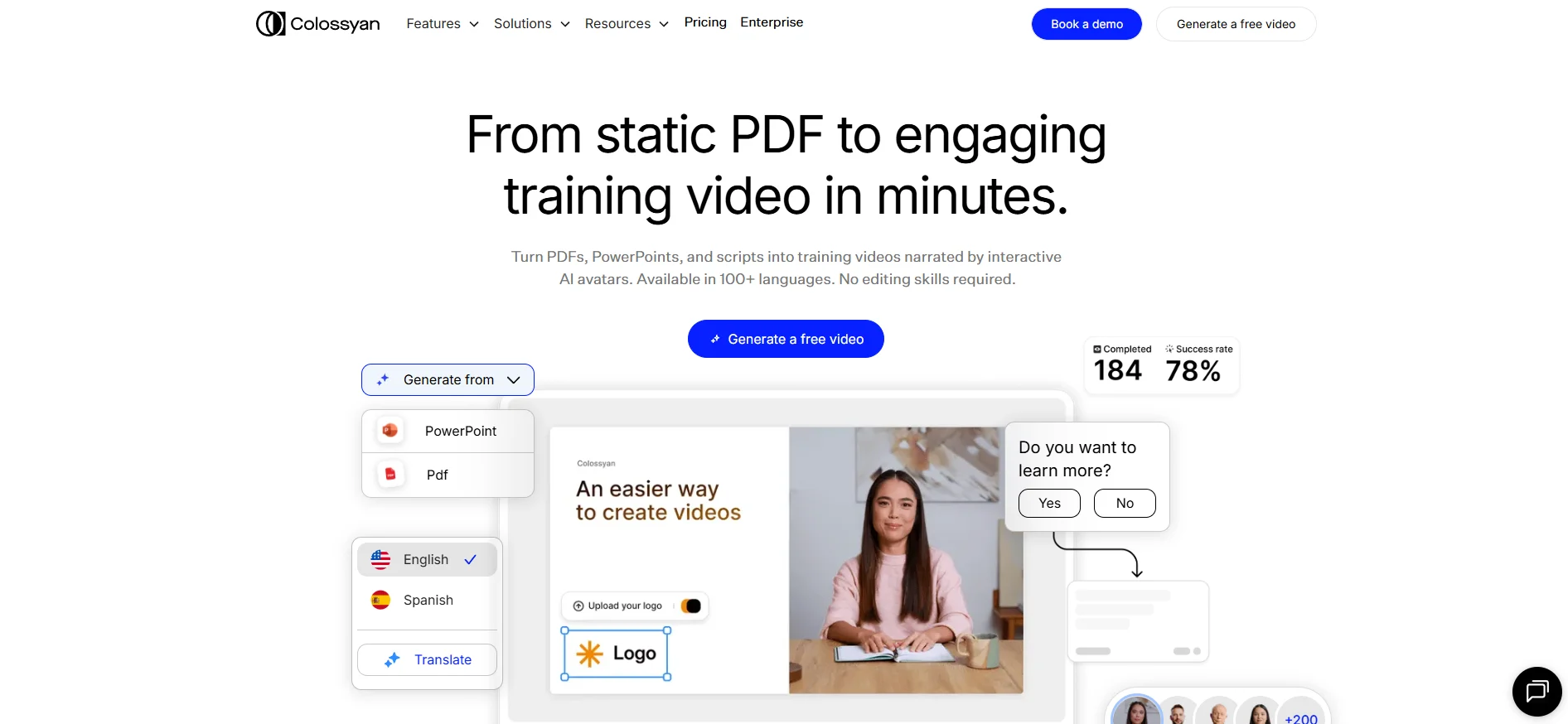
Colossyan is an innovative AI video creation platform designed to transform static content into engaging video presentations. It offers a suite of tools to turn PDFs, documents, and presentations into videos narrated by AI avatars. Catering to industries ranging from healthcare to professional services, Colossyan simplifies content creation, making it accessible for everyone, regardless of their video editing skills.
Colossyan stands out with its ability to transform static documents into interactive, avatar-narrated videos. This feature is particularly beneficial for training and educational purposes, as it provides a more engaging and memorable learning experience. Its automatic translation and voice cloning capabilities further enhance its appeal, making it a versatile tool for global enterprises.
Colossyan offers a compelling solution for anyone looking to convert traditional content into dynamic video presentations. With its robust set of features and intuitive interface, it caters to a wide range of users, from educators to corporate trainers. The platform's ability to personalize and scale video content efficiently makes it a valuable tool in today's digital landscape. Whether you're looking to streamline training processes or enhance marketing efforts, Colossyan provides the tools to do so with ease and cost-effectiveness.
Who is Using Colossyan?
Educational Institutions
Utilizing the tool to create engaging learning materials and tutorials.
Corporate Trainers
Employing Colossyan for training videos and onboarding processes.
Marketing Teams
Leveraging the platform to produce promotional and explainer videos.
Healthcare Providers
Using the tool to develop training modules for staff education.
Uncommon Use Cases
Adopted by legal firms for creating compliance training videos; Used by non-profits for advocacy and educational campaigns.
Key Features
Rating Breakdown
Pricing Plans
Starter Plan
$27 per month for individual creators
- Includes 15 minutes of video monthly, 70+ AI avatars, 3 custom avatars with 1 voice, unlimited viewers, and multiple avatar options
Business Plan
$88 per month for professionals or small teams
- Includes unlimited video minutes, 170+ AI avatars, 10 custom avatars with 2 voices per editor, 4 interactive videos, and 10 auto translations per month
Enterprise Plan
- Includes all Business features plus 200+ AI avatars, brand kits, SAML & SSO integration, and SCORM export capabilities
Which Colossyan plan should you pick?
Start with Starter for free individual creation, upgrade to Professional for higher limits and small-team collaboration, and choose Enterprise for advanced security, unlimited usage, and organization-wide controls.
Starter
Good for individual creators who need free AI video and course creation with basic monthly video, translation, and interactive-video limits.
Professional
Good for professionals or small teams who need additional editors, NEO2 minutes, watermark removal, AI image generation, and SCORM exports.
Enterprise
Good for organizations that need unlimited or customized capacity, SSO/SAML, data residency, analytics, custom templates, and dedicated support.
Colossyan Use Cases
Employee onboarding
Turn onboarding materials into avatar-led videos and interactive courses.
Outcome: Deliver consistent onboarding content faster.
Compliance training
Create training videos with quizzes, branching scenarios, subtitles, and LMS delivery.
Outcome: Publish trackable compliance learning.
Customer education
Produce multilingual product explainers, instructional videos, and customer-facing courses.
Outcome: Help customers understand products and processes.
Sales enablement
Create product demonstrations, sales training, and AI spokesperson videos from scripts or source documents.
Outcome: Give sales teams reusable enablement content.
Internal communications
Use AI avatars and custom presenters to share company updates and organizational information.
Outcome: Scale consistent communications across teams and languages.
Workflow Ideas with Colossyan
Document to training video
- 1Upload a Word document, PowerPoint presentation, PDF, URL, or pasted script
- 2Review the AI-generated scene-by-scene plan and assign an avatar and voice
- 3Generate, edit, localize, and publish the video as MP4 or SCORM
Create and localize a course
- 1Start a course from a document, brief, template, or blank canvas
- 2Add lessons with avatar videos, supporting content, quizzes, and branching
- 3Create language variants and publish the course through an LMS
Automated video generation
- 1Connect Colossyan to external apps through Zapier or the REST API
- 2Trigger video creation from form submissions, CRM updates, or completed purchases
- 3Receive completion events through webhooks and deliver the generated content
How Colossyan fits into your stack
Browser
Colossyan is a browser-based workspace for creating AI-avatar videos, interactive content, and structured training courses. Its editor, screen recorder, collaboration tools, and publishing workflows run online without a desktop installation.
Knowledge and files
Teams can start from Word documents, PDFs, PowerPoint files, Google Docs, Notion exports, SharePoint pages, URLs, scripts, or prompts. Colossyan converts source material into editable, cited video scenes and course plans.
Automation and APIs
The documented REST API generates videos programmatically, while Zapier can trigger video creation from events such as form submissions, CRM updates, and completed purchases.
Docs and writing
Colossyan's AI agent drafts scripts, scene plans, course outlines, quizzes, and localized versions from supplied documents or written prompts. Users can review, rewrite, reorder, and approve scenes before rendering.
Pros
- +Time Efficiency: Significantly reduces video production time, allowing users to create videos in minutes.
- +Cost-Effective: Eliminates the need for expensive video production resources, saving up to 90% on production costs.
- +Scalability: Supports large-scale video personalization through its API and templates, making it ideal for enterprises.
- +User-Friendly Interface: Intuitive design facilitates easy navigation and use, even for beginners.
Cons
- −Initial Learning Curve: While user-friendly, it may take some time for users to fully explore all advanced features.
- −Limited Customization for Free Users: Some advanced features, like custom avatars, might be restricted to paid plans.
Limitations & when to consider alternatives
Known limitations
- Video minutes are plan-limited. Starter and Professional include monthly NEO and NEO2 minute allowances; Enterprise limits are customized.
- Unused minutes do not roll over. Unused video minutes expire at the end of the billing period.
- Video duration and scene counts are capped. Starter and Professional impose maximum video-duration and scene-count limits.
- SCORM exports are limited on lower plans. Starter has no SCORM exports, Professional includes five per month, and Enterprise includes unlimited exports.
- Custom voice quality has constraints. Colossyan notes that cloned-voice audio quality may degrade after approximately 30 seconds or 500 characters.
Look elsewhere when
- You need a native mobile app.
- You need a dedicated desktop installer.
- You need fine-tuning on your own data.
- You need image-analysis or vision input.
How to Use Colossyan
- 1
Choose a starting point
Open Colossyan in the browser and start with a blank project, template, document, presentation, PDF, URL, or script.
- 2
Build the video or course
Let Colossyan create a scene plan, then select avatars, voices, layouts, media, subtitles, and interactive elements.
- 3
Edit and review
Update scripts, scenes, avatars, slides, or assessment questions before publishing.
- 4
Localize the content
Add language variants to translate narration, scripts, on-screen text, and interactive elements.
- 5
Publish and distribute
Export as MP4 or SCORM, share by link, embed the content, or publish it to a compatible LMS.
- 6
Automate at scale
Use Zapier, the Colossyan API, and webhooks when videos must be generated or delivered programmatically.
Who is Colossyan For?
Training teams
Create video-led training, interactive courses, quizzes, branching scenarios, and LMS-ready content.
L&D teams
Convert documents, slides, and knowledge into scalable training content with localization and SCORM export.
HR teams
Build employee onboarding, compliance training, manager training, and internal communications content.
Sales and enablement teams
Create product explainers, customer education, sales enablement, and spokesperson videos.
Enterprise organizations
Use shared workspaces, custom permissions, SSO/SAML, analytics, data residency, and dedicated support.
Frequently Asked Questions
How much does Colossyan cost?
The Starter plan is free. Professional costs $59 per month on annual billing, while Enterprise pricing is customized.
Can I try Colossyan for free before signing up?
Yes. Colossyan offers both a free plan and a 14-day free trial with no credit card required.
What languages does Colossyan support?
Colossyan supports more than 100 languages and accents, with translation for scripts, narration, on-screen text, and interactive elements.
Can I use documents and slides?
Yes. Colossyan can process Word documents, PowerPoint presentations, PDFs, URLs, pasted text, and AI-generated prompts.
Does Colossyan support SCORM export?
Yes. Professional includes five SCORM exports per month, while Enterprise includes unlimited SCORM exports.
Does Colossyan use my videos to train AI models?
No. Colossyan states that it does not train AI models on customer content.
Community reviews
Be the first to share your experience.
Sign in to leave a review for Colossyan.
Colossyan Alternatives
Looking for alternatives to Colossyan? Here are similar tools in the same category:
Learn to Master Colossyan
With Skill Leap courses
Get in-depth training on Colossyan and 50+ other AI tools with our expert-led video courses.
Start 7-Day Free Trial