
Comet
Automates browsing tasks while remembering context across tabs.
Watch Comet in Action
Key Takeaways
- What it is
- Automates browsing tasks while remembering context across tabs.
- Pricing
- $200 per month
- Best for
- Agentic Task Automation
- Cross-Tab Context Awareness
- Integrated Productivity Tools
- Rating
- 4.4/5
What is Comet?
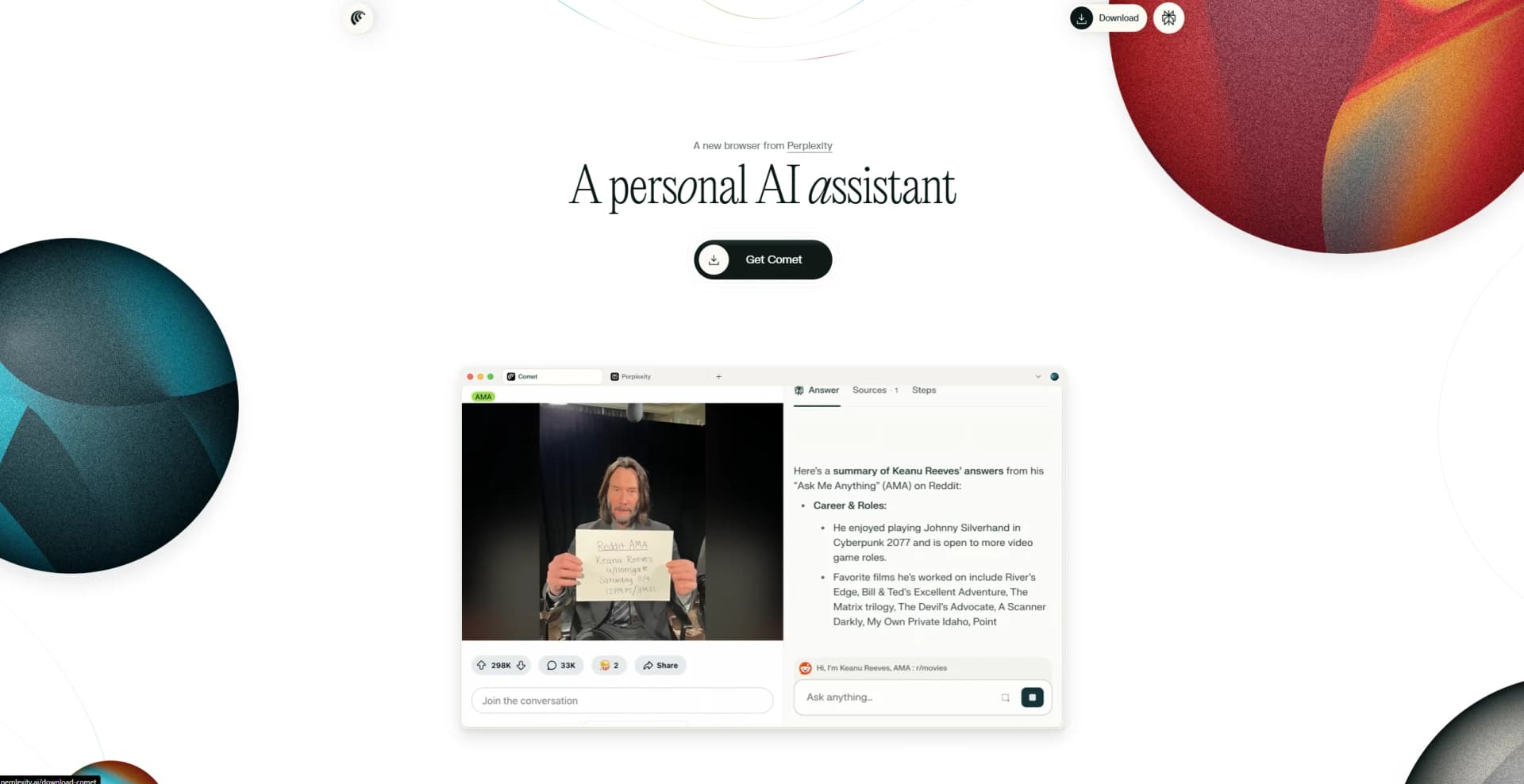
Comet is a next-generation browser developed by Perplexity that turns browsing into an intelligent, AI-assisted experience. Rather than serving only as a window to the web, it incorporates agent-driven functionality to actively participate in tasks such as scheduling, research, shopping, and email management. By retaining context across tabs and sessions, Comet reduces cognitive friction and simplifies multi-step workflows. It is designed for professionals, enterprises, and individuals who need to save time, cut costs, and improve efficiency.
Comet stands out by embedding AI directly into the browsing process. It not only responds to queries but also carries out tasks across multiple tabs and applications while remembering prior interactions. This combination of persistent context, intelligent task execution, and productivity tool integration positions Comet as a redefinition of the traditional browser.
Comet introduces a forward-looking approach to browsing where the web is not only a source of information but also a participant in the work process. With its ability to automate tasks, maintain context, and integrate with productivity tools, it significantly reduces friction in professional workflows. Although its pricing and early-stage maturity limit accessibility, Comet demonstrates how AI-driven browsing can reshape productivity for enterprises and professionals seeking more efficiency in their digital environments.
Who is Using Comet?
Knowledge Workers
Professionals who rely on extensive browsing, research, and task coordination in their daily work.
Enterprise Teams
Organizations seeking secure, AI-assisted browsing with administrative control and compliance.
Productivity-Oriented Individuals
Users aiming to reduce context switching and improve efficiency across apps.
AI Enthusiasts and Developers
Early adopters exploring how AI-driven browsing can enhance workflows.
Uncommon Use Cases
Recruiters using Comet to automate candidate outreach and scheduling; Academic researchers applying it to synthesize information across multiple open resources through conversational interaction.
Key Features
Rating Breakdown
Pricing Plans
Perplexity Max Tier
$200 per month
Invite-Only Access
- Available through an invitation system while adoption is gradually expanded
Which Comet plan should you pick?
Start with Standard (Free) to evaluate Comet, upgrade to Perplexity Pro for regular AI browsing, and choose Max or Enterprise for higher limits and advanced organizational controls.
Standard (Free)
Good for casual users who need basic browsing, search, and limited AI features.
Perplexity Pro
Good for individuals who need extended AI search, file analysis, and regular Comet Assistant usage.
Perplexity Max
Good for power users who need the highest consumer limits and Comet Max Assistant.
Enterprise Pro
Good for organizations needing managed deployment, SSO, administrative controls, and enterprise security.
Enterprise Max
Good for organizations needing the highest Comet Assistant limits and advanced enterprise capabilities.
Comet Use Cases
Research across multiple tabs
Ask Comet to compare open tabs, summarize sources, and keep answers focused on the current research context.
Outcome: Faster synthesis of web research.
Email and calendar assistance
Connect Gmail and Calendar so Comet can brief you, find inbox answers, send messages, and schedule meetings.
Outcome: Less manual email and scheduling work.
Browser task automation
Ask Comet to fill forms, navigate websites, manage subscriptions, shop, or complete other browser actions.
Outcome: Routine web tasks are completed with fewer manual steps.
Video and PDF summarization
Use Comet’s summarization tools on videos, PDFs, articles, and social-media content.
Outcome: Quick access to the main points of long content.
Voice-controlled browsing
Use Voice Mode to search, navigate, and manage tabs hands-free.
Outcome: More convenient browsing while multitasking.
Workflow Ideas with Comet
Research and compare sources
- 1Open the relevant research pages in separate tabs
- 2Ask Comet to compare the tabs using the @tab feature
- 3Request a concise table or cited synthesis
Plan and reschedule a meeting
- 1Connect Gmail and Calendar
- 2Ask Comet to check your schedule and identify the next meeting
- 3Ask Comet to move the meeting and confirm the action when prompted
Automate a recurring browser task
- 1Describe the desired routine in natural language
- 2Use the command prefix to let Comet take control of the browser
- 3Set up recurring execution for the routine task
How Comet fits into your stack
Browser
Comet is a Chromium-based browser with an AI sidebar, contextual page assistance, tab-aware research, browser commands, page summarization, and built-in ad blocking.
Knowledge and files
Users can attach files, folders, images, audio, and video for analysis. Comet and Perplexity can also search connected sources such as Google Drive and Gmail.
Team chat and tickets
Perplexity documents integrations with Slack and Microsoft Teams, where AI can search conversations, answer questions, attach files, and coordinate work.
Automation and APIs
Comet Agent and Shortcuts automate browser actions and multi-step workflows, including research, scheduling, form filling, email tasks, and repetitive commands.
Pros
- +Time Efficiency: Reduces the need for manual task handling, saving hours on repetitive workflows.
- +Contextual Continuity: Preserves context across browsing activities, minimizing disruption and tab overload.
- +Proactive Intelligence: Offers reminders and suggestions that help keep tasks on track.
- +Enterprise Ready: Meets strong compliance requirements, making it suitable for businesses with high data security needs.
- +User Familiarity: Retains the layout and structure of traditional Chromium browsers, lowering the learning curve.
Cons
- −High Pricing Barrier: Currently available only to Perplexity Max subscribers at $200 per month, limiting accessibility.
- −Early-Stage Development: Some features remain experimental and may not yet deliver consistently polished results.
- −Agentic Security Concerns: AI task automation can occasionally be vulnerable if misdirected, creating risks in sensitive workflows.
Limitations & when to consider alternatives
Known limitations
- Free access has limited AI usage. The Free plan includes basic features and limited advanced usage; Browser Agent queries are not included on the Free plan.
- Sensitive actions require confirmation. Comet Agent checks with the user before important or sensitive actions.
- Chrome extensions must be reinstalled. Comet supports most Chrome extensions, but extension data does not transfer automatically from Chrome.
- Some capabilities depend on paid plans. Higher limits, advanced models, Comet Max Assistant, and enterprise controls require eligible Pro, Max, or Enterprise plans.
Look elsewhere when
- You need a dedicated developer API for the browser itself.
- Your organization needs a shared collaborative workspace with multi-user editing.
How to Use Comet
- 1
Install Comet
Download the official Windows or macOS installer, or install the dedicated iOS or Android app.
- 2
Import browser data
Use Settings → Import to bring over bookmarks, history, passwords, autofill data, and Chrome extensions.
- 3
Open the Assistant
Use the Assistant sidebar to ask questions about the current page, compare tabs, summarize content, or describe images.
- 4
Use browser commands
Give natural-language instructions such as navigating to pages, filling forms, managing tabs, or completing web tasks.
- 5
Connect services
Connect Gmail, Calendar, and other supported applications when you want Comet to search information or take actions on your behalf.
- 6
Set privacy and permissions
Review privacy settings, integration permissions, action approvals, and data-deletion controls before using personal or enterprise workflows.
Who is Comet For?
Professionals
Useful for people who need high-volume research, browser automation, scheduling, and information retrieval.
Content creators and writers
Supports extensive research, summarization, drafting, rewriting, and working with documents and media.
Business strategists
Fits competitive intelligence and market-research workflows involving multiple webpages, sources, and business applications.
Academic researchers
Helps investigate complex topics, compare sources, summarize papers, and work with uploaded research files.
Power users
Designed for users who want early access to advanced Perplexity features and higher usage limits.
Frequently Asked Questions
What is Comet?
Comet is Perplexity’s Chromium-based AI browser with an integrated assistant for research, browsing, summarization, and browser actions.
Does Comet require a Perplexity account?
No. Users can browse and try basic AI features immediately after installation. Signing in unlocks additional AI capabilities, saved history, and synchronization.
Which platforms support Comet?
Comet is available on macOS, Windows, iOS, and Android.
What can Comet Assistant do?
It can summarize pages, compare multiple tabs, answer questions about webpages, describe images, fill forms, compose emails, schedule meetings, and make purchases.
Can Comet connect to other applications?
Comet supports integrations such as Gmail and Calendar, and Enterprise documentation also references Slack and other commonly used applications.
How does Comet handle privacy?
Most browsing data is stored locally. Users can manage privacy settings, delete local browsing data, and control permissions for personal searches and integrations.
Community reviews
Be the first to share your experience.
Sign in to leave a review for Comet.
Comet Alternatives
Looking for alternatives to Comet? Here are similar tools in the same category:
Learn to Master Comet
With Skill Leap courses
Get in-depth training on Comet and 50+ other AI tools with our expert-led video courses.
Start 7-Day Free Trial