
CometAPI
Swap AI API endpoints for cheaper models.
Key Takeaways
- What it is
- Swap AI API endpoints for cheaper models.
- Pricing
- $0.48 per 1M · Freemium · $0.028 per second
- Best for
- Unified, OpenAI-compatible API
- Multi-modal model catalog
- Transparent, discounted pricing
- Rating
- 4.7/5
What is CometAPI?
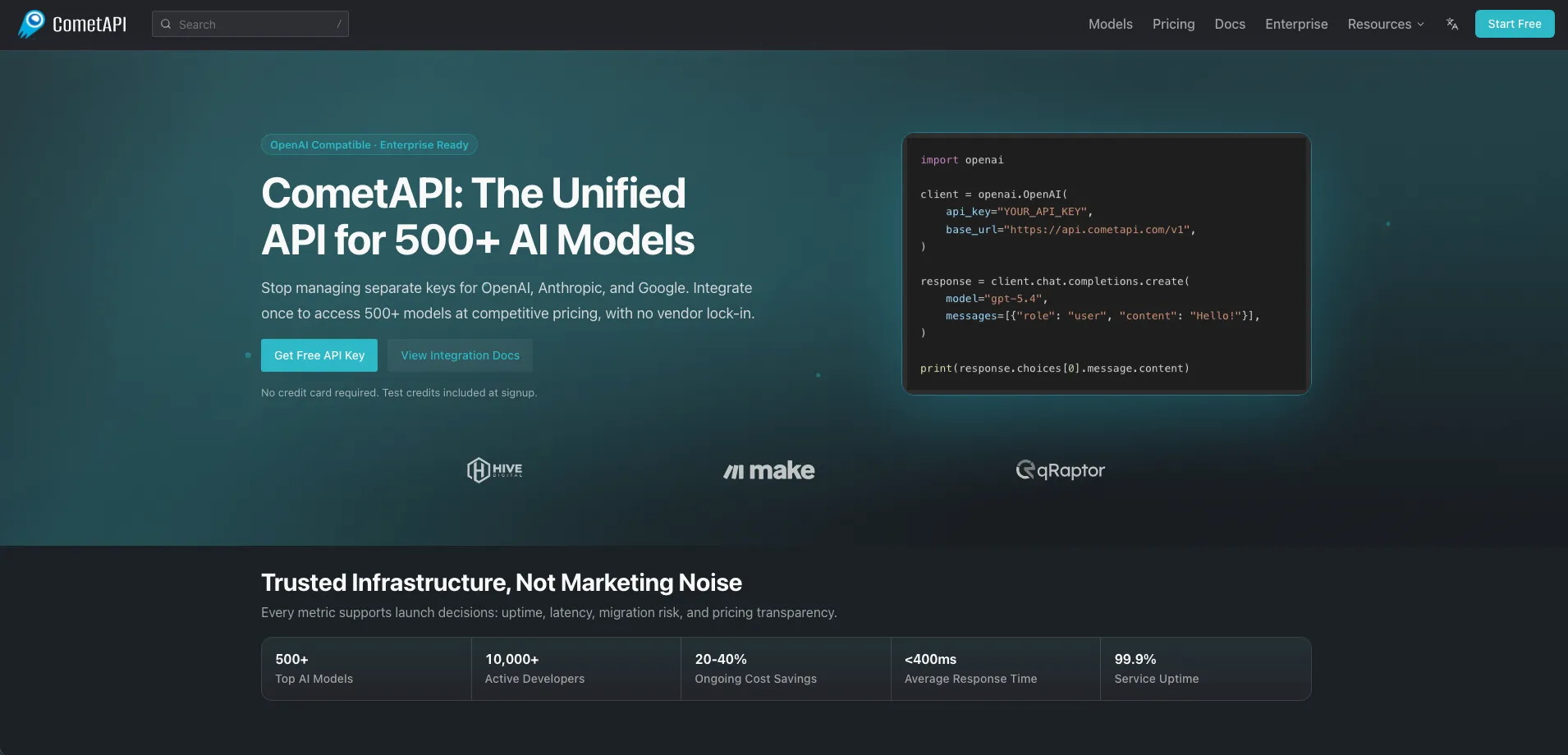
CometAPI is a unified API layer that brings together more than 500 AI models from providers such as OpenAI, Anthropic, Google, DeepSeek, xAI, and others. Instead of juggling separate keys and slightly different SDKs, developers can point an OpenAI-compatible client at CometAPI, choose a model name, and gain immediate access to text, image, video, music, and voice capabilities. The platform focuses on production use, with transparent pricing, latency and uptime metrics, and controls that reduce vendor lock in and billing chaos.
CometAPI stands out by pairing a vendor-agnostic, OpenAI-style API surface with always-on discounts and production-grade monitoring. Instead of simply proxying calls, it exposes clear, line-item pricing, negotiates lower rates, and ships tools for latency tracking, budget controls, and quick A/B testing across models. That blend of cost control, flexibility across providers, and visible reliability makes it feel more like core infrastructure than another experimental dev toy.
For organisations rolling out AI features across several providers, CometAPI offers a single, OpenAI-style API with clear pricing, live metrics, and real cost savings. It suits teams that want to keep their options open, trial new models quickly, and still satisfy finance and security stakeholders through one controlled gateway. Anyone tired of juggling provider keys, rate limits, and slightly different SDKs will find this a cool way to keep experimentation high while admin work stays low.
Who is Using CometAPI?
SaaS and App Developers
Adding chat assistants, AI search, and content features without tying products to a single provider.
AI Agencies and Consultancies
Centralising client workloads and billing while choosing the best model per project.
Enterprise Digital and IT Teams
Governing AI usage across departments with shared dashboards, budgets, and model policies.
Automation Builders
Powering n8n, Make, and custom workflow engines with different models for reasoning, images, and video.
Researchers and Prompt Engineers
Benchmarking prompts across many models quickly using one playground and API key.
Uncommon Use Cases
Used by hackathon organisers to standardise access for participants; adopted by indie game studios to prototype characters, dialogue, and assets across text and image models.
Key Features
Rating Breakdown
Pricing Plans
Free Credits
- Free trial credits included
- No credit card required, no monthly fee, no minimum spend, and unused credits roll over indefinitely
Pay-As-You-Go
- CometAPI uses credit-based
- Per-use billing with no subscription. Text models are billed per token
- Image models per image or token
- Video models per second
- Audio models per clip or token
Chat & Text Models
$0.48 per 1M
- Tokens for MiniMax-M3
- Common models shown include Claude Opus 4.8 at $4 per 1M tokens, GPT 5.5 at $4 per 1M tokens, and GPT 5.5 Pro at $24 per 1M tokens
Image Models
Free
- FLUX 2 MAX
- Other listed options include Nano Banana 2 at $0.40 per 1M tokens and Black Forest Labs/FLUX 2 PRO at $0.06 per image
Video Models
$0.028 per second
- Vidu Q3 Turbo
- Other listed options include Doubao-Seedance-2-0 at $0.063 per second, Veo 3.1 Fast at $0.08 per second, and Veo 3.1 at $0.32 per second
Audio Models
Free
- Kling TTS
- Other listed options include GPT-4o Transcribe at $2 per 1M tokens, gpt-audio-1.5 at $2 per 1M tokens, and TTS at $12 per 1M tokens
Enterprise
- Volume discounts
- Dedicated servers
- Custom models
- Staff training and integration
- Unlimited RPM and TPM
- Extended data storage
- Dedicated support
Which CometAPI plan should you pick?
Start with Pay-as-you-go for testing and production usage, then contact Enterprise when you need dedicated infrastructure, custom models, SLAs, or volume pricing.
Pay-as-you-go
Good for developers and teams who need usage-based access to multiple AI models without a monthly subscription.
Enterprise
Good for organizations that need custom pricing, dedicated servers, custom models, staff training, SLAs, and higher-volume arrangements.
CometAPI Use Cases
Multi-model chat applications
Build a chat endpoint that switches between model IDs while keeping one provider configuration.
Outcome: A single application can access multiple model families without replacing its integration.
AI coding assistance
Use Codex and other coding models for code generation, debugging, patching, refactoring, and code review.
Outcome: Software teams can add coding assistance through the unified API.
Image and video generation
Call image, video, image-to-video, and multimodal models through CometAPI endpoints.
Outcome: Creative applications can support multiple media providers through one API.
Spreadsheet-driven AI processing
Use n8n to read image or video jobs from Google Sheets, call models through CometAPI, poll tasks, and store results.
Outcome: Media-processing pipelines become visual and auditable.
Automated content creation
Combine CometAPI with Make to generate social content through multi-step scenarios and model calls.
Outcome: Content workflows can run with model switching and scheduled automation.
Workflow Ideas with CometAPI
Spreadsheet-to-media pipeline
- 1Read image or video jobs from Google Sheets in n8n
- 2Send each job to the selected CometAPI model
- 3Poll asynchronous tasks and save the completed result
Support-ticket drafting workflow
- 1Trigger the workflow when a support ticket arrives
- 2Send the ticket to a CometAPI chat model for summarization or drafting
- 3Save the draft and notify the responsible team
Multi-model coding workflow
- 1Send a software task to a coding-focused CometAPI model
- 2Use the model output for code generation, patching, or review
- 3Run the resulting changes through the application’s existing development workflow
How CometAPI fits into your stack
Browser
CometAPI provides a web dashboard and playground for selecting models, creating API keys, and testing requests.
Automation and APIs
It acts as a unified OpenAI-compatible API layer across hundreds of text, image, video, audio, and reasoning models. Zapier and Vercel AI SDK guides show how to embed it in automated application workflows.
Desktop / IDE
CometAPI can serve as the model provider for coding tools such as Codex CLI through its OpenAI-compatible base URL.
Knowledge and files
Its API documentation covers multimodal inputs and file workflows for processing PDFs and other business documents.
Pros
- +Meaningful cost reduction: Discounted rates across popular models can cut AI API spend by roughly 20–40 percent.
- +Faster experimentation: Teams swap models in a single line of code and compare responses quickly in the playground.
- +Lower vendor risk: If one provider changes pricing or has issues, traffic can be redirected to alternatives with minimal refactoring.
- +Developer-friendly experience: Clear docs, SDKs, Postman collections, and example projects help move from prototype to production quickly.
Cons
- −Additional dependency: CometAPI becomes another critical service in the stack, which some risk-averse teams may question.
- −Provider features may lag: Very new or niche endpoints from underlying vendors might not appear in the catalog immediately.
- −Model complexity remains: A single API does not remove the need to understand model behaviour, token costs, and prompt design.
Limitations & when to consider alternatives
Known limitations
- Model behavior varies by provider. CometAPI notes that request parameters and response fields can differ significantly between providers and models.
- Model-specific rate limits apply. Although CometAPI provides a unified endpoint, individual models may have their own rate and concurrency limits.
- Free access is limited to signup credits. The site describes free trial credits rather than an ongoing free plan; continued use requires pay-as-you-go credits.
- Provider policies still apply. Generated content must comply with the usage policies of the underlying model provider.
- Some media requests are asynchronous. Video and other media workflows may require submitting a task, polling its status, and downloading the completed result.
Look elsewhere when
- You need a native mobile application.
- You need a downloadable desktop application.
- You need built-in shared workspaces with roles and invitations.
How to Use CometAPI
- 1
Create an account
Sign up without a credit card to receive the available signup credits and access the dashboard.
- 2
Create an API key
Open API Keys in the dashboard and create a named key for your application.
- 3
Set the base URL
Configure your OpenAI-compatible SDK or HTTP client to use https://api.cometapi.com/v1.
- 4
Choose a model
Use the model catalog to compare capabilities, providers, pricing, and input types before selecting a model ID.
- 5
Make a first request
Send a chat, image, video, audio, or multimodal request using your CometAPI key.
- 6
Add production controls
Implement error handling, retries, rate-limit monitoring, request budgets, and provider-specific parameter checks before scaling.
Who is CometAPI For?
AI developers
Developers can integrate hundreds of models through one OpenAI-compatible endpoint and API key.
Enterprise teams
Enterprise customers can request custom pricing, dedicated servers, custom models, SLAs, and training.
Coding teams
Coding-focused models and integrations support code generation, debugging, refactoring, and agentic software workflows.
Automation builders
Users of n8n, Make, Zapier, and similar tools can connect AI models to multi-step workflows.
Frequently Asked Questions
What is CometAPI?
CometAPI is a unified, OpenAI-compatible API for accessing hundreds of text, image, video, audio, and multimodal AI models through one key.
How do I get an API key?
Create an account, open API Keys in the dashboard, select Create new key, and store the resulting key securely.
What is the CometAPI base URL?
The documented OpenAI-compatible base URL is https://api.cometapi.com/v1.
How does CometAPI pricing work?
CometAPI uses pay-as-you-go credits. Text models are billed by tokens, while media models may be billed by image, clip, or second.
Can I use OpenAI SDKs with CometAPI?
Yes. The quickstart says CometAPI works with the OpenAI Python and Node.js SDKs by changing the API key and base URL.
Does CometAPI provide free usage?
New accounts receive free trial credits at signup without requiring a credit card; the service otherwise uses usage-based billing.
Community reviews
Be the first to share your experience.
Sign in to leave a review for CometAPI.
CometAPI Alternatives
Looking for alternatives to CometAPI? Here are similar tools in the same category:
Learn to Master CometAPI
With Skill Leap courses
Get in-depth training on CometAPI and 50+ other AI tools with our expert-led video courses.
Start 7-Day Free Trial