
Comment Generator
Boost social media engagement with AI-crafted, personalized comments in any language.
Key Takeaways
- What it is
- Boost social media engagement with AI-crafted, personalized comments in any language.
- Pricing
- $4.99 per month per platform. Ideal for freelancers and solopreneurs · $29.99 per month
- Best for
- Different Commenting Styles
- Unique Comments for Every Post
- Review Before Posting
- Rating
- 4.8/5
What is Comment Generator?
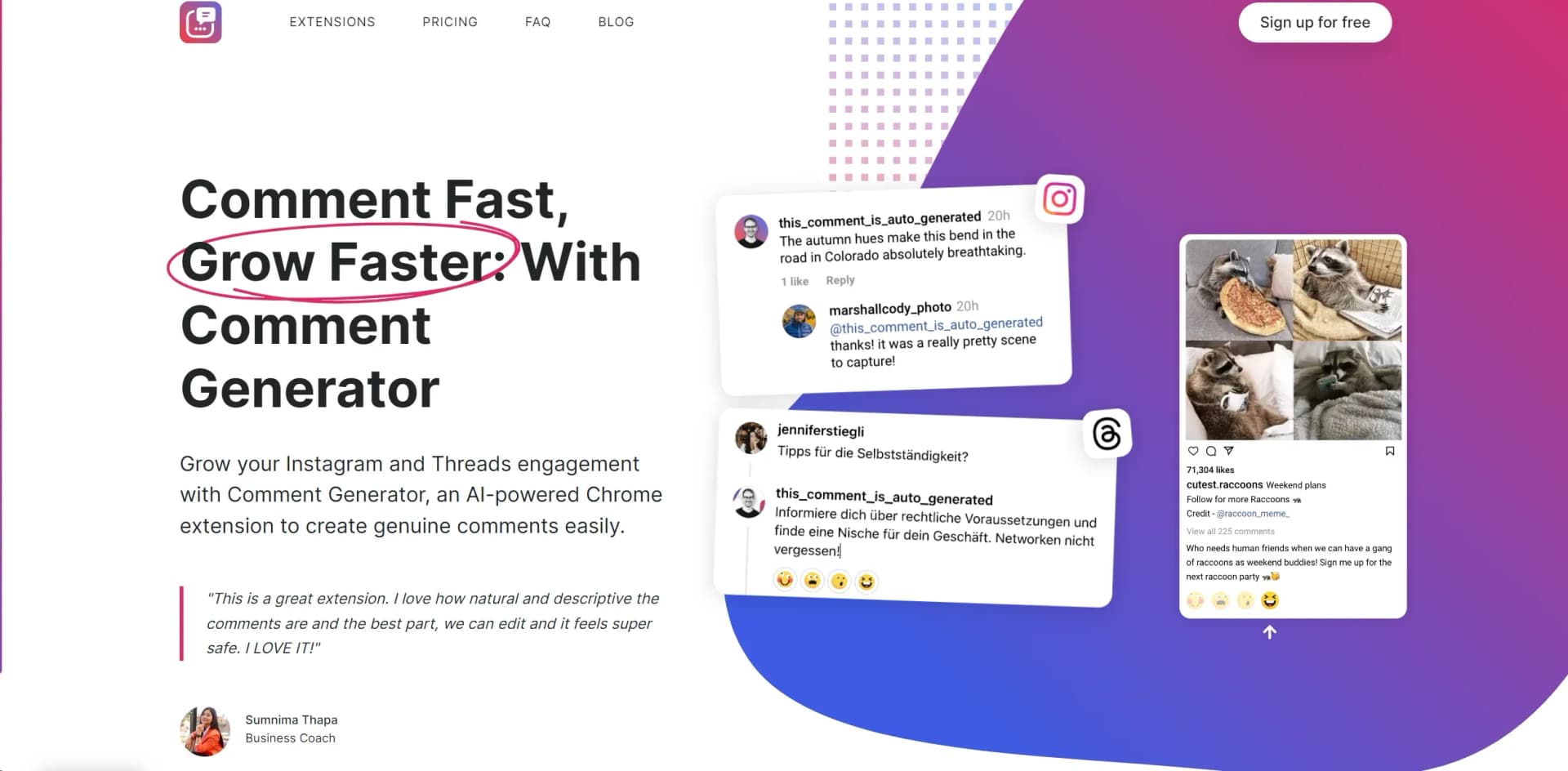
Comment Generator is a cutting-edge AI-powered Chrome extension designed to revolutionize the way we engage with content on social media platforms like Instagram and Threads. Aimed at individuals and professionals alike, this tool simplifies the process of crafting genuine, personalized comments, thereby enhancing engagement and fostering meaningful conversations online. With its unique combination of user-friendly features and advanced AI, Comment Generator stands out as a valuable asset for anyone looking to boost their social media presence efficiently.
Comment Generator sets itself apart with its ability to generate comments that are not only unique but also tailored to the context of each post. This ensures that every comment adds value, fostering genuine interaction. The tool's commitment to safety, preventing bans, and its support for multiple languages further distinguish it from other commenting tools, making it a versatile choice for a global user base.
Comment Generator excels in providing a streamlined, efficient approach to social media engagement, making it an indispensable tool for users looking to enhance their online presence. Its unique features, such as the ability to craft contextually relevant comments and support for multiple languages, offer an unmatched advantage for engaging with a global audience. Coupled with its user-friendly design and positive feedback from a growing user base, Comment Generator is poised to become a go-to solution for individuals and business professionals aiming to grow their engagement on Instagram and Threads.
Who is Using Comment Generator?
Social Media Managers
Leveraging the tool to streamline engagement and interaction on client accounts.
Content Creators
Utilizing the extension to maintain active and genuine engagement with their audience.
Digital Marketers
Employing the tool to enhance campaign content engagement and reach.
E-commerce Businesses
Using it to interact with customers and followers, improving brand visibility and loyalty across all e-commerce platforms.
Uncommon Use Cases
Educational institutions incorporating it into digital marketing courses; Freelancers using it to manage engagement across multiple client accounts efficiently.
Key Features
Rating Breakdown
Pricing Plans
Free Trial
- 30 comments limit
- Four commenting styles
- Multi-language support
Subscription
$4.99 per month per platform. Ideal for freelancers and solopreneurs
- Offering up to 1,500 comments per month
Unlimited
$29.99 per month
- Covers both platforms and offers unlimited comments along with priority support
Which Comment Generator plan should you pick?
Start with the Free Trial to test real posts, choose Pro for up to 1,500 comments per month per platform, and upgrade to Unlimited when you need unlimited comments.
Free Trial
Good for users who want to test Comment Generator for up to 7 days or 30 comments without providing a credit card.
Pro
Good for freelancers and solopreneurs who need up to 1,500 generated comments per month per platform.
Unlimited
Good for users managing multiple accounts who need unlimited comments and priority email or phone support.
Comment Generator Use Cases
Comment on Instagram posts
Read an Instagram caption, choose an objective and tone, and draft a tailored comment.
Outcome: Faster, more relevant Instagram engagement.
Engage on LinkedIn
Generate a context-aware LinkedIn comment, then review and edit it before posting.
Outcome: More consistent professional engagement.
Reply on Threads
Draft replies from individual Threads posts using selected objectives and tones.
Outcome: Quicker, more natural Threads participation.
Match a personal or brand voice
Add writing instructions, language preferences, tone, length, questions, and an optional sign-off.
Outcome: Comments that better reflect the user's voice or brand.
Embed comment generation in an application
Send post content, objective, tone, and other parameters to the Comment Generator API.
Outcome: Caption-aware comment generation inside another product.
Workflow Ideas with Comment Generator
Draft and publish a social comment
- 1Open Instagram, LinkedIn, or Threads in Chrome
- 2Choose an objective and tone to generate a caption-aware draft
- 3Review, edit, and post the comment manually
Create comments in a preferred style
- 1Add custom instructions describing your writing style or brand voice
- 2Set language, length, formality, question, or sign-off preferences
- 3Generate and review the resulting comment
Integrate comment generation through the API
- 1Request API access from Comment Generator
- 2Send post content and generation parameters to the comments endpoint
- 3Return the generated comment inside your own application
How Comment Generator fits into your stack
Chrome Extension
Designed to work seamlessly as a Chrome extension, ensuring ease of use for Chrome users.
Instagram and Threads Compatibility
Specifically created for use with Instagram and Threads, enhancing functionality on these platforms.
Pros
- +Time Efficiency: Drastically reduces the time spent on crafting comments, allowing for more focus on other productive activities.
- +Increased Engagement: Helps in significantly increasing meaningful conversations, thereby boosting overall engagement on social media platforms.
- +Attracts New Followers: Aids in attracting new followers by enhancing the quality and relevance of comments.
- +Safe Use Without Bans: Ensures safety and compliance with platform policies, minimizing the risk of account bans.
- +Positive User Feedback: Has garnered positive testimonials from users who praise its effectiveness and ease of use.
Cons
- −Initial Learning Curve: New users may require some time to familiarize themselves with the extension's features and capabilities.
- −Dependence on Chrome: Being a Chrome extension, its utility is limited to users of the Chrome browser.
- −Potential for Overuse: Users must exercise caution to avoid excessive commenting within short periods, which could trigger platform monitoring.
Limitations & when to consider alternatives
Known limitations
- Trial limits. The free trial ends after 7 days or 30 comments, whichever comes first.
- Monthly Pro quota. The Pro plan is limited to 1,500 generated comments per month per platform.
- Manual posting is required. The tool drafts comments but does not post them automatically; users must review and submit them.
- Browser dependency. The product operates as a Chrome browser extension layered on top of the supported social platforms.
- Platform changes can disrupt functionality. Changes to Instagram's site structure can cause errors such as the caption not being detected.
Look elsewhere when
- You need native iOS or Android apps.
- You need automatic social posting.
- You need file or image analysis.
- You need a fully documented production API today.
How to Use Comment Generator
- 1
Discover a range of tutorials and guides available on the Comment Generator website, covering everything from basic setup to advanced commenting strategies. These resources are invaluable for both new and experienced users looking to maximize the tool's potential.
Who is Comment Generator For?
Freelancers
The Pro plan is positioned for freelancers who need up to 1,500 generated comments per month per platform.
Solopreneurs
The Pro plan is designed for solopreneurs seeking faster, more consistent social engagement.
Content marketing specialists
The site presents content marketing professionals as users who can benefit from faster, more meaningful commenting.
Businesses
The product is positioned for businesses that want to boost their network and business through consistent commenting.
Developers
Developers can integrate caption-aware comment generation into their own products through the API.
Frequently Asked Questions
Which platforms does Comment Generator support?
It supports Instagram, LinkedIn, and Threads through separate Chrome extensions.
Does Comment Generator need access to my social account?
No. It runs in the browser and does not require social-account login credentials.
Does Comment Generator post comments automatically?
No. It drafts the comment in the platform's native comment box, and you review, edit, and post it yourself.
Does it work in languages other than English?
Yes. It can generate comments in major European and non-European languages, based on the post language or a selected language.
How long is the free trial?
The trial lasts up to 7 days or 30 comments, whichever comes first, and does not require a credit card.
Can I use Comment Generator in my own product?
Yes. The vendor offers an API and is onboarding developers gradually while completing its full API documentation.
Community reviews
1 review from people who use Comment Generator.
Sign in to leave a review for Comment Generator.
Felix M
Comment Generator Alternatives
Looking for alternatives to Comment Generator? Here are similar tools in the same category:
Learn to Master Comment Generator
With Skill Leap courses
Get in-depth training on Comment Generator and 50+ other AI tools with our expert-led video courses.
Start 7-Day Free Trial