
Conker
Revolutionize education with AI-driven, customizable, accessible quiz creation and deployment.
Key Takeaways
- What it is
- Revolutionize education with AI-driven, customizable, accessible quiz creation and deployment.
- Best for
- AI-Powered Quiz Creation
- Customizable Content
- Standards-Aligned Assessments
- Rating
- 4.7/5
What is Conker?
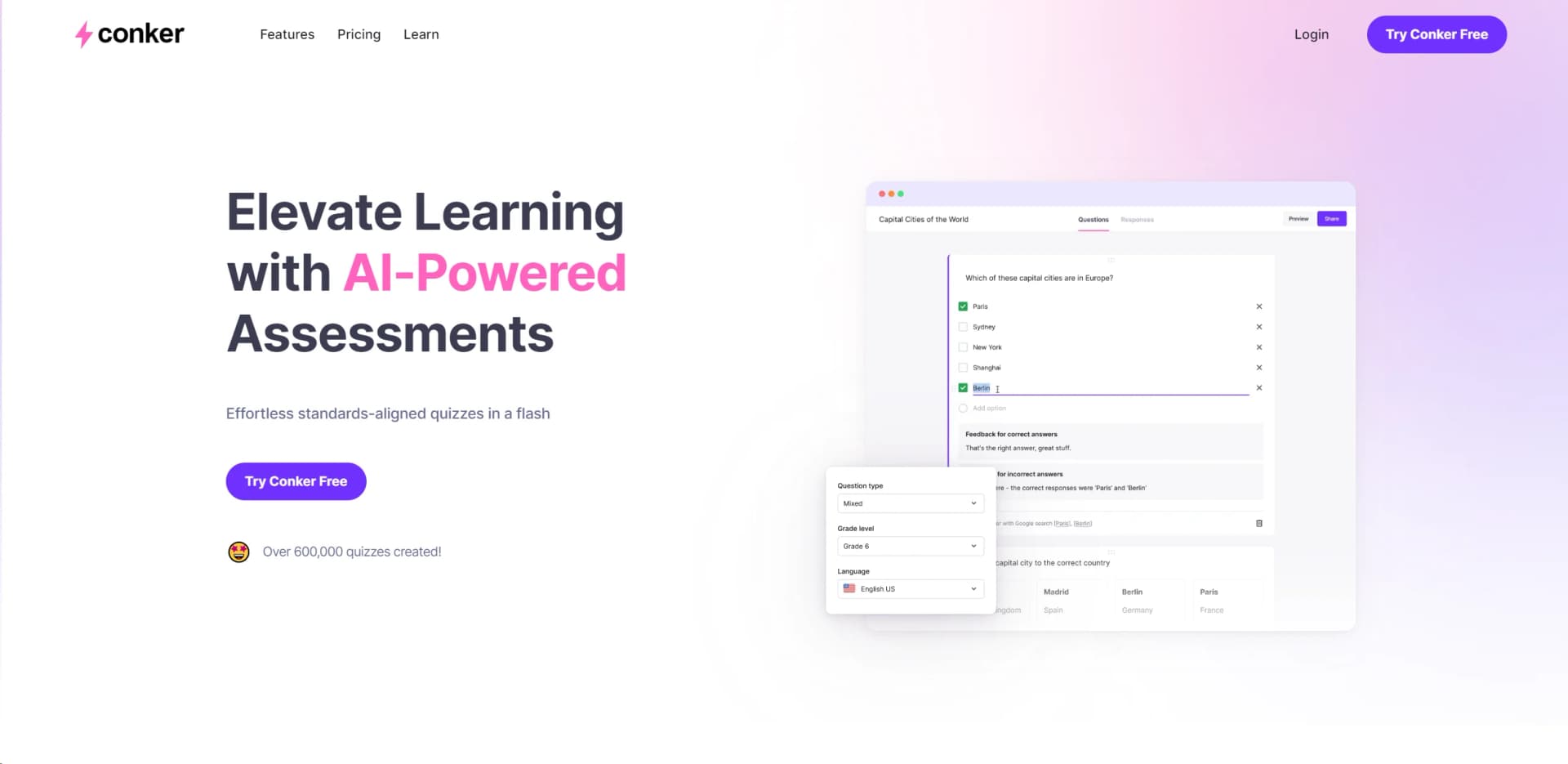
Conker is a transformative AI tool that redefines the creation and deployment of quizzes for educational purposes. At its core, Conker is about making educators' lives easier by providing AI-powered, standards-aligned quizzes that can be crafted in mere moments. Designed primarily for the K12 education sector, it simplifies the task of quiz creation, customization, and distribution, ensuring that quizzes are not only comprehensive but also accessible to all learners. With over 600,000 quizzes already created, Conker is proving to be an indispensable tool in the modern classroom, offering powerful features that cater to the diverse needs of educators and students alike.
Conker stands out with its AI-powered quiz creation, a game-changer for the educational sector. Its ability to quickly generate standards-aligned, customizable quizzes sets it apart, offering a unique blend of efficiency, customization, and accessibility that meets the diverse needs of today's educators and students.
Conker excels in providing a streamlined, efficient, and inclusive approach to quiz creation and management, making it an essential tool for educators. Its standout feature, AI-powered quiz generation, offers an unmatched advantage in creating engaging, standards-aligned assessments quickly. Tailored to meet the dynamic needs of the educational sector, Conker not only simplifies quiz creation but also enriches the learning experience, ensuring that education is both accessible and effective.
Who is Using Conker?
K12 Educators
Utilizing the tool to quickly create and distribute quizzes that align with curriculum standards.
Educational Administrators
Employing the platform to monitor and ensure the quality of assessments across their institutions.
Students
Benefiting from accessible and varied quizzes that cater to different learning styles.
E-Learning Developers
Creating engaging and interactive quizzes for online courses.
Uncommon Use Cases
Used by educational technology trainers to demonstrate innovative teaching tools; adopted by homeschooling parents for creating custom quizzes.
Key Features
Rating Breakdown
Pricing Plans
Free Trial
- Test Conker's capabilities with a free trial to explore its capabilities
Subscription Plans
- Detailed pricing information is available on the Conker website
Conker Use Cases
Reading comprehension assessments
Paste selected reading material and generate read-and-respond questions.
Outcome: Evaluate students’ understanding of source text.
Standards-aligned quizzes
Select from ready-made assessments aligned with K–12 standards such as NGSS and TEKS.
Outcome: Create assessments aligned with curriculum requirements.
Differentiated assessments
Customize new or existing quizzes for different student needs and proficiency levels.
Outcome: Provide more targeted learning assessments.
Canvas assignments
Create Conker assignments from within a Canvas course.
Outcome: Publish quizzes without leaving the Canvas environment.
Google Forms quiz distribution
Export a Conker quiz to Google Forms for student responses and chart-based analysis.
Outcome: Collect and visualize quiz results.
Workflow Ideas with Conker
Create a quiz from reading material
- 1Paste up to 1,200 words of source material
- 2Customize the grade and quiz settings
- 3Generate, review, and assign or export the quiz
Publish a Canvas assignment
- 1Open the Assignments area in Canvas
- 2Choose Conker Assignment and configure the details
- 3Save as a draft or save and publish
Distribute a completed quiz
- 1Generate and review the quiz
- 2Choose a Conker link, Google Forms, Canvas, or PDF
- 3Share the quiz with students
How Conker fits into your stack
Canvas LMS Integration
Seamlessly integrates with Canvas, enhancing the digital classroom experience.
Google Forms Export
Allows for easy export of quizzes to Google Forms for grading and analytics.
Read-Aloud Accessibility
Ensures quizzes are accessible to all students, including those who require auditory learning support.
Pros
- +Efficiency in Quiz Creation: Significantly reduces the time required to create standards-aligned quizzes.
- +Enhanced Accessibility: Makes learning more inclusive with integrated accessibility features.
- +Customization: Offers high levels of customization to cater to diverse learning needs and preferences.
- +Seamless LMS Integration: Facilitates easy integration with popular Learning Management Systems like Canvas.
Cons
- −Initial Familiarity: New users may need some time to fully explore and utilize all features effectively.
- −Internet Dependency: Requires a stable internet connection for optimal functionality.
- −Limited to Educational Use: Primarily designed for the K12 education sector, which may not cater to all potential users looking for quiz-making tools.
Limitations & when to consider alternatives
Known limitations
- Reading-material length limit. The documented reading-comprehension workflow supports source material of up to 1,200 words.
- Canvas setup requirement. Canvas assignment creation requires a Conker subscription and administrator completion of the Canvas connection steps.
- Limited documented integrations. The official site documents Google Forms and Canvas LMS integrations, without listing broader integration coverage.
- Assessment-focused scope. Conker is documented primarily for creating, customizing, and distributing quizzes and formative assessments.
Look elsewhere when
- You need a native mobile app.
- You need a documented developer API.
- You need fine-tuning or custom model training.
- You need image analysis or vision input.
How to Use Conker
- 1
Explore the comprehensive tutorial series on YouTube, covering everything from basic setup to advanced features of Conker.
Who is Conker For?
Educators
Teachers can quickly create, customize, align, and distribute classroom assessments.
K–12 teachers
Conker offers ready-made assessments aligned with K–12 standards including NGSS and TEKS.
Students
Students can complete accessible quizzes through shared links, Google Forms, Canvas, or printed PDFs.
Schools and districts
Institutional users can connect Conker with Canvas for assignment creation and distribution.
Frequently Asked Questions
What can Conker create?
Conker creates standards-aligned quizzes with multiple question types and customizable content.
Can Conker use my own reading material?
Yes. You can paste up to 1,200 words of reading material and generate read-and-respond questions.
How can I share a Conker quiz?
Quizzes can be shared through a Conker link, exported to Google Forms, saved as PDFs, or shared through Canvas LMS.
Does Conker support accessibility?
Conker quizzes include read-aloud questions and answer choices.
Does Conker support multiple languages?
Conker provides an option to select alternative human languages.
Can Conker integrate with Canvas?
Schools and districts with a Conker subscription can create Conker assignments directly from Canvas after administrator setup.
Community reviews
Be the first to share your experience.
Sign in to leave a review for Conker.
Conker Alternatives
Looking for alternatives to Conker? Here are similar tools in the same category:
Learn to Master Conker
With Skill Leap courses
Get in-depth training on Conker and 50+ other AI tools with our expert-led video courses.
Start 7-Day Free Trial