
GitHub Copilot
AI tool offers real-time code suggestions and contextual assistance.
Watch GitHub Copilot in Action
Key Takeaways
- What it is
- AI tool offers real-time code suggestions and contextual assistance.
- Pricing
- Freemium · $10 per month · $19 per user per month · $39 per user per month
- Best for
- Real-time Code Suggestions
- Contextual Assistance
- Multi-file Editing
- Rating
- 4.5/5
What is GitHub Copilot?
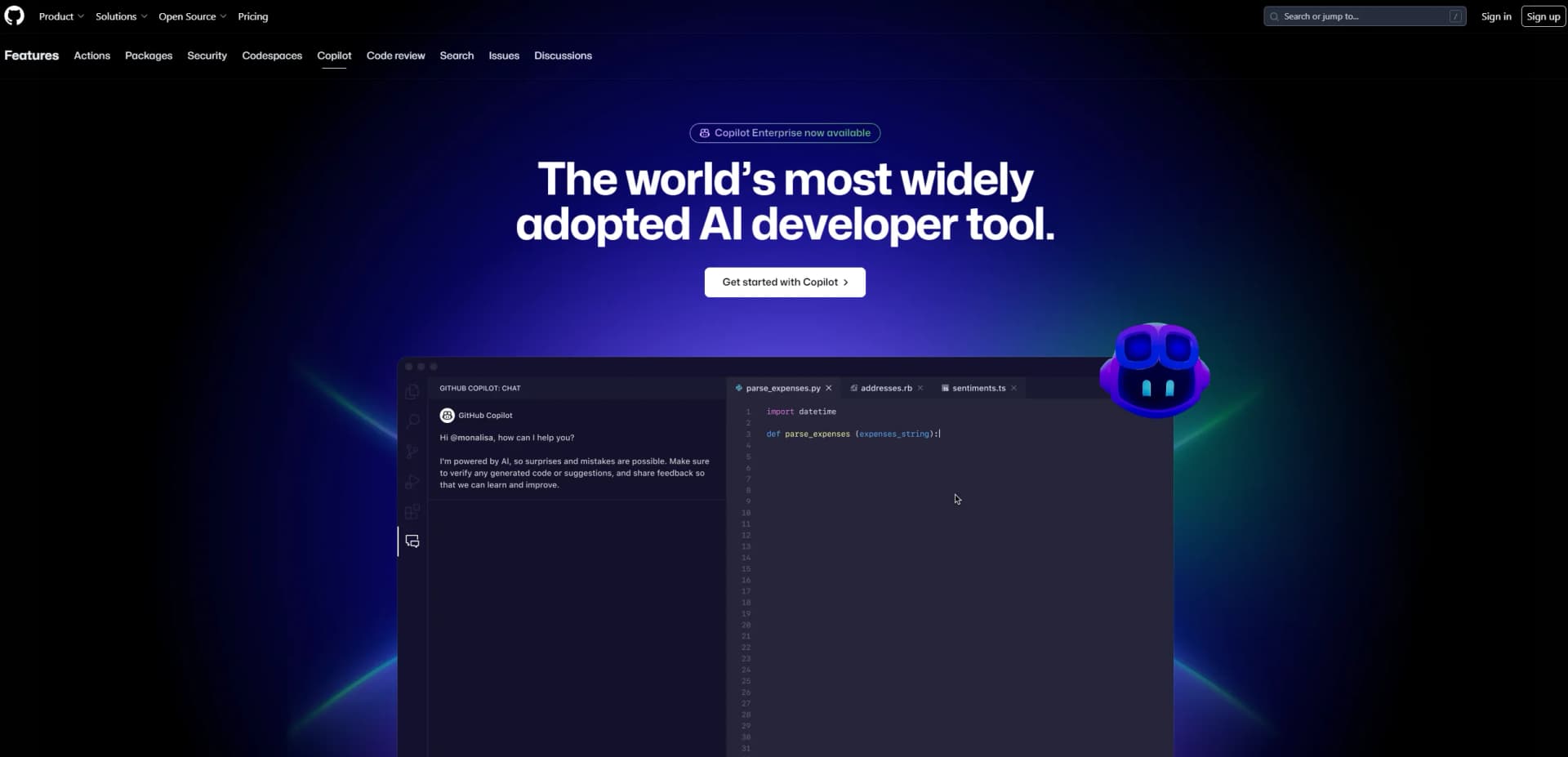
Copilot is an innovative AI tool developed by GitHub that acts as your AI pair programmer. It revolutionizes the coding experience by offering real-time code suggestions, contextualized assistance, and advanced code completion. Designed for developers across various industries, Copilot simplifies software development tasks by integrating seamlessly with popular IDEs like Visual Studio Code, JetBrains, and more.
Copilot stands out with its ability to provide contextualized code suggestions based on your unique coding style and project conventions. Its seamless integration with GitHub and support for multiple IDEs makes it a versatile tool for developers looking to enhance their coding efficiency and creativity.
Copilot is a game-changer for developers, offering a blend of advanced AI-driven features and seamless integration with popular development environments. It not only accelerates coding tasks but also enhances developer satisfaction by reducing repetitive work and fostering creativity. Whether you're a seasoned developer or just starting, Copilot provides the tools you need to code smarter and faster.
Who is Using GitHub Copilot?
Software Developers
Embracing Copilot for efficient code writing and project management.
Startups
Using it to accelerate product development cycles and reduce time-to-market.
Educational Institutions
Integrating Copilot into curriculums to teach coding more interactively.
Freelancers
Leveraging it to enhance productivity and deliver projects faster.
Key Features
Rating Breakdown
Pricing Plans
Free Tier
Free
- Experience Copilot with limited functionality
- Including up to 2,000 code completions and 50 chat requests per month
Pro Tier
$10 per month
- A 30-day free trial
Business Tier
$19 per user per month
- Designed for teams
Enterprise Tier
$39 per user per month
Which GitHub Copilot plan should you pick?
Start with Copilot Free to evaluate the core experience, upgrade to Pro for regular individual development, and choose Business or Enterprise for centralized organizational management.
Copilot Free
Good for individuals getting started with limited monthly completions, chat, and Copilot CLI access.
Copilot Pro
Good for individual developers, freelancers, students, educators, and maintainers who need everyday coding assistance and agents.
Copilot Pro+
Good for individual developers who need premium models and a larger monthly usage allowance.
Copilot Max
Good for heavy individual users who need sustained, high-volume agent workflows and the largest individual AI-credit allowance.
Copilot Business
Good for organizations needing centralized seat assignment, administration, policy controls, and collaboration.
Copilot Enterprise
Good for enterprises needing Business features plus enterprise-grade capabilities, indexed organizational knowledge, and expanded usage.
GitHub Copilot Use Cases
Adopted by non-profits for developing open-source projects.
Utilized by research labs for experimental coding tasks.
Workflow Ideas with GitHub Copilot
Issue to pull request
- 1Assign an issue or prompt to Copilot cloud agent.
- 2Let Copilot investigate, plan, and implement the change.
- 3Review the generated branch and pull request before merging.
Slack discussion to implementation
- 1Mention the GitHub app in a Slack thread or channel.
- 2Provide the conversation as context for Copilot cloud agent.
- 3Review the resulting issue, code changes, or pull request with teammates.
Plan, code, and validate in an IDE
- 1Describe the desired change in Copilot Chat or plan mode.
- 2Have Copilot generate or edit the implementation and tests.
- 3Run tests and review the generated code before accepting changes.
How GitHub Copilot fits into your stack
Browser
On GitHub.com, Copilot answers questions about repositories, issues, and pull requests, and can be assigned work.
Desktop / IDE
The desktop Copilot app coordinates agent sessions, repositories, branches, files, and pull requests. IDE integrations provide inline suggestions, chat, and file-editing agents.
Team chat and tickets
Copilot cloud agent works inside Slack, Microsoft Teams, Jira, Linear, and Azure Boards, using conversations or work items as context and opening pull requests.
Automation and APIs
The Copilot app provides scheduled or background automations, while the Copilot SDK supports custom applications, APIs, backend services, and CI/CD integrations.
Knowledge and files
Copilot can work from repository context and attached files, including PDFs and image formats, to answer questions or implement code changes.
Pros
- +Time Efficiency: Copilot significantly reduces coding time by providing instant suggestions and automating repetitive tasks.
- +Enhanced Productivity: Developers report a 55% increase in productivity, allowing for more focus on problem-solving and innovation.
- +Seamless Integration: It integrates natively with GitHub and supports major IDEs, ensuring a smooth workflow.
- +High Satisfaction: Users experience up to 75% higher job satisfaction due to reduced boilerplate coding and enhanced creative focus.
Cons
- −Initial Learning Curve: New users may require time to fully harness the tool's capabilities.
- −Language Limitations: Performance may vary for less commonly used programming languages.
- −Dependency on Quality Data: The accuracy of suggestions relies heavily on the quality of training data available.
Limitations & when to consider alternatives
Known limitations
- Coding-focused scope. Copilot Chat is not designed for non-coding questions or general information outside coding.
- English-centric support. English is the primary supported language, and performance may be lower for prompts or code written in other languages.
- Uneven programming-language quality. Suggestion quality varies according to the volume and diversity of training data for each programming language.
- Image-size limits. Copilot cloud agent removes images larger than 3.00 MiB from requests.
- Human validation is required. GitHub warns that Copilot can make mistakes and users should review and validate generated responses and code.
Look elsewhere when
- You need a native mobile Copilot application.
- You need a general-purpose conversational assistant.
- Your workflow requires guaranteed correct code.
How to Use GitHub Copilot
- 1
Choose a Copilot plan
Select Copilot Free or a paid individual plan, or obtain access through a Business or Enterprise organization.
- 2
Install a supported client
Use Copilot in GitHub, a supported IDE, Copilot CLI, or the GitHub Copilot desktop app.
- 3
Sign in and configure access
Authenticate with GitHub and, for organizations, follow administrator policies, seat assignment, and any SSO requirements.
- 4
Add project context
Connect a repository or local folder, reference files, attach PDFs or images, and add repository or personal instructions when useful.
- 5
Ask Copilot to plan or implement
Use chat, inline suggestions, plan mode, cloud agent, or code review to generate, edit, explain, test, or fix code.
- 6
Review and validate the result
Inspect the generated changes, run tests and linters, review pull requests, and approve or revise the output before merging.
Who is GitHub Copilot For?
Individual developers
Copilot helps individual developers write, understand, test, debug, and review code.
Freelancers
The individual plans are designed for freelancers who need AI assistance throughout development work.
Students and educators
GitHub identifies students and educators among the audiences eligible for individual Copilot access.
Open source maintainers
Open source maintainers are explicitly included among the intended users of individual Copilot plans.
Organizations and enterprises
Business and Enterprise plans provide centralized licensing, policies, identity integrations, collaboration, and organization-aware coding assistance.
Frequently Asked Questions
What is GitHub Copilot?
GitHub Copilot is an AI coding assistant that provides code completions, explanations, chat assistance, tests, debugging help, and code fixes.
Where can GitHub Copilot be used?
Copilot is available on GitHub, in supported IDEs, through GitHub Copilot CLI, GitHub Mobile, and the GitHub Copilot desktop app.
Does GitHub Copilot have a free plan?
Yes. Copilot Free includes limited monthly usage, including code completions and chat requests.
Can GitHub Copilot work with files and images?
Yes. Copilot can use repository files, PDFs, images, screenshots, and other supported attachments as context.
Can organizations customize GitHub Copilot?
Organizations can use repository and organization instructions, policies, indexed codebases, custom agents, and enterprise model customization.
Does GitHub Copilot work outside coding?
Copilot Chat is designed for coding-related questions and is not intended to answer general non-coding questions.
Community reviews
1 review from people who use GitHub Copilot.
Sign in to leave a review for GitHub Copilot.
Vivek Varma
GitHub Copilot Alternatives
Looking for alternatives to GitHub Copilot? Here are similar tools in the same category:
Learn to Master GitHub Copilot
With Skill Leap courses
Get in-depth training on GitHub Copilot and 50+ other AI tools with our expert-led video courses.
Start 7-Day Free Trial