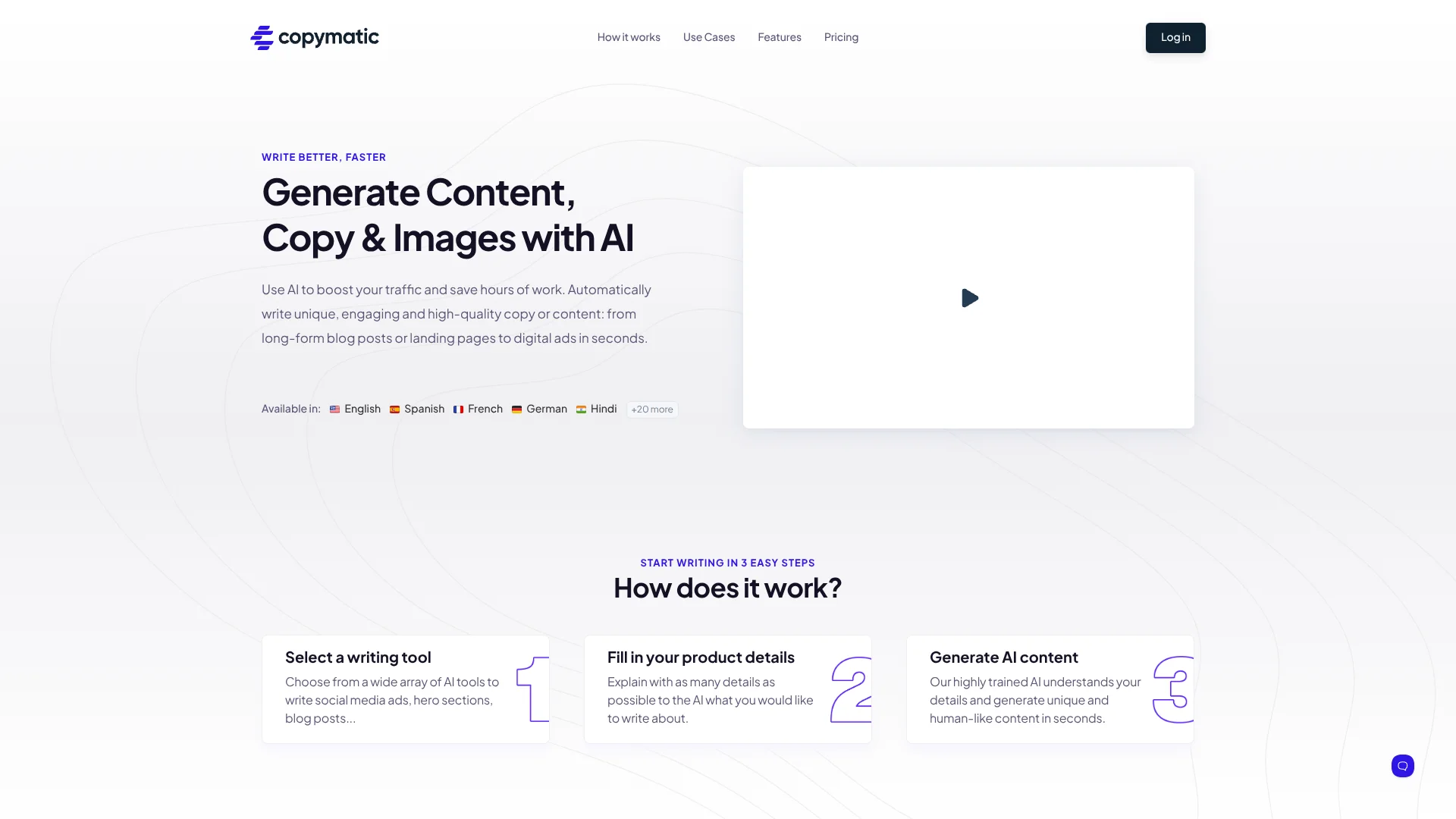
Copymatic
SEO article autopilot for marketers who publish frequently.
Watch Copymatic in Action
Key Takeaways
- What it is
- SEO article autopilot for marketers who publish frequently.
- Pricing
- $29 per month · $49 per month · $99 per month
- Best for
- 50+ AI Writing Tools
- Long-Form Article Writer
- Autopilot
- Rating
- 3.9/5
What is Copymatic?
Copymatic helps marketers, bloggers, eCommerce stores, SaaS companies, and other website owners create blog articles, landing-page copy, ads, product descriptions, emails, and social posts with AI. Its library includes more than 50 writing tools, plus long-form article generation for content of 1,000 words or more.
Copymatic's Autopilot can take a target keyword through research, content planning, internal and external linking, rank tracking, image selection, and automatic publishing to WordPress, Shopify, or an API.
It fits people who need frequent marketing content and want AI to handle more of the production cycle. The tradeoff is that generated writing still needs human review, and the API is limited to paid members and cannot be used for bulk generation. Copymatic is strongest when content creation and SEO publishing need to happen together.
Who is Using Copymatic?
Content Writers
Article outlines, paragraphs, rewrites, summaries, and conclusions help writers move past blank-page delays.
SEO Specialists
Keyword research, SEO recommendations, internal links, external links, and rank tracking support ongoing campaigns.
Social Media Managers
Ad copy, social posts, Instagram captions, hashtags, video titles, and descriptions can be produced from short briefs.
eCommerce Managers
Product descriptions, category descriptions, product names, and feature bullets turn store data into customer-facing copy.
WordPress Publishers
The WordPress plugin lets publishers create and import articles, meta descriptions, FAQs, and related content from the dashboard.
Uncommon Use Cases
Job seekers can draft personal bios and project proposals; customer-facing teams can prepare review responses and cancellation emails.
Key Features
Rating Breakdown
Pricing Plans
Pro
$29 per month
- $19.00 per month when billed yearly, with a $228.00 checkout price
- 1 user seat
- 1 Autopilot project
- Unlimited words
- Access to all tools
- Automatic keyword research, scheduling, linking, rank tracking, and publishing
- AI and stock images
- 10% off backlinks
Team
$49 per month
- $32.00 per month when billed yearly, with a $384.00 checkout price
- 5 user seats
- 3 Autopilot projects
- Unlimited words
- Access to all tools
- Automatic keyword research, scheduling, linking, rank tracking, and publishing
- AI and stock images
- 15% off backlinks
Enterprise
$99 per month
- $66.00 per month when billed yearly, with a $792.00 checkout price
- 25 user seats
- 10 Autopilot projects
- Unlimited words
- Access to all tools
- Automatic keyword research, scheduling, linking, rank tracking, and publishing
- AI and stock images
- 20% off backlinks
Which Copymatic plan should you pick?
Start with Pro for one website or content operation, move to Team when three Autopilot projects and five user seats matter, and choose Enterprise for up to ten projects and 25 seats.
Pro
Good for one person or one website that needs unlimited words and access to Copymatic's writing and SEO tools.
Team
Good for teams needing five user seats and three Autopilot projects.
Enterprise
Good for larger operations that need 25 user seats and up to ten Autopilot projects.
Copymatic Use Cases
SEO Blog Production
A keyword and short brief become an outline, article sections, and a long-form draft for a company blog.
Outcome: A publishable article draft with SEO-focused structure.
Website and Landing-Page Copy
Marketing teams can shape headlines, subheads, value propositions, calls to action, and about-page text.
Outcome: Faster first drafts for conversion-focused web pages.
Paid Ads and Social Posts
Product details and audience information feed tools for Facebook ads, Google Ads, social posts, captions, and video descriptions.
Outcome: Multiple campaign-ready copy variations.
eCommerce Catalog Copy
Store teams can turn product or category details into names, descriptions, benefits, and bullet points.
Outcome: More consistent product-page copy across a catalog.
Automated SEO Publishing
Autopilot handles keyword research, content scheduling, links, rank tracking, images, and publishing to connected sites.
Outcome: A repeatable content pipeline from keyword to published article.
Workflow Ideas with Copymatic
Keyword to Blog Post
- 1Choose a target keyword and define the article topic.
- 2Let Copymatic create the outline, sections, and supporting copy.
- 3Review the draft, check originality, and publish it through WordPress or another connected channel.
Product Launch Copy
- 1Enter the product details, audience, and desired tone.
- 2Generate the value proposition, product description, ads, emails, and social posts.
- 3Edit the strongest versions and adapt them for each channel.
Autopilot SEO Campaign
- 1Connect a website and choose an Autopilot project.
- 2Review the keyword, content, scheduling, linking, and image settings.
- 3Monitor rankings and approve or review content before it reaches the site.
How Copymatic fits into your stack
Browser Writing
The Chrome extension adds Copymatic tools and CopyChat to the browser, making it useful for writing inside existing web workflows.
WordPress Publishing
The WordPress plugin supports blog titles, intros, outlines, articles, meta descriptions, FAQs, and copywriting formulas inside WordPress.
SEO Operations
Autopilot sits near the SEO layer, covering keyword research, content planning, linking, rank tracking, recommendations, and scheduling.
Commerce Content
Product names, descriptions, category copy, and feature bullets support catalog and promotional work for online stores.
Developer Workflows
Paid members can request API access and send structured requests to Copymatic's documented endpoint for supported writing models.
Pros
- +Broad content coverage: More than 50 tools cover short marketing copy and full blog articles.
- +SEO workflow: Autopilot connects keyword research, content planning, linking, rank tracking, and publishing.
- +Publishing connections: Content can be sent to WordPress, Shopify, or an API.
- +Browser access: The Chrome extension puts Copymatic tools inside other websites and writing surfaces.
- +Language support: Content generation is available in 28 languages.
Cons
- −Human editing required: Copymatic requires users to review and edit generated content before publishing.
- −API access limits: The API is for paid members and is not intended for bulk generation.
- −Plan cost: The lowest monthly subscription starts at $29 per month.
Limitations & when to consider alternatives
Known limitations
- Human Review Is Required. Copymatic says generated content must be reviewed and edited by a person before publication.
- API Is Not for Bulk Generation. The API is reserved for paid members and cannot be used to generate content in bulk.
- Plagiarism Credits Have Fair-Use Rules. Paid plans include plagiarism credits, but Copymatic applies a fair-use policy and charges $2 per 10,000 extra words.
Look elsewhere when
- You need a native mobile or desktop app.
- You need custom model training on your own data.
- Your workflow depends on bulk API content generation.
- You need confirmed SSO or enterprise identity controls.
How to Use Copymatic
- 1
Choose a Writing Tool
Pick a focused tool such as Blog Outline, Product Description, Google Ads, or Sentence Rewriter so the output matches the job.
- 2
Describe the Input
Add the product, audience, topic, tone, and other details requested by the selected template.
- 3
Generate Variations
Run the tool to produce multiple copy options, then adjust creativity or tone when the phrasing needs to change.
- 4
Edit Before Publishing
Check facts, brand voice, originality, and accuracy because Copymatic requires human review before publication.
- 5
Connect Your Publishing Route
Send finished content through the WordPress plugin, Chrome extension, Autopilot connections, or the paid-member API.
Who is Copymatic For?
Content Marketers
Marketing teams can produce blog content, landing pages, ads, and SEO copy from one writing workspace.
Bloggers and Publishers
Frequent publishers can draft long-form articles and move them into WordPress with fewer manual steps.
eCommerce Stores
Store owners can generate product names, descriptions, category copy, and promotional messaging.
SaaS Companies
SaaS teams can create website copy, feature benefits, emails, ads, and SEO content for their products.
SEO-Focused Businesses
Businesses seeking organic traffic can use Autopilot for keywords, content planning, links, rankings, and publishing.
Frequently Asked Questions
Does Copymatic have a free trial?
Yes. The trial includes 10 credits for trying its AI tools and can generate about 1,000 words of blog content.
How much does Copymatic cost?
The US monthly prices are $29 for Pro, $49 for Team, and $99 for Enterprise. Yearly billing is listed as $19, $32, and $66 per month respectively, billed annually.
Does Copymatic offer an API?
Yes. The API uses an API key and supports many of the same writing models available in the main app, but access is reserved for paid members.
Can Copymatic publish to WordPress?
Yes. Its WordPress plugin can generate and import articles and related content, while Autopilot can automatically publish to WordPress.
How many languages does Copymatic support?
Copymatic's help center lists 28 supported languages, including English, Spanish, French, German, Japanese, Chinese, Korean, and Hindi.
Does Copymatic check for plagiarism?
Yes. Paid plans include credits for the built-in Plagiarism Tool, with additional credits available for purchase.
Community reviews
1 review from people who use Copymatic.
Sign in to leave a review for Copymatic.
Thibault BM
Copymatic Alternatives
Looking for alternatives to Copymatic? Here are similar tools in the same category: