CrafterQ AI
Turn site content into lead-qualifying support agents.
Watch CrafterQ AI in Action
Key Takeaways
- What it is
- Turn site content into lead-qualifying support agents.
- Pricing
- Freemium · $29 per month · $99 per month · $399 per month
- Best for
- Website AI agents trained on your data
- No-code deployment script
- Sales and marketing funnels
- Rating
- 4.3/5
What is CrafterQ AI?
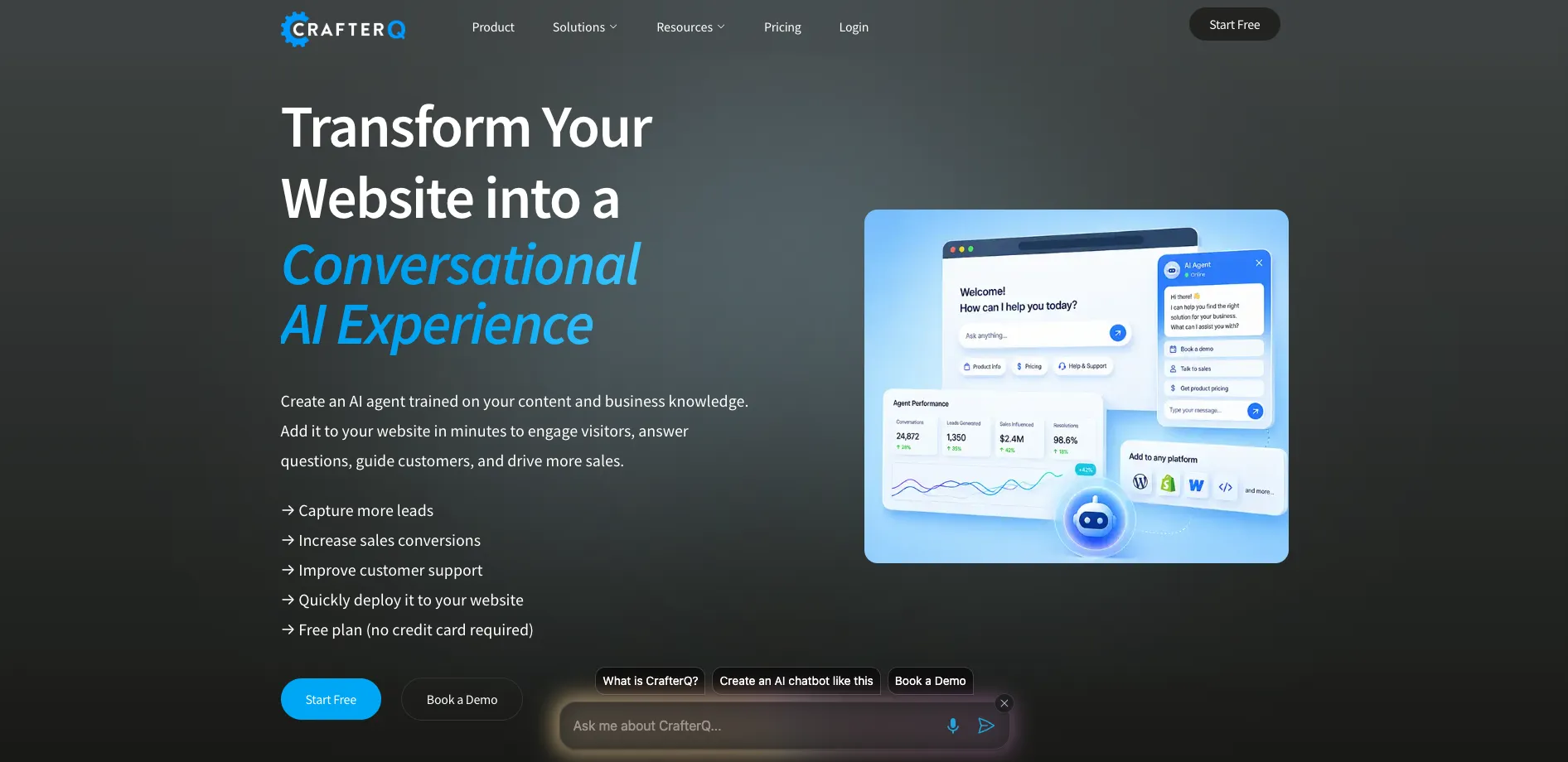
CrafterQ AI turns static websites into interactive conversation layers via AI agents trained on a company's own content. It focuses on sales, marketing, and support automation for business websites, using large language models and retrieval over documentation, FAQs, and product pages. The tool targets teams that want website chat that actually answers questions, captures leads, and deflects support tickets, without requiring engineers to build a custom stack.
CrafterQ AI stands out by concentrating on business websites rather than generic chatbots. The product ships with opinionated flows for sales, marketing, and support, which hides much of the prompt-engineering complexity from nontechnical teams. Its analytics layer offers insights into topics, sentiment shifts, and content gaps, helping teams improve both their AI agent and their underlying documentation. Combined with SOC 2 Type II controls, it targets companies that want strong governance around conversational AI.
CrafterQ AI suits teams that want website chat agents based on their own content, without stitching together models, vector databases, and analytics by hand. Its focus on lead capture, revenue, and support outcomes makes it especially appealing for SaaS, e-commerce, and service businesses. Those willing to invest in good documentation can turn their sites into responsive, measurable conversation channels.
Who is Using CrafterQ AI?
B2B SaaS Companies
Turning product and documentation sites into conversational assistants that qualify prospects and answer technical questions.
E-commerce and Retail Brands
Guiding shoppers through product discovery, sizing, and checkout, while collecting higher-intent leads.
Service Businesses and Agencies
Capturing appointment requests, project briefs, and quotes directly through website conversations.
Customer Support and CX Teams
Deflecting repetitive tickets and providing instant answers from FAQs, manuals, and policy documents.
Uncommon Use Cases
Internal employee intranets that act as a helpdesk for HR and IT questions; industry verticals such as hospitality or telecom using tailored agents for booking, account management, and multilingual support.
Key Features
Rating Breakdown
Pricing Plans
Free
Free
- Includes 1 agent, 1 user, 75 messages per month, and 500 KB training data storage
Solo
$29 per month
- Includes 1 agent, 2 users, 750 messages per month, 15 MB storage, and weekly auto-retraining
Team
$99 per month
- Includes 1 agent, 3 users, 5,000 messages per month, 50 MB storage, daily auto-retraining, and API access
Business
$399 per month
- Includes 1 agent, 5 users, 20,000 messages per month, 150 MB storage, daily auto-retraining, and API access
Enterprise
- Includes higher limits, private hosting, LLM choice, dedicated AWS infrastructure, enterprise SSO, SLAs, and a customer success manager
Which CrafterQ AI plan should you pick?
Start with Free to validate a website agent, upgrade to Solo for actions, Team for collaboration and API access, or Business for higher volume.
Free
Good for individuals testing one agent with limited monthly messages and training storage.
Solo
Good for small deployments needing two users, agent actions, more messages, and weekly auto-retraining.
Team
Good for collaborative teams needing three users, higher volume, daily auto-retraining, and API access.
Business
Good for growing organizations needing five users, 20,000 monthly messages, larger storage, and API access.
CrafterQ AI Use Cases
Website customer support
Train an agent on website content, documentation, FAQs, and policies to answer visitor questions.
Outcome: Reduce repetitive support requests and provide 24/7 assistance.
Lead capture
Use the Lead Capture Action to collect visitor contact details through an inline chat form.
Outcome: Generate and manage qualified leads.
Human escalation
Let visitors request human support and notify the team by email or webhook.
Outcome: Route conversations to people when AI assistance is insufficient.
E-commerce guidance
Deploy agents on e-commerce sites to recommend products and guide visitors toward purchases.
Outcome: Improve product discovery and online sales.
Internal knowledge assistant
Embed an agent in an intranet or organizational environment using internal documents and knowledge sources.
Outcome: Help employees find answers and complete internal tasks.
Workflow Ideas with CrafterQ AI
Launch a website support agent
- 1Create an agent and define its purpose, tone, and configuration.
- 2Add website URLs, documents, text, or Q&A sources.
- 3Test in the Playground and deploy with the JavaScript embed snippet.
Capture and qualify leads
- 1Install the Lead Capture Action on a paid plan.
- 2Configure trigger instructions and form fields.
- 3Deliver submissions by email or webhook and review captured leads.
Improve answer quality
- 1Review chat logs, feedback, and usage analytics.
- 2Identify unanswered or low-confidence questions.
- 3Update sources or instructions, retrain, and retest in the Playground.
How CrafterQ AI fits into your stack
Browser
CrafterQ is managed through a web-based Console and deployed to websites with a JavaScript embed or hosted share link.
Knowledge and files
Teams connect websites, documentation, FAQs, text, Q&A pairs, PDFs, Word documents, spreadsheets, and CSV files as agent knowledge sources.
Team chat and tickets
CrafterQ lists integrations with Slack, Discord, Facebook Messenger, Microsoft Teams, Zendesk, Freshdesk, and other messaging or support systems.
Automation and APIs
The platform provides a documented Public API plus agent actions for lead capture and human escalation, with email or webhook delivery.
Pros
- +Easy to get started: Free plan and simple script let small teams test an agent quickly.
- +Strong business focus: Messaging, templates, and solutions are tailored around revenue, support deflection, and measurable website outcomes.
- +Good observability: Dashboards, logs, and feedback scores help teams understand quality and iterate content.
- +Security-first posture: SOC 2 Type II posture and dedicated trust center appeal to organizations with compliance requirements.
Cons
- −Pricing transparency limited from the homepage: Plan tiers and higher-volume pricing require a sign-up flow or deeper exploration.
- −Quality depends on existing content: Teams without solid docs or clear product pages must invest time in creating good training material.
- −Website-centric starting point: Organizations wanting deep integration into many offline channels may still need custom work.
Limitations & when to consider alternatives
Known limitations
- Usage quotas can pause service. CrafterQ may pause new training or chat sessions when agent, storage, or message quotas reach 100%.
- Actions require a paid plan. Lead Capture and Escalate to Human actions are available only on paid subscription plans.
- Free plan has limited capacity. The Free plan includes one agent, one user, 75 monthly messages, and 500 KB of training storage.
- Website crawling can be blocked. Bot protection or WAF systems may require CrafterQ crawler IP allowlisting or temporary protection changes.
- Action catalog is currently limited. Documented actions currently include Lead Capture and Escalate to Human; additional e-commerce workflows are planned for future releases.
Look elsewhere when
- You need a native mobile app from the vendor.
- You need a downloadable desktop client.
- You need model-weight fine-tuning on proprietary data.
How to Use CrafterQ AI
- 1
Create an agent
Open the Agents screen, select Create Agent, and define the agent’s name, purpose, personality, and interface.
- 2
Connect knowledge sources
Add websites, files, text, or Q&A pairs so the agent can answer from approved business content.
- 3
Configure actions
On a paid plan, install Lead Capture or Escalate to Human and define when each action should appear.
- 4
Test in the Playground
Ask realistic questions and adjust instructions, tone, expressiveness, or AI settings before launch.
- 5
Deploy the agent
Use a standalone share link or copy the JavaScript embed snippet into a website or web application.
- 6
Monitor and improve
Review chat logs, feedback, usage, and captured leads, then update sources and retrain as needed.
Who is CrafterQ AI For?
Enterprises
Use CrafterQ to deploy brand-aligned conversational AI across websites, internal systems, and digital channels.
Digital teams
Create, customize, monitor, and deploy AI agents using no-code tools and shared team management.
Developers
Use the public API, JavaScript embedding, and platform integrations to build custom experiences.
Customer support teams
Provide always-on answers from websites, documentation, FAQs, policies, and knowledge bases.
Sales and marketing teams
Engage visitors, recommend products or resources, capture leads, and guide prospects toward action.
Frequently Asked Questions
What is CrafterQ?
CrafterQ is an AI agent platform for creating and deploying chatbots trained on an organization’s own content and data.
How do I create my first agent?
Create an agent, connect content under Sources, optionally install Actions, test in the Playground, and deploy it.
Can multiple team members work on the same agent?
Yes. Admins and owners can invite users and assign User, Admin, or Owner roles.
Does CrafterQ integrate with other systems?
Yes. Documented integrations include WordPress, Drupal, Wix, Webflow, Shopify, Adobe Commerce, WooCommerce, Slack, Discord, Facebook Messenger, Zendesk, Zapier, Stripe, and HubSpot.
What happens if I exceed my plan limits?
When an agent, storage, or credit quota reaches 100%, CrafterQ may pause new training or chat sessions until resources are freed or the plan is upgraded.
How can I get help?
Support is available through the Support link in the dashboard and through the CrafterQ documentation.
Community reviews
Be the first to share your experience.
Sign in to leave a review for CrafterQ AI.
CrafterQ AI Alternatives
Looking for alternatives to CrafterQ AI? Here are similar tools in the same category:
Learn to Master CrafterQ AI
With Skill Leap courses
Get in-depth training on CrafterQ AI and 50+ other AI tools with our expert-led video courses.
Start 7-Day Free Trial