
crawler.sh
Crawl sites fast, extract Markdown and SEO insights.
Key Takeaways
- What it is
- Crawl sites fast, extract Markdown and SEO insights.
- Pricing
- $99 per year
- Best for
- High-speed site crawling
- Content extraction to Markdown
- Automated SEO analysis
- Rating
- 4.3/5
What is crawler.sh?
crawler.sh focuses on one job: crawling websites quickly from a local machine, then turning that crawl into structured data for SEO audits, content archiving, and sitemaps. It comes as both a desktop app and a command line tool, so it works for technical SEOs, developers, and marketers who prefer a visual dashboard.
crawler.sh stands out by combining high-speed crawling, clean Markdown extraction, and structured exports in a local-first package. Many crawlers focus on raw URL discovery or purely SEO dashboards, while this tool leans hard into machine-friendly outputs. NDJSON streaming and Markdown content archives are particularly attractive for teams building AI or data pipelines around web content.
crawler.sh offers a focused, fast, and privacy-friendly approach to website crawling that suits technical SEOs, developers, and content teams who want control and structured outputs rather than another cloud dashboard. Its mix of local crawling, Markdown extraction, and export options makes it especially appealing for anyone building AI or automation workflows around real-world website content, while the flat annual pricing keeps budgeting straightforward.
Who is Using crawler.sh?
SEO agencies and consultants
Auditing client sites, exporting issue lists, and generating fresh sitemaps before handing off recommendations.
In-house marketing and SEO teams
Monitoring corporate sites for broken links, missing pages, and regressions after deployments.
Developers and technical SEOs
Automating crawls via the CLI to feed CI pipelines, content migrations, or custom QA scripts.
Content operations and archivists
Converting large sets of articles into Markdown for backups, migrations, or ingestion into knowledge bases and LLM systems.
Uncommon Use Cases
Used by product teams to crawl staging environments before releases; adopted by researchers who need structured text corpora from public websites for machine learning experiments.
Key Features
Rating Breakdown
Pricing Plans
CLI Tool
$99 per year
- Crawl, info, export, and SEO subcommands, NDJSON/JSON/Sitemap XML outputs, content extraction with Markdown output, and 16-category SEO analysis with CSV/TXT export
Desktop Pro
$99 per year
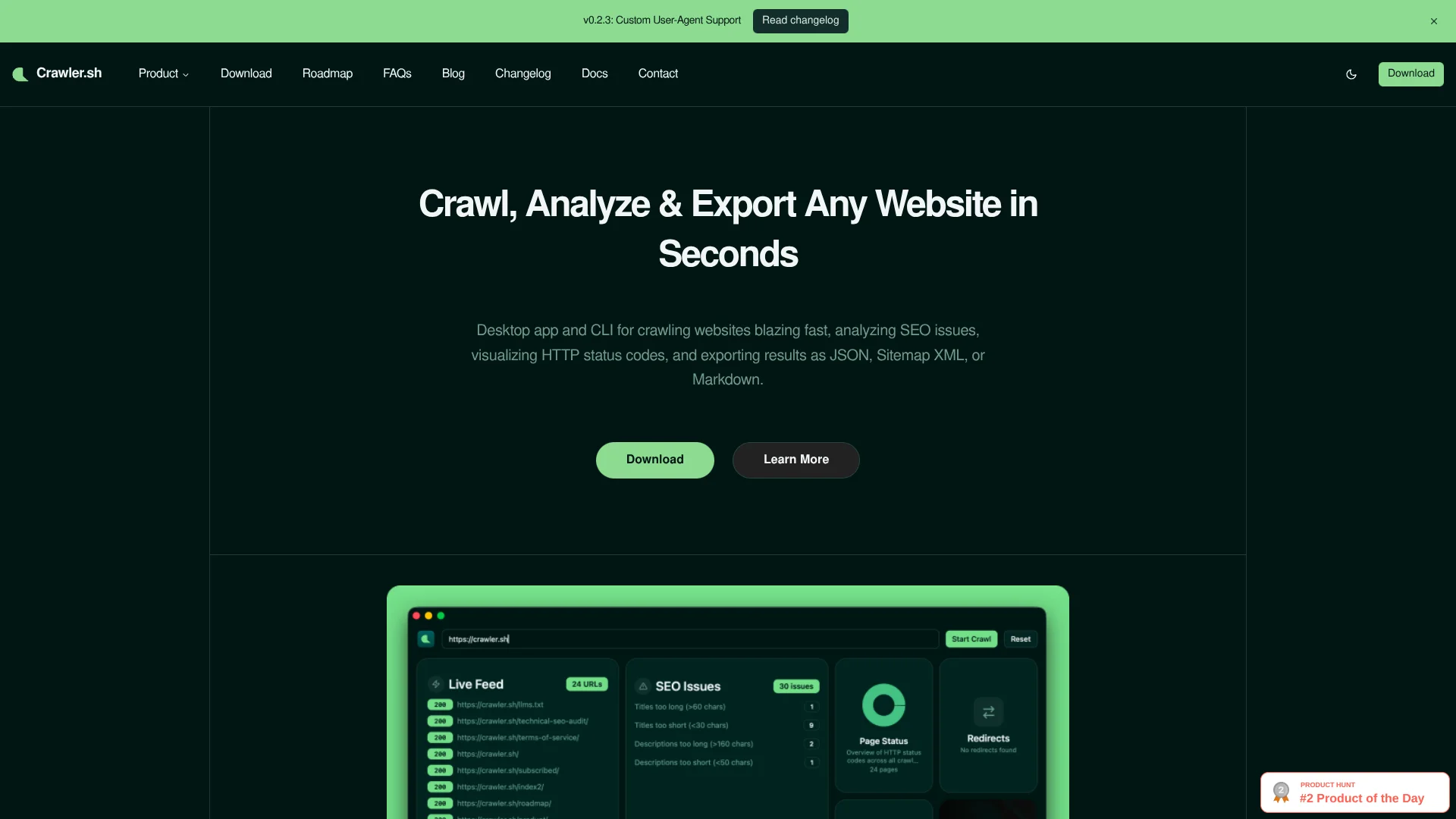
- A visual dashboard with 8 interactive cards, real-time crawl feed with status badges, SEO issues panel with per-URL details, and content archive export as Markdown
Which crawler.sh plan should you pick?
Start with Free for small local crawls, then upgrade to CLI Pro or Desktop Pro when you need 10,000-page sessions or content archives.
Free
Good for individuals who need up to 50 pages per session, SEO analysis, and JSON or Sitemap XML exports.
CLI Pro
Good for automation and scripting users who need up to 10,000 pages, Markdown extraction, and expanded exports.
Desktop Pro
Good for visual-analysis users who need the desktop dashboard, interactive crawl monitoring, and Markdown content archives.
crawler.sh Use Cases
SEO auditing
Crawl a website and analyze titles, descriptions, canonicals, links, headings, and freshness signals.
Outcome: Exportable SEO issue reports for review and remediation.
Content archiving
Extract page content as clean Markdown and export the site as a Markdown archive.
Outcome: A portable archive of readable website content.
Sitemap generation
Crawl a live website and export a W3C-compliant Sitemap XML file.
Outcome: An updated sitemap generated from crawl results.
Site monitoring
Run recurring crawls to check broken links, missing pages, and status-code changes.
Outcome: Early detection of website changes and technical problems.
RAG and training-data preparation
Extract website content into Markdown or JSON for downstream data pipelines.
Outcome: Structured web content ready for retrieval or dataset workflows.
Workflow Ideas with crawler.sh
SEO audit report
- 1Crawl the website with crawler crawl
- 2Run crawler seo on the crawl file
- 3Export the findings as CSV or TXT
Markdown content pipeline
- 1Crawl the site with content extraction enabled
- 2Inspect or export the crawl data
- 3Create a Markdown archive with the Pro plan
MCP documentation research
- 1Install crawler-mcp
- 2Connect it to Claude, Cursor, Zed, or OpenCode
- 3Use crawl_site, fetch_page, or discover_links
How crawler.sh fits into your stack
Automation and APIs
The CLI supports scripting, CI/CD pipelines, scheduled jobs, and local MCP access. MCP tools expose crawling, page fetching, and link discovery to supported AI clients.
Desktop / IDE
A macOS and Linux desktop app provides visual crawl monitoring, SEO dashboards, content browsing, and exports. The CLI runs from terminals and can be used alongside development environments.
Knowledge and files
Crawler converts webpages into clean Markdown, JSON, NDJSON, Sitemap XML, CSV, TXT, and Markdown archives for RAG pipelines, content audits, training-data preparation, and archival workflows.
Pros
- +Fast and configurable: High-speed crawling with fine-grained control over concurrency and depth suits everything from tiny blogs to large content sites.
- +Great for AI and data workflows: Clean Markdown, NDJSON, and JSON outputs make it easy to plug website content into LLM pipelines, analytics jobs, or custom scripts.
- +Local-first privacy: Keeping crawls and extracted content on the user’s machine reduces exposure for internal or staging sites.
- +Dual interface: CLI fans get powerful scripting options, and less technical users still have an approachable desktop UI with visual status cards and feeds.
- +SEO-focused out of the box: The built-in 16-check SEO audit saves time versus writing custom rules for common on-page issues.
Cons
- −No hosted SaaS version: Users must run it locally, which might be less convenient for teams that prefer browser-based tools or cloud scheduling.
- −Limited native integrations: There is no direct one-click connection to analytics suites, project management tools, or popular SEO platforms.
- −Niche feature set: It focuses on crawling and on-page checks, so users needing backlink analysis, keyword tracking, or rank monitoring will still need other tools.
Limitations & when to consider alternatives
Known limitations
- Per-session page limits. Anonymous crawls are capped at 50 pages, signed-in free crawls at 400 pages, and Pro crawls at 10,000 pages.
- Limited operating-system coverage. The desktop app and CLI target macOS and Linux; native Windows desktop support is still in progress.
- Cloud API not generally available. Crawler Cloud is described as an upcoming product, while local REST server mode remains planned.
- Bot protection may block rendering. JavaScript rendering does not bypass Cloudflare, DataDome, PerimeterX, or similar bot-protection systems.
- Aggressive crawling can trigger blocking. High concurrency and low delays may cause rate limiting or IP blocking on target servers.
Look elsewhere when
- You need a hosted crawling API today.
- You need a native Windows desktop application.
- You need shared team workspaces and member roles.
- You need to bypass enterprise bot protection.
How to Use crawler.sh
- 1
Install the CLI or desktop app
Use the shell installer for the CLI or download the platform-specific desktop package.
- 2
Start a crawl
Run crawler crawl with a website URL, or enter the URL in the desktop app.
- 3
Configure crawl settings
Adjust page limits, depth, concurrency, delay, and JavaScript rendering as needed.
- 4
Inspect and analyze results
Use crawler info to inspect the crawl file and crawler seo to identify issues.
- 5
Export the results
Export JSON, Sitemap XML, SEO CSV/TXT, or Markdown content archives depending on the plan.
- 6
Automate recurring crawls
Place CLI commands in shell scripts, CI/CD jobs, cron schedules, or MCP workflows.
Who is crawler.sh For?
SEO professionals
They can audit entire websites, identify SEO issues, and export reports.
Content teams
They can extract readable Markdown, archive site content, and support content audits.
Developers
They can use the CLI, shell scripts, CI/CD pipelines, and MCP clients.
Technical SEOs
They can inspect redirects, status codes, canonical issues, broken links, and content freshness.
MLOps teams
They can collect structured web content for training-data, RAG, and documentation workflows.
Frequently Asked Questions
How do I install crawler.sh?
Install the CLI with the official shell script, or download the desktop app from the product site.
What platforms does crawler.sh support?
The CLI supports macOS and Linux. The desktop app supports macOS and Linux, while Windows support is in progress.
Do I need to create an account?
No account is required. Anonymous use supports up to 50 pages per crawl; signing in raises the free limit to 400 pages.
What output formats are supported?
Crawler supports NDJSON, JSON, Sitemap XML, SEO CSV, SEO TXT, and Markdown content archives.
Does crawler.sh support JavaScript-rendered pages?
Yes. It includes built-in JavaScript rendering with automatic, always-on, and disabled rendering modes.
What does the desktop app include?
The desktop app provides live crawl feeds, SEO issues, page-status charts, redirects, settings, downloads, content viewing, account management, and content freshness.
Community reviews
Be the first to share your experience.
Sign in to leave a review for crawler.sh.
crawler.sh Alternatives
Looking for alternatives to crawler.sh? Here are similar tools in the same category:
Learn to Master crawler.sh
With Skill Leap courses
Get in-depth training on crawler.sh and 50+ other AI tools with our expert-led video courses.
Start 7-Day Free Trial