Creaitor AI
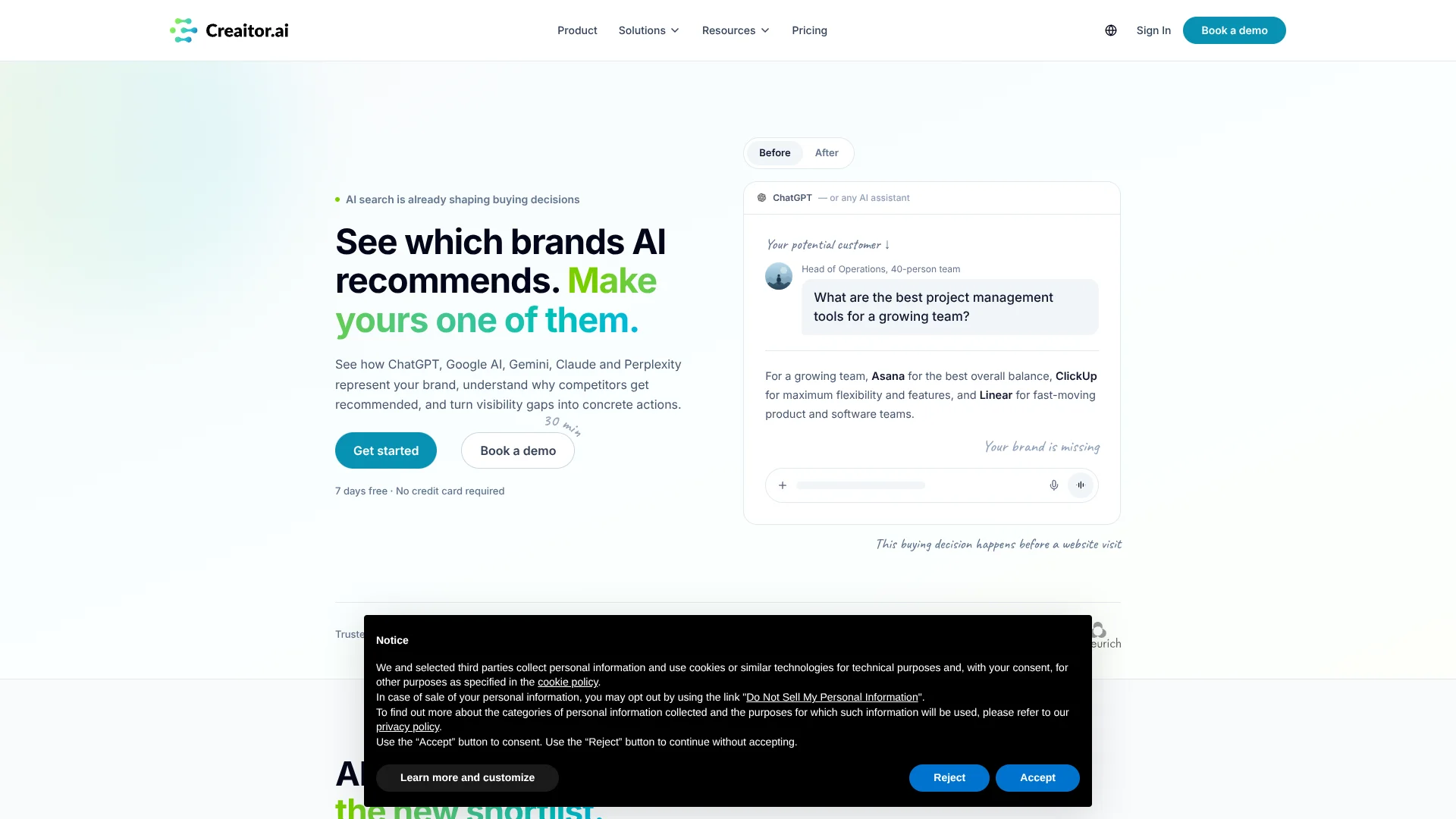
Track how AI answers recommend your brand against competitors.
Watch Creaitor AI in Action
Key Takeaways
- What it is
- Track how AI answers recommend your brand against competitors.
- Best for
- AI visibility tracking
- Prompt discovery
- Sources and sentiment
- Rating
- 4.1/5
What is Creaitor AI?
Creaitor tracks whether AI answer tools mention or recommend a brand, and shows which sources and competitors appear in those answers. Marketing teams can use it to spot gaps between their brand and the companies AI systems surface. Its GEO workflow also helps teams identify buyer questions, understand recommendations, and plan content to address missed opportunities.
Rather than measuring only traditional search rankings, Creaitor reports how a brand appears across AI answers, including visibility, citations, sentiment, and competitor comparisons.
It is best suited to brands and marketing teams that want to measure and improve their presence in AI-driven discovery. Its public pricing page lists monthly credit and domain limits, and does not show prices for the Starter, Plus, or Pro plans, so buyers have less detail for comparing costs upfront.
Who is Using Creaitor AI?
Brand marketing managers
Brand visibility reports help them see whether AI answers mention their company and how it is described.
SEO managers
AI visibility and source reports help them extend search reporting beyond conventional rankings.
Content strategists
Buyer-question discovery helps them choose content topics that address gaps in AI answers.
Agency account managers
Multiple-domain tracking helps them review AI visibility for client brands.
Uncommon Use Cases
Compare brand sentiment across answer engines; identify which sources appear behind competitor recommendations.
Key Features
Rating Breakdown
Pricing Plans
Starter
- Track 1 domain
- 2,000 credits per month
- 1 seat
- ChatGPT and Gemini
- Email support
Plus
- Track up to 3 domains
- 5,000 credits per month
- 3 seats
- ChatGPT, Gemini, and Perplexity
- Priority support
Pro
- Track up to 7 domains
- 10,000 credits per month
- 7 seats
- ChatGPT, Gemini, Perplexity, and Claude
- API access and priority support
Enterprise
- Customizable prompt tracking and choice of all models
- Daily or weekly tracking frequency
- Unlimited projects
- API access and single sign-on
Which Creaitor AI plan should you pick?
Start with Starter for one domain and two AI models, then consider Plus or Pro when you need more domains, seats, models, or API access.
Starter
For individuals and small businesses starting GEO tracking on one domain with one seat.
Plus
For growing teams that need to track up to three domains with three seats and Perplexity included.
Pro
For larger organizations tracking up to seven domains that need Claude and API access.
Enterprise
For global brands that need custom prompt tracking, all model choices, configurable tracking frequency, or SSO.
Creaitor AI Use Cases
Check brand presence in AI answers
A visibility report shows where answer engines mention the brand and where it is missing.
Outcome: A baseline view of AI visibility, source citations, sentiment, and competitors.
Find high-intent buyer questions
Prompt discovery groups buyer questions by intent to help teams focus on queries tied to consideration and comparison.
Outcome: A prioritized set of questions to monitor.
Understand competitor recommendations
Competitor comparisons show which brands AI answers recommend and how often they appear.
Outcome: A clearer view of visibility gaps against competitors.
Measure GEO work
Teams can create content to address visibility gaps and check whether their presence changes over time.
Outcome: A way to compare AI visibility before and after content work.
Report visibility data
Exports, Looker integration, and API access help teams share or connect monitoring results.
Outcome: Visibility reporting that can feed existing reporting workflows.
Workflow Ideas with Creaitor AI
Build an AI visibility baseline
- 1Enter your website for the free AI Visibility Report.
- 2Review brand mentions, source citations, sentiment, and competitor benchmarks.
- 3Choose buyer questions to monitor in a paid workspace.
Turn a visibility gap into content work
- 1Find buyer questions where competitors appear and your brand does not.
- 2Review the sources and recommendation context behind those answers.
- 3Create content addressing the gap and check visibility again.
Report across multiple brands
- 1Choose a plan based on the number of domains and seats required.
- 2Track relevant prompts across the included AI models.
- 3Export results or connect supported data through Looker or the API.
How Creaitor AI fits into your stack
AI answer monitoring
Creaitor sits alongside traditional search reporting by tracking brand visibility in AI-generated answers. The pricing page lists ChatGPT and Gemini on Starter, with additional models on higher plans.
Marketing and content planning
Prompt discovery and competitor results can inform which buyer questions and visibility gaps content teams address.
Analytics and reporting
Results can be exported, and the pricing page lists a Looker integration for connecting analytics reporting.
Custom systems
The Creaitor API provides documented endpoints for connecting supported operations with a team's own products and workflows.
Pros
- +AI answer focus: Tracks brand mentions and recommendations, not only traditional search rankings.
- +Competitive context: Shows which competitors appear alongside your brand in AI answers.
- +Evidence behind results: Source citations and sentiment help explain how the brand is represented.
- +Clear plan limits: The pricing page specifies monthly credits, tracked domains, seats, and included AI models.
Cons
- −Prices not displayed: The public pricing page names Starter, Plus, and Pro but does not show their dollar amounts.
- −Credits shape coverage: Monthly credit limits may constrain how many questions and results a team can track.
- −Narrow focus: The product centers on AI visibility and GEO rather than broad SEO research.
Limitations & when to consider alternatives
Known limitations
- Monthly credit limits. Starter includes 2,000 credits per month, Plus includes 5,000, and Pro includes 10,000.
- Domain limits. Starter tracks one domain, Plus tracks up to three, and Pro tracks up to seven; Enterprise lists unlimited projects.
- Included models vary by plan. Starter lists ChatGPT and Gemini, Plus adds Perplexity, and Pro adds Claude; Enterprise offers a choice from all models.
- Public plan prices are missing. The current public pricing page shows plan names and included limits, but not dollar amounts for Starter, Plus, or Pro.
- Tracking cadence varies. The pricing page lists daily or weekly tracking frequency as an Enterprise feature.
Look elsewhere when
- You need a conventional SEO platform centered on broader search research rather than AI visibility.
- You need public dollar pricing for every self-serve plan before contacting the vendor.
How to Use Creaitor AI
- 1
Start with a free report
Enter your website to see an initial view of AI visibility, citations, sentiment, and competitor benchmarks.
- 2
Select a plan for your tracking needs
Compare domain, credit, seat, and model limits; the public pricing page does not display prices for Starter, Plus, or Pro.
- 3
Set up your tracked brand
Choose the website and AI models to monitor during onboarding.
- 4
Review buyer questions and results
Use prompt discovery and the analytics dashboard to identify where your brand appears or is missing.
- 5
Act on the gaps
Use source and competitor findings to guide content work, then measure your visibility again.
- 6
Connect reporting if needed
Use exports, the Looker integration, or API access to bring supported results into your reporting workflow.
Who is Creaitor AI For?
Marketing teams
Teams responsible for brand discovery can monitor how AI answers describe and recommend their company.
Brands
Companies can compare their AI visibility with competitors and identify missed buyer questions.
GEO agencies
Agencies can track prompts across multiple brands using the agency plans.
SEO and digital marketing professionals
Search specialists can add AI answer visibility to their work on organic discovery.
Frequently Asked Questions
What does Creaitor track?
Creaitor tracks how a brand appears in AI answers, including visibility, source citations, sentiment, and competitor comparisons.
Which AI models are included?
Starter includes ChatGPT and Gemini; Plus adds Perplexity; Pro adds Claude. Enterprise offers a choice from all models.
Does Creaitor offer a free trial?
The homepage advertises a seven-day trial with no credit card required.
Does Creaitor have an API?
Yes. Creaitor provides API documentation, and the pricing page includes API access with Pro and Enterprise.
Does Creaitor support Looker?
Yes. Looker integration is listed among the pricing page's advanced features.
How many domains can I track?
Starter includes one domain, Plus up to three, and Pro up to seven. Enterprise lists unlimited projects.
Community reviews
Be the first to share your experience.
Sign in to leave a review for Creaitor AI.
Creaitor AI Alternatives
Looking for alternatives to Creaitor AI? Here are similar tools in the same category: