
Creativio AI
Revolutionize product photography with AI: enhance, edit, and monetize images effortlessly.
Key Takeaways
- What it is
- Revolutionize product photography with AI: enhance, edit, and monetize images effortlessly.
- Pricing
- $27 per month. users get access to AI image generation · $39 per month
- Best for
- AI-Powered Visual Enhancement
- AI Background Removal
- AI Scene Generation
- Rating
- 4.7/5
What is Creativio AI?
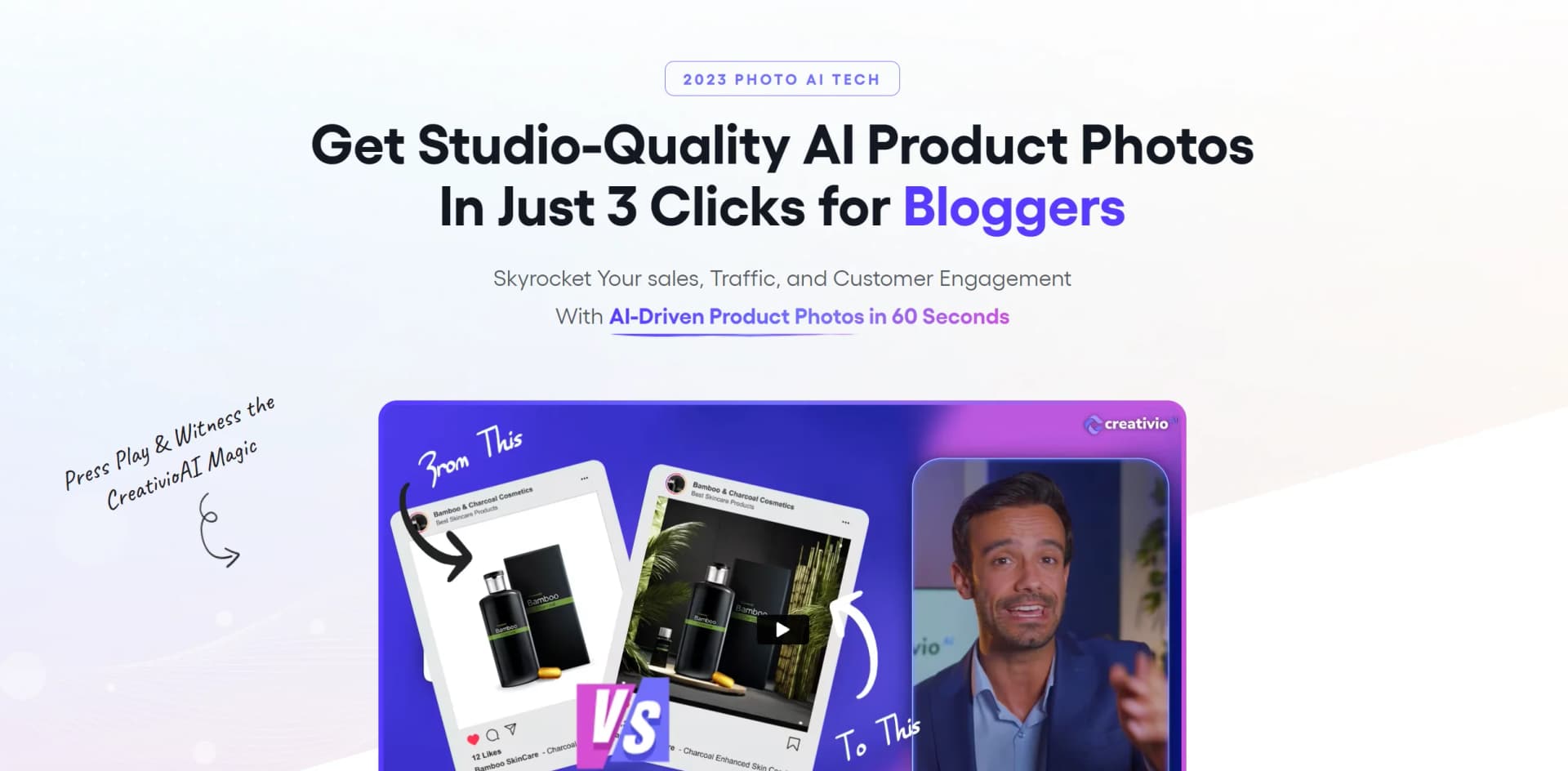
Imagine having the power to transform any ordinary product image into a captivating visual story that not only looks stunning but also significantly enhances your e-commerce sales, engagement, and traffic. That's exactly what Creativio AI promises. This AI-driven tool is designed to deliver studio-quality product photos in just 60 seconds, streamlining the process of product photography for business owners, marketers, and content creators alike.
Creativio AI distinguishes itself with its swift and intuitive platform that democratizes professional product photography. The tool's AI-driven capabilities allow users to create images that are not just visually appealing but also optimized for conversion, all without the need for expensive equipment or specialized skills.
Creativio AI is a trailblazer in the realm of AI product photography, offering an array of features that cater to varied industries. Its user-friendly nature, combined with the efficiency and quality of the output, makes it an invaluable tool for anyone looking to enhance their product visuals. The affordability and rapid turnaround time provide users with a competitive edge in today's fast-paced digital marketplace. Whether you're an established brand or a budding entrepreneur, Creativio AI has the potential to revolutionize your visual content strategy.
Who is Using Creativio AI?
E-commerce Stores
Boosting click-through rates and sales with enhanced product imagery.
Restaurants
Improving the quality of menu photos to increase online orders.
Social Media Agencies
Creating engaging content that drives social media interaction.
Influencers
Enhancing personal brand imagery to attract partnerships and increase engagement.
Small Business Owners
Utilizing the tool for marketing materials to increase foot traffic.
Photographers
Cutting down editing time while maintaining high-quality outputs.
Uncommon Use Cases
Bloggers using the tool to create eye-catching featured images; DIY crafters showcasing their products in a more professional light.
Key Features
Rating Breakdown
Pricing Plans
Creativio AI - Starter
$27 per month. users get access to AI image generation
- Background removal
- Other features with a 30-day money-back guarantee
Creativio AI - Business
$39 per month
- Users can enjoy additional features such as AI-driven photoshoots and unlimited image upscaling
Which Creativio AI plan should you pick?
Start with Starter for limited product-image generation; upgrade to Business for higher volume, 4K output, brand tools, and advanced editing, then add PRO, Animation Studio, or Agency features as needed.
Creativio AI - Starter
Good for individuals who need basic product-image generation, background removal, 2K upscaling, scene generation, and AI editing tools.
Creativio AI - Business
Good for brands and higher-volume users who need up to 5,000 images, 4K output, a brand kit, advanced studio editing, and more styles.
Creativio AI PRO
Good for users who need unlimited image generation, 4K imagery, advanced Magic Studio tools, and commercial-use features.
Animation Studio
Good for users who need image-to-video or text-to-video creation, multi-image scenes, motion templates, and MP4 exports.
Agency Edition
Good for agencies that need client management, reseller or commercial rights, extra team seats, and client-acquisition resources.
Creativio AI Use Cases
Product photography
Upload a basic product photo and generate clean packshots, lifestyle scenes, and product variations.
Outcome: Studio-style product visuals without a traditional photo shoot.
E-commerce listing upgrades
Create image sequences, marketplace visuals, and multiple aspect ratios for Shopify, Amazon, Etsy, and social platforms.
Outcome: More reusable, platform-ready product assets.
Restaurant marketing
Transform food photos into menu placements, brochures, flyers, and restaurant-ready marketing visuals.
Outcome: More polished food and menu presentation.
Branded marketing materials
Upload a logo and place it on apparel, billboards, merchandise, model shots, and other branded scenes.
Outcome: Consistent branded promotional imagery.
Product video creation
Use Animation Studio to turn still product visuals into short-form videos and motion assets.
Outcome: Exportable promotional videos in multiple formats.
Workflow Ideas with Creativio AI
Create a product image set
- 1Upload a product photo
- 2Choose a style such as premium, lifestyle, promo, or cinematic
- 3Generate variations and download the preferred visuals
Build a marketplace listing package
- 1Upload the product image
- 2Generate packshots, lifestyle scenes, seasonal visuals, and callouts
- 3Download assets in the required aspect ratios for listings and ads
Create a product animation
- 1Generate or upload a finished product visual
- 2Open Animation Studio and select a motion style or scene configuration
- 3Export the resulting video as an MP4
How Creativio AI fits into your stack
Creativio AI is a standalone web-based application that does not currently list specific third-party integrations. Users can export their images for use across various platforms and marketing channels seamlessly.
Pros
- +Efficiency: Reduces the time taken to produce high-quality product images from weeks to minutes.
- +Cost-Effective: Offers a more affordable solution compared to traditional photography.
- +User-Friendly: No special skills or software required, making it accessible to users of all expertise levels.
- +Customization: Provides numerous AI styles and editing tools to create images that align with brand aesthetics.
Cons
- −Learning Curve: Some users might need time to get accustomed to the various features and capabilities.
- −Internet Dependency: Being a web-based application, a stable internet connection is necessary for optimal use.
- −Perception of AI Art: There might be a segment of users who still prefer traditional photography over AI-generated images.
Limitations & when to consider alternatives
Known limitations
- Credit limits apply. Starter and Business plans include defined monthly image-credit allocations, while Animation Studio credits are one-time allocations.
- Unlimited image generation has fair-use restrictions. PRO unlimited access excludes automated, scripted, bot-driven, or unusually high-volume programmatic generation.
- Credits are account-specific. Credits have no cash value and cannot be resold or exchanged.
- Refunds may be limited after heavy usage. Refund eligibility may be denied or reduced if most or nearly all included credits are consumed.
- AI outputs may be inaccurate. The terms warn that AI-generated information can contain hallucinations or incorrect results and should be verified.
Look elsewhere when
- You need a documented developer API.
- You need native iOS or Android apps.
- You need SSO or SAML authentication.
- You need fine-tuning on your own data.
How to Use Creativio AI
- 1
The tool offers a user-friendly interface that is intuitive to navigate. While specific tutorial information is not mentioned, the simplicity of the platform suggests that users can quickly become proficient through hands-on use.
Who is Creativio AI For?
E-commerce sellers
Create product images, listing visuals, seasonal campaigns, and ad-ready variations.
Restaurants and food businesses
Turn basic dish photos into restaurant-ready marketing materials and menu visuals.
Marketing and ad agencies
Produce branded visual assets for multiple clients and campaigns.
Content creators and social media managers
Generate platform-sized visuals, promotional content, and short-form animations.
Local businesses and entrepreneurs
Create professional marketing visuals without photographers, studios, or advanced design skills.
Frequently Asked Questions
What is CreativioAI?
CreativioAI is an AI-powered visual production engine for creating product photography, lifestyle scenes, ad creatives, and other marketing visuals.
Do I need design experience or Photoshop?
No. The site says no design experience, editing, or Photoshop subscription is required.
What can I upload?
Users can upload product photos, logos, screenshots, rough creatives, or other basic images.
What can I create?
CreativioAI can generate product packshots, lifestyle scenes, seasonal visuals, bundle visuals, ad creatives, menus, brochures, and flyers.
Is there a money-back guarantee?
Eligible purchases include a 14-day money-back guarantee, subject to the site's credit-consumption terms.
What is Animation Studio?
Animation Studio turns still images into videos, supports multi-image scenes and multiple aspect-ratio exports, and provides MP4 downloads.
Community reviews
Be the first to share your experience.
Sign in to leave a review for Creativio AI.
Creativio AI Alternatives
Looking for alternatives to Creativio AI? Here are similar tools in the same category:
Learn to Master Creativio AI
With Skill Leap courses
Get in-depth training on Creativio AI and 50+ other AI tools with our expert-led video courses.
Start 7-Day Free Trial