
CSM
Transform photos, text, sketches into immersive 3D worlds with AI.
Key Takeaways
- What it is
- Transform photos, text, sketches into immersive 3D worlds with AI.
- Pricing
- Freemium · $20/month · $60/month
- Best for
- Multimodal Inputs
- AI 3D World Renderer
- Animate 3D Assets
- Rating
- 4.5/5
What is CSM?
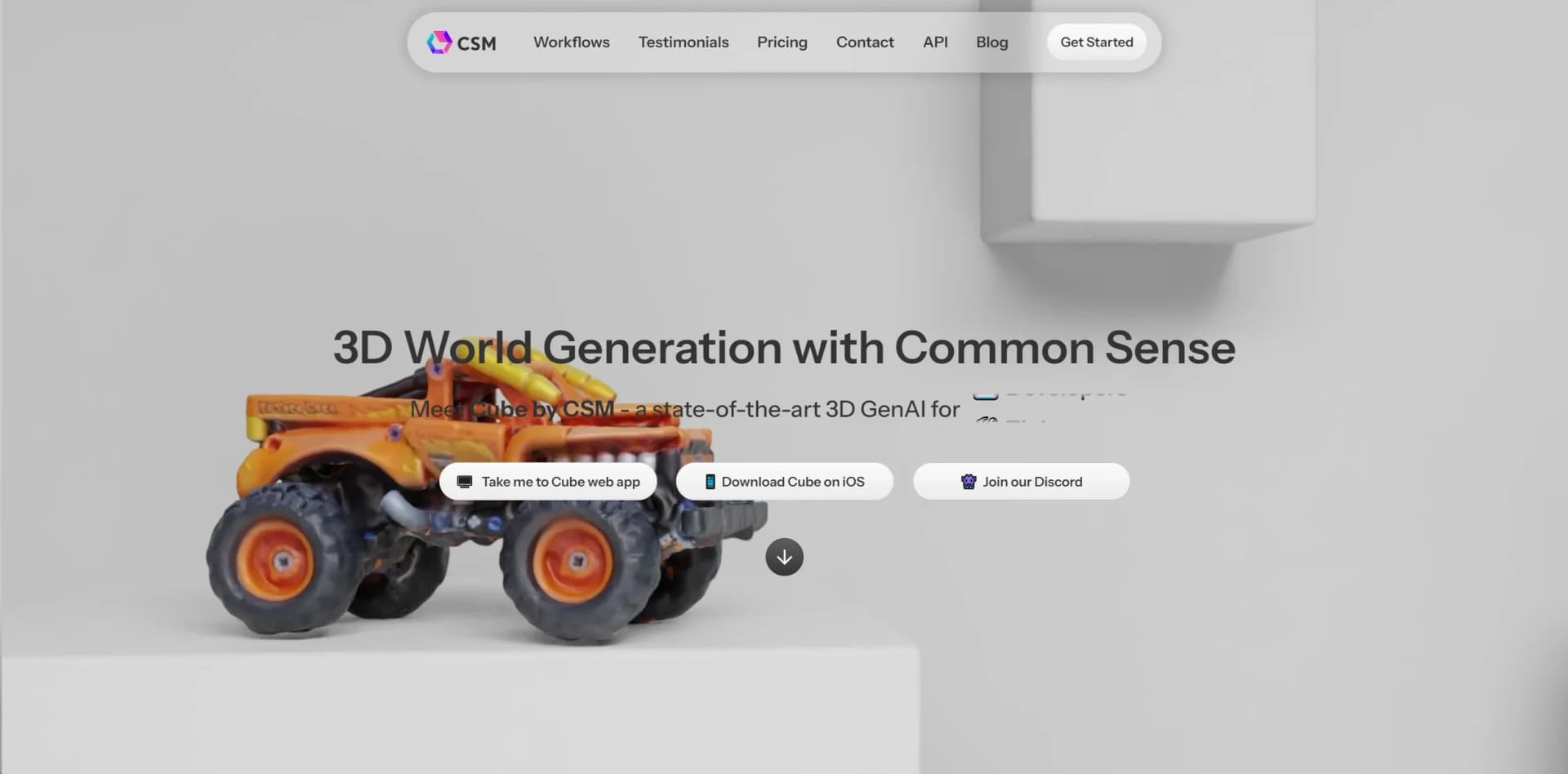
In the ever-evolving landscape of digital creativity, CSM emerges as a revolutionary tool designed to redefine the way we create and interact with 3D worlds. At its core, CSM, or Common Sense Machines, introduces an ingenious platform named Cube, which is a state-of-the-art 3D Generative AI (GenAI). This platform is tailored for a diverse array of users including 3D artists, developers, tinkerers, game studios, and enterprises. CSM leverages the power of AI to transform photos, text, or sketches into immersive 3D worlds, thereby turbocharging 3D workflows and opening up new horizons in digital creativity and design.
CSM's unique selling point lies in its groundbreaking approach to 3D world generation. By allowing inputs in the form of images, sketches, or text, CSM democratizes 3D modeling and animation, making it accessible to a broader audience. The AI-driven rendering and animation capabilities further distinguish CSM, enabling users to bring their most imaginative concepts to life with unprecedented ease and speed.
CSM stands out as an essential tool for anyone involved in the creation of 3D content. Its innovative approach to generating 3D worlds from multimodal inputs, combined with powerful rendering and animation capabilities, positions it as a leader in the digital creativity space. Whether for professional projects, educational purposes, or personal exploration, CSM offers an unmatched level of accessibility and flexibility, making it a highly recommended tool for creatives seeking to push the boundaries of their work.
Who is Using CSM?
3D Artists
For creating detailed and immersive 3D worlds.
Developers
Utilizing the tool to enhance game environments and interactive experiences.
Tinkerers
Experimenting with 3D modeling and printing for personal projects.
Game Studios
Accelerating game development with rapid prototyping of 3D assets.
Enterprises
Integrating advanced 3D visualization into their workflow.
Uncommon Use Cases
Educational institutions incorporating CSM into digital art and design curriculums; Indie filmmakers using it to storyboard or pre-visualize scenes.
Key Features
Rating Breakdown
Pricing Plans
**
Tinkerer Plan
Free
- Offering limited low-res 3D meshes on a shared public server with free starter credits
Maker Plan
$20/month
- 100 credits for high-res meshes & premium features
Creative Pro Plan
$60/month
- 400 credits for high-res meshes & premium features
- Private and customer-owned 3D models
Studio & Enterprise Solutions
- Tailored to the specific needs of larger teams and organizations
CSM Use Cases
Image-to-3D asset creation
Create 3D assets from a single image.
Outcome: A generated 3D asset.
Multiview-to-3D reconstruction
Use multiple images as input for 3D asset creation.
Outcome: A reconstructed 3D asset.
Image-to-kit generation
Create a kit of 3D parts from a single image.
Outcome: A kit of separate 3D parts.
Parts-based mesh generation
Segment an image, generate individual parts, and assemble them in the 3D viewer.
Outcome: An assembled mesh ready for export.
AI mesh retopology
Apply AI retopology to 3D meshes.
Outcome: A retopologized mesh.
Workflow Ideas with CSM
Generate and export a parts-based asset
- 1Upload a single image
- 2Segment the image into parts
- 3Generate, assemble, and export the mesh
Create a 3D asset from multiple views
- 1Provide multiple images
- 2Run the multiview-to-3D workflow
- 3Export the resulting 3D asset
Generate and retopologize a mesh
- 1Create or provide a 3D mesh
- 2Run AI retopology
- 3Use the retopologized mesh in a production workflow
How CSM fits into your stack
As of my latest exploration, specific details on compatibilities and integrations were not explicitly outlined. However, given CSM's target user base, one can anticipate a future where it integrates smoothly with popular design, development, and animation tools to further streamline 3D content creation workflows.
Pros
- +Innovative 3D Generation: CSM's ability to generate 3D worlds from text, images, or sketches is unparalleled, offering a new dimension of creativity.
- +Flexible and User-Friendly: Its multimodal input system and intuitive interface cater to both beginners and professionals alike.
- +Rapid Prototyping: Significantly reduces the cycle time from concept to 3D print or game prototype, enabling faster testing and development.
- +Community and Customization: Encourages a collaborative environment with the option for users to choose or create unique styles for their 3D assets.
Cons
- −Learning Curve: New users may require time to fully grasp the capabilities and make the most of the advanced features offered by CSM.
- −Resource Intensity: High-quality 3D rendering may demand significant computational resources, potentially limiting access for users with less powerful hardware.
- −Pricing Clarity: For those seeking to integrate CSM into large-scale projects, the lack of transparent pricing for studio and enterprise solutions may necessitate direct inquiry.
Limitations & when to consider alternatives
Known limitations
- API v2 deprecation. The documentation says the v2 API remains available only for a short time and will be deprecated soon.
- AI retopology access. AI Retopology is documented as an enterprise feature.
- Image-based input workflows. The documented workflows center on images, multiple views, text-to-image, and existing 3D meshes.
How to Use CSM
- 1
CSM offers a range of learning resources to help users get started and maximize the tool's potential. From basic setup to advanced feature exploration, users can find tutorials directly on their website or through their community channels such as the CSM Discord server.
Community reviews
Be the first to share your experience.
Sign in to leave a review for CSM.
CSM Alternatives
Looking for alternatives to CSM? Here are similar tools in the same category:
Learn to Master CSM
With Skill Leap courses
Get in-depth training on CSM and 50+ other AI tools with our expert-led video courses.
Start 7-Day Free Trial