Dart
Project teams assign work to people and AI agents in shared tasks.
Key Takeaways
- What it is
- Project teams assign work to people and AI agents in shared tasks.
- Pricing
- Freemium · $10 per teammate per month · $15 per teammate per month
- Best for
- AI task assistance
- Task execution by agents
- Custom AI agents
- Rating
- 4.3/5
What is Dart?
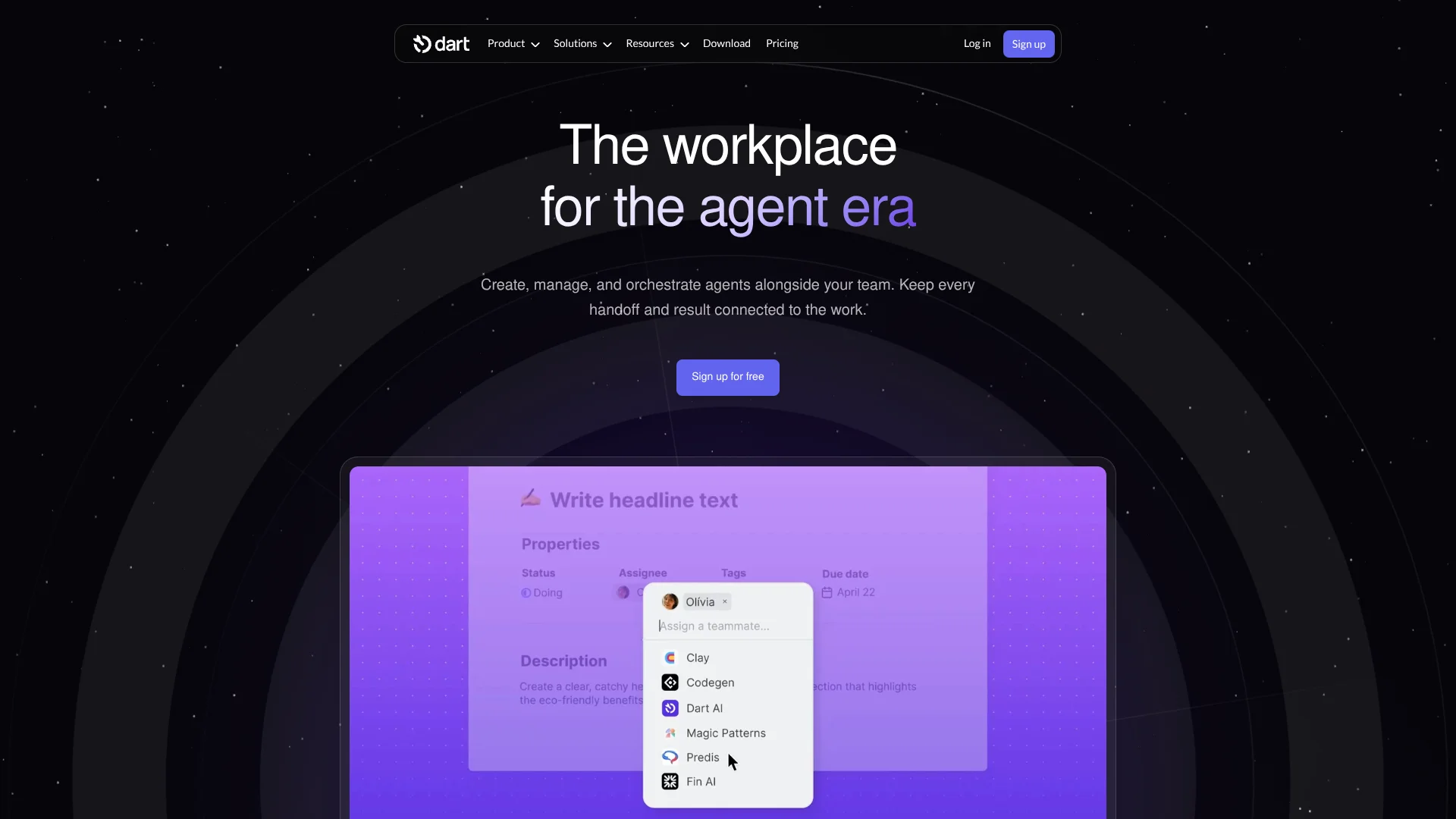
Dart connects project tasks with AI that can help plan work or take on assigned tasks. Teams can ask Dart AI to draft task details, fill in properties, or break work into subtasks, then assign tasks to built-in or connected agents. The goal is to keep plans, progress, and AI-generated results together, rather than managing agent work separately from the project.
A notable distinction is that Dart lets teams assign tasks to AI agents in the same workspace used by people, so agent work can follow the project’s task, status, and comments. Teams can also connect outside agents such as Cursor and GitHub Copilot.
Dart is aimed at teams coordinating projects across engineering, marketing, sales, design, and operations. It may be more than needed if you want a general-purpose chatbot or only need a personal to-do list; its strength is tying AI work to a shared project plan.
Who is Using Dart?
Project managers
A shared view of tasks and agent progress helps them coordinate work across a project.
Software engineers
GitHub links and coding-agent connections keep implementation tasks connected to code changes.
Marketing managers
AI task execution can help turn campaign plans into assigned work and draft content.
Sales researchers
Agents can take on account research and pass results into the team’s project workflow.
Operations coordinators
Custom agents and scheduled skills can handle recurring task organization and reporting.
Uncommon Use Cases
Build a recurring standup report from task activity; turn a training schedule into dated tasks that sync to a calendar.
Key Features
Rating Breakdown
Pricing Plans
Personal
Free
- Up to four teammates
- Unlimited tasks and docs
- AI agents and AI task execution
- AI task property filling and subtask generation
Premium
$10 per teammate per month
- Yearly billing is listed at $8 per teammate per month
- Unlimited teammates
- AI chat, roadmap planning, and brainstorming
- Slack, Discord, and GitHub integrations
Business
$15 per teammate per month
- Yearly billing is listed at $12 per teammate per month
- Everything in Premium
- SAML SSO and SCIM
- Charts, analytics, and granular access management
Which Dart plan should you pick?
Start with Personal for a small team testing AI task workflows, then consider Premium for more teammates and integrations or Business for SSO and advanced team controls.
Personal
Good for up to four teammates who want AI task features and a shared project workspace.
Premium
Good for teams that need unlimited teammates, AI chat, custom statuses, forms, and integrations such as Slack and GitHub.
Business
Good for organizations that need SAML SSO, SCIM, granular access management, and priority support.
Dart Use Cases
Break a project into tasks
A broad project idea becomes a task description with suggested properties and subtasks.
Outcome: A more organized project plan with less manual task entry.
Delegate coding work
Engineering tasks can be assigned to connected coding agents, with results tracked in the project.
Outcome: Code-related work stays linked to its task and review process.
Prepare team updates
AI-generated standup reports summarize recent activity, blockers, and next steps.
Outcome: A report the team can review and edit.
Coordinate recurring workflows
Scheduled AI skills can run repeatable actions such as weekly planning or report generation.
Outcome: Routine project work can run on a set schedule.
Keep project deadlines visible
Dated tasks assigned to you can appear in a connected calendar through a read-only calendar feed.
Outcome: Project deadlines show up alongside other calendar events.
Workflow Ideas with Dart
Turn a brief into a tracked project
- 1Describe the project goal in Dart AI chat.
- 2Review the suggested tasks and subtasks.
- 3Assign owners or agents and track progress in a project view.
Route code work through an agent
- 1Create a development task with the needed context.
- 2Assign it to a connected coding agent.
- 3Review the returned work and update the task as it moves forward.
Create a recurring team update
- 1Choose or create a reporting skill.
- 2Set its schedule and the project activity it should summarize.
- 3Review and edit the generated report in Dart docs.
How Dart fits into your stack
Project planning
Dart is the shared home for tasks, docs, project views, subtasks, and dependencies. AI can help create and organize that work.
AI agents
Built-in and connected agents can be assigned tasks, with their work tracked in the project workspace.
Development tools
GitHub integration links tasks with branches and pull requests, while coding agents can take on assigned engineering work.
Team communication and automation
Slack, Discord, Zapier, and n8n connections can carry information or trigger workflows across services.
Calendars
A read-only calendar feed shows your dated tasks in Google Calendar, Apple Calendar, Outlook, or another app that supports calendar subscriptions.
Developer access
The Dart API, libraries, and command-line tool let technical users automate workspace actions and build integrations.
Pros
- +AI tied to project tasks: Agents can receive assigned work in the same workspace where the team tracks progress.
- +Useful free workspace: Personal includes AI agents and unlimited tasks and docs for up to four teammates.
- +Choice of agents and models: Teams can connect outside agents and choose models for custom agents.
- +More than one way to connect: Integrations, an API, and a command-line tool support different levels of technical setup.
Cons
- −Project-management first: Its AI features are most useful when your work is organized as tasks and projects.
- −Some collaboration features cost extra: Unlimited teammates and integrations such as Slack and GitHub are listed on Premium.
- −Agent setup takes thought: Custom agents need clear instructions and triggers to produce useful work.
Limitations & when to consider alternatives
Known limitations
- Personal teammate cap. The Personal plan allows up to four teammates.
- Calendar feed is read-only. You can view dated tasks in a calendar app, but task changes must be made in Dart.
- AI task execution has a stated focus. Dart’s help center says its built-in AI is best suited to writing and design-related tasks.
Look elsewhere when
- You need a general-purpose AI chat tool that is not centered on projects and task tracking.
- Your calendar workflow needs to edit project tasks directly from the calendar app.
- Your team needs more than four teammates without a paid plan.
How to Use Dart
- 1
Set up a project space
Create a workspace and organize tasks in a dartboard, Dart’s project area for related work.
- 2
Add a task with context
Write the goal and useful details so Dart AI or an assigned agent has direction.
- 3
Review AI suggestions
Use the Task AI options to draft details, fill properties, or break work into subtasks, then edit or apply the suggestions.
- 4
Assign work
Choose a teammate, Dart AI, or a connected agent as the task assignee.
- 5
Connect other tools if needed
Set up integrations such as GitHub, Slack, or a calendar to carry task updates into the tools your team already uses.
- 6
Track results in the project
Follow task status and agent responses, then use a report or project view to share progress.
Who is Dart For?
Product and engineering teams
Task assignment, agent connections, and GitHub updates help keep development work and project status linked.
Marketing and sales teams
Agents can support campaign planning, content tasks, and sales research within a shared project.
Design teams
Tasks and connected agents can help organize briefs, design work, and review steps.
Operations teams
Recurring AI skills and task workflows can help coordinate follow-through and routine updates.
Frequently Asked Questions
Does Dart have a free plan?
Yes. The Personal plan is free and includes up to four teammates, unlimited tasks and docs, and AI features such as task execution and subtask generation.
How much do Dart’s paid plans cost?
Premium is $10 per teammate per month and Business is $15 per teammate per month on monthly billing. The pricing page also lists lower per-month prices for yearly billing.
Can Dart connect to other tools?
Yes. Listed connections include GitHub, Slack, Discord, Zapier, n8n, and calendar apps. API access and developer libraries are also available on Premium and above.
Does Dart have mobile and desktop apps?
Yes. Dart lists desktop apps for Mac, Windows, and Linux, as well as iOS and Android apps.
Can Dart AI work in other languages?
Yes. Dart AI settings include supported language choices, and custom guidelines can specify another language.
Community reviews
Be the first to share your experience.
Sign in to leave a review for Dart.
Dart Alternatives
Looking for alternatives to Dart? Here are similar tools in the same category: