DataRails
Finance teams keep Excel models while consolidating company data for reporting.
Key Takeaways
- What it is
- Finance teams keep Excel models while consolidating company data for reporting.
- Best for
- FinanceOS AI Connector
- Excel-connected planning
- 600+ integrations
- Rating
- 4.2/5
What is DataRails?
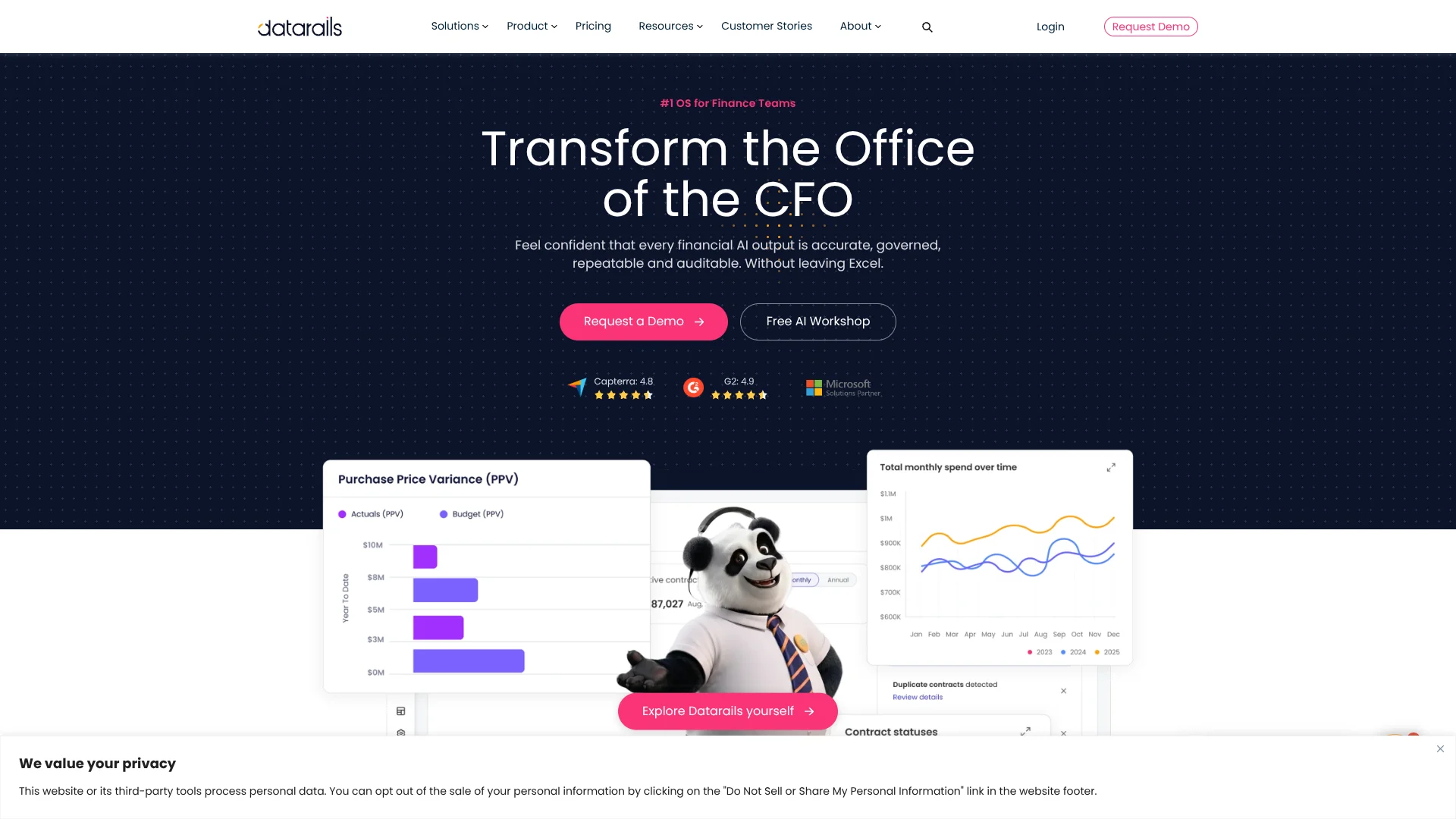
Datarails brings finance data from business systems and spreadsheets into a governed foundation for reporting, budgeting, and analysis. Finance teams can keep working with their Excel models while Datarails consolidates data, tracks versions, and powers dashboards. Its AI Connector also lets teams query that financial data through tools such as ChatGPT, Claude, and Copilot.
A finance team can ask an AI tool about budget performance or unusual expenses and get answers grounded in its Datarails data, with access governed by the user's existing permissions. The connector can also produce Excel workbooks from that data.
Datarails is best suited to finance departments that rely on Excel and need more consistent reporting across systems. It is a specialized finance platform, not a general-purpose AI tool, and its pricing requires a custom quote. Its value is strongest when a team wants AI analysis tied to governed financial data.
Who is Using DataRails?
CFOs
Board reporting and financial summaries can draw on the same governed data used by the finance team.
FP&A analysts
Budget-versus-actual analysis and department comparisons can start with connected financial data.
Controllers
Version control, reconciliations, and audit reporting help keep financial figures traceable.
Finance managers
Automated workflows route budgets, forecasts, and reports to the right reviewers.
Uncommon Use Cases
Preparing audit evidence from financial reports; checking P&L totals against KPI data
Key Features
Rating Breakdown
Pricing Plans
FinanceOS Professional
- Unlimited Dashboards, Reporting & Planning
- 2 users and 1 integration
- Datarails AI Agents and FinanceOS AI Connector
- Standard support
FinanceOS Premium
- Everything in Professional
- Spend, including Cards, Bill Pay, and Contracts
- 5 users and 2 integrations
- Premium support
FinanceOS Expert
- Everything in Premium
- Cash Management, Month-End Close, Receivables, and Desk
- 15 users and 50 viewers; 3 integrations
- Includes one additional product: Cash Management, Month-End Close, or Spend Control
Which DataRails plan should you pick?
Start with FinanceOS Professional for core reporting, planning, and AI Connector access; consider Premium or Expert when you need more users, integrations, or included finance modules.
FinanceOS Professional
Good for teams that need dashboards, reporting, planning, AI Agents, and FinanceOS AI Connector for up to 2 users and 1 integration.
FinanceOS Premium
Good for teams that need the Professional features plus Spend, up to 5 users, and 2 integrations.
FinanceOS Expert
Good for larger finance teams that need up to 15 users and 50 viewers, 3 integrations, and an included additional product.
DataRails Use Cases
Budget-versus-actual analysis
Finance teams can compare actual performance with budget and examine differences by department.
Outcome: A view of performance against plan and the areas driving variances.
Financial reporting
Live connected data feeds reports and dashboards without repeated manual exports and consolidation.
Outcome: Reports and dashboards based on consolidated financial data.
Anomaly checks
AI analysis can flag unusual transactions, outliers, and possible data discrepancies.
Outcome: Potential issues surfaced for finance review.
AI-assisted financial questions
A finance professional can ask an AI tool about revenue, expenses, or trends using Datarails data.
Outcome: A financial summary or analysis grounded in the organization's data.
Audit preparation
Finance teams can assemble reports and supporting evidence for audit work using governed financial data.
Outcome: Financial reports and supporting evidence for review.
Workflow Ideas with DataRails
Prepare a budget review
- 1Connect the finance systems and Excel data needed for the review.
- 2Compare actual results with budget by department.
- 3Use an AI tool connected through FinanceOS AI Connector to summarize key variances.
Investigate an unusual expense
- 1Ask a connected AI tool to identify unusual transactions in the relevant period.
- 2Review the flagged results against the source financial data.
- 3Share the findings through a Datarails report or dashboard.
Build a board reporting pack
- 1Refresh the consolidated financial data used by the team's reports.
- 2Review dashboards and financial results for the reporting period.
- 3Generate an AI Storyboard from Datarails dashboards and edit it for the board.
How DataRails fits into your stack
Excel and financial models
Datarails connects finance data to the spreadsheets and models teams already use for planning and reporting.
Finance and business systems
The platform consolidates data from connected ERP, CRM, HRIS, banking, and other systems.
AI tools
FinanceOS AI Connector brings governed Datarails data into supported tools such as ChatGPT, Claude, and Copilot.
Dashboards and reporting
Datarails provides dashboards and reports based on consolidated financial data for finance and other stakeholders.
Mobile access
The Datarails FinanceOS mobile app lets users view financial dashboards on the go.
Pros
- +Keep Excel models: Finance teams can add connected data and reporting without replacing familiar spreadsheets.
- +Finance-grounded AI: The AI Connector lets supported AI tools analyze data in Datarails rather than relying only on prompt text.
- +Permission-aware queries: AI Connector access follows each user's Datarails permissions.
- +Broad data connections: The company lists more than 600 integrations for financial and operational data.
Cons
- −Quote-based pricing: There is no public plan price to compare before speaking with Datarails.
- −Finance-specific scope: The platform is designed for finance operations, not general-purpose AI tasks.
- −Requires existing access: AI Connector use requires an active Datarails organization and user account.
Limitations & when to consider alternatives
Known limitations
- AI Connector is read-only. The documented ChatGPT and Claude connections can query and analyze Datarails data but cannot create, update, or delete records.
- AI query results have limits. The technical documentation says row-level results are returned in pages of 100 by default, with a maximum of 500 rows per page.
- AI vendor terms still apply. Data returned in an AI conversation is then subject to that AI vendor's retention, training, and regional processing terms.
Look elsewhere when
- You need a general-purpose AI tool that works without a finance platform.
- Your team needs AI to write changes directly into Datarails through the documented read-only connectors.
- Your organization needs publicly listed subscription prices before requesting a quote.
How to Use DataRails
- 1
Confirm your finance workflow
Identify which reporting, planning, or analysis process should use Datarails and which systems hold its data.
- 2
Choose a FinanceOS plan
Compare the included users, integrations, and modules, then request a quote for the plan that fits your organization.
- 3
Connect your data
Work with Datarails to connect relevant finance and operational systems and map them to your reporting structure.
- 4
Keep working in Excel
Use the Excel-connected workflows for planning and reporting while the platform consolidates and updates financial data.
- 5
Connect an AI tool
With an active AI Connector subscription, connect a supported platform such as ChatGPT, Claude, or Copilot using your Datarails credentials.
- 6
Check important results
Review calculations and AI interpretations before using them in financial reporting or business decisions.
Who is DataRails For?
Finance teams
Teams responsible for reporting, planning, and analysis can connect scattered financial data to their Excel workflows.
CFO offices
CFO teams can use governed dashboards and AI analysis to prepare financial insights for business decisions.
Excel-based FP&A teams
Teams that already budget and forecast in Excel can keep those models while adding connected data and version control.
Finance teams with multiple systems
Organizations using several accounting, ERP, CRM, or HR systems can consolidate data for shared reporting.
Frequently Asked Questions
Does Datarails have a free plan?
The official pricing page lists FinanceOS Professional, FinanceOS Premium, and FinanceOS Expert as quote-based plans. It does not list a free plan.
How much does Datarails cost?
The official pricing page asks prospective customers to request a custom quote and does not publish USD prices.
Which AI tools can connect to Datarails?
Datarails lists ChatGPT, Claude, Copilot, and other AI tools as supported through FinanceOS AI Connector.
Can Datarails work with Excel?
Yes. Datarails connects finance data to Excel workflows and lets teams continue using their existing spreadsheets and models.
Does Datarails have a mobile app?
Yes. Datarails publishes a FinanceOS app for Android and iOS that provides access to financial dashboards.
Community reviews
Be the first to share your experience.
Sign in to leave a review for DataRails.
DataRails Alternatives
Looking for alternatives to DataRails? Here are similar tools in the same category: