
Deduction
Chat for CPA-checked US tax answers, filings.
Key Takeaways
- What it is
- Chat for CPA-checked US tax answers, filings.
- Best for
- Taylor, CPAI tax assistant
- Hybrid AI plus CPA workflow
- Proactive, year round planning
- Rating
- 4.5/5
What is Deduction?
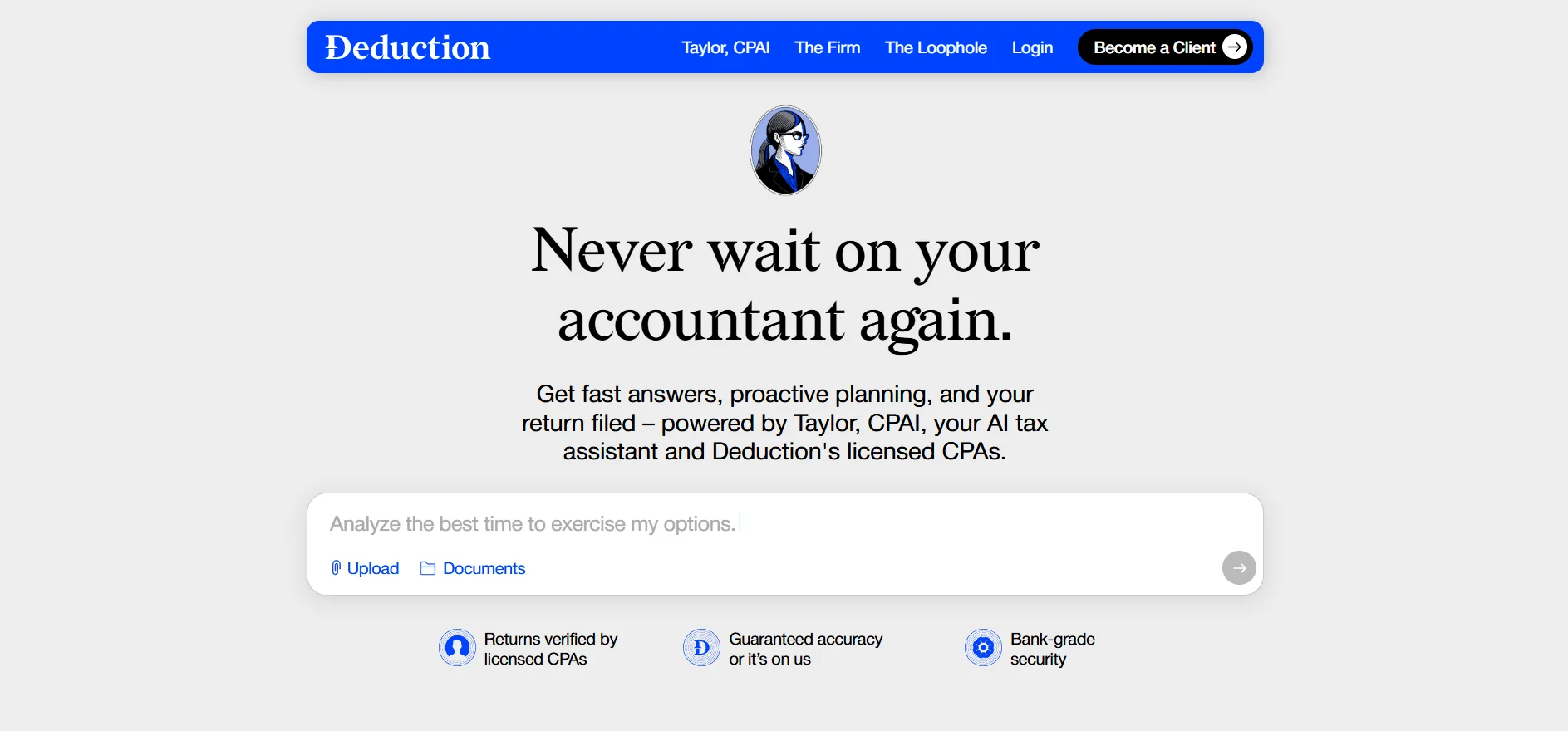
Deduction focuses on AI assisted U.S. tax preparation, filing, and year round advice for individuals who want fast answers without losing the reassurance of human CPAs. At its core is Taylor, CPAI, an AI tax assistant that drafts returns, finds deductions, and answers questions, while licensed CPAs verify the work and file with the IRS. The service targets people who have outgrown basic DIY tax software, offering conversational support by email, chat, or phone instead of long questionnaires and clunky forms.
Deduction sets itself apart by aiming its AI directly at end taxpayers rather than only selling software to accountants. Taylor, CPAI is tightly integrated into a real tax firm, so AI handles organization, analysis, and drafting, while CPAs retain control over judgment calls and final filings. The result is a conversational, always available assistant that still produces CPA signed returns backed by an accuracy guarantee.
Deduction offers a modern answer for taxpayers who want the speed and availability of AI without giving up the oversight of experienced CPAs. Its mix of Taylor, CPAI for day to day questions and drafting, human review for every return, and a clear pricing model creates a strong option for U.S. filers with more than just a basic W 2. For those juggling equity, investments, or multiple income sources, it provides a serious upgrade over traditional DIY software while staying more approachable and conversational than a typical accounting firm.
Who is Using Deduction?
Tech and startup employees
Using it to handle ISOs, NSOs, RSUs, and liquidity events without guesswork on timing and withholding.
High earning professionals and freelancers
Relying on it for strategic deductions, entity questions, and quarterly estimate planning.
Investors and active traders
Turning to Taylor, CPAI for guidance on capital gains, tax loss harvesting, and crypto tax treatment.
Landlords and side hustle owners
Getting help with rental schedules, depreciation, and mixing W 2, 1099, and platform income.
Uncommon Use Cases
Utilized by early retirees planning Roth conversions and multi year bracket management; Adopted by online creators juggling sponsorships, royalties, and platform payouts who need clearer quarterly tax guidance.
Key Features
Rating Breakdown
Pricing Plans
Free usage
- New visitors can ask Taylor
- CPAI tax questions and explore the experience at no cost until they choose to file
Which Deduction plan should you pick?
Start with free use for questions, document uploads, and planning; upgrade to Personal for individual filing or Simple Business for supported solo-business returns.
Personal
Good for individuals and pass-through LLC owners who need year-round advice plus CPA-reviewed federal and state filing for $499 per year.
Simple Business
Good for simple solo businesses such as an S-Corp or small Partnership LLC for $999.
Deduction Use Cases
Prepare and file a tax return
Upload or connect documents, let Taylor prepare the return, review it, and approve filing.
Outcome: A CPA-reviewed federal and state return is transmitted to the IRS.
Find deductions and credits
Taylor reads tax documents and identifies deductions and credits supported by the user’s situation.
Outcome: Potentially missed deductions are surfaced and confirmed by a CPA.
Plan taxes year-round
Ask about retirement contributions, stock-option timing, estimated payments, and tax-loss harvesting.
Outcome: Users receive planning guidance before relevant deadlines.
Organize tax documents
Forward, upload, or photograph W-2s, 1099s, K-1s, receipts, and other files.
Outcome: Documents are read, labeled, and sorted into the Vault.
Handle complicated income
Use Taylor for crypto, rental income, equity compensation, self-employment, or multi-state filing.
Outcome: Complex tax information is incorporated into a CPA-reviewed return.
Workflow Ideas with Deduction
Year-round tax planning
- 1Connect accounts or upload tax documents
- 2Ask Taylor about deductions and planning moves
- 3Review high-impact recommendations with a licensed CPA
Tax document organization
- 1Forward, upload, or photograph documents
- 2Let Taylor detect document types and extract key figures
- 3Review the organized files in the Vault
CPA-reviewed filing
- 1Provide income and expense documents
- 2Let Taylor prepare the complete return
- 3Approve the CPA-reviewed return for IRS and state filing
How Deduction fits into your stack
Browser
Deduction is accessed through a web browser on any device. Users converse with Taylor, CPAI, receive tax advice, and manage filing without downloading an app.
Knowledge and files
The Vault stores W-2s, 1099s, K-1s, receipts, statements, and other tax documents. Taylor reads and organizes those files, identifies deductions, and uses them to prepare the return.
Email and messaging
Users interact with Taylor through chat and can forward documents or communicate by email. The service is designed around conversational tax support rather than form-heavy workflows.
Pros
- +Speed and responsiveness: Users can ask questions by email, chat, or call and get tailored answers far faster than typical accountant turnaround times.
- +Depth of advice: AI tuned specifically for tax law plus mandatory CPA review supports more nuanced guidance than generic chatbots or basic questionnaire based tax apps.
- +Good value for complex filers: A flat annual fee with unlimited advice compares favorably with hourly CPA billing for people with stock compensation, investments, or multiple income streams.
- +Security posture: Encrypted storage, a dedicated Vault, and a clear commitment not to use client data to train AI models will appeal to privacy conscious users.
- +Lower paperwork burden: Automatic document retrieval where possible and flexible upload options cut down on organizing chores.
Cons
- −U.S. only focus: Deduction centers on U.S. federal and state taxes, so non U.S. residents or those with heavy non U.S. filing needs will need other solutions.
- −Newer brand: Compared with decades old accounting firms, Deduction has a shorter track record, which more cautious taxpayers may weigh carefully.
Limitations & when to consider alternatives
Known limitations
- Complex businesses are not supported. Deduction currently does not support complex businesses such as multi-employee S corporations or C corporations.
- Phone access is not yet available. The FAQ lists phone communication as coming soon, with limited email and phone access for free users.
- Payment is required for filing. The service is free to use, but users pay when filing or requesting a licensed CPA review of a high-impact decision.
- The accuracy guarantee has conditions. The guarantee applies only when the error is solely Deduction’s fault and the user supplied accurate, complete, and timely information.
Look elsewhere when
- You need a native mobile or desktop application.
- You operate a complex multi-employee or C-corporation business.
- You need phone-based support immediately.
How to Use Deduction
- 1
Create a free account
Start without entering payment information so you can ask Taylor questions and explore the service.
- 2
Connect or upload documents
Upload files to the Vault, forward documents by email, or let Taylor pull certain documents automatically.
- 3
Ask Taylor for planning help
Discuss deductions, retirement contributions, equity compensation, estimated payments, crypto, rental income, or other tax questions.
- 4
Review the prepared return
Taylor prepares the return and a licensed CPA reviews every number, form, and recommendation.
- 5
Approve filing
Review the completed return, approve it, and let Deduction transmit federal and state filings.
Who is Deduction For?
Tech employees
Deduction supports RSUs, ISOs, ESPP, and multi-state tax situations.
1099 self-employed workers
Taylor tracks quarterly estimates and business deductions for contract income.
Content creators
Deduction handles gear, home studio, software, and platform income.
Sole proprietors
Taylor helps prepare Schedule C and identify business deductions.
People with complex returns
The service is designed for crypto, rental property, K-1s, equity compensation, and multiple income sources.
Frequently Asked Questions
What is Deduction?
Deduction is an AI-powered tax preparation and advisory service combining Taylor, CPAI, with licensed CPAs.
How much does Deduction cost?
Personal costs $499 per year, while Simple Business costs $999. Deduction is free to use until filing or requesting certain CPA reviews.
Is there a free trial?
Yes. Users can ask unlimited questions, upload documents, and receive tax advice at no cost before paying.
What documents can I provide?
Common documents include W-2s, 1099s, 1040s, investment statements, and expense records. They can be uploaded, forwarded by email, or sometimes pulled automatically.
Can Deduction handle complex tax situations?
Taylor supports stock options, cryptocurrency, rental income, K-1s, multi-state filing, self-employment income, and related situations.
Is my financial information secure?
Deduction says data is protected with enterprise-grade encryption at rest and in transit, stored in a personal Vault, and not shared without permission.
Community reviews
Be the first to share your experience.
Sign in to leave a review for Deduction.
Deduction Alternatives
Looking for alternatives to Deduction? Here are similar tools in the same category:
Learn to Master Deduction
With Skill Leap courses
Get in-depth training on Deduction and 50+ other AI tools with our expert-led video courses.
Start 7-Day Free Trial