
DeepL Translator
Transform text across 32 languages with unmatched accuracy.
Key Takeaways
- What it is
- Transform text across 32 languages with unmatched accuracy.
- Pricing
- Freemium
- Best for
- Accurate Translations
- Multiple Language Support
- Document Translation
- Rating
- 4.6/5
What is DeepL Translator?
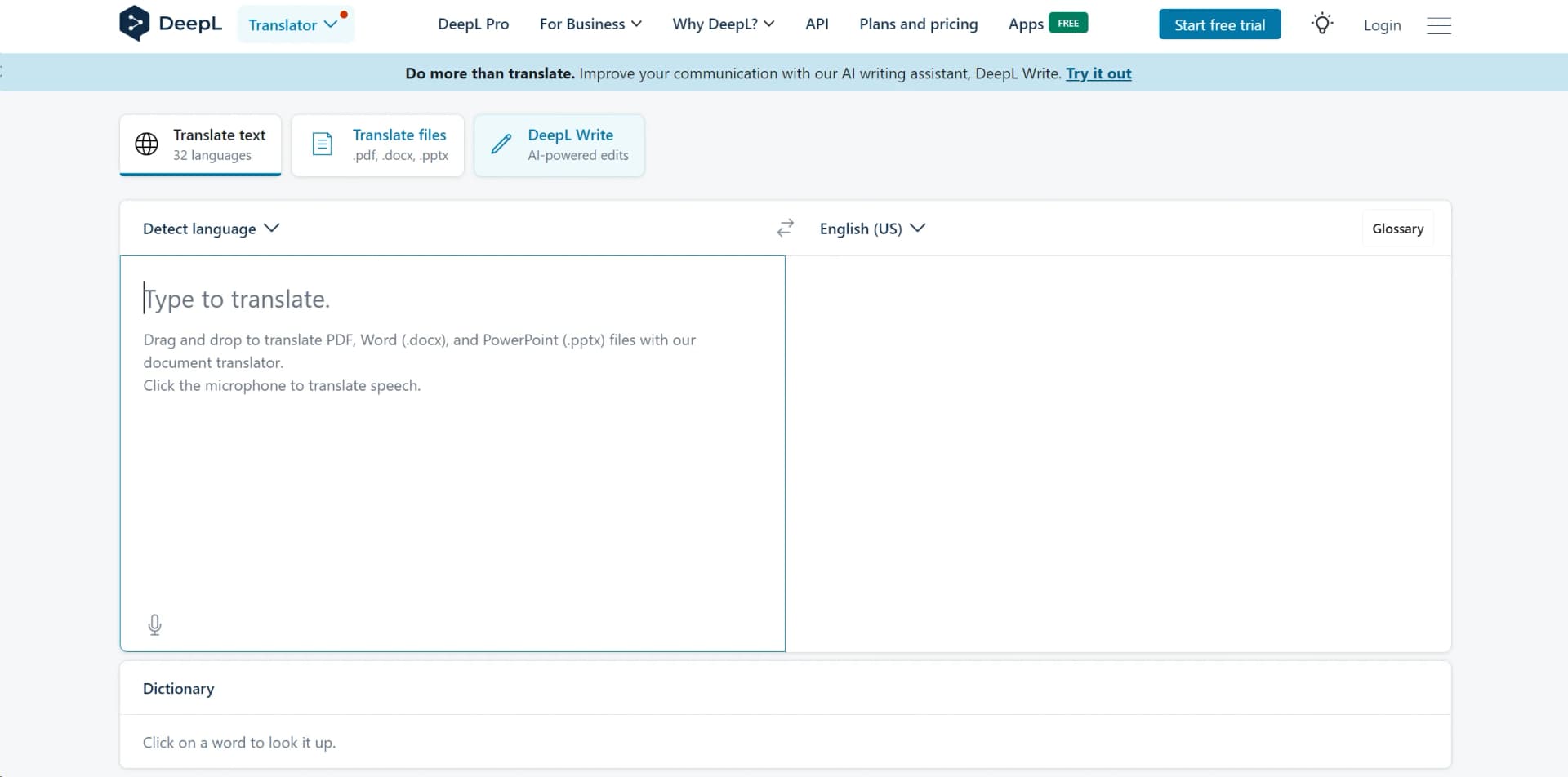
DeepL Translator is a powerful AI-driven tool that has rapidly become known for its superior translation accuracy and nuanced language processing. Designed for both individuals and professionals, it offers a seamless way to translate text and documents across 32 languages. As someone who frequently juggles multiple languages in my work, I found DeepL Translator to be a game-changer, simplifying communication and enhancing understanding with its advanced technology.
DeepL Translator stands out primarily due to its superior translation accuracy and the ability to handle nuances better than other major translation tools. Its proprietary technology, developed independently from the major tech giants, allows it to provide unique linguistic capabilities that often surpass those of its competitors.
DeepL Translator excels in delivering high-quality, nuanced translations, making it an indispensable tool for anyone dealing with multiple languages. Its standout feature, superior accuracy, offers a significant advantage, especially in professional and academic settings. Whether you're a student, a business professional, or just someone looking to bridge language gaps, DeepL provides a robust, secure, and user-friendly solution that goes beyond mere word-for-word translation.
Who is Using DeepL Translator?
Academic Researchers
Utilizing the tool for translating and cross-verifying research materials.
Business Professionals
Employing the tool for communication with international clients and partners.
Content Creators
Leveraging the tool to produce multilingual content efficiently.
Legal Professionals
Using the tool for translating legal documents and contracts.
Uncommon Use Cases
Utilized by non-profit organizations for enhancing communication in multilingual humanitarian efforts; adopted by indie game developers for localizing content.
Key Features
Rating Breakdown
Pricing Plans
Free Tier
Free
- Offers basic features with a monthly limit on text and document translations
Pro Tier
- Starts at a competitive price
- Providing unlimited text translations and enhanced security features
Which DeepL Translator plan should you pick?
Start with the free DeepL Translator for occasional text and file translation; upgrade to DeepL Pro Individual for higher personal usage, DeepL Pro Team for shared resources, DeepL Pro Business for advanced administration and Translation Flow, or DeepL API Developer/Growth for programmatic access.
DeepL Translator
Good for individuals who need free web-based translation for occasional text, documents, or images.
DeepL Pro Individual
Good for individual professionals who need higher limits, privacy, and expanded translation features.
DeepL Pro Team
Good for teams who need shared resources, team members, groups, and administrative controls.
DeepL Pro Business
Good for organizations that need advanced customization administration, collaboration, security, and Translation Flow.
DeepL API Developer
Good for developers who need programmatic translation with a limited included character allowance.
DeepL API Growth
Good for production API workloads requiring higher volumes, document and speech capabilities, usage controls, and API administration.
DeepL Translator Use Cases
Document translation
Upload PDFs, Word files, PowerPoint presentations, spreadsheets, images, and other supported formats for translation.
Outcome: Translated files retain supported formatting and layout.
Marketing localization
Translate campaigns, advertisements, and other marketing content using glossaries, style rules, and translation memories.
Outcome: Multilingual content stays consistent with the brand.
Customer support translation
Translate incoming customer messages and prepare replies through browser-based integrations.
Outcome: Teams can communicate with customers across languages.
Internal communication
Translate emails, documents, and workplace content in Microsoft 365, Google Workspace, browsers, and desktop applications.
Outcome: Global teams can collaborate more efficiently.
API-based localization
Use the DeepL API to translate text, documents, and speech inside products, applications, and business systems.
Outcome: Organizations can scale multilingual experiences programmatically.
Workflow Ideas with DeepL Translator
Recurring document localization
- 1Create a Translation Flow with source and target languages
- 2Attach glossaries, style rules, translation memories, or style profiles
- 3Add the flow to translation projects and review routed output
Brand-consistent campaign translation
- 1Create or upload terminology and approved translation resources
- 2Bundle them into a style profile for the marketing team
- 3Translate campaign files and apply the profile across languages
API document translation
- 1Create a DeepL API key
- 2Upload a supported document through the document endpoint
- 3Download the translated document while preserving supported formatting
How DeepL Translator fits into your stack
Microsoft Office Integration
Seamlessly works with Word, Excel, and PowerPoint for easy document translations.
API Access
Offers developers the ability to integrate DeepL's translation capabilities into their own applications.
Browser Extensions
Available extensions for Chrome, Firefox, and Edge facilitate easy web translation.
Pros
- +High Translation Quality: Translations are not only quick but also of high quality, capturing nuanced meanings better than many other tools.
- +User-Friendly Interface: The platform is straightforward to navigate, making it accessible even to those who are not tech-savvy.
- +Secure Data Handling: Offers maximum data security, especially with the DeepL Pro version, ensuring user data is handled with the utmost confidentiality.
- +Versatile Application: Useful for a broad range of users from students to professionals across various industries.
Cons
- −Character Limit in Free Version: The free version has a limit of 3,000 characters and three document translations per month, which might be restrictive for heavy users.
- −Limited Offline Capabilities: Lacks an extensive offline functionality, which could be a drawback for users with unstable internet connections.
- −Subscription Cost: While it offers a free trial, continuous access to all features requires a subscription, which might not suit all budgets.
Limitations & when to consider alternatives
Known limitations
- File-size and format limits. Supported formats and maximum sizes vary by plan; some formats such as Excel or XLIFF are unavailable on lower tiers.
- Monthly file quotas. DeepL Pro plans include defined monthly file-translation quotas, and unused quotas do not carry forward.
- One image per month on unpaid accounts. Users without an active DeepL subscription can translate only one image per month.
- Translation accuracy is not guaranteed. DeepL states that documents may contain translation errors and that correct reading and translation cannot be guaranteed.
Look elsewhere when
- You need model fine-tuning or weight updates.
- You need programming-code generation or editing.
How to Use DeepL Translator
- 1
Explore a range of tutorials on the official website, covering everything from basic operations to advanced features of DeepL Translator.
Who is DeepL Translator For?
Professional translators
DeepL provides glossaries, translation memories, style rules, and CAT-tool integrations for professional translation workflows.
Localization teams
Localization teams can manage multilingual projects, reviews, terminology, translation memories, and automated translation flows.
Marketing and communications teams
Marketing teams can localize campaigns and content while maintaining brand terminology, style, and tone.
Customer service teams
Customer service teams can translate customer messages and replies directly within supported workplace tools and browsers.
Developers and technology companies
Developers can add multilingual translation, document processing, and speech translation to products through the DeepL API.
Frequently Asked Questions
What platforms support DeepL Translator?
DeepL Translator is available through the web, Windows and Mac desktop apps, Android and iOS mobile apps, browser extensions, Microsoft 365, CAT tools, and an API.
What can DeepL translate?
DeepL translates text, documents, images, and speech across a broad range of supported human languages.
Can DeepL translate files?
Yes. Users can translate documents and images while preserving the original file format and layout where supported.
Can teams share translation resources?
Teams can share glossaries, style rules, translation memories, style profiles, and translation flows with selected members or the whole organization.
Does DeepL support single sign-on?
Eligible plans support SSO through OpenID Connect or SAML, with optional JIT or SCIM provisioning.
Does DeepL provide an API?
Yes. The developer API supports text, document, speech, and writing-related language services through documented endpoints and authentication keys.
Community reviews
Be the first to share your experience.
Sign in to leave a review for DeepL Translator.
DeepL Translator Alternatives
Looking for alternatives to DeepL Translator? Here are similar tools in the same category:
Learn to Master DeepL Translator
With Skill Leap courses
Get in-depth training on DeepL Translator and 50+ other AI tools with our expert-led video courses.
Start 7-Day Free Trial