
Demodesk
Automate sales tasks, enhance insights, boost performance.
Key Takeaways
- What it is
- Automate sales tasks, enhance insights, boost performance.
- Pricing
- Freemium · $59 per month
- Best for
- AI Sales Agents
- AI Assistant
- AI Coach
- Rating
- 4.6/5
What is Demodesk?
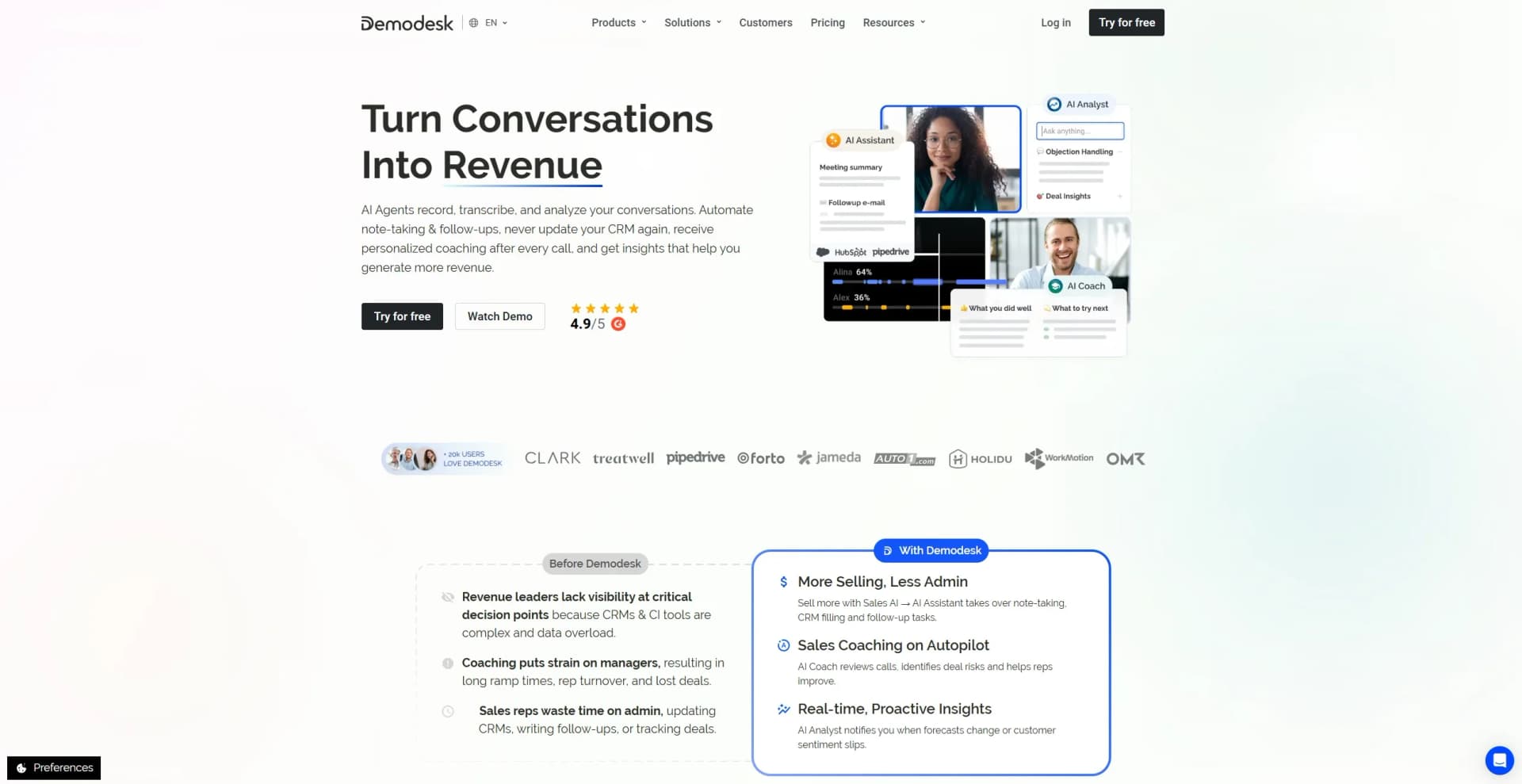
Demodesk is a cutting-edge AI platform designed to transform the sales process for businesses. It offers a suite of tools, including AI Sales Agents, AI Assistants, AI Coaches, and more, aimed at enhancing sales efficiency and effectiveness. Tailored for sales teams and revenue leaders, Demodesk simplifies the often cumbersome tasks associated with customer relationship management (CRM) and sales coaching, allowing users to focus more on selling and less on administrative duties.
Demodesk distinguishes itself with its AI-driven approach to sales automation and coaching. By offering real-time insights and proactive behavior, it allows sales teams to operate more efficiently and effectively. Its ability to autonomously handle administrative tasks and provide personalized coaching sets it apart in the sales technology space.
Demodesk offers a comprehensive AI-driven solution for sales teams looking to enhance productivity and efficiency. By automating mundane tasks and providing insightful coaching, it empowers sales reps and managers alike to focus on what truly matters—closing deals and driving revenue. Its innovative features and user-friendly design make it a valuable asset for any sales-focused organization.
Who is Using Demodesk?
Sales Managers
Utilize Demodesk to streamline coaching and improve team performance.
Revenue Operations
Employ the platform to gain clarity on revenue processes and enhance productivity.
Customer Success Teams
Use Demodesk to manage customer relationships and reduce churn risks.
Marketing and Product Teams
Leverage insights from sales calls to refine marketing strategies and product development.
Uncommon Use Cases
Educational institutions use it for sales training programs; startups employ it for rapid onboarding of new sales hires.
Key Features
Rating Breakdown
Pricing Plans
Viewer License
Free
- Includes access to all team recordings, report analysis, and insights
Coaching & AI
$59 per month
- Includes AI Assistant for recording, transcription, and CRM sync
- AI Coach with scoring and custom scorecards
- AI Analyst for go-to-market insights
- Integrations for dialers, calendars, and CRMs
Enterprise
- Includes everything in Coaching & AI plus custom onboarding, premium support, a dedicated account manager, and advanced security and control
Which Demodesk plan should you pick?
Start with Capture for compliant recording and transcription, upgrade to Coaching & AI for coaching and CRM automation, and choose Enterprise for 30-plus licenses or SSO.
Capture
Good for teams that need compliant recording, transcription, summaries, follow-up drafts, and basic AI access.
Coaching & AI
Good for sales teams that need scorecards, coaching, CRM Concierge, deal insights, AI Analyst, and native integrations.
Enterprise
Good for organizations with 30-plus licenses, SSO, multi-entity rollouts, custom compliance, or dedicated support.
Demodesk Use Cases
Automated call follow-ups
Record sales conversations and use AI to generate summaries and personalized follow-up drafts.
Outcome: Faster, more consistent post-meeting follow-up.
CRM automation
Let AI identify relevant deals and update Salesforce, HubSpot, or Pipedrive fields after meetings.
Outcome: Less manual CRM data entry.
Sales coaching
Evaluate calls with scorecards, talk-time analysis, objection handling, and coaching feedback.
Outcome: More structured representative coaching.
Deal-risk analysis
Ask AI Analyst questions across conversations and use Deal Insights and Risk Alerts to identify blockers.
Outcome: Earlier visibility into stalled or at-risk deals.
In-person meeting recording
Use Demodesk Recorder on iPhone to record face-to-face meetings and sync transcripts, summaries, coaching, and CRM updates.
Outcome: In-person conversations become searchable and actionable.
Workflow Ideas with Demodesk
Post-call CRM workflow
- 1Trigger an AI Agent when a meeting ends
- 2Read the meeting transcript and identify follow-up actions
- 3Update CRM fields and draft the customer follow-up
Weekly sales summary
- 1Schedule an agent to run every Monday
- 2Analyze the previous week's meetings and deal activity
- 3Send a summary to the sales team or leadership channel
Slack deal-risk notification
- 1Connect Slack and configure an automation or AI Agent
- 2Analyze meeting summaries and deal insights for risk signals
- 3Post qualifying risks to a selected Slack channel
How Demodesk fits into your stack
Browser
Demodesk runs as a web workspace and Chrome extension for scheduling, recording, meeting analysis, booking links, and AI-assisted follow-ups.
Desktop
Native macOS and Windows recorder apps capture meetings across Zoom, Teams, Meet, and other meeting applications, then sync transcripts and summaries to Demodesk.
Knowledge and files
Teams upload PDFs, images, Office documents, and spreadsheets into playbooks or meetings; recordings, transcripts, summaries, and scorecards form a searchable conversation library.
Team chat and tickets
Demodesk can send AI-generated summaries, scorecards, deal insights, and CRM updates to Slack channels through automations and AI agents.
Automation and APIs
Its REST API, webhooks, Make integration, MCP server, and AI Agents connect meeting data to CRM updates, notifications, routing, and multi-step workflows.
Pros
- +Time Efficiency: Automates repetitive tasks, allowing sales teams to focus on closing deals rather than administrative work.
- +Enhanced Coaching: AI-driven feedback and insights improve the quality of sales coaching without adding to managers' workloads.
- +Real-Time Insights: Provides actionable insights on sales performance and customer feedback, aiding strategic decisions.
- +Integration Capabilities: Seamlessly works with existing CRM, calendar, and VoIP systems for a unified sales experience.
Cons
- −Initial Learning Curve: Users may need time to familiarize themselves with the platform's advanced features.
- −Limited Customization: Some users may find the customization options for certain features lacking.
- −Integration Limitations: While it integrates with many systems, there might be gaps with less common tools.
Limitations & when to consider alternatives
Known limitations
- Enterprise is required for larger deployments. The Enterprise plan is required for teams with 30 or more licenses.
- AI Agent usage is metered. Workflow runs and AI Compute Credits are billed separately; agents pause when workflow or compute limits are exhausted.
- Mobile recording requires an account. The Demodesk Recorder app requires an active Demodesk account.
- Office document uploads have a size limit. Windows Office file uploads have a maximum file size of 10 MB.
- Some integrations require administrator access. Slack and other team-wide connections must be configured by an administrator or authorized workspace user.
Look elsewhere when
- You need a free-forever plan
- You need model fine-tuning
- You need image analysis or code generation
How to Use Demodesk
- 1
Choose a plan and start the trial
Start the 14-day trial, select Capture or Coaching & AI, and connect your calendar and CRM.
- 2
Record customer conversations
Record meetings across supported channels, use the mobile recorder for in-person meetings, or install the desktop recorder and Chrome extension.
- 3
Review summaries and transcripts
Open recorded meetings to review transcripts, summaries, speaker identification, follow-up drafts, and searchable call content.
- 4
Configure coaching and CRM automation
Set up scorecards, AI Coach, CRM Concierge, Deal Insights, and native CRM integrations.
- 5
Create automated agents
Describe an agent in natural language, choose a schedule, meeting event, or webhook trigger, then review and enable it.
- 6
Share insights with teammates
Invite teammates, assign roles, share recordings or agents, and deliver summaries and deal risks to Slack or other connected tools.
Who is Demodesk For?
Revenue leaders
Use Demodesk to capture customer conversations, automate sales administration, and monitor revenue-team performance.
Sales managers
Use AI Coach, scorecards, team analytics, and recorded conversations to coach representatives.
Sales representatives
Use summaries, follow-up drafts, deal insights, and CRM automation to reduce post-call administrative work.
Revenue operations teams
Use CRM integrations, API access, webhooks, retention controls, and workflow automation.
Customer success teams
Record customer conversations, analyze meeting content, and automate handoffs and follow-up workflows.
Frequently Asked Questions
What is Demodesk?
Demodesk is an AI sales agent platform that records conversations, updates CRMs, coaches sales representatives, and identifies at-risk deals.
How much does Demodesk cost?
Capture starts at EUR 25 per user per month annually, Coaching & AI starts at EUR 49, and Enterprise pricing is custom.
Is there a free trial?
Yes. Demodesk offers a 14-day trial of the full Coaching & AI plan without requiring a credit card.
Where is Demodesk data stored?
Data is stored on EU servers, including Azure Frankfurt, and Demodesk states that it does not train AI models on customer data.
Which CRMs does Demodesk support?
Demodesk officially supports Salesforce, HubSpot, and Pipedrive, with its API available for other CRM systems.
Are Demodesk AI agents available in multiple languages?
Yes. Demodesk says its AI agents support 98 languages, including European languages.
Community reviews
Be the first to share your experience.
Sign in to leave a review for Demodesk.
Demodesk Alternatives
Looking for alternatives to Demodesk? Here are similar tools in the same category:
Learn to Master Demodesk
With Skill Leap courses
Get in-depth training on Demodesk and 50+ other AI tools with our expert-led video courses.
Start 7-Day Free Trial