
Design.com
Create all types of brand visuals with AI-driven tools.
Key Takeaways
- What it is
- Create all types of brand visuals with AI-driven tools.
- Pricing
- $15 per month (or $5 per month when billed annually) · $24 per month (or $6 per month billed annually) · $29 per month (or $7 per month billed annually)
- Best for
- AI Logo Generator
- AI Background Remover
- AI Business Card Generator
- Rating
- 4.5/5
What is Design.com?
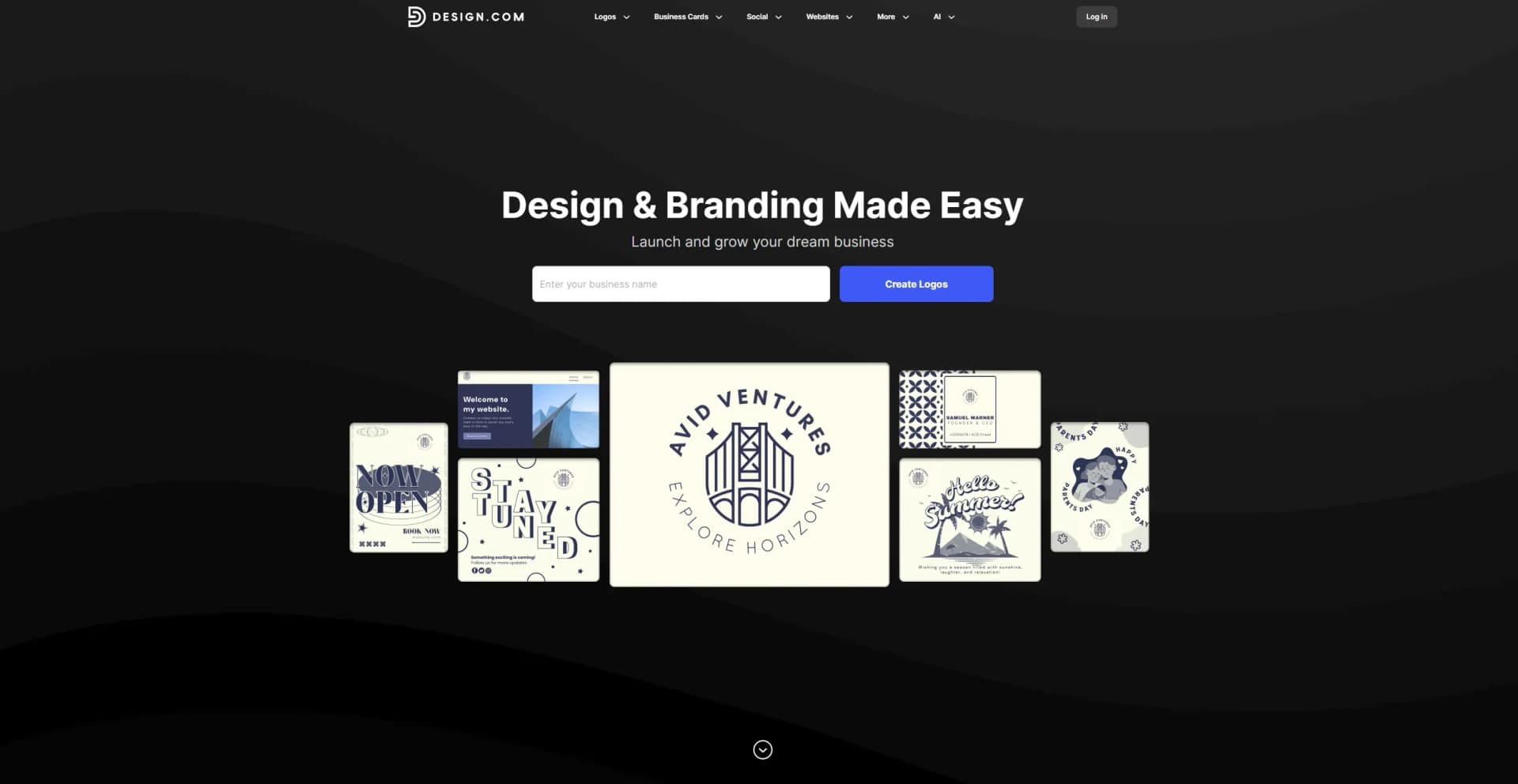
Design.com offers a comprehensive suite of AI-driven design tools tailored to meet the needs of businesses and creative professionals. Whether you're crafting a logo, designing social media graphics, or creating promotional materials, Design.com simplifies the process with its intuitive, user-friendly interface. The platform is geared towards individuals and businesses looking to elevate their brand image with high-quality, customizable designs.
Design.com distinguishes itself with its AI Logo Generator, which combines advanced technology with creative flexibility. This feature enables users to produce distinctive logos that capture their brand's essence, setting it apart in the crowded design landscape.
Design.com provides a robust platform for anyone looking to enhance their design capabilities with the help of AI. Its extensive range of tools and features makes it a valuable resource for businesses and creative professionals alike. Whether you're new to design or an experienced professional, Design.com offers the flexibility and tools needed to bring your creative visions to life.
Who is Using Design.com?
E-commerce Businesses
Enhancing product imagery and brand identity with professional designs.
Digital Marketing Agencies
Creating visually appealing campaign content with ease.
Social Media Managers
Developing engaging social media posts to boost audience interaction.
Graphic Designers
Streamlining design workflows with powerful AI tools.
Uncommon Use Cases
Employed by educational institutions for teaching design principles; adopted by event planners for crafting promotional materials.
Key Features
Rating Breakdown
Pricing Plans
Starter Plan
$15 per month (or $5 per month when billed annually)
- Includes lifetime logo ownership, unlimited logo edits, high-resolution and vector files, plus access to business cards, social media post templates, letterheads, and over 50 design tools
Value Plan
$24 per month (or $6 per month billed annually)
- Includes everything in Starter plus a website—ideal for small businesses looking to establish a complete online brand presence
Premium Plan
$29 per month (or $7 per month billed annually)
- Adds link-in-bio and digital business card features on top of the Value plan—perfect for professionals and agencies managing brand identity and client interactions
Which Design.com plan should you pick?
Start with the free tools if you need basic branding assets; upgrade to Starter for a paid logo, Value for a premium website, or Premium for link-in-bio and digital business cards.
Starter
Good for users who need a logo package, logo files, unlimited logo edits, and access to the broader design toolkit.
Value
Good for users who need everything in Starter plus the premium website builder.
Premium
Good for users who need the Value features plus a link-in-bio creator and digital business card maker.
Design.com Use Cases
Create a brand identity
Generate and customize a logo, then apply its colors and branding across business cards, social graphics, letterheads, and email signatures.
Outcome: A consistent visual brand presence.
Launch a website
Generate a website from a business name or prompt, customize its pages and branding, then publish it with built-in hosting.
Outcome: A responsive website published online.
Design marketing materials
Create flyers, posters, social posts, stories, banners, presentations, and other promotional designs using templates and AI editing.
Outcome: Ready-to-share or print marketing assets.
Create business cards
Generate business card designs, upload or create a logo, customize fonts, colors, layouts, and download print-ready files.
Outcome: Digital and print-ready business cards.
Build a digital presence
Create a digital business card, link-in-bio page, QR code, and branded website connected to the same brand identity.
Outcome: A coordinated online presence.
Workflow Ideas with Design.com
From logo to full brand kit
- 1Generate a logo from the business name and keywords
- 2Customize colors, fonts, layout, and logo variations
- 3Create matching business cards, social graphics, letterheads, and email signatures
Launch a branded website
- 1Choose or generate a website design from a business name or prompt
- 2Customize pages, text, images, videos, forms, and brand elements
- 3Publish the site using Design.com hosting and a free or custom domain
Create a marketing campaign
- 1Select a flyer, poster, social post, or presentation template
- 2Apply the saved logo colors and edit the design with AI prompts
- 3Download high-resolution files for digital sharing or printing
How Design.com fits into your stack
Browser
Design.com is used as an online design platform through its website, providing logo generation, brand assets, social graphics, print designs, and website building in the browser.
Pros
- +Time Efficiency: Streamlines the design process, allowing for rapid creation of professional-quality graphics.
- +Cost-Effective: Offers a range of tools that reduce the need for expensive design software.
- +User-Friendly Interface: Simplifies design tasks with an intuitive layout, making it accessible for users of all skill levels.
- +Extensive Template Library: Provides a rich selection of templates for various design needs, from logos to social media posts.
Cons
- −Initial Learning Curve: Users may need some time to familiarize themselves with the full range of features.
- −Limited Integration: Currently supports a limited number of third-party platforms.
Limitations & when to consider alternatives
Known limitations
- One logo per subscription. A subscription provides access to one logo; creating or downloading a different logo requires an additional subscription.
- Free accounts have download restrictions. Free users can access free logos and tools, but high-quality downloads of designs created with AI tools require a premium account.
- External font uploads are unavailable. The Design Editor does not currently support uploading external fonts.
- Existing canvases cannot be resized. The editor does not currently support resizing an existing design canvas; users must create a new custom-dimension canvas.
- Some services cost extra. Printing, domain names, and professional design support are not included in the subscription and must be purchased separately.
Look elsewhere when
- You need a native mobile app.
- You need shared team workspaces.
- You need an API or developer platform.
- You need programming-code generation.
How to Use Design.com
- 1
Create an account
Sign up with an email address, Google, or Facebook account to access free tools and saved designs.
- 2
Generate a logo
Enter your business name and keywords or use a prompt to generate logo concepts tailored to your business.
- 3
Customize the design
Use AI prompts and the editor to change fonts, colors, layouts, shapes, images, and other design elements.
- 4
Build supporting assets
Use the logo and brand colors to create business cards, social posts, flyers, posters, letterheads, email signatures, and other materials.
- 5
Create a website
Choose a template or generate a site with AI, then edit pages, images, videos, forms, links, and branding.
- 6
Download or publish
Download designs in supported raster or vector formats, or publish a website using Design.com hosting.
Who is Design.com For?
Startups
Design.com helps startups create logos, websites, business cards, and other brand assets quickly.
Entrepreneurs
Entrepreneurs can build a complete brand presence with AI-generated designs, websites, social graphics, and print materials.
Businesses
Businesses can create consistent branded assets across digital, print, social media, and web channels.
Frequently Asked Questions
What is Design.com?
Design.com is an AI-powered online design platform for creating logos, business cards, websites, social media graphics, and other brand assets.
Does Design.com offer free logos?
Yes. A selection of logos can be downloaded for free, and free accounts can also create and publish websites, link-in-bio pages, and digital business cards.
What design tools are available?
The platform offers more than 50 design tools, including logo, website, business card, flyer, poster, presentation, background-removal, business-name, and domain-name tools.
How does the AI logo generator work?
Users provide a business name, prompt, or keywords. Design.com generates logo variations that can be filtered, customized, and refined with text prompts.
What file formats can I download?
Logo downloads can include PNG, JPG, EPS, SVG, and PDF files. Animated logos can also include MP4 and GIF files.
Can I upload my own images?
Yes. The Design Editor supports uploading images for designs other than logos.
Community reviews
Be the first to share your experience.
Sign in to leave a review for Design.com.
Design.com Alternatives
Looking for alternatives to Design.com? Here are similar tools in the same category:
Learn to Master Design.com
With Skill Leap courses
Get in-depth training on Design.com and 50+ other AI tools with our expert-led video courses.
Start 7-Day Free Trial