
DevRev
Unifies customer support and software development with AI insights.
Key Takeaways
- What it is
- Unifies customer support and software development with AI insights.
- Pricing
- Freemium · $19.99 per month
- Best for
- AI-Driven Analytics
- Omni-Channel Communication
- Integrated Roadmapping and Sprint Tracking
- Rating
- 4.5/5
What is DevRev?
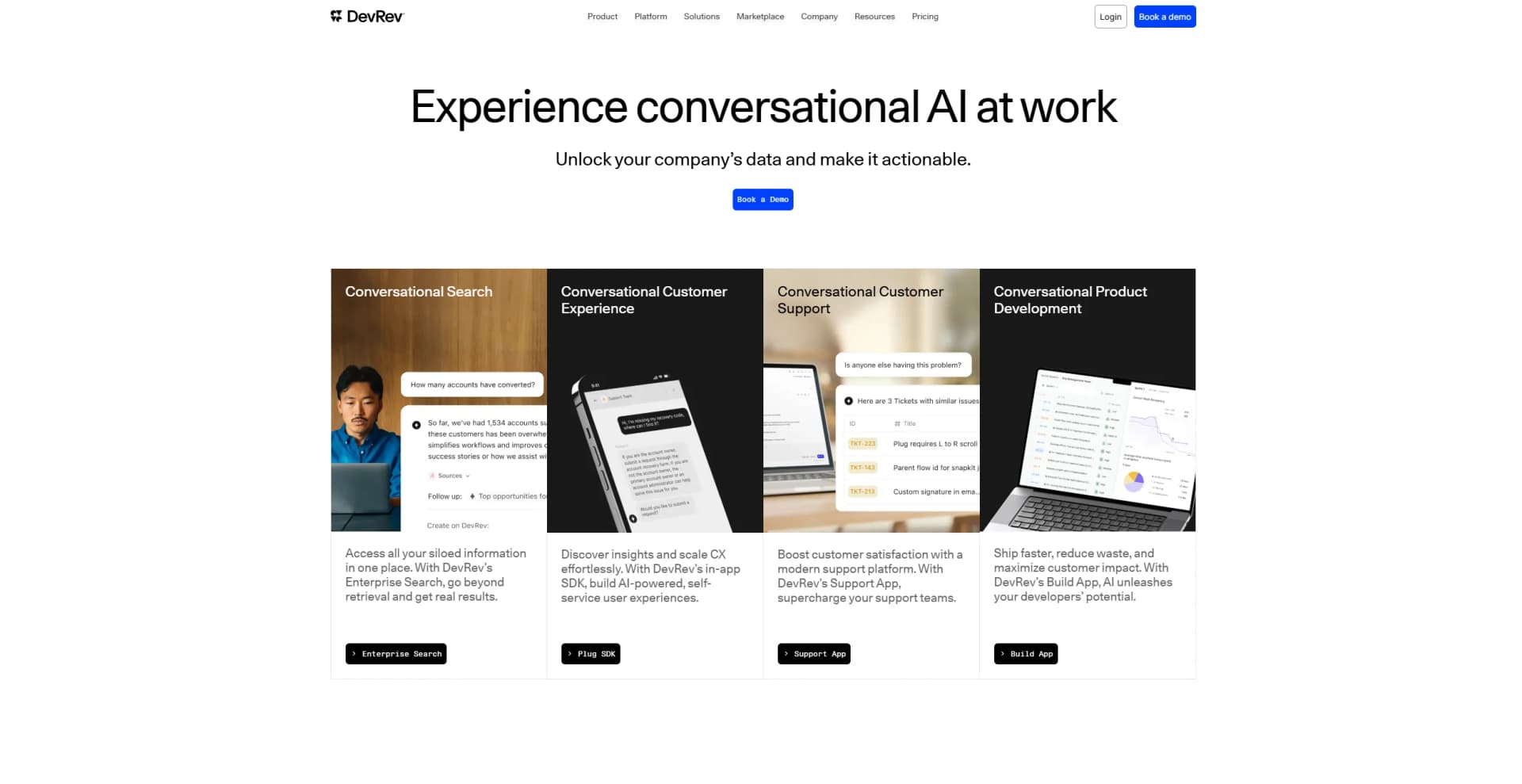
DevRev revolutionizes the intersection of customer support and software development. This innovative platform unifies these two critical functions, offering a seamless experience that integrates AI-driven analytics, omni-channel communication, and real-time insights. Designed for companies looking to enhance their support and development processes, DevRev simplifies the journey from customer interaction to product improvement, making every move count.
DevRev stands out with its unique ability to unify customer support and software development into a single platform. This integration is a game-changer for companies looking to streamline their operations, reduce tool clutter, and make data-driven decisions. Its AI-driven analytics and omni-channel communication capabilities provide unparalleled insights and connectivity, setting it apart from traditional support and development tools.
DevRev excels in providing a unified platform that integrates customer support with software development, making it an essential tool for tech startups, SaaS companies, and other businesses looking to enhance their operational efficiency. Its AI-driven analytics and omni-channel communication features offer unmatched insights and connectivity, making it a standout choice for those aiming to streamline their processes and make data-driven decisions.
Who is Using DevRev?
Tech Startups
Utilizing the platform to streamline support and development processes.
SaaS Companies
Leveraging DevRev to enhance customer support and align product development with user needs.
E-commerce Businesses
Employing the tool to improve customer interaction and product development.
Digital Marketing Agencies
Using DevRev to manage client interactions and improve service delivery.
Uncommon Use Cases
Academic institutions using it to teach product management and support strategies; non-profit organizations adopting it to manage donor interactions and improve service delivery.
Key Features
Rating Breakdown
Pricing Plans
Free Tier
Free
- Experience DevRev with a free trial
Pro Tier
$19.99 per month
Which DevRev plan should you pick?
Start with Mini for free search, basic automation, and one-click connectors; upgrade to Pro for marketplace connectors, analytics, and Agent Studio, or Max for enterprise teamwork and SCIM.
Mini
Good for teams that need free organizational search, basic task automation, one-click connectors, and access across browser, desktop, and mobile.
Pro
Good for teams that need 100-plus marketplace connectors, conversational analytics, and Agent Studio.
Max
Good for enterprises that need embedded support, customized analytics, SCIM, near-real-time AirSync, and enterprise-grade teamwork.
DevRev Use Cases
Customer support resolution
Connect customer conversations, tickets, accounts, engineering issues, and past resolutions so agents can answer and act with context.
Outcome: Faster, more accurate issue resolution.
Service desk automation
Use an AI agent to answer employee questions and resolve IT tickets without human intervention.
Outcome: Reduced support workload and improved employee productivity.
Sales preparation
Prepare for important meetings, summarize pipeline information, and update CRM records through Computer.
Outcome: Less administrative work for sales teams.
Operations visibility
Track project activity across tools, summarize status, identify risks, and draft updates.
Outcome: Faster project execution and fewer manual status meetings.
Knowledge search and summarization
Search connected applications and DevRev records, then synthesize answers from documents, conversations, and tickets.
Outcome: Quicker access to organization-specific information.
Workflow Ideas with DevRev
Triage a support request
- 1Connect support conversations, customer records, and engineering issues.
- 2Have Computer analyze the request and identify severity, product area, and owner.
- 3Route or update the ticket, requesting approval for sensitive actions.
Prepare a project status update
- 1Connect Jira, Slack, documentation, and project data.
- 2Ask Computer to summarize progress, blockers, risks, and recent decisions.
- 3Review and send the drafted update to stakeholders.
Create an automated agent workflow
- 1Open Agent Studio and define the agent's instructions and knowledge sources.
- 2Configure tools, NL skills, or a multi-step workflow.
- 3Test the agent, add approval guardrails, and deploy it for users.
How DevRev fits into your stack
Browser
DevRev provides a full web app for searching organizational data, uploading files, drafting content, analyzing data, and executing approved actions.
Desktop / IDE
The Computer desktop app runs natively on macOS and Windows, providing a dedicated workspace outside browser tabs.
Team chat and tickets
Slack integrations let teams create tickets, issues, and conversations, synchronize messages, and receive notifications. DevRev also connects with Microsoft Teams.
Knowledge and files
Computer searches connected sources including Notion, Google Drive, SharePoint, Slack, Microsoft Teams, Jira, and DevRev records, while also analyzing uploaded PDF, TXT, and CSV files.
Automation and APIs
DevRev exposes REST APIs, webhooks, snap-ins, and workflow automation for triggering actions, integrating external systems, and building custom automations.
Pros
- +Unified Platform: Combines support and development tools, reducing the need for multiple platforms and streamlining operations.
- +Real-Time Insights: Provides actionable insights in real-time, enabling quick and informed decision-making.
- +Enhanced Customer Satisfaction: Self-service tools and omni-channel communication improve customer experience and satisfaction.
- +Integrated Development Tools: Features like roadmapping and sprint tracking ensure that product development is closely aligned with customer needs.
Cons
- −Initial Setup Complexity: The initial setup and integration may require significant time and effort.
- −Learning Curve: Users might face a steep learning curve to fully utilize all advanced features.
- −Limited Third-Party Integrations: Currently, DevRev supports a limited number of third-party integrations, which might be a drawback for some users.
Limitations & when to consider alternatives
Known limitations
- File-size restrictions. Uploaded PDF files are limited to 25 MB and TXT files to 2 MB.
- Limited documented upload formats. The core capabilities documentation lists PDF, TXT, and CSV as supported upload types.
- Desktop operating-system coverage. The documented desktop installer is for macOS or Windows; Linux is not listed.
- Slack AirSync scope. Slack AirSync imports public-channel conversations; private channels, direct messages, and group DMs are not supported.
- Human approval may be required. Configured actions can require explicit confirmation before Computer executes them.
Look elsewhere when
- You need a dedicated browser extension.
- You need Linux desktop support.
- You need image analysis from uploaded files.
- You need fine-tuning of model weights on your own data.
How to Use DevRev
- 1
Choose a surface
Use the web app for browser access, install the macOS or Windows desktop app for a native workstation experience, or use the DevRev mobile app for on-the-go access.
- 2
Connect organizational data
Open the marketplace or integrations settings and connect sources such as Slack, Jira, Notion, Google Drive, Teams, SharePoint, or Confluence.
- 3
Ask questions across your workspace
Use Computer to search connected applications, DevRev records, uploaded files, and the live web, then request summaries or synthesized answers.
- 4
Upload files for analysis
Drag a PDF, TXT, or CSV file into the chat or use the attachment icon, then ask Computer to summarize or reference it.
- 5
Configure actions and approvals
Use Customize Computer or Agent Studio to add actions, tools, skills, and workflows; enable approval requirements for sensitive operations.
- 6
Collaborate with teammates
Invite teammates into a Computer session so everyone can work from the same context, history, and responses.
Who is DevRev For?
Customer support teams
Computer connects tickets, customer data, past resolutions, and knowledge bases to help teams resolve issues faster.
Sales teams
Computer prepares users for meetings, summarizes pipeline context, and updates CRM records.
Operations teams
Computer tracks project progress, surfaces risks, and handles status-update work across connected tools.
Service desk teams
Computer can answer employee questions, resolve IT tickets, and keep employees productive.
Product and engineering teams
Computer connects issues, tickets, sprints, documentation, and project history into searchable organizational context.
Frequently Asked Questions
What is Computer by DevRev?
Computer is DevRev's AI teammate for searching organizational data, answering questions, creating content, and taking actions across connected work applications.
Does DevRev offer a free plan?
Yes. The Mini plan is listed as Free and includes search, basic task automation, one-click connectors, and access across desktop, mobile, and browser surfaces.
Which files can Computer process?
Computer supports PDF, TXT, and CSV uploads. PDF files can be up to 25 MB and TXT files up to 2 MB.
Can Computer automate actions?
Yes. Computer can perform actions such as creating tickets and issues, updating owners, and running configured workflows with optional human approval.
Can Computer connect to other applications?
Yes. DevRev provides connectors and snap-ins for applications including Slack, Jira, Notion, Google Drive, Microsoft Teams, SharePoint, Confluence, and others.
Does Computer support collaboration?
Yes. Multiplayer sessions let teammates share the same context, history, and responses while co-creating in Canvas.
Community reviews
Be the first to share your experience.
Sign in to leave a review for DevRev.
DevRev Alternatives
Looking for alternatives to DevRev? Here are similar tools in the same category:
Learn to Master DevRev
With Skill Leap courses
Get in-depth training on DevRev and 50+ other AI tools with our expert-led video courses.
Start 7-Day Free Trial