DigitalOwl
Medical record reviews for insurance and legal teams handling complex cases.
Key Takeaways
- What it is
- Medical record reviews for insurance and legal teams handling complex cases.
- Pricing
- $99 per month
- Best for
- View
- Case Notes
- Triage
- Rating
- 4.1/5
What is DigitalOwl?
DigitalOwl turns lengthy medical records into structured summaries and case insights for insurance and legal professionals. Its AI can organize medical history into timelines, remove duplicate information, and link findings back to the original records. That helps underwriters, claims teams, and law firms spend less time searching through pages and more time reviewing evidence relevant to a decision.
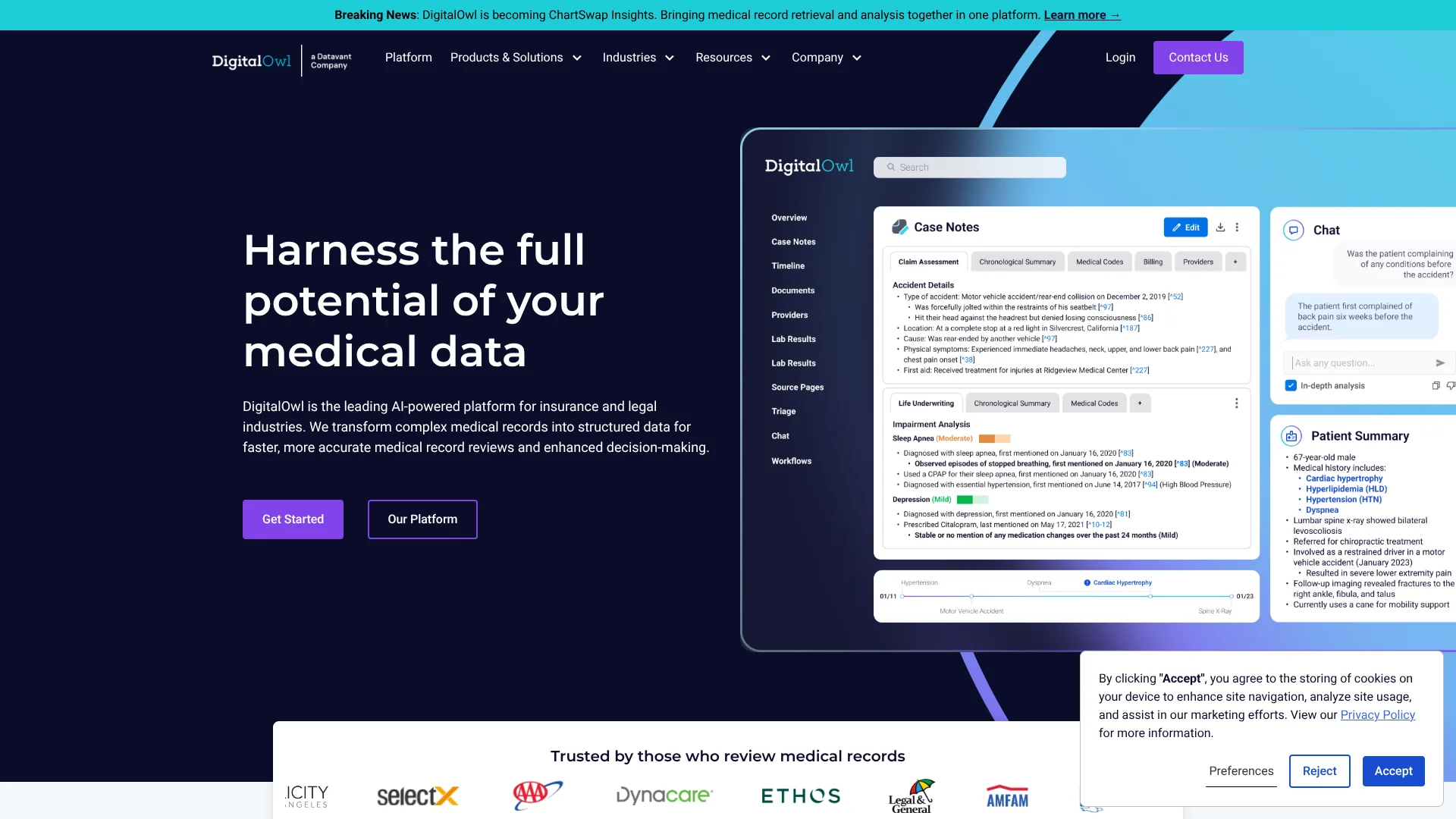
Case Notes goes beyond a summary: its specialized AI agents investigate records for details tied to a specific line of work, cross-reference information, and surface findings in an editable report with links to the source evidence.
The platform is built for life insurance, property and casualty claims, and legal case review, rather than general document work. It can process varied medical records, including handwritten notes, but it is a specialized business product rather than a general-purpose research tool. Reach for DigitalOwl when a case depends on finding and checking details across a large medical file.
Who is Using DigitalOwl?
Life Insurance Underwriters
A chronological medical summary helps them assess an applicant’s medical history.
Claims Adjusters
Case Notes can surface treatment changes and other case-specific details for claim review.
Personal Injury Attorneys
Medical summaries and demand package analysis help organize evidence for case preparation.
Paralegals
Structured chronologies reduce the time spent sorting medical records and locating relevant facts.
Uncommon Use Cases
Post-issue audits for potential misrepresentation; reviewing demand packages for inconsistencies between medical records and billing details.
Key Features
Rating Breakdown
Pricing Plans
Self-Serve for Legal
$99 per month
- A 7-day free trial is advertised.
- For legal reviews under 30,000 pages per month.
Enterprise for Insurance and Legal
- Contact DigitalOwl to discuss enterprise solutions.
Which DigitalOwl plan should you pick?
Legal teams under the stated monthly page limit can explore Self-Serve for Legal, while organizations needing broader enterprise workflows should contact DigitalOwl.
Self-Serve for Legal
For legal teams reviewing fewer than 30,000 pages per month who want portal-based medical record summaries and insights.
Enterprise for Insurance and Legal
For insurance and legal organizations seeking tailored medical record analysis, API access, or workflow support.
DigitalOwl Use Cases
Medical Record Review
A structured summary brings diagnoses, treatments, and other relevant details together from lengthy records.
Outcome: A quicker review with findings linked to their source.
Post-Issue Audits
Triage identifies cases with predefined details that may need a closer compliance or misrepresentation review.
Outcome: More focused manual review of flagged cases.
Personal Injury Case Preparation
Medical chronologies and case insights help legal teams assess injuries, treatment, and supporting evidence.
Outcome: Organized medical evidence for case review.
Demand Package Analysis
Medical records and billing information are analyzed to highlight evidence and potential inconsistencies.
Outcome: Customizable demand letters and case reports.
Automated Decision Support
Workflows apply decision-tree logic to medical records and return evidence-based recommendations.
Outcome: Answers tied to the medical data and provided rules.
Workflow Ideas with DigitalOwl
Review a Medical Record for a Claim
- 1Upload the medical records through the DigitalOwl portal.
- 2Review the View summary and follow its source links to check key details.
- 3Use Case Notes to inspect case-specific insights before making a decision.
Triage a Batch of Cases
- 1Set the data points that should trigger closer review.
- 2Run Triage across the cases.
- 3Review flagged cases and their reports.
Prepare a Legal Demand Package
- 1Analyze the medical records and related billing information.
- 2Review the surfaced evidence, provider details, and costs.
- 3Edit and export a demand letter or case report.
How DigitalOwl fits into your stack
Medical record intake
The portal accepts medical records for analysis, including scanned and handwritten documents.
Case review
View, Case Notes, Chat, and Triage support summaries, investigation, and case prioritization.
Existing insurance systems
Connect exposes structured medical information through an API for existing systems and rules engines.
Legal case preparation
The legal offering supports medical chronologies, insights, and customizable demand letters and case reports.
Pros
- +Source-linked findings: Click through to the original record to verify a summary detail.
- +Built for medical reviews: Case Notes tailors its investigation to insurance, claims, and legal workflows.
- +Broad record support: The platform processes formats ranging from electronic records to handwritten notes.
- +Legal demand packages: Legal teams can analyze medical data and create customizable demand letters and reports.
Cons
- −Specialized scope: Its features focus on medical records and related insurance or legal decisions.
- −Sales-led enterprise access: Most enterprise product information points prospective customers to a demo or sales contact.
Limitations & when to consider alternatives
Known limitations
- Self-Serve monthly volume. The Self-Serve for Legal offering is intended for medical record reviews under 30,000 pages per month.
- Chat availability. DigitalOwl labels Chat as a beta product.
- Workflows availability. The Workflows product page labels the feature as coming soon.
Look elsewhere when
- You need a general-purpose AI tool for work beyond medical record analysis.
- Your legal team processes more than 30,000 pages per month and needs a self-serve plan for that volume.
How to Use DigitalOwl
- 1
Choose the right DigitalOwl offering
Legal teams processing fewer than 30,000 pages per month can consider Self-Serve for Legal; other organizations can request an enterprise demo.
- 2
Submit medical records
Upload the case files through the portal so DigitalOwl can extract and organize their contents.
- 3
Open the relevant product
View provides medical summaries, Triage flags cases, and Case Notes surfaces tailored insights.
- 4
Investigate specific questions
Chat can research complex questions about the records and return detailed answers with supporting evidence.
- 5
Check findings against the source
Follow click-to-evidence links before relying on a finding in an insurance or legal review.
- 6
Connect the data to existing systems
For organization-wide workflows, discuss Connect API access and integration needs with DigitalOwl.
Who is DigitalOwl For?
Life Insurance
Underwriting and claims teams can review medical histories, post-issue audits, and long-term care claims.
P&C Insurance
Claims professionals can review bodily injury and workers’ compensation records and demand packages.
Legal
Law firms handling personal injury and mass tort matters can organize medical evidence and prepare case materials.
Frequently Asked Questions
Does DigitalOwl have a free plan?
DigitalOwl advertises a 7-day free trial for its Self-Serve legal offering. The site does not describe a permanent free plan.
How much does DigitalOwl cost?
The official site advertises a subscription-based Self-Serve offering and enterprise solutions, but does not publish a U.S. subscription price in the pricing information found.
Who is DigitalOwl for?
Its products are aimed at life insurance, property and casualty insurance, claims, and legal professionals who review medical records.
Can DigitalOwl connect to existing systems?
Connect is DigitalOwl’s data API for bringing structured medical information into existing systems and rules engines.
What kinds of records can DigitalOwl process?
The site describes support for electronic medical records, scanned documents, handwritten notes, prescription data, lab data, PDFs, and doctors’ notes.
Community reviews
Be the first to share your experience.
Sign in to leave a review for DigitalOwl.
DigitalOwl Alternatives
Looking for alternatives to DigitalOwl? Here are similar tools in the same category: