
Dora AI
Revolutionize website creation with AI: unique, prompt-driven designs made simple.
Key Takeaways
- What it is
- Revolutionize website creation with AI: unique, prompt-driven designs made simple.
- Pricing
- Freemium
- Best for
- AI-Driven Design Generation
- Prompt-Relevant Customization
- Intelligent Layout Design
- Rating
- 4.4/5
What is Dora AI?
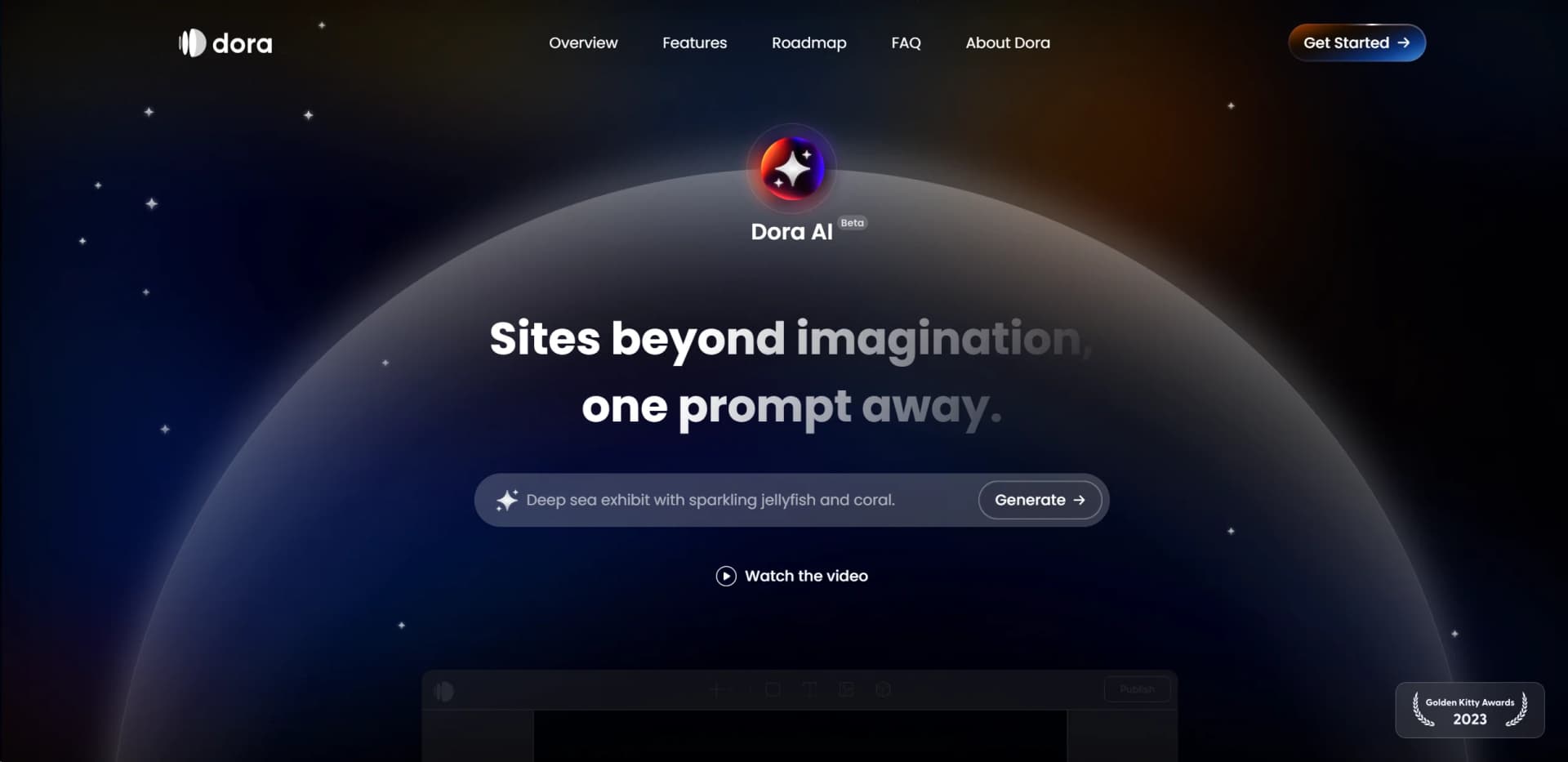
Dora AI emerges as a groundbreaking tool in the realm of website creation, setting itself apart by offering a platform where sites beyond imagination are just a prompt away. Aimed at both individuals and professionals, Dora AI simplifies the process of website development by leveraging AI to analyze prompts, craft original designs, and generate responsive layouts. This tool is designed for those looking to cut down on time, costs, and enhance efficiency in creating unique and visually appealing websites.
Dora AI stands out by providing a truly custom site-building experience, from copy to composition to visual identity, all generated from a single prompt. Its departure from predefined templates and layouts to a more intuitive, AI-driven approach allows for unprecedented creativity and flexibility in website design.
Dora AI redefines the landscape of website design, offering an AI-driven platform that caters to the creative needs of individuals and professionals alike. Its unique approach to generating custom websites from a single prompt, coupled with its evolving feature set, makes it an invaluable tool for those seeking to innovate in the digital space. Despite being in beta, Dora AI demonstrates immense potential for transforming website creation into a more intuitive, efficient, and creative process.
Who is Using Dora AI?
Web Designers
For creating bespoke website designs without starting from scratch.
Marketing Professionals
To quickly generate and iterate on landing pages tailored to specific campaigns.
Entrepreneurs
Utilizing the tool to craft unique websites for their startups or personal projects.
Educational Institutions
Instructing students in the principles of design and AI's role in creativity.
Uncommon Use Cases
Non-profits using the tool to create impactful online campaigns; Bloggers leveraging it for designing unique blog layouts.
Key Features
Rating Breakdown
Pricing Plans
Free Tier
Free
- Start with 120 free credits to generate sites
- No credit card required
Subscription Plans
- Additional credits can be purchased through various Dora plan options
Which Dora AI plan should you pick?
Start with Starter for free projects, then upgrade to Basic for custom domains, Pro for higher-performing 3D sites, or Business for larger custom needs.
Starter
Good for fun projects and exploring Dora's core features without paying.
Basic
Good for sites ready to go official that need custom domains and watermark removal.
Pro
Good for visually complex, high-performing sites that need expanded bandwidth and 3D widgets.
Business
Good for larger websites with custom requirements beyond the Pro plan.
Dora AI Use Cases
Generate a landing page
Enter a prompt describing a business, concept, or campaign.
Outcome: Dora generates a responsive landing page with copy, imagery, and layout.
Create a branded website
Specify a visual identity or branding direction in the AI prompt.
Outcome: Dora creates a site tailored to the requested brand style.
Build a 3D website
Import supported 3D objects or scenes into the visual editor.
Outcome: The project can include interactive 3D web experiences.
Design animated websites
Use keyframes and scroll animations within the editor.
Outcome: The site gains advanced motion and interactive effects.
Embed external services
Add forms, URLs, HTML, widgets, or scripts through Dora's Embed features.
Outcome: Third-party functionality appears inside the published website.
Workflow Ideas with Dora AI
Prompt-to-website workflow
- 1Open Dora AI from the project toolbar
- 2Describe the site topic, style, and branding
- 3Review, edit, and publish the generated responsive site
3D website workflow
- 1Upload a supported 3D model
- 2Place and configure the model in the canvas
- 3Add interactions or animations and publish the site
Embedded-form workflow
- 1Insert an Embed Form widget
- 2Choose HubSpot, Mailchimp, Get Waitlist, or another supported service
- 3Add the service configuration and publish the page
How Dora AI fits into your stack
Currently, Dora AI focuses on its core functionality of generating responsive and visually appealing websites. As it is still in beta, specific compatibility and integration capabilities are under development.
Pros
- +Time Efficiency: Significantly reduces the time required to conceptualize and execute website designs.
- +Unique Branding: Helps craft sites that are unique to each brand identity, avoiding the cookie-cutter look of template-based designs.
- +Flexibility and Creativity: Offers the flexibility to create an infinite variety of layouts, styles, and content from just one prompt.
- +User-Friendly: Despite its advanced capabilities, Dora AI provides an intuitive interface that is accessible to users at all skill levels.
Cons
- −Learning Curve: New users may need time to get accustomed to the AI's capabilities and learning how to effectively prompt it.
- −Feature Availability: As a beta tool, some anticipated features like AI-generated 3D and animations are still under development.
- −Credit System: The reliance on a credit system for generating sites may limit extensive experimentation for users on the free plan.
Limitations & when to consider alternatives
Known limitations
- Dora AI is in beta. The AI feature is documented as open beta and may contain bugs or other complications.
- AI output can be inaccurate. Dora warns that generated text and images may contain inaccuracies, gaps, or misleading results.
- Generated visuals may contain artifacts. AI-generated visuals may include unexpected patterns, inaccuracies, missing sections, or occluded layers.
- AI-generated 3D and animations are not complete. AI generation of 3D assets and keyframe animations is listed as under development.
- Custom embeds have compatibility limits. Custom code may conflict with Dora functionality, is limited to 10,000 characters, and is not directly supported.
Look elsewhere when
- You need a documented developer API.
- You need a native mobile application.
- You need generated programming code.
- You need user-specific model fine-tuning.
How to Use Dora AI
- 1
The Dora AI platform offers resources and a supportive community to help users get started and maximize the tool's potential. Joining the Dora AI Discord community is recommended for tutorials, tips, and support.
Who is Dora AI For?
Designers
Dora provides a visual, no-code canvas for creating advanced animated and 3D websites.
Freelancers
Freelancers can use Dora to create distinctive portfolio and client websites without backend coding.
Creative professionals
Creative professionals can build visually rich sites focused on animation, 3D, and branding.
Design agencies
Dora supports agencies creating custom, editable landing pages and branded web experiences.
Business owners
Business owners can generate and publish landing pages from prompts using Dora AI.
Frequently Asked Questions
Can I use a custom domain for my project?
Yes. Dora lets users publish projects to a custom domain they own.
Can I remove the Made in Dora watermark?
Yes. Publishing to a custom domain removes the Made in Dora watermark.
How does Dora AI generate websites?
Dora AI generates custom landing pages from prompts, including copy, composition, visual identity, and responsive layouts.
How much AI usage is included?
Every Dora account includes a base balance of 120 credits, with additional credits available through plans.
What types of 3D models does Dora support?
Dora supports 3ds, dae, fbx, glb, obj, ply, and zip files under 20MB.
Can Dora AI generate 3D assets or site animations?
AI-generated 3D assets and animations are documented as features under development.
Community reviews
Be the first to share your experience.
Sign in to leave a review for Dora AI.
Dora AI Alternatives
Looking for alternatives to Dora AI? Here are similar tools in the same category:
Learn to Master Dora AI
With Skill Leap courses
Get in-depth training on Dora AI and 50+ other AI tools with our expert-led video courses.
Start 7-Day Free Trial