
Dr. Fone
Recover, unlock, back up, and migrate phones.
Watch Dr. Fone in Action
Key Takeaways
- What it is
- Recover, unlock, back up, and migrate phones.
- Pricing
- $0.99 · $4.97 · $12.95 · $19.95 · $24.95 · $29.95 · $34.95 · $79.95
- Best for
- Modular Mobile Toolkit
- Intelligent Data Recovery & Backup
- Guided System Repair & Unlock
- Rating
- 4.0/5
What is Dr. Fone?
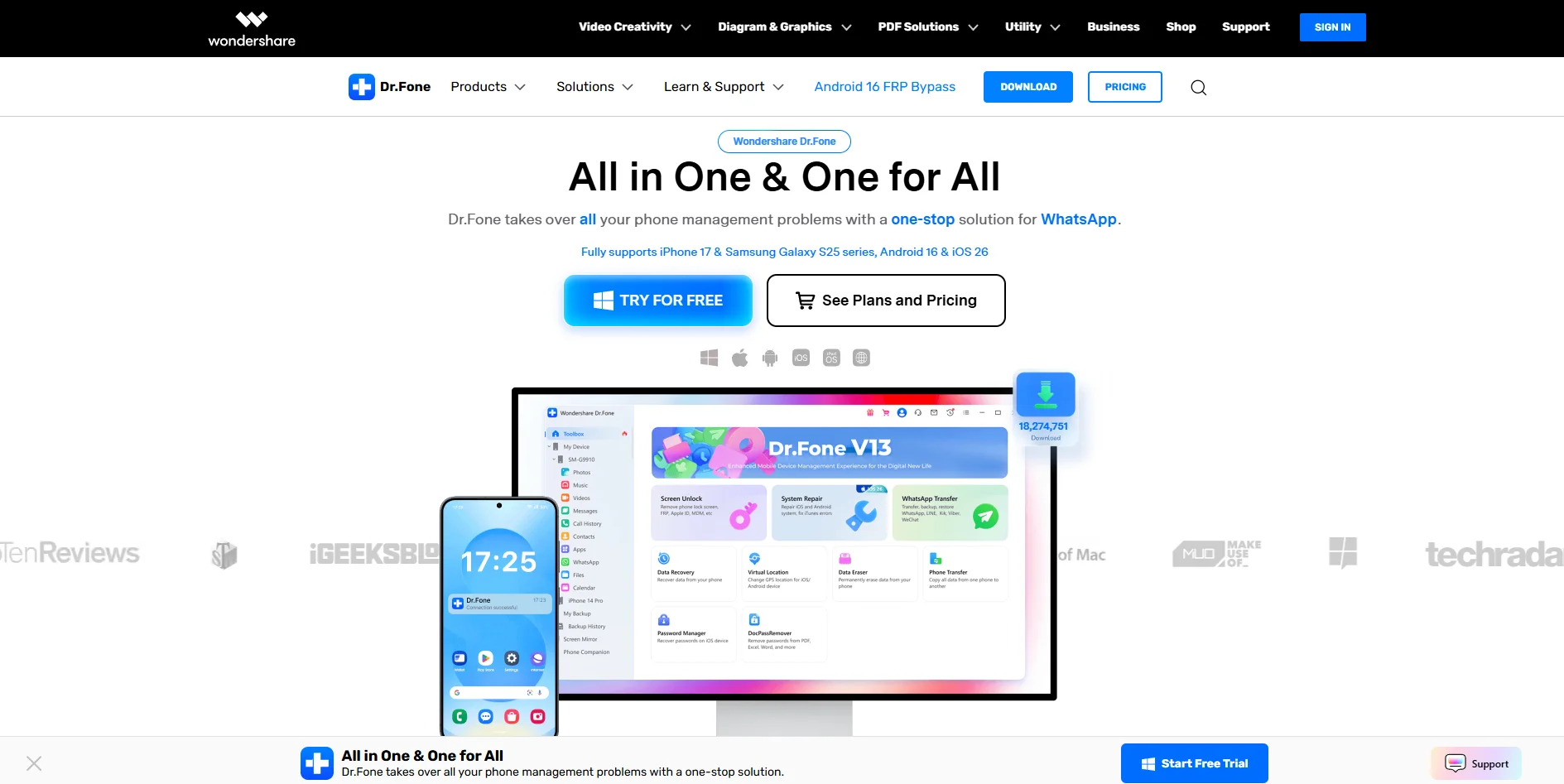
Dr. Fone from Wondershare is a desktop and online toolkit for iOS and Android that concentrates phone management, repair, and data workflows in one place. It covers device unlocking, system repair, backup, transfer, data erasure, virtual GPS location, and messaging migration, with modules that rely on intelligent automation for scanning, detection, and guided fixes. Aimed at everyday users, repair technicians, and businesses, it turns tasks that usually need specialist tools into guided wizards and point‑and‑click operations.
Dr. Fone stands out by wrapping many traditionally “expert‑only” operations into consumer‑friendly, wizard‑driven workflows, then layering in intelligent scanning and decision logic. Few competitors combine unlock tools, system repair, chat migration, virtual GPS, incremental wireless backups, and device verification scoring under one brand. For users who routinely set up, fix, or resell phones, having this breadth plus AI‑style automation in one toolkit feels unusually convenient.
For users who regularly face locked screens, glitchy updates, and tricky phone‑to‑phone transfers, Dr. Fone offers a wide, AI‑assisted toolkit that can genuinely reduce dependence on repair shops. It is strongest as an everyday “phone Swiss Army knife” for power users, technicians, and resellers who will touch several modules over time. Occasional users should weigh the cost against simpler, single‑purpose tools, but for anyone managing multiple devices across iOS and Android, the mix of automation, breadth, and ongoing OS support makes Dr. Fone a serious contender.
Who is Using Dr. Fone?
Individual Smartphone Owners
Handling forgotten passwords, rescuing photos and chats, and moving data to new phones.
Repair Shops and IT Support Desks
Using the toolkit for quick diagnostics, common system fixes, and screen unlock services.
Small Businesses and WhatsApp‑Centric Teams
Migrating WhatsApp Business data, backing up staff devices, and securely wiping phones before reassignment.
Refurbishers and Resellers
Running device verification reports, clearing data with the eraser, and preparing phones for the secondary market.
Uncommon Use Cases
Used by mobile gamers for virtual GPS routes where permitted; adopted by trainers and creators who mirror phones on large screens for live classes and demos.
Key Features
Rating Breakdown
Pricing Plans
Online Unlock
$0.99
- Bypass Google FRP (Samsung), remove Xiaomi account lock, iCloud Activation Lock removal, and IMEI check
Virtual Location
$4.97
- Changes GPS location on Android and iPhone
Data Eraser
$12.95
- Permanently erases iOS and Android data with secure deletion and reporting
DocPassRemover
$12.95
- Unlocks PDF, Word, Excel, and PowerPoint passwords
System Repair
$19.95
- Fixes iOS and Android system issues such as boot loops and device logo freezes
WhatsApp Transfer
$19.95
- Transfers WhatsApp between devices and backs up/restores WeChat, LINE, Kik, and Viber (iOS).Dr. Fone – Screen Unlock: Starts from $24.95
- Removes all types of lock screens on Android and iOS devices
Phone Transfer
$24.95
- Transfers data between phones in one click
Dr. Fone Basic
$29.95
- Mobile device management for iOS & Android with full Basic features and includes Dr. Fone Air
Data Recovery
$34.95
- Recovers deleted or lost data from iOS/Android devices and backups
Full Toolkit
$79.95
- All-in-one solution for iOS & Android with access to all features and includes Dr. Fone Air
Which Dr. Fone plan should you pick?
Start with the free Dr.Fone Basic or trial experience to validate compatibility, then choose an Annual Plan for recurring use or a Perpetual Plan for one-time ownership.
Dr.Fone Basic
Good for users who need free device information, basic tools, and limited evaluation features.
Monthly Plan
Good for short-term recovery, transfer, repair, unlock, or utility needs.
Annual Plan
Good for users who need ongoing access, updates, and technical support across the selected module.
Perpetual Plan
Good for users who prefer a one-time purchase for continued use of the selected module.
Dr. Fone Use Cases
Recover deleted Android data
Scan Android storage, Google Drive backups, or supported broken phones for recoverable files.
Outcome: Selected data is previewed and saved to the computer or device.
Recover iPhone data
Scan an iPhone, iTunes backup, iCloud source, or supported Apple device for recoverable content.
Outcome: Users can selectively export supported data without a full-device restore.
Transfer phone data
Move contacts, messages, media, and other supported data between iOS and Android devices.
Outcome: Data is transferred to the target mobile device.
Recover WhatsApp chats
Recover supported WhatsApp and WhatsApp Business chats, attachments, and media from devices or backups.
Outcome: Chats and attachments can be previewed and exported in supported formats.
Repair mobile system issues
Use system repair workflows for supported iOS and Android operating-system problems.
Outcome: The device may be restored to normal operation, depending on compatibility.
Workflow Ideas with Dr. Fone
Recover deleted Android files
- 1Connect the Android device and select Data Recovery.
- 2Choose file types and start a scan.
- 3Preview results and recover selected files.
Recover WhatsApp data from Google Drive
- 1Choose the Google Drive recovery option.
- 2Sign in to the authorized Google account and select a backup.
- 3Preview supported content and recover selected items.
Evaluate before purchasing
- 1Download and install the official free trial.
- 2Connect the iPhone or Android device.
- 3Scan, preview, or back up data before activating a premium module.
How Dr. Fone fits into your stack
Browser
Dr.Fone Air provides browser-based phone management, file transfer, sharing, and screen mirroring on a computer.
Mobile
The native Dr.Fone app supports phone data transfer, recovery, device repair, unlocking, privacy space, virtual location, and AI photo enhancement.
Desktop / IDE
Windows and Mac desktop applications provide the full toolkit for device backup, recovery, transfer, repair, unlocking, erasing, and screen mirroring.
Knowledge and files
Dr.Fone works directly with phone photos, videos, contacts, messages, documents, backups, and other device files for recovery, transfer, export, and management.
Pros
- +All‑in‑one problem solver: Reduces the need to juggle multiple separate utilities for transfer, recovery, unlock, and repair tasks.
- +Strong platform coverage: Supports recent iOS and Android versions, including current flagship series, which keeps it relevant for new devices.
- +Guided, AI‑style automation: Intelligent scanning, detection, and preset workflows help non‑experts handle jobs that typically require command‑line tools or specialist shops.
- +Messaging and social app support: Dedicated tools for WhatsApp and other chat apps provide targeted backup, restore, and cross‑platform migration.
Cons
- −Variable recovery results: Like most consumer phone recovery tools, success depends heavily on device condition and modern encryption limits.
- −Can feel pricey: Full‑toolkit licenses may be overkill for someone who only needs a single one‑off repair or transfer.
- −Some complex flows: FRP, iCloud, or deep system repair procedures still demand careful reading of instructions and patience.
Limitations & when to consider alternatives
Known limitations
- Recovery depends on whether data was overwritten. Deleted files may be unrecoverable if new data has overwritten their storage space.
- Broken-device recovery is model-dependent. Black-screen and inaccessible-device workflows are limited to supported models and recovery paths.
- Features vary by device and operating-system version. Availability depends on the phone model, Android or iOS version, data type, and selected recovery mode.
- Full actions require activation. The free trial generally supports scanning, previewing, or backup, while recovery, export, transfer, repair, and unlock completion require activation.
- Licenses are platform-specific. A Dr.Fone license purchased for one desktop operating system is not compatible across different operating-system platforms.
Look elsewhere when
- You need a browser extension rather than desktop or mobile software.
- You need recovery for an unsupported broken device.
- You need unrestricted premium recovery without activation.
How to Use Dr. Fone
- 1
Choose the right module
Select Data Recovery, Phone Transfer, WhatsApp Transfer, System Repair, Screen Unlock, Data Eraser, or another relevant tool.
- 2
Check compatibility
Review supported devices, operating systems, and recovery limitations before connecting the phone.
- 3
Install the official version
Download the Windows or Mac installer, or use the official iOS, Android, or online version where applicable.
- 4
Connect the device or backup
Connect the phone by USB or select a supported source such as Google Drive, iCloud, iTunes, or local backups.
- 5
Scan and preview
Choose the relevant data types, run the scan, and preview available results before committing to recovery or transfer.
- 6
Activate when needed
Purchase or activate the appropriate plan when you need to export, restore, transfer, repair, or unlock.
Who is Dr. Fone For?
iPhone, iPad, and iPod touch users
Dr.Fone provides recovery, transfer, repair, backup, and unlock workflows for Apple mobile devices.
Android users
Android users can recover supported files, WhatsApp data, Google Drive backups, and data from certain broken phones.
People recovering deleted mobile data
The tool scans devices and backups, previews recoverable results, and selectively exports chosen files.
People with broken or inaccessible phones
Dr.Fone offers supported broken-device recovery and repair workflows, subject to model and damage limitations.
Users transferring data between phones
Phone Transfer and WhatsApp Transfer support moving selected data between iOS and Android devices.
Frequently Asked Questions
Can I test Dr.Fone before buying a license?
Yes. The free trial lets users test supported features, preview results, and decide whether to purchase a premium module.
What can I do with the free trial?
Depending on the module, users can scan, preview recoverable content, back up supported WhatsApp data, and review device tools.
Do I need to pay to export recovered files?
In most cases, full export actions require activation, although some tools may allow limited exports for validation.
Can Dr.Fone recover data from broken Android devices?
Yes, but support is limited by device model and damage type. Some black-screen and no-access cases require selected older Samsung devices.
Why can’t Dr.Fone recover deleted files?
Deleted data may already have been overwritten. The support documentation recommends stopping phone use and attempting recovery quickly.
What languages does Dr.Fone support?
Dr.Fone supports English, German, French, Spanish, Italian, Portuguese, Dutch, Arabic, Japanese, Korean, Simplified Chinese, and Traditional Chinese.
Community reviews
Be the first to share your experience.
Sign in to leave a review for Dr. Fone.
Dr. Fone Alternatives
Looking for alternatives to Dr. Fone? Here are similar tools in the same category:
Learn to Master Dr. Fone
With Skill Leap courses
Get in-depth training on Dr. Fone and 50+ other AI tools with our expert-led video courses.
Start 7-Day Free Trial