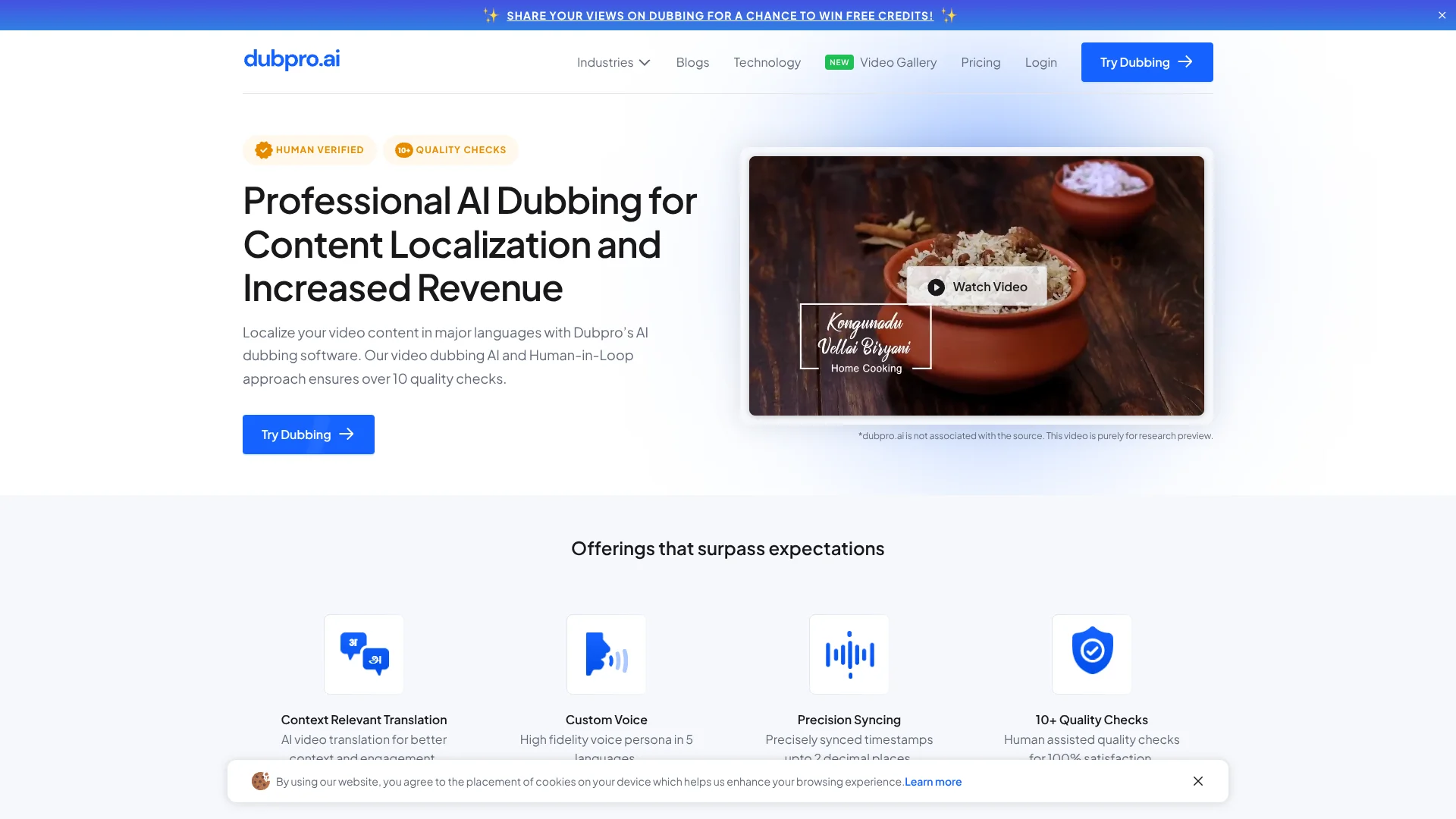
Dubpro.ai
Human-checked dubbing helps creators share videos with viewers in other languages.
Key Takeaways
- What it is
- Human-checked dubbing helps creators share videos with viewers in other languages.
- Pricing
- $1.59 per minute · $1.28 per minute
- Best for
- AI + Human-in-Loop Dubbing
- 10-Step Quality Checklist
- YouTube Link or File Upload
- Rating
- 4.0/5
What is Dubpro.ai?
Dubpro.ai translates and dubs videos with AI, then has human reviewers check the result before delivery. It is built for creators and organizations that want to share video content with viewers in other languages without relying on raw machine dubbing. Videos can be submitted through a YouTube link or uploaded from a device.
Its published process includes a 10-step human quality checklist covering audio sync, context, and subject relevance, with delivery listed as 24–48 hours per video. That makes the review step part of the dubbing service, rather than leaving all quality checks to the customer.
Dubpro.ai fits teams localizing educational or subject-focused videos, especially when human review matters more than instant results. The initial video option has strict requirements, including a 10-minute maximum and only one speaker. It is best suited to short, clean recordings that can wait for review.
Who is Using Dubpro.ai?
YouTube Creators
A creator can submit a channel video link and request a dubbed version for another audience.
Course Producers
Course teams can localize lessons and have reviewers check context and timing.
Marketing Managers
Marketing teams can adapt video content for audiences who use other languages.
Video Editors
Editors can send a source video for dubbing and receive a reviewed export.
Uncommon Use Cases
Localizing cooking videos for regional viewers; dubbing technical explainers for audiences across language regions.
Key Features
Rating Breakdown
Pricing Plans
Single Video
- The pricing page does not state a price for this option.
- Video duration up to 10 minutes.
Starter
$1.59 per minute
- 5 hours per month.
- Original price: ₹150 per minute; converted to USD because the vendor does not list USD pricing.
Creator
$1.28 per minute
- 10 hours per month.
- Original price: ₹120 per minute; converted to USD because the vendor does not list USD pricing.
Which Dubpro.ai plan should you pick?
Try the single-video option to assess the dubbing; choose Starter or Creator based on your monthly video hours and per-minute rate.
Single Video
Good for someone testing one video before signing up for a monthly plan.
Starter
Good for a smaller monthly volume, with five hours per month listed.
Creator
Good for a larger monthly volume, with 10 hours per month listed.
Dubpro.ai Use Cases
Localize Educational Videos
Course teams can prepare lessons for viewers who speak a different language, with human checks for context and timing.
Outcome: A reviewed dubbed video for another language audience.
Expand a YouTube Audience
A creator can submit a channel video link for dubbing instead of preparing a separate recording.
Outcome: A dubbed version of the submitted video.
Dub Short Videos Before Scaling
The single-video option lets a team test dubbing on a video up to 10 minutes before signing up for monthly plans.
Outcome: A first dubbed video to assess audience response.
Workflow Ideas with Dubpro.ai
Localize a Course Lesson
- 1Choose a lesson with one speaker and clean audio.
- 2Submit its YouTube link or upload the video.
- 3Select the original and target languages, then submit the request.
Test a Video for a New Audience
- 1Pick a video no longer than 10 minutes.
- 2Submit it through the single-video option.
- 3Review the dubbed result before planning more videos.
How Dubpro.ai fits into your stack
Web-based submission
The dubbing workflow starts on Dubpro.ai’s website, where you can provide a YouTube link or upload a local video.
YouTube source videos
YouTube links are an accepted way to submit videos, alongside file uploads.
Reviewed video output
Dubpro.ai returns a dubbed video after AI processing and human quality checks; its technology page lists exports up to 4K.
Pros
- +Human quality review: Reviewers check dubbed videos using a stated 10-step checklist.
- +Two submission paths: Start with a YouTube link or a local video file.
- +Clear turnaround: The pricing page lists 24–48 hours per video.
- +One-video option: Try dubbing a video before signing up for monthly plans.
Cons
- −Not instant: Human review means the service takes longer than immediate AI-only dubbing.
- −Per-minute pricing: The listed monthly plans charge by the minute, so the final cost depends on the video length.
- −Narrow first-video test: The upload form limits videos to 10 minutes and one speaker.
Limitations & when to consider alternatives
Known limitations
- First-video length limit. The dubbing form says the video must be no longer than 10 minutes.
- One-speaker requirement. The first-video upload guidelines require a video with only one speaker.
- Audio requirements. The upload guidelines advise against background noise or loud music.
- Human-review turnaround. The pricing page lists a 24–48 hour delivery time per video.
Look elsewhere when
- You need instant, fully automated dubbing.
- Your video has multiple speakers or is longer than 10 minutes for the first-video form.
- You need a documented developer API or native desktop or mobile app.
How to Use Dubpro.ai
- 1
Choose a source video
For the first-video form, choose a video up to 10 minutes long with one speaker and no background noise or loud music.
- 2
Submit the video
Paste a YouTube link or upload a file from your device; the form asks you to confirm that the video belongs to you or your channel.
- 3
Select languages
Enter the original and target languages so Dubpro.ai can prepare the requested dub.
- 4
Send the request
Provide your email address and mobile number, then submit the form.
- 5
Allow time for review
The pricing page lists a 24–48 hour delivery window per video.
Who is Dubpro.ai For?
Content Creators
Creators can dub videos for viewers who speak other languages.
Enterprises
Organizations can localize subject-focused video content with a human review step.
Education Content Producers
Teams producing educational videos can prepare dubbed versions for broader audiences.
Frequently Asked Questions
Does Dubpro.ai offer a free trial?
The FAQ says it offers a free video dubbing option without extensive quality checks. It also describes a paid pilot with thorough quality checks.
How long does dubbing take?
The pricing page lists 24–48 hours per video.
How can I submit a video?
Paste a YouTube link or upload a video file. The first-video form requires a video up to 10 minutes with one speaker.
How is the dubbed video checked?
Dubpro.ai says human reviewers check the result using a 10-step checklist.
Community reviews
Be the first to share your experience.
Sign in to leave a review for Dubpro.ai.
Dubpro.ai Alternatives
Looking for alternatives to Dubpro.ai? Here are similar tools in the same category: