
Dynamo
Secure, compliant enterprise AI with automated regulatory adherence.
Key Takeaways
- What it is
- Secure, compliant enterprise AI with automated regulatory adherence.
- Best for
- Automated Compliance Documentation
- Risk Assessment and Remediation
- Real-Time Observability
- Rating
- 4.4/5
What is Dynamo?
Welcome to my deep dive into Dynamo, a cutting-edge AI tool designed to tackle the complex demands of enterprise AI product delivery with a strong emphasis on compliance, security, and privacy. As someone always on the lookout for robust AI solutions, I found Dynamo's approach to integrating compliance into every layer of the AI stack particularly compelling. This tool isn't just another AI system; it's a comprehensive solution aimed at ensuring your AI deployments are secure, compliant, and ready to meet stringent regulatory standards.
Dynamo sets itself apart with its comprehensive approach to AI security, privacy, and compliance. Its ability to embed these elements seamlessly into the AI development lifecycle makes it indispensable for enterprises aiming to navigate the complex landscape of AI regulations effectively.
Dynamo excels at providing secure, compliant, and efficient AI solutions, making it an essential tool for any enterprise looking to deploy AI responsibly. Its standout feature of integrating compliance into the AI stack offers an unmatched advantage in today's regulatory environment. Whether you're a large corporation or a growing startup, Dynamo provides the tools you need to ensure your AI systems are both powerful and compliant.
Who is Using Dynamo?
Financial Institutions
Implementing Dynamo to ensure AI-driven financial models comply with global regulations.
Healthcare Providers
Using Dynamo to secure patient data processed by AI systems.
Tech Companies
Leveraging the tool to maintain compliance as they scale AI operations.
Government Agencies
Utilizing Dynamo for public sector AI projects to adhere to strict privacy and security standards.
Uncommon Use Cases
Academic researchers use Dynamo to ensure the ethical use of AI in studies; Non-profits adopt it to safeguard sensitive data.
Key Features
Rating Breakdown
Pricing Plans
Enterprise Custom Pricing
- Dynamo offers tailored pricing plans based on the specific needs and scale of the enterprise
Dynamo Use Cases
AI red-teaming
Teams evaluate commercial, open-source, and mission-specific models for adversarial weaknesses, prompt injection, jailbreaking, privacy, and compliance risks.
Outcome: Documented evidence of model risks and areas requiring remediation.
Runtime AI guardrails
Teams define policies and apply guardrails to model inputs and outputs in production.
Outcome: Non-compliant content can be blocked, warned, redacted, or sanitized.
LLM observability
Organizations monitor moderation events, model interactions, policy violations, and usage through logs and dashboards.
Outcome: Auditable visibility into AI application behavior.
Custom policy training
Teams edit policy definitions, add examples or uploaded training data, and retrain policy models.
Outcome: Guardrails tailored to an organization’s domain and compliance requirements.
AI agent governance
Teams define what agents can do, assess tool-level risk, and enforce controls against unsafe actions and data loss.
Outcome: More controlled deployment of AI agents and agentic workflows.
Workflow Ideas with Dynamo
Evaluate and validate an AI system
- 1Connect an AI system to DynamoEval
- 2Select policies, guardrails, and perturbations
- 3Run the evaluation and review generated metrics and documentation
Create a custom guardrail
- 1Define allowed and disallowed behaviors
- 2Review or add training data
- 3Train, test, deploy, and monitor the policy
Export guardrail telemetry
- 1Process requests through DynamoGuard
- 2Collect structured moderation logs
- 3Send logs to CloudWatch, Splunk, or another monitoring backend
How Dynamo fits into your stack
Cloud Platforms
Fully compatible with major cloud services, facilitating easy integration into existing cloud-based infrastructures.
API Access
Offers robust API support for custom integrations, allowing businesses to tailor functionalities to their specific needs.
Regulatory Frameworks
Designed to comply with major regulatory standards, including the EU AI Act, CISA, and the White House Executive Order on AI.
Extensive Documentation
Provides comprehensive documentation to support system integration and usage.
Pros
- +Enhanced Security and Compliance: Ensures AI systems are up to date with current regulations and security measures, reducing legal and operational risks.
- +Automation of Tedious Processes: Automates the generation of compliance documentation and system evaluations, saving valuable time and resources.
- +Scalability: Suitable for enterprises of all sizes, easily integrating with existing AI systems.
- +User-Friendly Interface: Despite its complex functionalities, Dynamo offers an intuitive interface that simplifies the management of AI compliance and security.
Cons
- −Complex Setup: The initial setup and integration can be complex, requiring a thorough understanding of both your AI systems and the regulatory environment.
- −Cost Implication: While offering significant long-term savings, the initial investment might be considerable for smaller enterprises.
- −Resource Intensive: Requires substantial computational resources to perform automated assessments and real-time monitoring effectively.
Limitations & when to consider alternatives
Known limitations
- Browser extension is private preview. The DynamoGuard Browser Extension requires a DynamoAI Cloud deployment in an internal VPC and version 3.18.5 or later.
- Dataset formats are restricted. The SDK documents CSV and TXT uploads, while several evaluation quickstarts use CSV datasets or HuggingFace datasets.
- Some evaluation datasets have size constraints. The RAG hallucination quickstart requires more than 10 and no more than 100 data points for its local CSV example.
- Foundation guardrails require customer validation. DynamoAI states that foundation guardrails should be independently tested and validated before production deployment.
- Enterprise deployment requirements apply. Deployment documentation describes operating DynamoAI in customer-managed Kubernetes environments with platform prerequisites.
Look elsewhere when
- You need a native iOS or Android application.
- You need a downloadable Windows, macOS, or Linux desktop application.
- You need image-understanding inputs.
- You need built-in code generation.
How to Use Dynamo
- 1
Dynamo offers a range of tutorials from basic setup to advanced compliance management, available on their official website and dedicated YouTube channel.
Who is Dynamo For?
Enterprise AI teams
DynamoAI is designed to help enterprises productionize generative AI with security, compliance, evaluation, and runtime controls.
AI risk and compliance teams
The platform supports regulatory mapping, policy testing, evidence generation, monitoring, and auditable AI controls.
AI developers and platform engineers
APIs, SDKs, custom model endpoints, datasets, and deployment documentation support technical integration and operations.
Public-sector organizations
DynamoAI documents mission-aligned evaluation, NIST AI RMF, OWASP, MITRE ATLAS, and oversight evidence workflows.
Frequently Asked Questions
What products does DynamoAI offer?
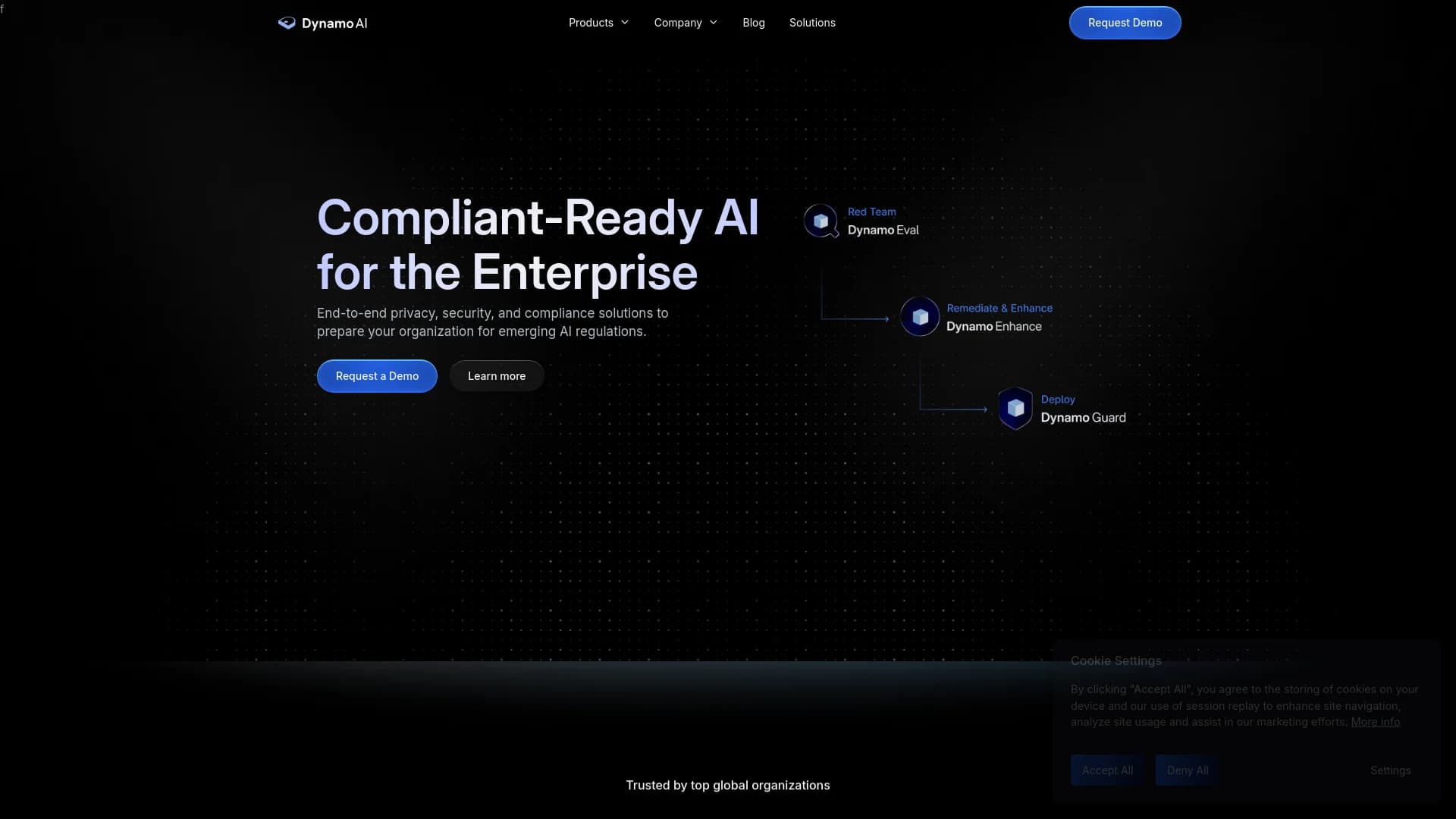
DynamoAI offers DynamoEval for AI evaluation, DynamoGuard for guardrails and observability, and AgentWarden for agent governance and runtime security.
What does DynamoEval do?
DynamoEval performs automated stress testing and generates documentation for AI risk and regulatory audits.
What does DynamoGuard do?
DynamoGuard applies customizable guardrails to AI inputs and outputs and provides observability for auditing LLM usage.
Does DynamoAI provide an API and SDK?
Yes. DynamoAI documents REST APIs and an official Python SDK for managing models, datasets, tests, and guardrails.
Does DynamoAI support enterprise identity management?
Yes. Documentation covers Keycloak SSO, Okta integration, Microsoft Entra ID, roles, scopes, and user management.
Can organizations customize guardrails?
Organizations can edit policy definitions, add training data, generate new training data, and retrain custom policy models.
Community reviews
Be the first to share your experience.
Sign in to leave a review for Dynamo.
Dynamo Alternatives
Looking for alternatives to Dynamo? Here are similar tools in the same category:
Learn to Master Dynamo
With Skill Leap courses
Get in-depth training on Dynamo and 50+ other AI tools with our expert-led video courses.
Start 7-Day Free Trial