
Dzine AI
Create precise images, videos, and talking photo avatars.
Key Takeaways
- What it is
- Create precise images, videos, and talking photo avatars.
- Pricing
- Freemium · $8.99 per month · $24.99 per month · $59.99 per month
- Best for
- Layer Based Composition Canvas
- Predefined Styles And Prompt Assistant
- All In One Image And Video Generation
- Rating
- 4.4/5
What is Dzine AI?
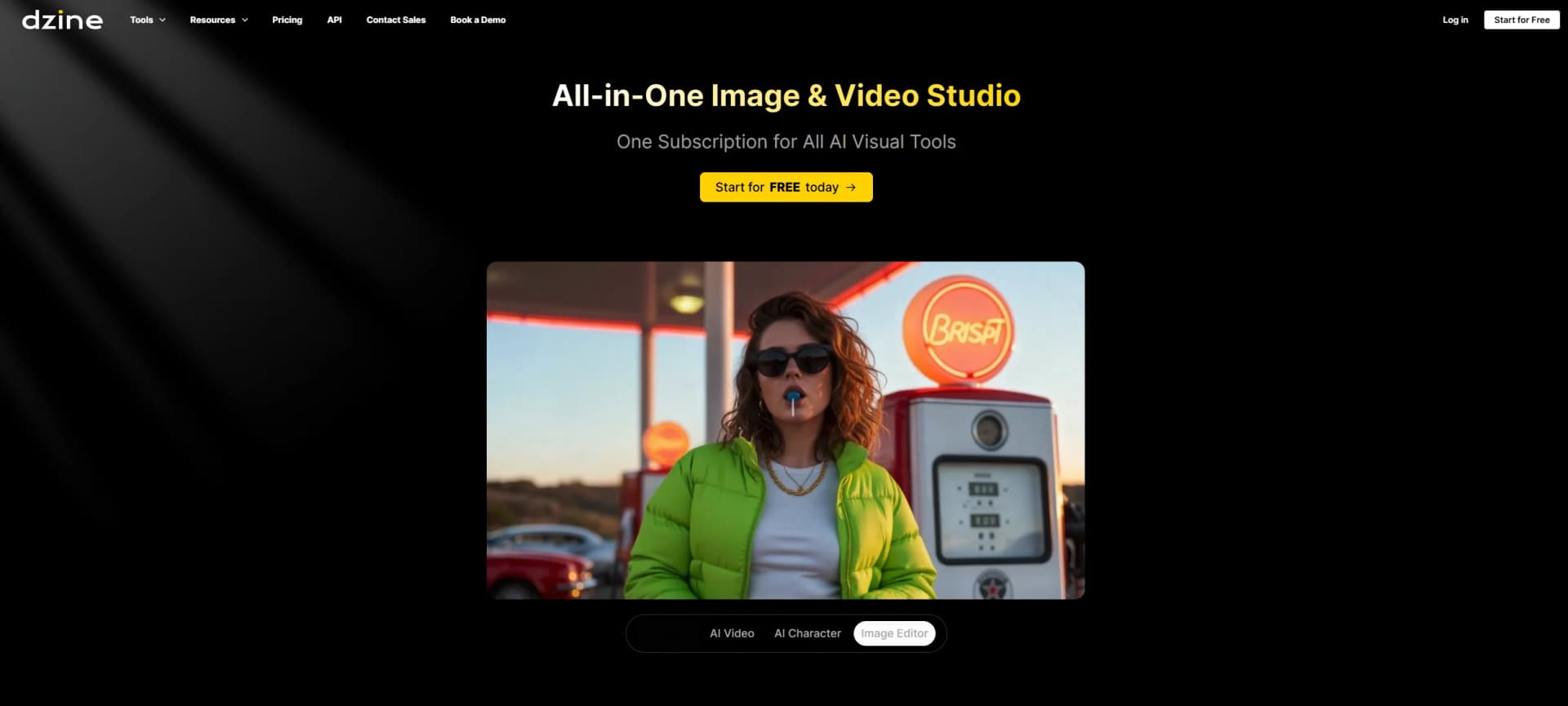
Dzine AI is an all in one AI image and video studio that focuses on controllable visual creation. It combines text to image, image to image, text to video, image to video, and lip sync avatars with a familiar canvas so designers and creators can direct composition instead of guessing through prompts. The tool emphasizes predefined styles, a prompt writing assistant, and layer based controls, bringing classic graphic design concepts to AI assisted workflows for everything from product ads to character art and story videos.
Dzine AI stands out by blending precise, layer based image control with advanced video and lip sync features in one workspace. Instead of choosing between a prompt only generator and traditional design software, users get both a canvas and powerful models for images, avatars, and story videos. Its focus on consistent characters across scenes, style controlled generation, and support for multiple top tier models gives creative teams fine control over look and layout while staying inside a single tool.
Dzine AI gives creators a rare mix of control and convenience for both images and video, bringing familiar design tools to modern generative models. Its canvas, styles, and prompt assistant make it approachable, while features like multi person lip sync and 3D or vector export appeal to serious production teams. The credit system and limited native integrations introduce some friction, yet for designers, marketers, and storytellers who care about precise composition and character continuity, Dzine AI offers a powerful, surprisingly fun studio for turning ideas into polished visual projects.
Who is Using Dzine AI?
Graphic Designers and Illustrators
Using Dzine AI to concept characters, posters, and layouts while keeping layer based control similar to classic design apps.
Marketing and Advertising Teams
Producing eye catching social assets, product shots, and short video ads without relying on large motion design teams.
E commerce Brands and Product Sellers
Turning catalog images into lifestyle scenes, varied product backgrounds, and quick video ads for campaigns.
Content Creators and Influencers
Creating avatars, thumbnails, story clips, and AI enhanced portraits for channels across major social platforms.
Game and Animation Studios
Exploring character looks, environments, and storyboards while keeping consistent characters across scenes.
Uncommon Use Cases
Used by educators to teach visual storytelling and prompt crafting in design or media courses; Adopted by indie tabletop RPG creators to build consistent character art, maps, and scene illustrations.
Key Features
Rating Breakdown
Pricing Plans
Free
Free
- 32 regular image credits per day, text-to-image, AI image generation features, background removal, preset consistent characters, and 10 MB asset library storage
Beginner
$8.99 per month
- 900 fast image credits per month (up to 900 images), watermark removal, high-resolution exports, image edits, face fix, product background, image enhancement, and 10 GB asset library storage
Creator
$24.99 per month
- 3,000 fast image credits per month, unlimited regular image credits, 3,000 video credits per month, high-resolution exports, AI video tools, chat editor access, consistent character creation, and 100 GB asset library storage
Master
$59.99 per month
- Unlimited fast image credits, 9,000 video credits per month, 60 private characters, concurrent training for 3 characters, 12 concurrent image jobs, 3 concurrent video jobs, and 100 GB asset library storage
Which Dzine AI plan should you pick?
Start with the free 100-credit tier to test image and video tools; upgrade to Beginner or Creator for regular use, or Master and Master Pro for unlimited image access, larger storage, and higher concurrency.
Beginner
Good for individual users who need 1,000 monthly credits, 10 GB asset storage, and basic paid features.
Creator
Good for creators who need 6,000 monthly credits, credit rollover, 10 GB storage, and top-up credits.
Master
Good for heavier image-generation workflows needing unlimited image access under fair-use rules, 100 GB storage, and 15 concurrent jobs.
Master Pro
Good for high-volume users needing 30,000 monthly credits, unlimited image access under fair-use rules, 200 GB storage, and 18 concurrent jobs.
Dzine AI Use Cases
Generate images from text
Enter a natural-language prompt, select a model and parameters, then generate visual concepts or finished artwork.
Outcome: High-resolution images for creative, marketing, product, or editorial work.
Transform existing images
Upload a photo, sketch, or reference image and use image-to-image prompts to restyle or recompose it.
Outcome: New visual variations while preserving important source-image structure.
Edit and repair images
Use local edit, object insertion, generative expand, eraser, hand repair, face repair, and background tools.
Outcome: Cleaner, more controlled image edits without traditional manual retouching.
Create animated or talking images
Upload an image, provide requirements, select a video model, and generate motion or synchronized speech.
Outcome: Animated visuals and talking-image videos for social, marketing, education, or storytelling.
Create consistent characters and styles
Use character and style training features to build reusable visual identities.
Outcome: More consistent characters and branded visual outputs across generations.
Workflow Ideas with Dzine AI
Reference image to polished visual
- 1Upload a reference image or sketch
- 2Choose Image-to-Image and describe the desired transformation
- 3Refine the result with editing tools and export it
Create a talking image
- 1Upload a photo, illustration, or character image
- 2Enter speech requirements and choose a talking-image model
- 3Generate and download the synchronized video
Build a consistent character
- 1Prepare reference images for the character
- 2Use Character Training and generate variations
- 3Insert the character into new scenes or compositions
How Dzine AI fits into your stack
Browser
Dzine is primarily used as a browser-based image, video, and design workspace. Users create visual assets, upload references, edit content, and export results online.
Docs and writing
Chat Editor combines text and image editing in one workspace, supporting grammar correction, summarization, rewriting, tone changes, and image annotations.
Automation and APIs
Dzine provides a documented REST API with API-key authentication and endpoints for image generation, image transformation, video generation, face swap, upscaling, and task tracking.
Pros
- +Layout Control: The layer-based canvas makes it easier to direct composition and placement before generating, which feels closer to real design work than prompt-only tools.
- +All In One Studio: Image generation, video generation, and lip sync avatars live in the same workspace, so teams can keep a project moving without bouncing between apps.
- +Beginner Friendly Results: Style presets and the prompt assistant help non-technical users get usable outputs faster, with less trial and error.
- +Model Choice: Support for multiple underlying models gives creators flexibility to prioritize speed, detail, or a specific look depending on the task.
- +Low Setup Overhead: Browser-based workflows mean most users can start creating on standard hardware without installs or a dedicated GPU machine.
Cons
- −Credits Can Go Fast: Video, lip sync, and higher-end models may burn through credits quickly for heavier production workloads.
- −Generation Queues: During peak demand, longer or stalled video renders can slow down time-sensitive content schedules.
- −Limited Native Integrations: Fewer direct connections to tools like Adobe apps, Figma, or social scheduling platforms can add manual export and upload steps.
Limitations & when to consider alternatives
Known limitations
- Free outputs are public. Images generated on free-plan accounts may be selected for Dzine's community feed. Private generation requires a subscription.
- Free-tier content is non-commercial. Free users may use generated content for personal projects but not commercial purposes.
- Credits expire. New-user free credits are valid for 12 months, while subscription rollover depends on the selected plan.
- Unlimited generation is subject to fair use. Bots, automated scripts, bulk requests, and other non-interactive generation can violate the fair-use policy.
- Payments are non-refundable. The pricing page states that subscription payments are non-refundable, including unused subscription periods.
Look elsewhere when
- You need a native mobile application.
- You need an installed desktop application.
- You need named third-party integrations.
How to Use Dzine AI
- 1
Start with a prompt or upload
Open an image or video tool, enter a natural-language prompt, or upload a reference image to begin.
- 2
Choose the generation method
Select text-to-image, image-to-image, image editing, animation, talking images, or another specialized tool.
- 3
Select a model and parameters
Choose a supported model and configure resolution, aspect ratio, style, or other available generation settings.
- 4
Generate and refine
Create the asset, then use editing tools such as generative expand, object insertion, eraser, face repair, or enhancement.
- 5
Export the result
Download the finished image or video in the available resolution and format.
- 6
Upgrade when limits become restrictive
Move from the free tier to a paid plan when you need private generation, commercial rights, more credits, larger storage, or higher concurrency.
Who is Dzine AI For?
Creators
Dzine provides image, video, character, lip-sync, and editing tools for producing visual content.
Designers
Image-to-image editing, generative fill, style tools, face tools, and high-resolution exports support design workflows.
Artists
The platform supports artistic exploration through text-to-image, image-to-image, styles, characters, and multiple visual models.
Marketers
Users can create product visuals, campaign assets, social content, and commercial-use imagery.
Businesses
Dzine offers commercial-use plans, API access, enterprise SSO, and centralized access to multiple visual AI models.
Frequently Asked Questions
Can I use Dzine for free?
Yes. Dzine provides 100 credits after sign-up, valid for 12 months and usable across image and video creation.
Can I use generated content commercially?
Paid users can use generated content commercially where permitted by law. Free-tier content is limited to personal projects.
What can Image-to-Image do?
Image-to-Image merges arranged design elements into a new image layer while preserving their relative positions, sizes, and orientations.
How quickly can Dzine generate assets?
Generation time varies according to parameters such as resolution and the selected generation method.
Can others see images I generate?
Images from free-plan accounts are public and may appear in Dzine's community feed. Private generation is available on subscription plans.
How do credits work?
Credits are deducted according to the feature used, with different costs for image editing, models, exports, style training, character training, and video.
Community reviews
Be the first to share your experience.
Sign in to leave a review for Dzine AI.
Dzine AI Alternatives
Looking for alternatives to Dzine AI? Here are similar tools in the same category:
Learn to Master Dzine AI
With Skill Leap courses
Get in-depth training on Dzine AI and 50+ other AI tools with our expert-led video courses.
Start 7-Day Free Trial