
EasyGen
The Linkedin Post Generator That Works
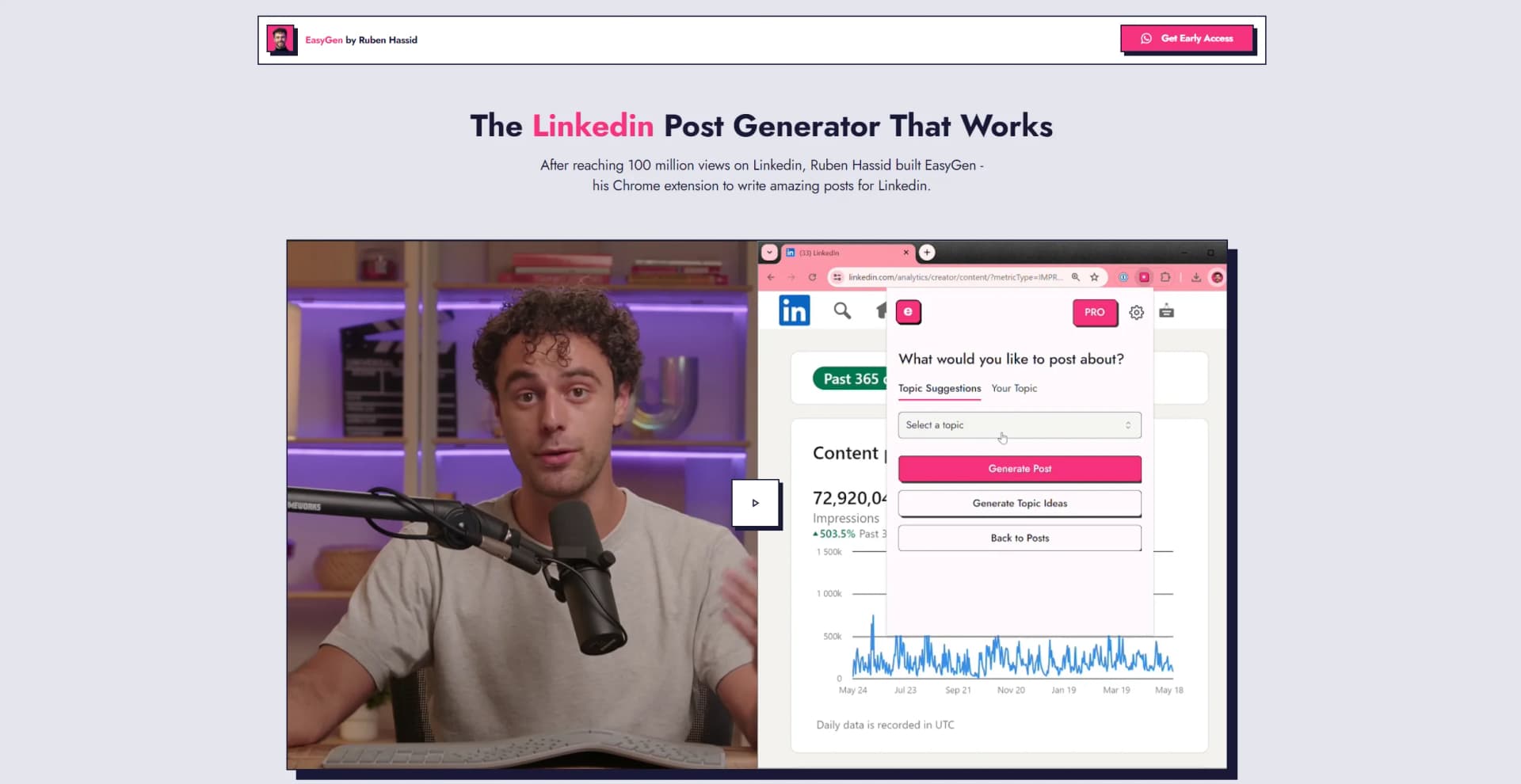
Watch EasyGen in Action
Key Takeaways
- What it is
- The Linkedin Post Generator That Works
- Pricing
- $59.99. a month
- Best for
- AI-Powered Text Generation
- Chrome Extension
- User-Friendly Interface
- Rating
- 4.3/5
What is EasyGen?
After reaching 100 million views on Linkedin, Ruben Hassid built EasyGen - his Chrome extension to write posts for Linkedin.
EasyGen is an innovative AI-powered Chrome extension specifically designed to transform the way professionals craft their LinkedIn posts. Developed by Ruben Hassid after achieving an impressive 100 million views on LinkedIn, this tool leverages the insights and strategies that led to his success to help users enhance their LinkedIn presence. EasyGen simplifies the process of creating engaging and effective posts, making it an invaluable asset for anyone looking to increase their visibility and impact on the platform.
EasyGen stands out due to its specific focus on LinkedIn, which is a critical platform for professional networking and business communication. Its ability to generate high-quality content quickly and its integration as a Chrome extension makes it uniquely positioned to offer convenience and effectiveness in enhancing professional online presence.
EasyGen excels in providing a specialized, efficient solution for enhancing LinkedIn engagement through AI-driven content creation. Its user-friendly design and effective text generation capabilities make it an essential tool for professionals looking to boost their online presence. The affordability and targeted functionality particularly offer an unmatched advantage for LinkedIn users.
Who is Using EasyGen?
Social Media Strategists
Employing the tool to boost the engagement and reach of LinkedIn posts.
Content Marketers
Using EasyGen to maintain a consistent and professional online presence.
Business Executives
Leveraging the tool to share industry insights and company news effectively.
Job Seekers
Enhancing their profiles and engagement to attract potential employers.
Uncommon Use Cases
Utilized by career coaches to teach effective LinkedIn networking strategies; adopted by academic professionals to share research and academic achievements.
Key Features
Rating Breakdown
Pricing Plans
Free Trial
- Start with three free posts to experience EasyGen without any financial commitment
Subscription Model
$59.99. a month
- Offering daily post generation capabilities
EasyGen Use Cases
Research successful creators
Search creators and analyze which posts performed best and why.
Outcome: Adapt effective strategies while keeping your own voice.
Find trending topics
Use EasyTrend to research current topics across Reddit, X, Google, Bing, Perplexity, and other sources.
Outcome: Generate timely content ideas.
Create LinkedIn posts
Turn topics, notes, or voice dictation into polished LinkedIn posts.
Outcome: Produce posts faster in a customized writing style.
Repurpose content
Use successful post formats and add your own angle to create new content.
Outcome: Turn one effective format into multiple pieces of content.
Manage publishing
Track drafts and published posts through a unified content calendar.
Outcome: Maintain an organized LinkedIn publishing pipeline.
Workflow Ideas with EasyGen
Turn a trend into a LinkedIn post
- 1Search a niche or topic with EasyTrend
- 2Review summaries and current trend signals
- 3Generate and edit a LinkedIn post in EasyGen
Learn from high-performing creators
- 1Search for creators in your niche
- 2Analyze their best-performing posts
- 3Repurpose the successful structure with your own angle
Plan a weekly content schedule
- 1Generate topic ideas based on your niche
- 2Create and revise several posts
- 3Schedule the finished posts in the content calendar
How EasyGen fits into your stack
Browser Compatibility
Fully functional as a Chrome extension.
LinkedIn Integration
Directly designed to work within the LinkedIn platform, enhancing its functionality.
No Additional Integrations
Currently, EasyGen focuses exclusively on LinkedIn without integration with other social media platforms or tools.
Pros
- +Time Efficiency: Significantly reduces the time required to draft and refine LinkedIn posts.
- +Increased Engagement: Helps generate posts that are optimized for engagement, increasing likes, comments, and shares.
- +Ease of Use: The intuitive Chrome extension and simple user interface make it accessible to everyone.
- +Cost-Effective: Offers a free trial for the first three posts and an affordable subscription model thereafter.
Cons
- −Platform Limitation: Currently, EasyGen is only available for LinkedIn, which might not cater to users seeking similar tools for other social platforms.
- −Browser Dependency: Being a Chrome extension, it requires users to use Google Chrome as their browser.
- −Learning Curve: New users may need some time to familiarize themselves with all the features and best practices for optimal post generation.
Limitations & when to consider alternatives
Known limitations
- No automatic posting. EasyGen explicitly says it does not automatically post on your behalf; users publish directly.
- LinkedIn-focused product. The product is designed specifically for LinkedIn posts rather than general-purpose content creation.
- No refunds or credits. The privacy policy says purchases, subscriptions, credits, and one-time fees are final, subject to legally required exceptions.
- Seven-day trial model. The current homepage promotes a seven-day trial, so access and pricing should be checked before subscribing.
Look elsewhere when
- You need a native mobile app.
- You need automatic LinkedIn posting.
- You need a general-purpose AI assistant.
How to Use EasyGen
- 1
Explore a series of guides and tips on the official website, designed to help new users get started and maximize the potential of their LinkedIn posts using EasyGen.
Who is EasyGen For?
LinkedIn creators
They can study successful creators, discover trends, and create posts designed for LinkedIn engagement.
Content creators
They can organize ideas, repurpose high-performing content, and manage drafts and publishing.
Ghostwriters
They can use creator research, writing-style customization, and content management to produce LinkedIn posts.
Sales professionals
The site features sales users among its creator examples and supports LinkedIn content creation for professional visibility.
Frequently Asked Questions
Will the content sound like me or like generic AI?
EasyGen learns your tone, intensity level, and preferred examples, while allowing you to regenerate, tighten, or edit the copy.
Can I schedule posts directly from EasyGen?
Yes. EasyGen provides a content calendar for creating, scheduling, and publishing LinkedIn posts directly.
What if I run out of content ideas?
The topic idea generator suggests topics based on your niche and what performs well for similar creators.
How is EasyGen different from ChatGPT?
EasyGen focuses specifically on LinkedIn content, using creator performance data and LinkedIn-specific intelligence.
How often should I post on LinkedIn?
EasyGen recommends posting once daily, while noting that three times weekly is a minimum.
Community reviews
4 reviews from people who use EasyGen.
Sign in to leave a review for EasyGen.
Victoria Shepherd (Tallchickvic)
Lorenzo Pilastri
Nelly Lund
Ivan Zografski (Ivo)
EasyGen Alternatives
Looking for alternatives to EasyGen? Here are similar tools in the same category:
Learn to Master EasyGen
With Skill Leap courses
Get in-depth training on EasyGen and 50+ other AI tools with our expert-led video courses.
Start 7-Day Free Trial