
EbSynth
Transform videos by editing a single frame.
Key Takeaways
- What it is
- Transform videos by editing a single frame.
- Pricing
- Freemium · $20 per month
- Best for
- Frame-Based Editing
- Texture-Synthesis Algorithm
- Retouching and Colorizing
- Rating
- 4.1/5
What is EbSynth?
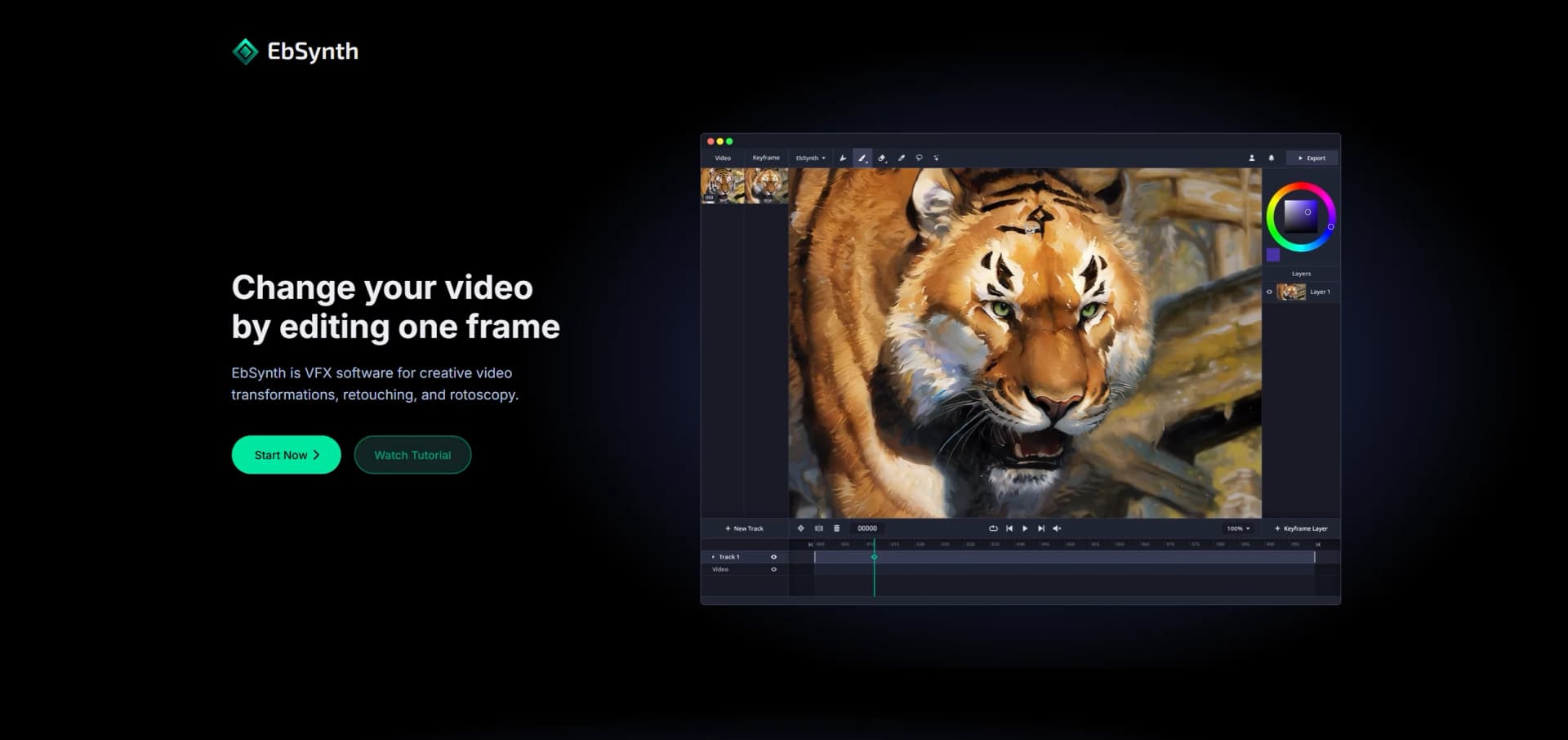
EbSynth is a versatile VFX software designed to transform videos by editing just a single frame. Whether you're into creative video transformations, retouching, or rotoscopy, EbSynth caters to your needs. By allowing users to paint over keyframes, this tool simplifies the process of turning performances into hand-drawn animations, making video editing more intuitive and artistically liberating.
EbSynth stands out with its texture-synthesis algorithm, which allows for creative video transformations without relying on external datasets. This unique feature gives artists full control over their work, making it a favorite among creatives looking to explore new storytelling avenues.
EbSynth offers a refreshing approach to video editing by combining artistic creativity with technological innovation. Its unique texture-synthesis algorithm empowers users to create visually stunning videos with minimal effort. Whether you're a seasoned filmmaker or an aspiring digital artist, EbSynth provides the tools needed to bring your creative visions to life. With its focus on privacy and offline functionality, it ensures that your projects remain secure, making it a reliable choice for professionals and hobbyists alike.
Who is Using EbSynth?
Film and Animation Studios
Utilizing EbSynth for creative storytelling and unique visual effects.
Independent Filmmakers
Employing the tool for cost-effective and visually engaging video transformations.
Digital Artists
Leveraging EbSynth to add a hand-drawn touch to their video projects.
Animators
Using the software for efficient rotoscopy and animation workflows.
Uncommon Use Cases
Adopted by educators in visual arts courses for teaching video editing techniques; used by game developers for creating stylized cutscenes.
Key Features
Rating Breakdown
Pricing Plans
Free Tier
Free
- Experience EbSynth with no time or functional limitations
Pro Tier
$20 per month
- Up to 4K video export
- PNG sequence output
- Priority processing
Studio Plan
- Offline processing
- Complete data privacy
- Dedicated support
Which EbSynth plan should you pick?
Start with Free for core keyframe propagation and 720p MP4 exports; upgrade to Pro for 1080p/4K, PNG alpha output, and priority processing, or choose Studio for local Windows processing and offline privacy.
Free
Good for artists and creators testing core keyframe propagation with 720p MP4 exports.
Pro
Good for users who need 1080p or 4K exports, PNG output with alpha, and priority processing.
Studio
Good for businesses and professional workflows requiring local Windows processing, offline operation, and footage privacy.
EbSynth Use Cases
Paint over videos
Paint selected video keyframes and propagate the visual changes across the sequence.
Outcome: Turns live-action performance into hand-drawn animation.
Retouch and colorize footage
Apply touch-ups, digital makeup, or color changes to keyframes instead of manually tracking every frame.
Outcome: Speeds up video touch-ups and colorizing.
Style animation
Paint a keyframe with a painterly texture and propagate that appearance to line-art animation.
Outcome: Creates painterly-styled animation with fewer manually edited frames.
Workflow Ideas with EbSynth
Keyframe propagation workflow
- 1Choose a guiding video and a representative keyframe.
- 2Paint or edit the keyframe.
- 3Run EbSynth to propagate the change across the video.
Iterative correction workflow
- 1Start with a single keyframe.
- 2Inspect synthesized frames for broken areas.
- 3Fix those areas and use the corrected frames as additional keyframes.
Layered moving-area workflow
- 1Identify areas that move independently, such as the background, face, or eyes.
- 2Place each area on a separate video track with appropriate keyframes.
- 3Synthesize the tracks separately and combine the results.
How EbSynth fits into your stack
Browser
EbSynth is accessed through a desktop browser, with Chrome recommended for large or high-resolution projects. Users provide guiding video and edited keyframes, then receive the synthesized result in the browser.
Desktop / IDE
The Studio tier provides a Windows desktop application that runs EbSynth locally. This supports offline processing for businesses that need footage to remain on their machines.
Automation and APIs
The Studio version offers command-line access for an offline pipeline. The official site does not document a general-purpose web API.
Pros
- +Creative Freedom: Users can transform video into hand-drawn animations with ease, providing a unique artistic touch.
- +Cost-Effective Plans: Offers a free tier that includes core functionalities, making it accessible to a wide audience.
- +Efficient Workflow: Eliminates tedious manual tracking, streamlining the video editing process.
- +Data Privacy: Projects remain on your computer, with no long-term storage on external servers.
Cons
- −Initial Learning Curve: New users might need some time to fully understand keyframe alignment and timing.
- −Limited AI Features: The tool's AI capabilities are optional and not as extensive as some might expect.
- −Desktop Only: EbSynth is not available on mobile devices, limiting access to desktop users.
Limitations & when to consider alternatives
Known limitations
- Free export resolution. The Free plan is limited to 720p video export and MP4 output.
- Tracking artifacts. Poor alignment between keyframes and video shapes can produce stretchy or ripple-like artifacts.
- Difficult-to-track materials. Shiny or flat clothing and hard, shifting shadows can make optical-flow tracking more difficult.
- Motion blur sensitivity. Fast movement with motion blur can reduce propagation quality; the site recommends increasing frame rate.
- Cloud processing on standard plans. Video and keyframes are temporarily uploaded for rendering. Fully offline processing requires Studio.
Look elsewhere when
- You need a native mobile app.
- You need a public developer API.
- Your team needs shared workspaces and user roles.
How to Use EbSynth
- 1
Open EbSynth on a desktop
Use a desktop device; the site states that EbSynth is desktop-only and recommends Chrome for large or high-resolution projects.
- 2
Prepare a guiding video
Use footage with soft, diffuse lighting, textured clothing, and enough frame rate to reduce motion blur and improve optical-flow tracking.
- 3
Create a keyframe
Select a frame with clear poses and substantial visible content, then paint, retouch, colorize, or stylize it.
- 4
Propagate the edit
Run EbSynth to carry the keyframe's visual changes across the video sequence.
- 5
Correct problem areas
Inspect the synthesized frames, fix broken regions, and add corrected frames as additional keyframes.
- 6
Choose an output plan
Use Free for 720p MP4, Pro for high-resolution or PNG alpha output, or Studio for local Windows and offline processing.
Who is EbSynth For?
Artists
EbSynth is made to put creative control in artists' hands and supports painterly animation, hand-drawn effects, and visual stylization.
VFX creators
The product is positioned as VFX software for retouching, rotoscoping, colorizing, and stylization.
Businesses needing offline processing
The Studio version provides local processing and command-line access for businesses that require footage to remain on their machines.
Frequently Asked Questions
Is EbSynth AI?
Keyframe propagation uses a texture-synthesis algorithm rather than AI or externally trained generative models. An optional Generate Image feature can generate keyframes using AI.
What browser should I use?
EbSynth recommends Chrome, especially for large projects and long or high-resolution videos, because it handles memory-intensive processing reliably.
Do you store my projects?
Projects remain on the user's computer, while video and keyframes are temporarily uploaded for rendering and immediately deleted after results are returned. Studio supports fully offline processing.
How do I get best results?
Use carefully selected keyframes, align their shapes with the video frames, separate independently moving areas into tracks, and use soft lighting and sufficient frame rates when shooting.
Can I use EbSynth for free?
Yes. The Free plan has no time or functional limitations, but Pro adds high-resolution rendering, PNG sequence output, and priority processing.
How do I cancel my subscription?
Open the user menu, choose Manage Subscription, and cancel. The paid plan remains active until the current billing period ends.
Community reviews
1 review from people who use EbSynth.
Sign in to leave a review for EbSynth.
Prompter Geek
EbSynth Alternatives
Looking for alternatives to EbSynth? Here are similar tools in the same category:
Learn to Master EbSynth
With Skill Leap courses
Get in-depth training on EbSynth and 50+ other AI tools with our expert-led video courses.
Start 7-Day Free Trial