
EchoFox
Transform WhatsApp voice messages to text instantly, ensuring privacy across 90+ languages.
Key Takeaways
- What it is
- Transform WhatsApp voice messages to text instantly, ensuring privacy across 90+ languages.
- Best for
- Instant Transcriptions
- On-the-Go Access
- Effortless Searchability
- Rating
- 4.6/5
What is EchoFox?
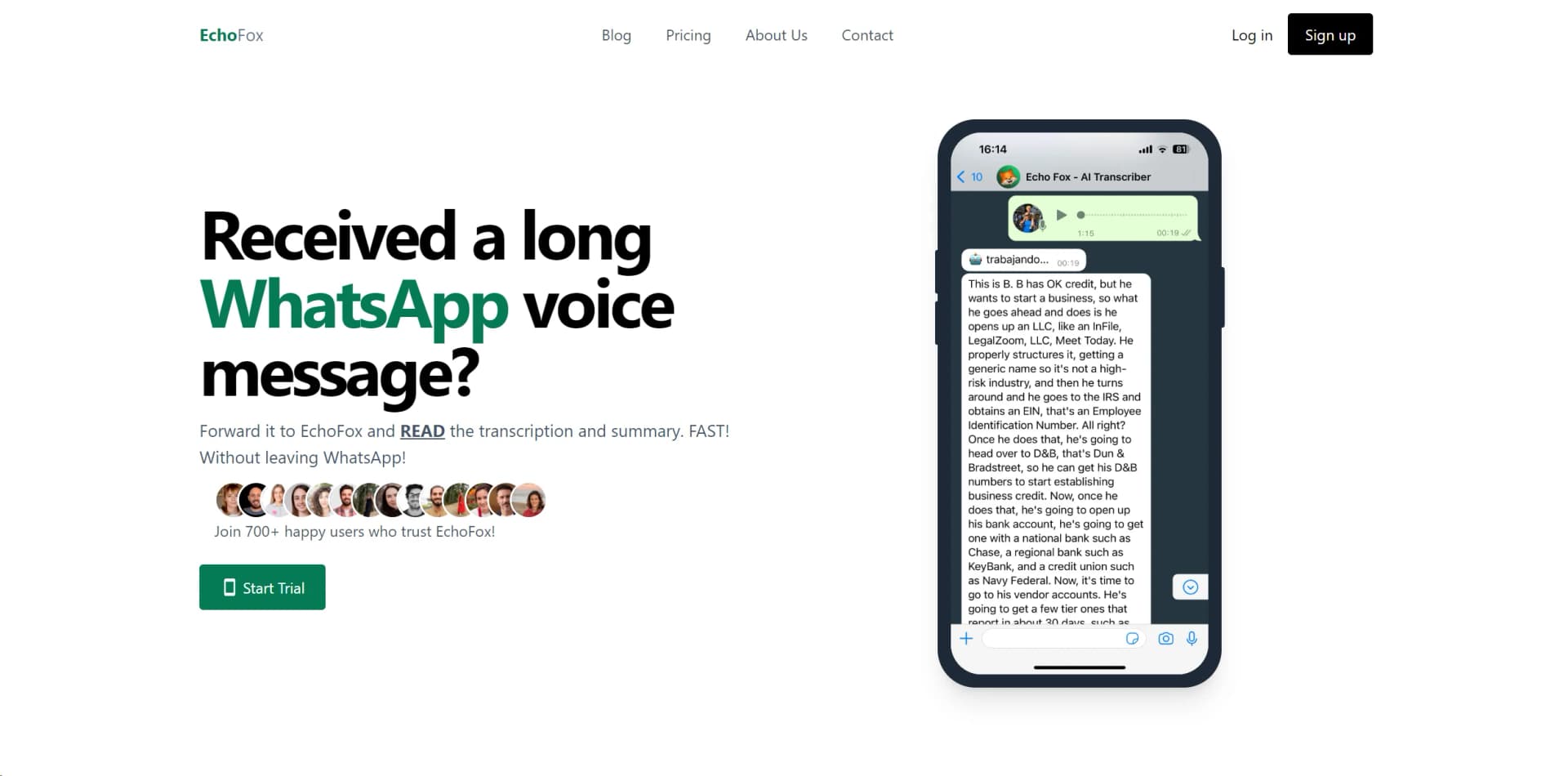
EchoFox is an innovative AI tool designed to transform the way we interact with voice messages on WhatsApp. At its core, EchoFox serves as your personal transcriber, effortlessly converting voice messages into text, allowing for quick reading and understanding without the need to listen to lengthy audios. Developed with both individuals and business professionals in mind, this tool aims to enhance time management, improve productivity, and ensure seamless communication across different languages. With EchoFox, staying on top of voice messages has never been easier, making it an indispensable tool for anyone looking to streamline their WhatsApp communications.
EchoFox stands out in the crowded field of AI tools by offering instant, on-the-go transcriptions directly within WhatsApp, a platform used by billions worldwide. Its support for over 90 languages with automatic detection makes it a global tool, breaking down communication barriers. Furthermore, EchoFox's commitment to privacy, with advanced encryption and no message storage, reassures users that their communications remain secure.
EchoFox redefines the way we handle voice messages on WhatsApp. Its rapid transcription capabilities, multi-language support, and strong emphasis on privacy make it a standout tool for anyone looking to streamline their communication. Whether you're a busy professional needing to quickly sift through messages or someone who prefers reading over listening, EchoFox offers a practical, efficient solution. Its unique selling points, particularly the on-the-go access and privacy-first approach, underscore its value in today's fast-paced, digitally connected world.
Who is Using EchoFox?
Real Estate Agents
Quickly transcribing client communications to stay ahead in fast-paced property markets.
Entrepreneurs
Managing communications efficiently to focus on business growth.
Parents
Reading voice messages in noisy or quiet environments, making it easier to multitask.
Construction Site Managers
Ensuring crucial information is never missed amidst the noise of construction activities.
Teachers
Keeping track of messages and instructions in a classroom setting.
Uncommon Use Cases
Used by clinical doctors for maintaining patient confidentiality and by sales professionals for updating CRMs with voice message summaries.
Key Features
Rating Breakdown
Pricing Plans
Free Trial
- EchoFox offers a compelling start trial
- Inviting users to experience its features firsthand
Pro Tier
- More advanced needs
- The Pro Tier offers extended capabilities
Which EchoFox plan should you pick?
Start with Personal for shorter WhatsApp audio, and upgrade to Pro for longer audio, unlimited minutes, a dedicated queue, and video transcription.
Personal
Good for individuals who need unlimited voice messages and summaries, with audio transcription up to three minutes and 200 included minutes.
Pro
Good for heavier users who need unlimited minutes, audio up to 20 minutes, a dedicated transcription queue, audio-file transcription, and video transcription.
EchoFox Use Cases
Read long WhatsApp voice messages
Forward a voice message to EchoFox instead of listening to it.
Outcome: Receive a readable transcription in WhatsApp.
Summarize lengthy audio
Ask EchoFox to summarize a long or tangled transcription.
Outcome: Understand the main points more quickly.
Capture meeting takeaways
Send a voice message containing meeting notes, takeaways, and action points.
Outcome: Make it easier to update a CRM.
Transcribe messages in noisy environments
Forward audio when background noise makes listening difficult.
Outcome: Read the message without playing it aloud.
Process client or patient messages
Transcribe voice messages from clients, customers, or patients in WhatsApp.
Outcome: Keep track of important details and respond more efficiently.
Workflow Ideas with EchoFox
Turn a WhatsApp voice message into text
- 1Add EchoFox as a WhatsApp contact
- 2Forward a voice message to EchoFox
- 3Receive the transcription in WhatsApp
Summarize a long audio
- 1Forward a long voice message to EchoFox
- 2Receive the transcription
- 3Request or use the summary to identify the main points
Convert meeting notes into CRM input
- 1Record a voice message with meeting takeaways and action points
- 2Send the voice message to EchoFox
- 3Use the transcription to update the CRM
How EchoFox fits into your stack
WhatsApp Integration
EchoFox is primarily designed for WhatsApp, providing seamless transcription services within the app.
Multi-Language Support
EchoFox's ability to transcribe in a wide array of languages broadens its usability across different user demographics.
Future Roadmap
Plans to integrate with Facebook Messenger, Instagram, and Telegram expand its potential user base.
Pros
- +Time Efficiency: Dramatically reduces the time spent managing voice messages.
- +Accessibility: Makes it easy to access transcriptions directly within WhatsApp, enhancing user convenience.
- +Language Inclusivity: Supports a wide range of languages, making it versatile for global use.
- +Privacy and Security: Adheres to strict privacy policies, ensuring user data is protected and secure.
Cons
- −Learning Curve: New users may need time to familiarize themselves with forwarding messages for transcription.
- −Limited Integration: Currently, EchoFox is focused on WhatsApp, with plans to expand to other platforms like Facebook Messenger and Telegram.
Limitations & when to consider alternatives
Known limitations
- Plan-specific audio limits. Personal allows audio up to three minutes, while Pro currently allows audio up to 20 minutes.
- Single-speaker optimization. Multiple speakers are supported, but EchoFox is optimized for single-speaker voice messages.
- WhatsApp-centered usage. The documented workflow is sending or forwarding voice messages to EchoFox through WhatsApp.
- Limited current integrations. Facebook Messenger, Instagram, and Telegram are described as roadmap items rather than current integrations.
- Transcription retention. The homepage says transcriptions are kept for 24 hours and then deleted.
Look elsewhere when
- You need a documented developer API.
- You need a native mobile application.
- You need integrations available today.
- You need transcription beyond the plan limits.
How to Use EchoFox
- 1
EchoFox ensures user-friendly access through intuitive design. While specific tutorial content is not mentioned, the tool's simplicity and direct integration into WhatsApp make it easy for users to get started and explore its features.
Who is EchoFox For?
Entrepreneurs
EchoFox helps entrepreneurs quickly read and summarize long WhatsApp voice messages.
Real estate agents
It helps agents read client voice messages while working or traveling.
Sales professionals
Sales users can transcribe takeaways and action points for easier CRM updates.
Teachers
Teachers can read voice messages when they cannot listen to audio aloud.
Healthcare professionals
Doctors can transcribe and summarize patient audio messages within WhatsApp.
Frequently Asked Questions
Is EchoFox accurate?
EchoFox states that it transcribes audio with 96%+ accuracy.
How fast is EchoFox?
Most transcriptions are delivered within 10 seconds, with delivery typically ranging from a few seconds to two minutes.
Can EchoFox transcribe different languages?
It supports up to 98 languages, with English, Spanish, German, French, Portuguese, and Italian optimized to 95%+ accuracy.
Can EchoFox transcribe multiple speakers?
Yes, although the service is optimized for single-speaker voice messages.
Can EchoFox transcribe different audio formats?
It supports popular formats including OGG, MP3, WAV, and others.
Can EchoFox transcribe long audio notes?
The service supports audio up to 120 minutes in principle, while the Pro plan is currently capped at 20 minutes.
Community reviews
1 review from people who use EchoFox.
Sign in to leave a review for EchoFox.
Thibault BM
EchoFox Alternatives
Looking for alternatives to EchoFox? Here are similar tools in the same category:
Learn to Master EchoFox
With Skill Leap courses
Get in-depth training on EchoFox and 50+ other AI tools with our expert-led video courses.
Start 7-Day Free Trial