Eesel App
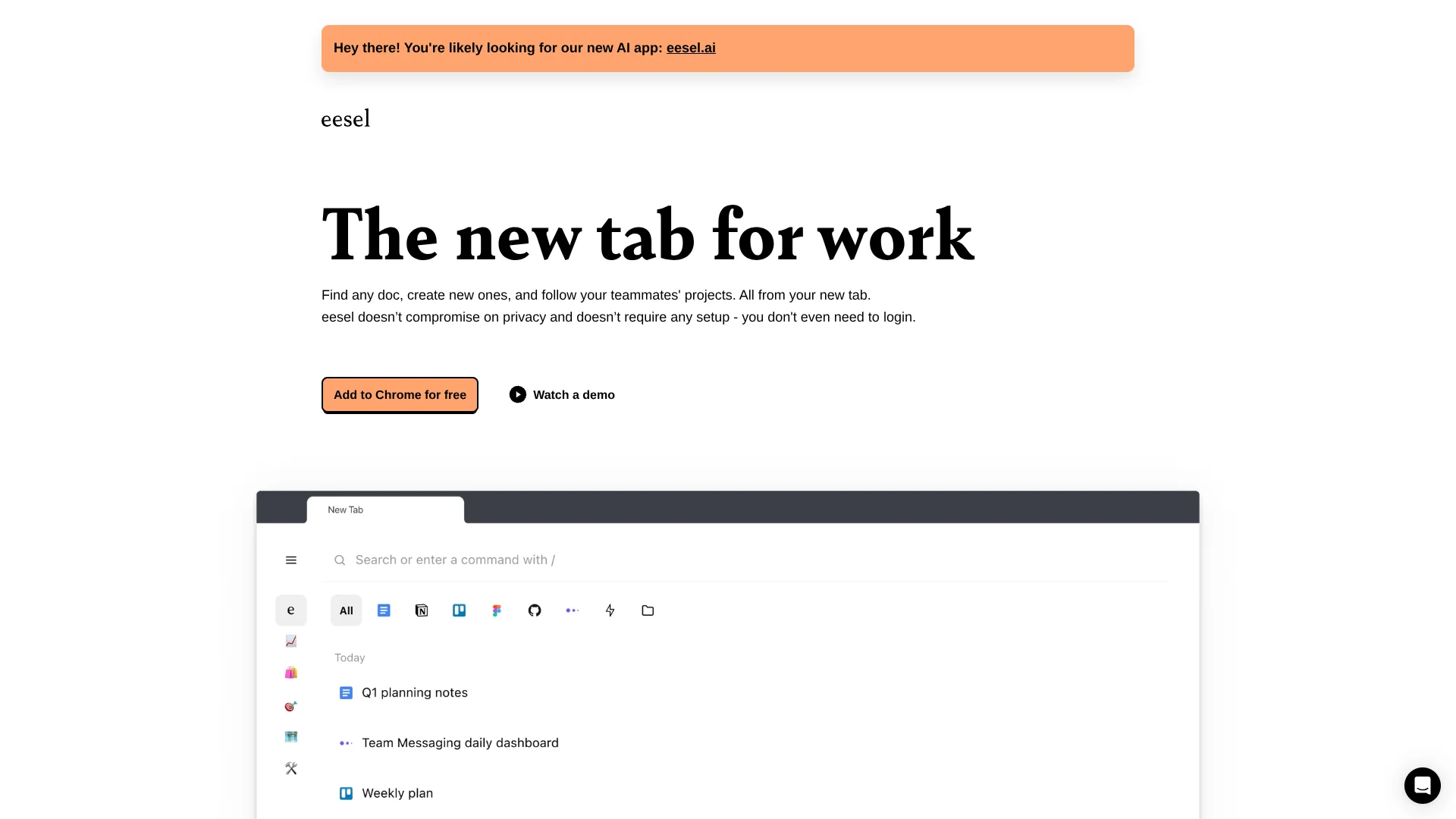
Find work pages in a private, searchable new tab.
Key Takeaways
- What it is
- Find work pages in a private, searchable new tab.
- Pricing
- Freemium
- Best for
- ChatGPT Answers
- New Tab Document Search
- Self-Organized Folders
- Rating
- 4.1/5
What is Eesel App?
Eesel turns your browser's new tab into a searchable home for work pages you have already opened. It finds documents across tools such as Google Docs, Notion, Figma, and internal web apps, then lets you return to them without maintaining bookmarks or connecting each service.
Its clearest difference is local-first document search: Eesel says page content stays in your browser by default, so you can search work history without sending those pages to a central service.
Eesel fits people who spend most of their day in browser-based tools and repeatedly lose time finding the right document. The ChatGPT question-answering feature is still labeled beta, so Eesel is strongest as a private work navigator with an AI layer rather than a full document-analysis workspace.
Who is Using Eesel App?
Product Managers
Project briefs, planning pages, research notes, and product tools stay reachable from the browser new tab.
Designers
Figma pages and related project documents can be grouped and reopened without hunting through browser history.
Founders and Operators
Frequently reused planning pages and internal tools become quick-launch commands.
Team Leads
Shared folders and followed pages help point teammates toward the documents a project depends on.
Uncommon Use Cases
Joining recurring meetings from a shortcut; opening internal company tools that lack formal integrations
Key Features
Rating Breakdown
Pricing Plans
Free Tier
Free
- Eesel offers a free version that provides access to basic features
Which Eesel App plan should you pick?
Start with the free Eesel experience if your work is browser-based and you want local document search with optional beta AI answers.
Free Tier
Good for browser-based workers who need searchable work pages, folders, commands, and optional ChatGPT Answers.
Eesel App Use Cases
Find a Work Document
A searchable new tab surfaces a Google Doc, Notion page, Figma file, or internal web page from your recent work.
Outcome: Less time spent searching browser history, bookmarks, and app menus.
Ask Questions About Work Pages
ChatGPT Answers uses your documents as context for questions about work information.
Outcome: Faster answers grounded in the pages you have opened.
Launch Repeated Actions
Commands provide shortcuts for opening pages, creating documents, or repeating common actions.
Outcome: Fewer clicks for routine browser work.
Organize Project Pages
Folders group related pages so project material is easier to revisit.
Outcome: A clearer starting point for recurring work.
Share Useful Pages
Shared folders and followed pages help teammates discover project resources from their own Eesel tabs.
Outcome: More consistent access to team documents.
Workflow Ideas with Eesel App
Daily Project Retrieval
- 1Open a new tab with Eesel
- 2Filter or search for the project folder
- 3Jump to the document or web app page you need
Recurring Notion Update
- 1Create a command for the target Notion database
- 2Open the command from any browser page
- 3Add the recurring task or card without navigating through the workspace
Document Question Check
- 1Open the relevant work pages in the browser
- 2Ask a question through ChatGPT Answers
- 3Review the response against the source documents
How Eesel App fits into your stack
Browser New Tab
Eesel sits at the browser entry point and turns a new tab into a work-focused search surface.
Docs and Work Apps
It reaches pages from tools such as Google Docs, Notion, Figma, and internal web apps through browser activity rather than separate account connections.
Knowledge Retrieval
ChatGPT Answers adds a question layer over work documents, while the core search experience remains local in the browser.
Shortcuts and Actions
Commands fit repetitive browser tasks such as opening a page, creating a document, or joining a meeting.
Team Discovery
Shared folders and followed pages help teammates find project resources from their own Eesel tabs.
Pros
- +Low setup: Install the browser extension without creating an account or connecting every work app.
- +Broad browser coverage: Search pages from standard tools and internal web apps through the browser itself.
- +Private by default: Local operation keeps page content in the browser for the core search experience.
- +Useful shortcuts: Commands reduce repeated trips through slow document menus.
- +Free access: The official site describes Eesel as free.
Cons
- −Browser-dependent: Its value is tied to work that happens in web pages.
- −Early AI feature: ChatGPT Answers is still in beta.
- −History-based search: It is designed around pages you have already visited, not a complete cloud file index.
Limitations & when to consider alternatives
Known limitations
- ChatGPT Answers Is Beta. The official extension listing labels document-based ChatGPT answers as beta and says users can continue using Eesel locally without that feature.
- Core Search Is Browser-Based. Eesel is built around pages opened in the browser, so it is not presented as a general cloud drive or local-file search tool.
- No Account for Core Use. The extension listing says no account or app connections are needed, which also means the core experience is not built around centrally managed connected workspaces.
Look elsewhere when
- You need native mobile apps for document retrieval.
- You need a documented developer API for custom integrations.
- You need AI training or fine-tuning on uploaded company data.
- Your work is mainly in local files rather than browser pages.
How to Use Eesel App
- 1
Install the Extension
Add Eesel to Chrome and let it replace the new tab so your work pages are available when you open the browser.
- 2
Keep Working Normally
Open Google Docs, Notion, Figma, internal tools, and other browser pages as usual; Eesel uses the pages you visit.
- 3
Search From the New Tab
Search by title or content, then filter by app when you need to narrow the results.
- 4
Organize With Folders
Group related pages into folders for projects or recurring work.
- 5
Add Commands
Create shortcuts for favorite pages, new documents, or repeated actions.
- 6
Try ChatGPT Answers
Use the beta question-answering feature when you want an answer based on your work documents, while checking important details against the source pages.
Who is Eesel App For?
Browser-Based Teams
Teams that work across many web apps can keep frequently visited project pages easier to find.
Notion Users
Notion users can search pages, open favorite locations, and create commands for recurring database actions.
Knowledge Workers
People who repeatedly lose tabs and documents can replace scattered bookmarks with a searchable new tab.
Privacy-Conscious Users
People who want local document search can use the core experience without sending page content to a central service.
Frequently Asked Questions
Is Eesel free?
The official site describes Eesel as free. No paid plan price was confirmed from an official pricing page.
Does Eesel require connections to Google Docs or Notion?
No. The official extension listing says you can install Eesel without creating an account or connecting the different apps you use.
Does Eesel work with apps that have no integration?
Yes, when the app is used in the browser. Eesel describes support for browser-based tools, including internal company tools.
Does Eesel use AI?
Its ChatGPT Answers beta can answer questions using your work documents. The core document search and folder features do not require that beta.
Does Eesel store page content?
Eesel says the core experience runs locally by default and that page content does not leave your browser. The ChatGPT functionality is a separate beta feature.
Where can I use Eesel?
The confirmed product is a browser extension, with Chrome listed in the official Chrome Web Store. No native mobile or desktop app was confirmed.
Community reviews
Be the first to share your experience.
Sign in to leave a review for Eesel App.
Eesel App Alternatives
Looking for alternatives to Eesel App? Here are similar tools in the same category: