
Excel Formula Bot
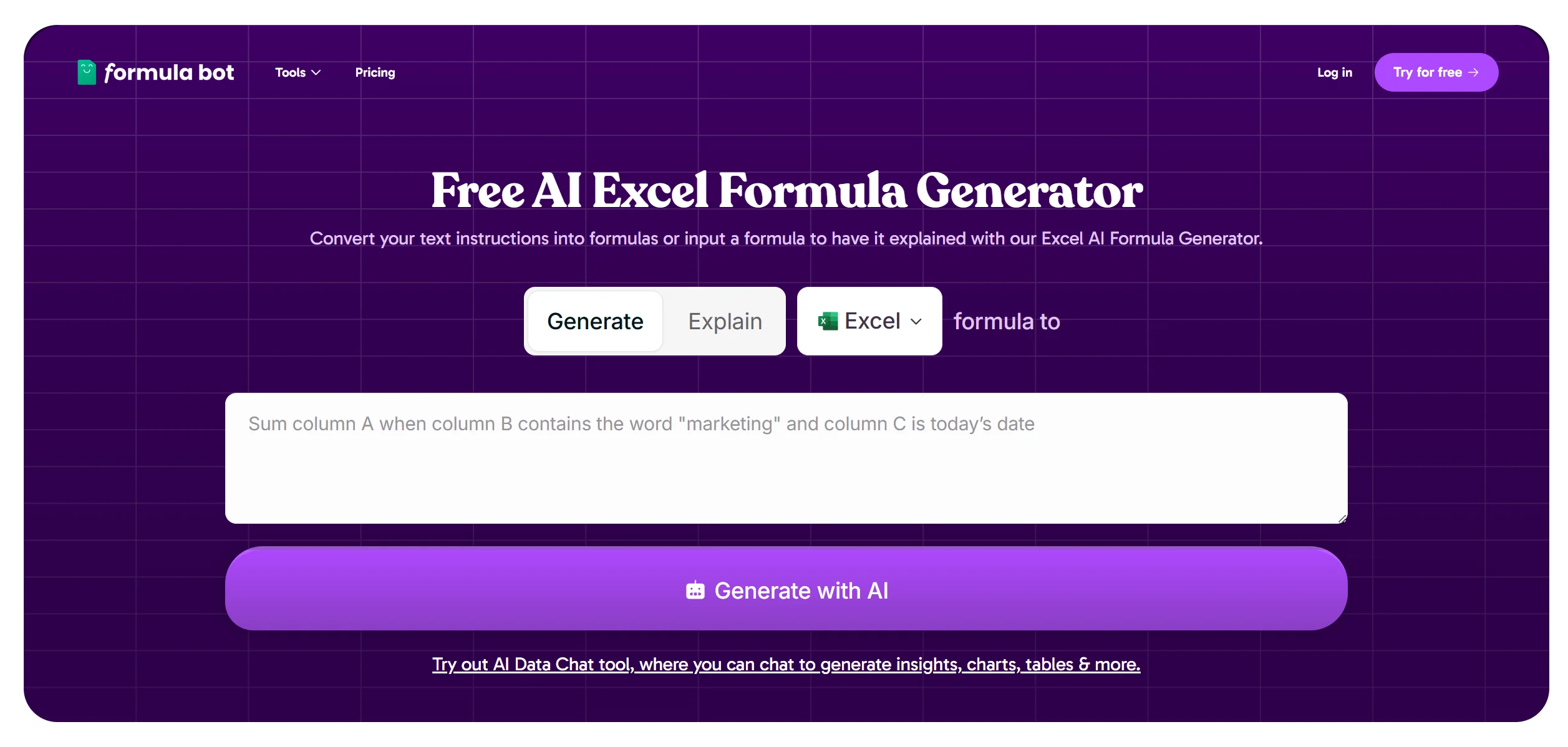
Generate Excel formulas from natural language effortlessly.
Watch Excel Formula Bot in Action
Key Takeaways
- What it is
- Generate Excel formulas from natural language effortlessly.
- Pricing
- Freemium
- Best for
- AI-Driven Formula Generation
- Natural Language Processing
- Wide Formula Support
- Rating
- 4.7/5
What is Excel Formula Bot?
Excel Formula Bot is a powerful AI-driven tool designed to transform the way professionals interact with spreadsheets. By leveraging cutting-edge AI technology, it simplifies the complex task of generating Excel formulas, making it accessible to users of all skill levels. Whether you're a seasoned data analyst or a small business owner looking to streamline operations, Excel Formula Bot is crafted to enhance productivity and efficiency in data management tasks.
Please note that pricing information may not be up to date. For the most accurate and current pricing details, refer to the official Excel Formula Bot website.
Excel Formula Bot stands out with its ability to translate natural language into complex Excel formulas, a feature that democratizes data manipulation for users without technical expertise. This innovative approach to formula generation sets it apart as a game-changer in the realm of spreadsheet management.
Excel Formula Bot is a transformative tool that redefines how users engage with Excel spreadsheets. By offering an intuitive, AI-powered solution to formula generation, it not only saves time but also enhances accuracy and accessibility for a wide range of users. Whether you're tackling complex data analysis or managing simple business tasks, Excel Formula Bot provides a reliable and innovative approach to streamline your workflow.
Who is Using Excel Formula Bot?
Data Analysts
Utilizing the tool for efficient data manipulation and analysis.
Small Business Owners
Employing it to streamline financial and operational spreadsheets without extensive Excel knowledge.
Educators
Leveraging the tool to teach students about data management and Excel functionalities.
Freelancers
Using the tool to handle client data projects swiftly and accurately.
Uncommon Use Cases
Adopted by hobbyists for tracking and managing personal projects; Used by non-profits to manage donor and fundraising data efficiently.
Key Features
Rating Breakdown
Pricing Plans
Free Tier
Free
- Experience Excel Formula Bot with no cost or sign-up requirements
Which Excel Formula Bot plan should you pick?
Start with Free for occasional evaluation, upgrade to Starter for regular individual use, choose Max for shared team workspaces, and use Enterprise for heavy workloads or white-label embedding.
Free
Good for evaluating Formula Bot with light analysis and limited monthly messages and AI Actions.
Starter
Good for regular individual use requiring more usage, Knowledge Bases, scheduled tasks, PDF conversion, and spreadsheet add-ons.
Max
Good for teams needing unlimited messages, shared workspaces, shared connectors, role-based access, and centralized billing.
Enterprise
Good for organizations needing larger files, more AI Actions, maximum computing power, dedicated support, and unlimited white-label embeds.
Excel Formula Bot Use Cases
Analyze spreadsheet performance
Upload Excel or CSV data and ask questions about sales, customers, trends, or metrics in natural language.
Outcome: Receive answers, insights, charts, and exports.
Create business dashboards
Describe the dashboard needed and generate interactive visualizations from connected or uploaded data.
Outcome: Produce customizable dashboards for reporting and monitoring.
Convert PDFs to Excel
Extract tables, fields, and OCR text from bank statements, invoices, contracts, and scanned PDFs.
Outcome: Download clean, organized Excel spreadsheets.
Generate spreadsheet formulas
Describe an Excel or Google Sheets calculation in plain English or paste an existing formula for explanation.
Outcome: Get a usable formula or step-by-step explanation.
Automate recurring analysis
Define reusable analysis steps and schedule them to run daily, weekly, or monthly.
Outcome: Receive refreshed analysis and reports automatically.
Workflow Ideas with Excel Formula Bot
Turn a spreadsheet into a recurring report
- 1Upload an Excel or CSV file in My Data
- 2Ask Formula Bot to analyze trends and create charts
- 3Create a scheduled task to rerun the analysis
Convert an invoice PDF into structured data
- 1Open PDF to Excel and upload the invoice PDF
- 2Choose Table Extract or AI Extract
- 3Download the resulting Excel file
Build a team analysis workspace
- 1Create a Max or Enterprise team workspace
- 2Invite members and assign Owner, Admin, or Member roles
- 3Share files, chats, connectors, tasks, and reports
How Excel Formula Bot fits into your stack
Browser
Formula Bot operates as a browser-based AI analytics workspace for spreadsheet analysis, charts, reports, and natural-language questions.
Knowledge and files
Users upload Excel, CSV, PDF, DOCX, PPTX, TXT, and media files, or connect cloud drives and data sources for analysis.
Docs and writing
The tool generates Excel and Google Sheets formulas, explains formulas, converts PDFs to Excel, and produces analysis exports.
Automation and APIs
Scheduled Tasks automate recurring analyses, refreshes, reports, and summaries on daily, weekly, or monthly schedules.
Pros
- +Time Efficiency: Dramatically reduces the time spent on creating complex Excel formulas.
- +User-Friendly: Intuitive interface that requires no prior Excel expertise, making it accessible to all users.
- +Cost-Effective: Offers a free AI-driven solution without the need for a subscription or sign-up.
- +Enhanced Accuracy: Minimizes human error in formula creation, leading to more reliable data analysis.
Cons
- −Limited Customization: While efficient, the tool may not support highly specialized or customized formulas.
- −Dependent on Internet Connection: Requires an active internet connection to function, which may limit use in offline scenarios.
Limitations & when to consider alternatives
Known limitations
- Plan-based file-size limits. Maximum file size is 5 MB on Free, 200 MB on Starter, 500 MB on Max, and 1 GB on Enterprise.
- Free usage limits. The Free plan is limited to 10 messages, 25 AI Actions, one file per chat, and five total uploads.
- Macro content is not executed. For .xlsm files, macros are ignored while the spreadsheet data is preserved.
- Offline use is unavailable. Formula Bot requires an internet connection to process data and generate AI responses.
- PDF extraction can be incomplete. Complex PDFs, unusual formatting, scanned documents, and poor source quality can require cleanup or revised extraction settings.
Look elsewhere when
- You need offline processing
- You need native mobile or desktop applications
- You need custom model training on your data
How to Use Excel Formula Bot
- 1
Create an account
Visit the Formula Bot signup page, create a password, and verify your email; no credit card is required to start.
- 2
Add your data
Upload an Excel, CSV, PDF, or other supported file, or connect a database, analytics platform, cloud file service, or Google Sheet.
- 3
Start an AI chat
Ask questions in natural language to analyze the data, identify trends, or request calculations and explanations.
- 4
Generate charts or formulas
Request visualizations directly in chat or use Formula Generator to create or explain Excel and Google Sheets formulas.
- 5
Export results
Export tables as Excel, CSV, or PDF and download charts as PNG, SVG, or PDF.
- 6
Automate recurring work
Create a reusable task, define the analysis steps, and schedule it for daily, weekly, or monthly execution.
Who is Excel Formula Bot For?
Marketing teams
Analyze campaign performance and turn marketing data into insights, charts, and reports.
Sales teams
Track pipeline and revenue using natural-language analysis of sales data.
Finance teams
Process reports and reconcile financial data without writing SQL or Python.
Operations teams
Monitor KPIs and metrics through dashboards, analysis, and scheduled reporting.
Anyone who works with data
Analyze data without needing SQL, Python, or another programming language.
Frequently Asked Questions
What is Formula Bot?
Formula Bot is an AI-powered data analytics platform for analyzing spreadsheets, databases, and documents with natural language.
What file formats are supported?
Supported formats include Excel, CSV, Google Sheets, PDF, DOCX, PPTX, TXT, MP3, WAV, MP4, MOV, and WebM.
Is there a free plan?
Yes. The Free plan includes 10 messages and 25 AI Actions per month.
What data sources can I connect?
Formula Bot supports connectors including Google Analytics, Google Search Console, Google Ads, Power BI, Airtable, Tableau, Google Sheets, cloud storage, databases, and warehouses.
Can I export my analysis?
Data tables can be exported as Excel, CSV, or PDF; charts can be downloaded as PNG, SVG, or PDF.
Can I use Formula Bot offline?
No. Formula Bot requires an internet connection to process data and generate AI responses.
Community reviews
Be the first to share your experience.
Sign in to leave a review for Excel Formula Bot.
Excel Formula Bot Alternatives
Looking for alternatives to Excel Formula Bot? Here are similar tools in the same category:
Learn to Master Excel Formula Bot
With Skill Leap courses
Get in-depth training on Excel Formula Bot and 50+ other AI tools with our expert-led video courses.
Start 7-Day Free Trial