
Facefame
Turn one selfie into standout avatars, videos.
Key Takeaways
- What it is
- Turn one selfie into standout avatars, videos.
- Best for
- Single-Selfie Avatar Engine
- Multi-style Visual Library
- Couple And Scenario Templates
- Rating
- 4.2/5
What is Facefame?
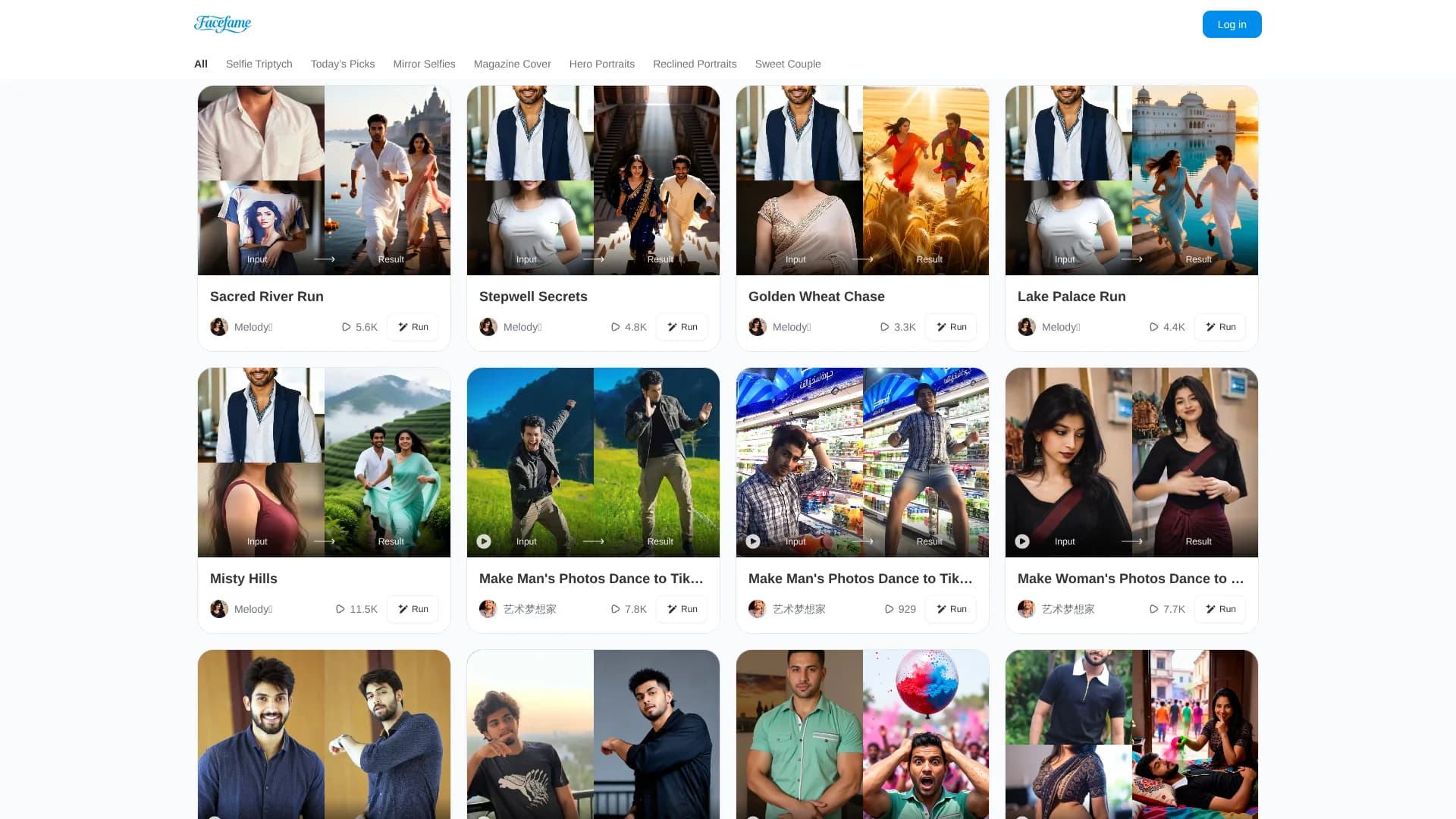
Facefame is an AI photo generator for web and Android that turns ordinary selfies into stylized portraits, avatars and short profile videos. Built around predesigned templates and an avatar engine, it produces anime, cartoon, 3D and magazine-cover looks from simple uploads. It is aimed at social media users, casual photographers and anyone who wants better profile photos or playful couple shots without learning traditional photo editing.
Facefame stands out by combining a single-selfie avatar engine with a curated library of selfie-centric scenes that mirror current social trends rather than studio portrait norms. Where many avatar tools stop at static profile pictures, Facefame also offers short profile videos and playful couple layouts built from the same inputs. The emphasis on everyday formats such as mirror shots, triptychs and magazine covers turns it into more of a creative toy box for online personas than a conventional editor.
Facefame suits social-first users who care more about variety and vibe than pixel-perfect compositing. Its strengths lie in how quickly it produces believable variants of a face across anime, 3D and photographic styles, plus fun couple and scenario templates. Professionals who need strict control, detailed export specs or very explicit data-governance documentation may still look elsewhere. For creators who mostly want better selfies and avatars on a small budget, Facefame offers an accessible and genuinely fun way to stand out visually.
Who is Using Facefame?
Social Media Creators
Influencers and streamers using stylized avatars and magazine-style selfies to refresh feeds and profile images.
Casual Smartphone Photographers
Everyday users turning simple camera-roll selfies into more polished portraits and triptych layouts.
Professionals And Job Seekers
People needing quick, presentable profile photos for LinkedIn or portfolio sites without hiring a photographer.
Couples And Friends
Pairs generating romantic, holiday or party-themed compositions from individual photos when joint shoots are not possible.
Uncommon Use Cases
Used by dating app users to test different looks for profile photos; adopted by event organizers as a lightweight browser-based “AI photo booth” at pop-up activations.
Key Features
Rating Breakdown
Pricing Plans
Specific pricing amounts and plan details were not provided.
Facefame Use Cases
Create celebrity-style photos
Upload a photo and apply a celebrity-themed AI filter.
Outcome: A generated celebrity-style image or video.
Create group photos
Use a template to place people into a celebrity-style group scene.
Outcome: A shareable group image.
Generate social-media content
Create AI photos and short videos using filters and visual effects.
Outcome: Content ready to download and share.
Create professional portraits
Generate professional-looking portraits from an uploaded photo.
Outcome: A portrait suitable for personal branding or professional profiles.
Create ID photos
Generate passport, visa, driver’s-license, job-application, or student-ID photos.
Outcome: A standardized ID-photo image with selectable backgrounds.
Workflow Ideas with Facefame
Create a celebrity-style image
- 1Download or open Facefame
- 2Upload a source photo
- 3Select a celebrity-style filter and generate the result
Make a social profile asset
- 1Upload a portrait
- 2Choose an avatar or professional portrait style
- 3Generate and share the finished image
Create an ID photo
- 1Upload a clear photo
- 2Choose the required ID-photo scenario and background
- 3Generate and download the result
How Facefame fits into your stack
Browser
The Facefame web experience provides an AI Effects catalog where users can upload photos, choose effects, and generate results.
Mobile
The primary workflow is a mobile app: upload a photo, select a filter or style, generate an image or video, and share it.
Social media publishing
Generated photos and videos can be downloaded or shared directly to social platforms for profiles and creative posts.
Pros
- +Fast results: Produces many visual variations from a single selfie in seconds, which cuts down manual editing time.
- +Playful creativity: Themed templates and couple scenes encourage experimentation that would be expensive or impractical to stage in real life.
- +Social-ready output: Styles are tuned for Instagram, TikTok, Discord and professional networks, so results usually need little extra polishing.
- +Low entry barrier: Simple upload-and-tap workflows make it approachable for people with no photo-editing background.
Cons
- −Limited fine control: Power users who want masks, layers or precision retouching will find only basic adjustment options.
- −Privacy transparency could improve: A privacy policy exists, but details on data retention and model training use are not heavily emphasized.
- −Few direct integrations: Export focuses on image and video files rather than deep links into design suites or scheduling tools.
Limitations & when to consider alternatives
Known limitations
- Generation can fail. Unstable networks, sensitive content, and temporary server fluctuations may prevent generation.
- Device bans may be permanent. Logging out twice or more from one device can cause a device ban that cannot be lifted.
- Deleted filters cannot be recovered. The FAQ states that deleted filters cannot be recovered.
- Generation uses points. Insufficient points can prevent use after payment; VIP users receive points on subscription and subsequently every 24 hours.
- Subscription cancellation is handled through Google Play. The documented cancellation process requires managing the Facefame subscription in Google Play.
How to Use Facefame
- 1
Open Facefame
Use the Facefame website or mobile app to access AI effects and generation features.
- 2
Upload a photo
Choose a clear source image for the selected avatar, portrait, ID-photo, or video effect.
- 3
Select a style
Pick the filter or template that matches the desired visual result.
- 4
Generate
Run the effect to create the AI image or video.
- 5
Download or share
Save the generated result or share it to social platforms.
Who is Facefame For?
Social media users
Facefame creates avatars, profile photos, and animated videos for Instagram, TikTok, Discord, and other social platforms.
Professionals and job seekers
It generates LinkedIn profile photos, resume photos, business portraits, and other professional headshots.
Personal branding creators
Users can create personal portraits, showcase videos, and branded visual content from uploaded photos.
Travelers and applicants needing ID photos
The app supports passport, visa, driver’s-license, job-application, and student-ID photo scenarios.
Creative photo and video makers
Users can apply anime, cartoon, 3D, celebrity-style, and animated filters without manual editing skills.
Frequently Asked Questions
How do I delete pictures or videos?
Uploaded images can be deleted within filters, and generated images or videos can be deleted in Profile → Generations.
Why did the generation fail?
Failures may result from an unstable network, sensitive content, or temporary server fluctuations. Failed-generation points are automatically refunded.
Why was my account banned?
Logging out of one device two or more times may trigger a device ban that cannot be lifted.
How do I cancel my subscription?
Open Google Play Store, go to Subscriptions, select Facefame APP, and choose Cancel subscription.
Why was my payment successful but the order was not delivered?
Possible causes include network latency, insufficient points, or needing to restart or re-authenticate in the app.
Community reviews
Be the first to share your experience.
Sign in to leave a review for Facefame.
Facefame Alternatives
Looking for alternatives to Facefame? Here are similar tools in the same category:
Learn to Master Facefame
With Skill Leap courses
Get in-depth training on Facefame and 50+ other AI tools with our expert-led video courses.
Start 7-Day Free Trial