FaceMod
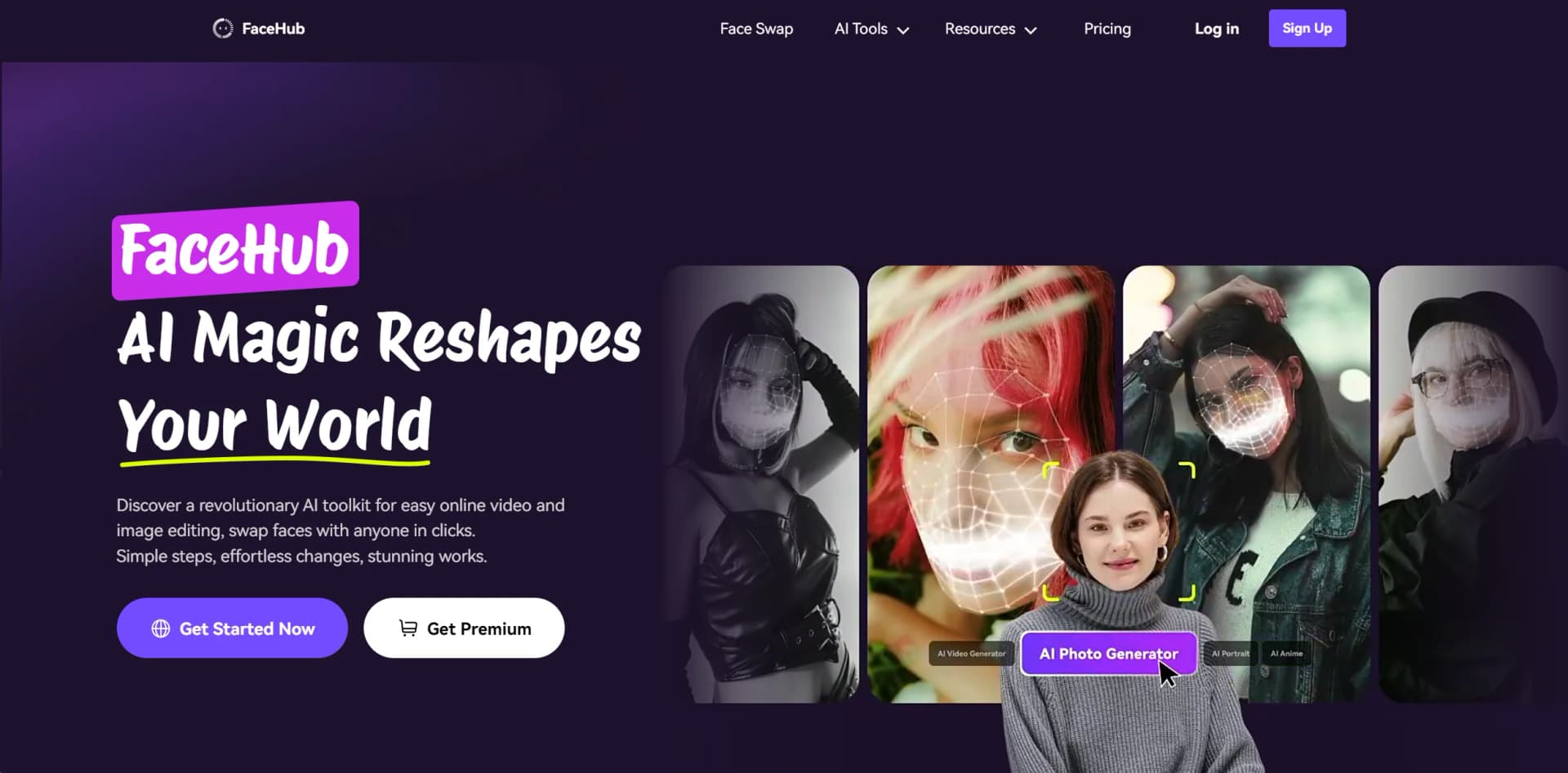
Revolutionize digital creativity with AI-driven face swaps, anime, and portraits.
Key Takeaways
- What it is
- Revolutionize digital creativity with AI-driven face swaps, anime, and portraits.
- Pricing
- Freemium · $9.99 per month
- Best for
- AI Generation
- Video Face-Swapping
- 1000+ Templates
- Rating
- 4.7/5
What is FaceMod?
Welcome to the world of FaceMod, where the magic of AI meets online video and image editing. FaceMod is a revolutionary AI toolkit designed to make online content creation effortless and stunning. With FaceMod, you can swap faces with anyone in just a few clicks, transforming your ideas into captivating works of art.
FaceMod stands out with its advanced AI technology, offering effortless content creation and stunning visual effects. With a wide range of templates and powerful editing tools, FaceMod empowers users to unleash their creativity and bring their ideas to life like never before.
FaceMod is a game-changer in the world of online content creation, offering unparalleled convenience, versatility, and quality. With its advanced AI technology, vast template library, and user-friendly interface, FaceMod empowers users to unleash their creativity and produce stunning works of art effortlessly. Whether you're a content creator, social media influencer, small business owner, or educator, FaceMod provides the tools you need to bring your ideas to life and captivate your audience.
Who is Using FaceMod?
Content Creators
Utilizing FaceMod to enhance their online videos and images with stunning face-swapping effects.
Social Media Influencers
Leveraging FaceMod to create engaging content for their followers, boosting their online presence.
Small Businesses
Using FaceMod for marketing purposes, creating eye-catching visuals for advertisements and promotions.
Students and Educators
Incorporating FaceMod into educational projects and presentations to add a creative touch.
Key Features
Rating Breakdown
Pricing Plans
Free Tier
Free
- Experience FaceMod's basic features with a free trial
Pro Tier
$9.99 per month
Which FaceMod plan should you pick?
Start with the free features for template-based experiments, then choose the Monthly Plan for short-term use or the Annual Plan for ongoing access to premium uploads and templates.
Monthly Plan
Good for users who need premium uploads, pro templates, and unlimited swaps for a month.
Annual Plan
Good for frequent users who want ongoing premium access at the lower annual rate.
FaceMod Use Cases
Photo face swapping
Upload a photo, select or add a face, and generate a face-swapped image.
Outcome: A downloadable transformed image.
Video face swapping
Upload a video, select a face, choose the swap duration, and process the video.
Outcome: A downloadable face-swapped video.
Template-based video creation
Choose a video template, add a face from the samples or My Face area, and apply the swap.
Outcome: A themed face-swapped video.
Anime transformation
Apply AI Anime templates to turn a personal photo into a cartoon or character-inspired image.
Outcome: An anime-style image.
Portrait creation
Select a portrait template and add a personal face to create magazine, yearbook, vintage, or other styled portraits.
Outcome: A themed AI portrait.
Workflow Ideas with FaceMod
Create a face-swapped photo
- 1Open the AI Image Generator
- 2Upload a source photo
- 3Choose or upload a face and click Swap
- 4Download the generated image
Create a face-swapped video
- 1Open the AI Video Generator
- 2Upload a video and select its swap duration
- 3Choose a sample face or upload one from My Face
- 4Process and download the video
Create a themed portrait
- 1Open the AI Portrait tool
- 2Select a portrait template
- 3Choose a sample face or upload a personal face
- 4Generate and download the portrait
How FaceMod fits into your stack
Online Editing
Access FaceMod's full suite of tools directly from your web browser, making editing convenient and accessible.
Mobile-Friendly
Use FaceMod on your smartphone or tablet for on-the-go editing, ensuring that you never miss a creative moment.
AI-Powered Features
Benefit from FaceMod's AI technology, which continually improves to provide the best editing experience possible.
Social Media Integration
Seamlessly share your creations on social media platforms like Instagram, Facebook, and Twitter, directly from the FaceMod interface.
Pros
- +Effortless Content Creation: With FaceMod's intuitive interface and AI-powered features, content creation becomes a breeze.
- +Wide Range of Templates: Access over 1000 templates, ensuring that you always find the perfect fit for your project.
- +Versatile Editing Tools: From face-swapping to AI generation, FaceMod provides a comprehensive suite of tools for all your editing needs.
- +Accessible Anywhere: Create content anytime, anywhere, with FaceMod's online editor and mobile-friendly platform.
Cons
- −Learning Curve: While FaceMod offers powerful features, new users may need some time to familiarize themselves with all its functionalities.
- −Limited Customization: Some users may find that FaceMod's templates and presets offer limited customization options compared to more advanced editing software.
Limitations & when to consider alternatives
Known limitations
- Free access is limited. Free users receive only partial access to AI Anime and AI Portrait features; premium access unlocks private media uploads, all video templates, and complete AI Anime and AI Portrait functionality.
- Image uploads are limited to 20MB. The AI Image Generator and AI Anime tools support images up to 20MB in PNG, JPG, or JPEG format.
- Video uploads are limited to 500MB and five minutes. Uploaded videos must not exceed 500MB and may run for no more than five minutes.
- Video face swapping supports up to six faces. The documented video workflow supports swapping up to six faces in a single video.
- The service is web-based. FaceMod is documented as an online browser-accessed tool rather than a native desktop or mobile application.
Look elsewhere when
- You need a native mobile app.
- You need an API for programmatic processing.
- You need team workspaces or multi-user collaboration.
How to Use FaceMod
- 1
Explore FaceMod's comprehensive tutorial series on YouTube, covering everything from basic editing techniques to advanced AI-powered features. Whether you're a beginner or an experienced editor, these tutorials will help you make the most of FaceMod's capabilities.
Who is FaceMod For?
Creative enthusiasts
FaceMod fits users who want to transform personal photos and videos with face swaps, anime styles, portraits, and themed templates.
Game developers
The site specifically describes face-replacement technology for quickly creating or modifying game characters.
Social media creators
FaceHub provides video templates and face-swapped content intended for social platforms and trend-based content.
Frequently Asked Questions
What is FaceMod?
FaceMod, presented through FaceHub, is an online AI platform for swapping faces in photos and videos and creating anime or portrait content.
Can I use FaceMod for free?
Yes. Free users receive partial access to AI Anime and AI Portrait features, and the site documents free templates and downloads.
What file formats does FaceMod support?
Image face swapping supports PNG, JPG, and JPEG. Video face swapping supports MP4, MOV, MKV, and WEBM.
What are the upload limits?
Images can be up to 20MB. Videos can be up to 500MB, with a maximum duration of five minutes.
How many faces can be swapped in one video?
FaceHub supports swapping up to six faces within a video file.
Can I delete my uploaded or generated content?
Yes. Users can manage creations, uploaded materials, and saved faces from the My Work area.
Community reviews
Be the first to share your experience.
Sign in to leave a review for FaceMod.
FaceMod Alternatives
Looking for alternatives to FaceMod? Here are similar tools in the same category: