FaceSwap
Swap several faces at once in group videos for playful social edits.
Key Takeaways
- What it is
- Swap several faces at once in group videos for playful social edits.
- Pricing
- Freemium
- Best for
- Multiple-face video replacement
- Face selection
- Video file support
- Rating
- 3.3/5
What is FaceSwap?
Beauty AI’s Multiple Video Face Swap replaces several faces in one video through a web page, making it useful for group clips, social posts, and playful edits. Its AI detects faces in the footage, then lets you choose which faces to replace and download the processed result. You do not need to install video-editing software.
The tool handles multiple people in the same clip, rather than requiring a separate face-swap pass for each person.
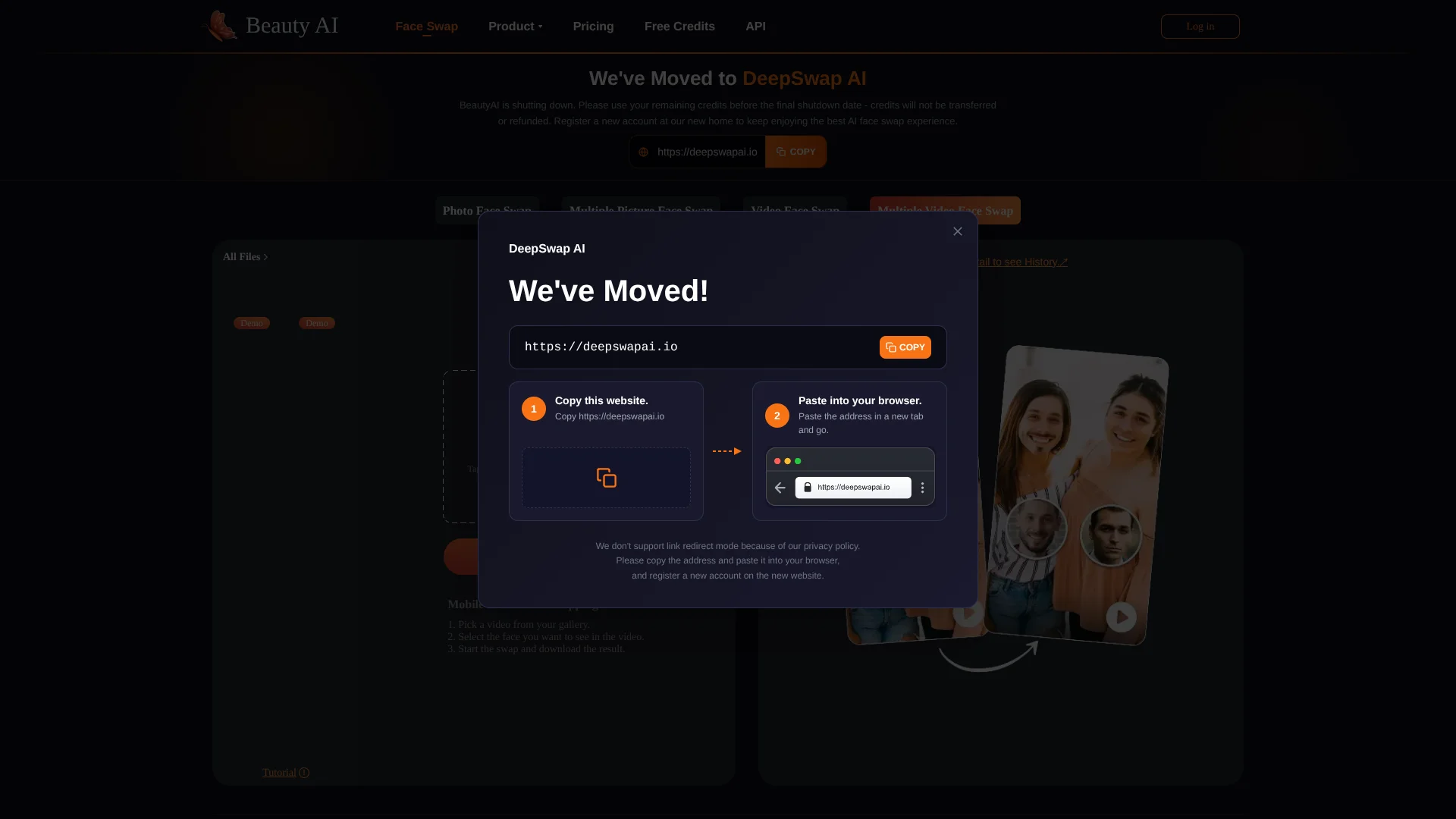
It is best suited to creators who want a quick group-video edit, not live face replacement or detailed video production. The upload limit is 500 MB and 10 minutes, and Beauty AI’s main site says the service is shutting down and has moved, so check that the tool still works before relying on it.
Who is Using FaceSwap?
Social media creator
A creator can turn a group clip into a face-swap edit for a post or short video.
Video editor
An editor can make a fast face-replacement draft before polishing the footage elsewhere.
Meme maker
A meme maker can change selected faces in a group scene for a shareable joke.
Content marketer
A marketer can test a lighthearted group-video concept for an audience campaign.
Uncommon Use Cases
A hobby filmmaker can mock up alternate casting for a scene; a social media manager can prototype a group greeting clip.
Key Features
Rating Breakdown
Pricing Plans
Free Tier
Free
- Limited features available at no cost
Premium Tier
- Extended features for a comprehensive experience. Visit the official website for current pricing
Which FaceSwap plan should you pick?
Start with Free for personal use and evaluation; upgrade to Pay as you go One-Time Payment to remove watermarks permanently.
Free
Good for personal users who need free previews, 10 starting credits, and credit-based face swapping.
Pay as you go One-Time Payment
Good for users who want to remove the watermark permanently without choosing a recurring plan.
FaceSwap Use Cases
Group-video face swaps
Several people in a clip can be given selected replacement faces in one editing pass.
Outcome: A downloadable video with multiple replaced faces.
Social clips and memes
A familiar group scene can become a playful face-swap edit for sharing.
Outcome: A processed video ready to share or edit further.
Video concept previews
A quick AI face replacement can help creators preview a humorous or alternate-cast idea.
Outcome: A draft video showing the face-swap concept.
Workflow Ideas with FaceSwap
Make a group-video edit
- 1Choose a video under 500 MB and 10 minutes in MP4, MOV, or M4V format.
- 2Upload the video and select the faces the AI detects.
- 3Choose replacement faces, process the clip, and download the result.
Prepare a social clip
- 1Pick a clear group scene for the edit.
- 2Replace the intended faces and review the processed video.
- 3Download the result and finish any additional edits in your usual video editor.
How FaceSwap fits into your stack
Browser video tool
The face-swap workflow runs on the Beauty AI website, so it can fit before or after editing in a separate video editor.
Video files
The uploader accepts MP4, MOV, and M4V videos, with a stated 500 MB and 10-minute limit.
Developer API
Beauty AI documents a video face-swap API for adding this type of editing to an application. Its API page describes tiered credit pricing but does not publish a specific price.
Pros
- +Group-scene editing: Replace multiple selected faces within one video.
- +Browser-based workflow: Start a swap without installing video-editing software.
- +Common video formats: The uploader names MP4, MOV, and M4V support.
Cons
- −Narrow editing scope: The page focuses on face replacement rather than broader video editing.
- −Service uncertainty: Beauty AI’s main site says it is shutting down and has moved to another service.
Limitations & when to consider alternatives
Known limitations
- Upload limits. The video uploader caps files at 500 MB and 10 minutes.
- Supported video formats. The page lists MP4, MOV, and M4V as compatible formats.
- Service status. Beauty AI’s main site says it is shutting down and has moved to DeepSwap AI, so access to this individual tool may not continue.
- No live face swapping. Beauty AI describes its face-swap work as post-processing rather than real-time video editing.
Look elsewhere when
- You need live face swapping during a video call or recording.
- Your video exceeds 500 MB or 10 minutes.
- Your workflow needs a video format other than MP4, MOV, or M4V.
- You need a face-swap service with confirmed ongoing availability.
How to Use FaceSwap
- 1
Check the clip
Choose an MP4, MOV, or M4V video that is no longer than 10 minutes or larger than 500 MB.
- 2
Upload the video
Open Multiple Video Face Swap in a browser and select the clip to begin.
- 3
Choose faces
Review the detected faces and select the people you want to replace.
- 4
Select replacements
Choose a face from the library or upload a face image for the target.
- 5
Process and download
Start the AI swap, then download the edited video when processing finishes.
Who is FaceSwap For?
Social media creators
Group-video face swaps can provide a quick source for playful posts and short clips.
Video editors
A browser-based face replacement can add a quick AI edit before a clip moves into a fuller editing workflow.
Meme and fan-content makers
The multiple-face workflow is suited to humorous edits involving several people in one scene.
Frequently Asked Questions
Which video formats does Multiple Video Face Swap accept?
The uploader lists MP4, MOV, and M4V.
How long or large can a video be?
The page states a limit of 500 MB and 10 minutes.
Can it replace more than one face in a video?
Yes. The tool is designed to detect faces in a video and let you select faces to replace.
Is there a developer API?
Beauty AI documents a video face-swap API. Its API page describes tiered credit pricing but does not list a price.
Is the service still available?
Beauty AI’s main site says the service is shutting down and has moved to DeepSwap AI, so check the tool page before planning to use it.
Community reviews
Be the first to share your experience.
Sign in to leave a review for FaceSwap.
FaceSwap Alternatives
Looking for alternatives to FaceSwap? Here are similar tools in the same category: