
Feedeo
Create engaging interactive videos with AI avatars effortlessly.
Key Takeaways
- What it is
- Create engaging interactive videos with AI avatars effortlessly.
- Pricing
- Freemium · $19.9 per month · $199 per month
- Best for
- AI Avatar Selection
- Interactive Components
- Step-by-Step Video Creation
- Rating
- 4.3/5
What is Feedeo?
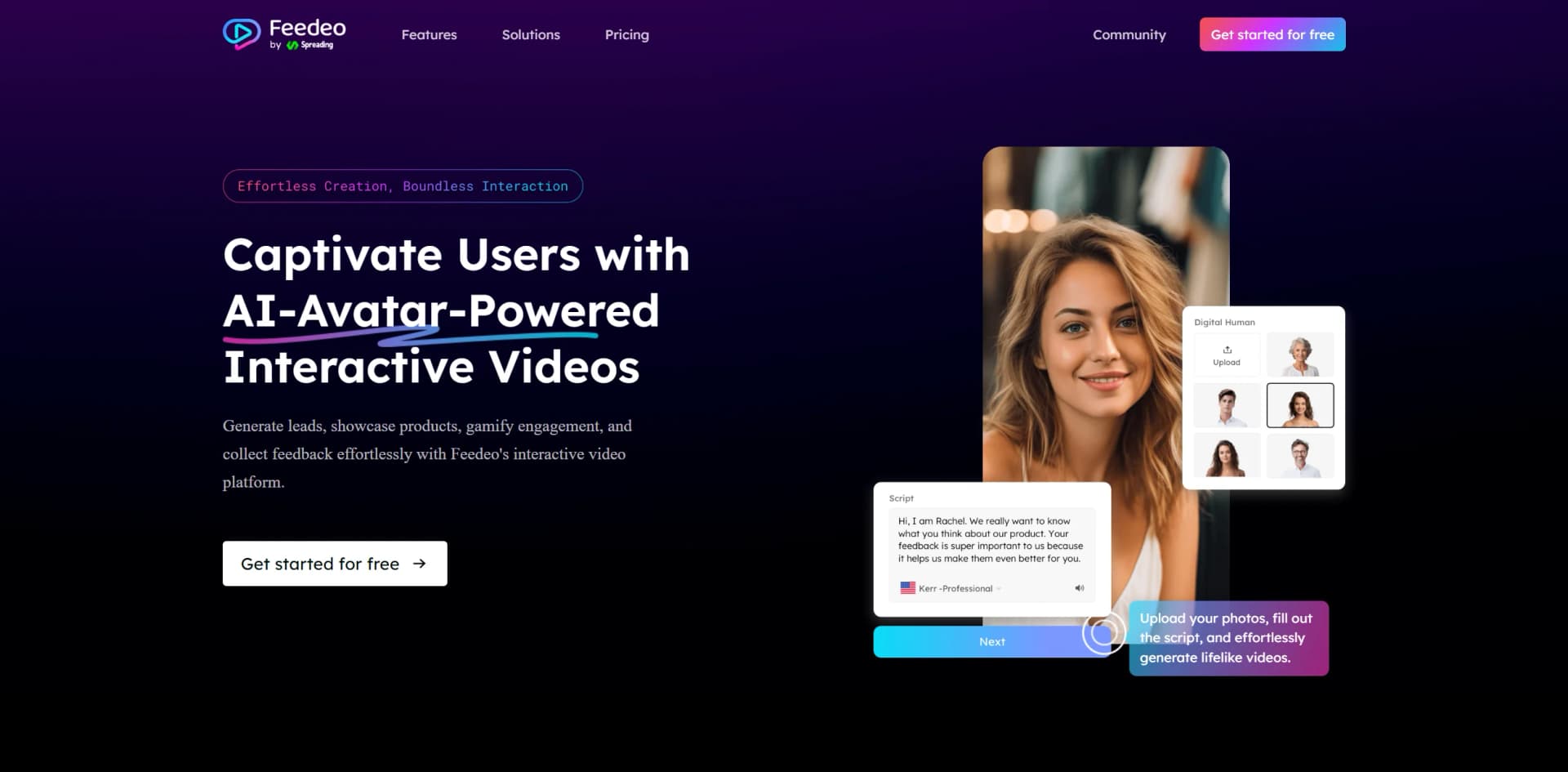
Feedeo, is an AI-powered interactive video generator designed to revolutionize user engagement and feedback collection. By leveraging AI avatars and interactive video components, Feedeo offers a dynamic platform for creating personalized, branded videos that captivate users, generate leads, and enhance communication across various sectors. It's particularly beneficial for businesses and professionals aiming to streamline processes such as marketing, sales, recruitment, and e-commerce by providing a more engaging and visually appealing method of interaction.
Feedeo stands out with its AI avatar-powered videos, transforming how brands communicate with their audience. Its ability to embed interactive elements into videos not only captivates viewers but also drives meaningful interactions, making Feedeo a game-changer in digital engagement strategies.
Feedeo offers an innovative approach to video content creation, merging AI technology with interactive features to deliver highly engaging and personalized user experiences. Its versatility across different sectors and the potential for enhancing engagement make it a valuable tool for businesses looking to modernize their communication strategies. Whether you're in marketing, sales, recruitment, or education, Feedeo provides a powerful platform for creating impactful, interactive videos that resonate with your audience.
Who is Using Feedeo?
Marketing Professionals
Utilizing interactive videos to enhance campaign engagement and conversion rates.
Sales Teams
Employing the tool for direct, personalized outreach and lead generation.
Recruitment Agencies
Using video interviews and onboarding processes to streamline candidate evaluation.
Educational Institutions
Implementing interactive lessons and feedback mechanisms to boost student engagement.
Uncommon Use Cases
Adopted by real estate agents for virtual property tours; Used by event planners for interactive event promotions.
Key Features
Rating Breakdown
Pricing Plans
Free Tier
Free
- Includes 50 responses per month and 3 video steps per project
Starter Tier
$19.9 per month
- Includes 500 responses per month and 10 video steps per project
Pro Tier
$199 per month
- Provides 5,000 responses per month and unlimited video steps
Which Feedeo plan should you pick?
Start with Free for low-volume testing, upgrade to Starter for photo-customized avatars and website embedding, and choose Pro for higher response limits, unlimited steps, advanced branding, and real-person-video avatars.
Free
Good for testing interactive video creation with basic avatars, templates, sharing, and limited responses and publishes.
Starter
Good for users who need more responses, more video steps, photo-based avatar customization, advanced components, and iframe or bubble-widget embedding.
Pro
Good for higher-volume campaigns requiring 5,000 responses per month, unlimited steps, real-person-video avatar customization, logo removal, custom domains, and custom metadata.
Feedeo Use Cases
Lead generation
Create avatar-led videos with forms and calls to action that collect prospect information.
Outcome: Capture leads through an engaging video experience.
Customer feedback
Add surveys, questions, ratings, and other response components to videos.
Outcome: Collect structured feedback and viewer responses.
Recruitment and screening
Use interactive videos for candidate screening, interviews, onboarding, and satisfaction surveys.
Outcome: Make recruitment communications more interactive.
Product demonstrations
Present products with AI avatars and interactive questions or calls to action.
Outcome: Give viewers a more engaging product experience.
Interactive education
Create lessons that include quizzes, surveys, and personalized feedback.
Outcome: Add participation and feedback to online learning.
Workflow Ideas with Feedeo
Create an interactive marketing video
- 1Choose an AI avatar
- 2Write or add the video script
- 3Add a lead form or call to action
- 4Publish and share the video
Build a feedback survey
- 1Select an avatar and video template
- 2Add questions, ratings, or survey components
- 3Configure the interaction flow
- 4Publish the video and review responses
Create a recruitment experience
- 1Choose an avatar and prepare the recruitment script
- 2Add screening questions or forms
- 3Define the video interaction logic
- 4Publish the experience for candidates
How Feedeo fits into your stack
Browser
Feedeo operates as a web-based interactive-video builder. Users select avatars, write scripts, add interactive components, configure branching experiences, and publish or share the resulting video from the browser.
Pros
- +Enhanced Engagement: Interactive videos significantly boost user interaction and feedback rates, surpassing traditional text-based methods.
- +Time and Cost Efficiency: Reduces the time and cost associated with video production by utilizing AI-generated content.
- +Versatile Applications: Applicable across various domains such as marketing, recruitment, and education, offering wide-ranging utility.
- +Easy Integration: Videos can be easily shared and embedded across multiple platforms, enhancing reach and accessibility.
Cons
- −Learning Curve: Initial setup and familiarization with the platform might take some time for new users.
- −Limited Customization in Free Plan: Some advanced customization features are only available in paid plans.
Limitations & when to consider alternatives
Known limitations
- Free-plan response limit. The Free plan includes up to 50 responses per month.
- Free-plan publishing limit. The Free plan includes 3 lifetime publishes.
- Project step limits. Free projects are limited to 3 video steps and Starter projects to 10; unlimited steps require Pro.
- Advanced avatar customization is paid. Photo-based avatar customization requires Starter, while real-person-video avatar customization requires Pro.
- Branding and domain controls are paid. Removing the Feedeo logo, using a custom domain, and adding custom metadata are Pro features.
Look elsewhere when
- You need a native mobile app.
- You need a documented developer API.
- You need multi-user workspace collaboration.
- You need third-party integrations.
How to Use Feedeo
- 1
Choose an avatar
Select a preset AI avatar or use a paid-plan customization option to represent your brand or message.
- 2
Prepare the script
Write or add the narration and messaging for the interactive video.
- 3
Add interactive components
Insert forms, questions, surveys, ratings, or calls to action to collect viewer input.
- 4
Configure the flow
Set the order and logic of the video steps so viewers receive the intended interactive experience.
- 5
Publish the video
Publish within the plan's limits and share by link or, on eligible plans, embed it through iframe or a bubble widget.
- 6
Review responses
Use the product's response and engagement views to inspect viewer interactions and feedback.
Who is Feedeo For?
Marketing teams
Create interactive campaigns, collect leads, and increase audience engagement through avatar-led videos.
Sales teams
Use personalized interactive videos, contact forms, and calls to action for outreach and conversion.
Recruitment teams
Create candidate-screening, interview, onboarding, and satisfaction-survey experiences.
E-commerce businesses
Showcase products, answer customer questions, and collect feedback through interactive video.
Educators
Build interactive lessons, quizzes, surveys, and feedback experiences for learners.
Frequently Asked Questions
What is Feedeo?
Feedeo is an interactive video platform that combines AI avatars with interactive components for engagement, lead generation, feedback, and communication.
What can users create with Feedeo?
Users can create interactive videos featuring AI avatars, scripts, forms, surveys, quizzes, calls to action, and branching interactions.
How many video steps are included?
The Free plan allows 3 video steps per project, Starter allows 10, and Pro provides unlimited steps.
Can avatars be customized?
Starter supports avatar customization by uploading a photo, while Pro supports customization using video of a real person.
How can videos be shared?
Videos can be shared by link; paid plans also support website sharing through iframe and bubble-widget embedding.
What does Feedeo collect?
Interactive videos can collect viewer responses and feedback through components such as forms, questions, and surveys.
Community reviews
1 review from people who use Feedeo.
Sign in to leave a review for Feedeo.
Amon Unruh
Feedeo Alternatives
Looking for alternatives to Feedeo? Here are similar tools in the same category:
Learn to Master Feedeo
With Skill Leap courses
Get in-depth training on Feedeo and 50+ other AI tools with our expert-led video courses.
Start 7-Day Free Trial