
Fellow
Automates meeting notes, insights, and follow-ups seamlessly.
Watch Fellow in Action
Key Takeaways
- What it is
- Automates meeting notes, insights, and follow-ups seamlessly.
- Pricing
- Freemium · $7 per user per month (billed annually, $11 monthly) · $15 per user per month (billed annually, $23 monthly) · $25 per user per month · $19 per user per month (billed annually, $29 monthly)
- Best for
- AI-Driven Meeting Notes
- Comprehensive Meeting Insights
- Centralized Recordings and Summaries
- Rating
- 4.5/5
What is Fellow?
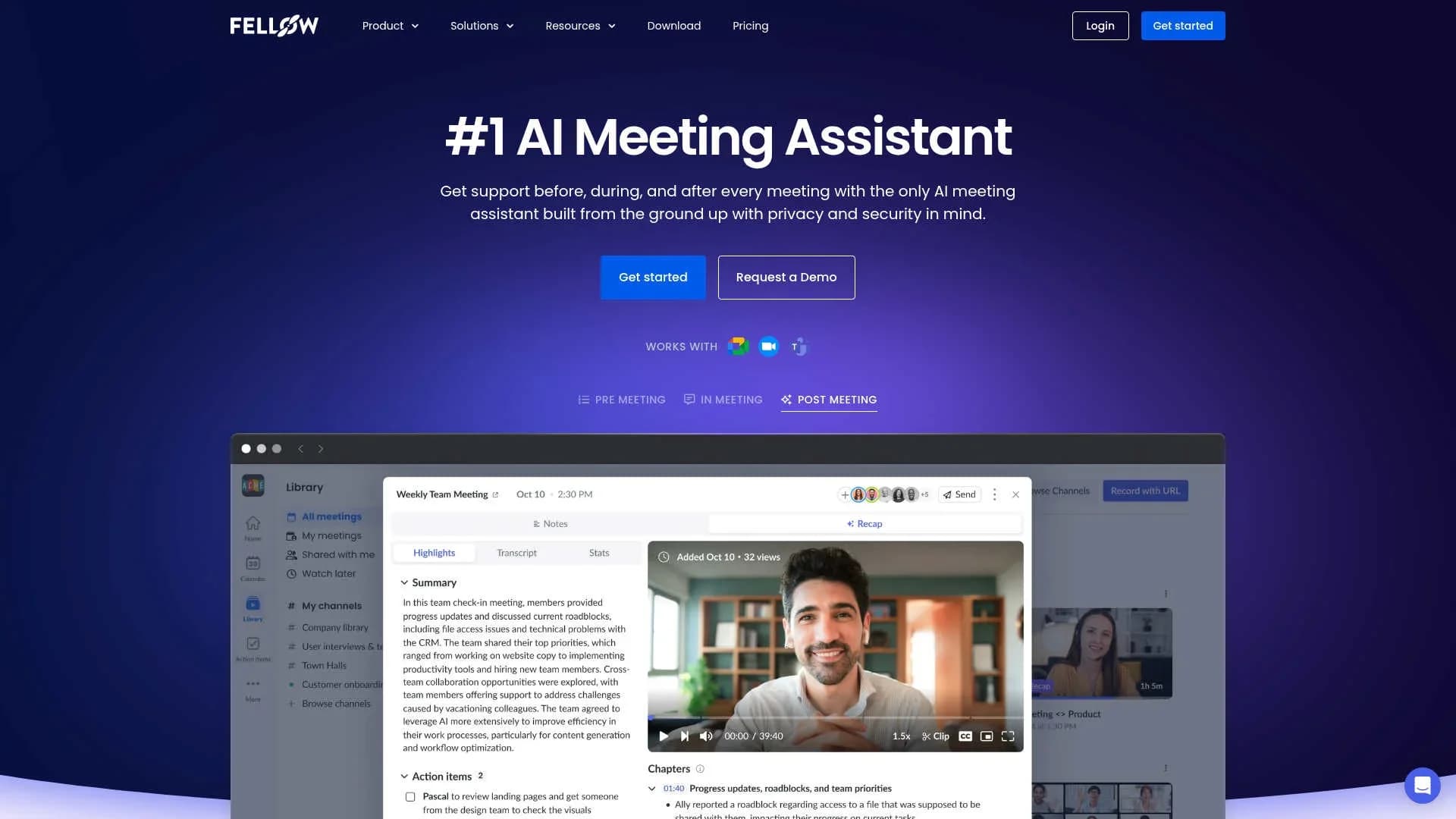
Fellow is an innovative AI meeting assistant designed to transform the way meetings are conducted by automating note-taking, transcription, and follow-up processes. It's a comprehensive tool that supports users before, during, and after meetings, ensuring enhanced productivity and efficiency. Tailored for professionals across various sectors, Fellow simplifies meeting management, allowing users to focus on the discussion while it handles the documentation and insights.
Fellow stands out with its focus on privacy and security, ensuring that all meeting data is protected and accessible only to authorized users. Its ability to integrate seamlessly with existing tools and provide actionable insights through AI-driven features sets it apart in the meeting management landscape.
Fellow is a game-changer for professionals seeking to optimize their meeting processes. With its AI-driven capabilities, it not only enhances productivity but also ensures secure and efficient meeting management. Whether you're in marketing, engineering, or leadership, Fellow provides the tools necessary to streamline your workflow and focus on what truly matters—effective communication and collaboration.
Who is Using Fellow?
Customer Success Teams
Utilize Fellow for actionable meeting notes, follow-ups, and workflows.
Marketing Teams
Benefit from the quick capture of AI meeting notes to maintain fast-paced operations.
Engineering Departments
Rely on accurate AI meeting notes to document technical discussions.
Leadership Teams
Leverage secure AI meeting notes for strategic planning and decision-making.
Uncommon Use Cases
Employed by educational institutions for administrative meetings; adopted by non-profit organizations for board meetings.
Key Features
Rating Breakdown
Pricing Plans
Free
Free
- Includes 5 AI meeting notes and recordings per user, meeting summaries, transcriptions, action items, and integrations with Google Meet, Zoom, MS Teams, and Slack
Team
$7 per user per month (billed annually, $11 monthly)
- Includes everything in Free, plus 10 AI meeting notes and recordings per user, meeting automations, and project management integrations
Business
$15 per user per month (billed annually, $23 monthly)
- Includes everything in Team, plus unlimited AI notes and recordings, org-wide meeting templates, sales AI recap templates, and CRM integration
Enterprise
$25 per user per month
- Includes everything in Business, plus advanced security, domain control, user provisioning, Salesforce + HubSpot AI sync, and transcript redaction
Free
Free
- Includes the same features as the Free business plan
Solo
$19 per user per month (billed annually, $29 monthly)
- Includes unlimited AI meeting notes and recordings, meeting automations, project management integrations, and HubSpot + Salesforce integration
For Businesses & Teams
For Individuals
Which Fellow plan should you pick?
Start with Free for lightweight meeting capture; choose Team for collaboration and API access, Business for unlimited AI usage, or Enterprise for advanced controls and organization-wide deployment.
Free
Good for individuals or small teams who need basic meeting notes, limited AI recordings, and core integrations.
Team
Good for small teams who need meeting automations, project-management integrations, collaboration features, and API access.
Business
Good for organizations who need unlimited AI notes and recordings, CRM integrations, templates, and keyword tracking.
Enterprise
Good for larger organizations who need advanced recording permissions, user provisioning, analytics, redaction, and security reviews.
Fellow Use Cases
Recruitment interviews
Record and transcribe interviews, apply consistent templates, and organize candidate documentation.
Outcome: More consistent evaluations and centralized interview records.
Meeting recaps
Capture meeting recordings, transcripts, summaries, decisions, and action items automatically.
Outcome: A searchable record of what was discussed and agreed.
Team retrospectives
Collect participant input before or during retrospectives using agenda sections, comments, and reactions.
Outcome: More structured team feedback and participation.
CRM follow-up
Send meeting recaps and action items to Salesforce or HubSpot after customer conversations.
Outcome: Meeting intelligence flows into customer records.
Project-management handoffs
Convert Fellow action items into tasks in Asana, ClickUp, Linear, Monday.com, or other connected tools.
Outcome: Decisions and commitments become trackable work.
Workflow Ideas with Fellow
Automated meeting recap
- 1Connect Fellow to your calendar and video-conferencing platform
- 2Enable recording or automatic meeting capture
- 3Send the generated recap to a Fellow channel, Slack, or Microsoft Teams
Interview-to-HR workflow
- 1Record and transcribe the candidate interview
- 2Apply an interview template and review the AI-generated recap
- 3Store or share the transcript and follow-up information with the recruiting team
Action item synchronization
- 1Create or approve action items in the meeting recap
- 2Connect Fellow to Asana, ClickUp, Linear, Monday.com, or another project tool
- 3Sync action items into the destination project-management workspace
How Fellow fits into your stack
Browser
Fellow runs in the browser and extends Google Meet and Google Calendar with collaborative notes, agendas, action items, recording controls, and a side panel. The Chrome extension also provides direct access to meeting recaps and schedules.
Docs and writing
Shared notepads, collaborative meeting agendas, templates, comments, version history, embedded media, and note exports make Fellow a workspace for meeting documentation and follow-up.
Team chat and tickets
Fellow connects meeting outcomes to collaboration and project-management tools including Slack, Asana, Jira, Linear, ClickUp, monday.com, Notion, Trello, and Confluence.
Automation and APIs
The REST Developer API exposes transcripts and structured notes, while Make can trigger workflows from events such as generated AI notes, completed action items, and assigned action items.
Knowledge and files
Fellow's recording library stores meeting recordings, transcripts, recaps, and uploaded audio or video files, making them searchable through Ask Fellow.
Pros
- +Time Efficiency: Streamlines the meeting process by automating note-taking and follow-ups, leading to significant time savings.
- +Enhanced Collaboration: Facilitates collaborative agendas and pre-meeting briefs, ensuring all participants are well-prepared.
- +Privacy and Security: Prioritizes user privacy with robust control settings over who can access meeting notes and recordings.
- +Integration Capabilities: Connects with over 50 tools, integrating seamlessly into existing workflows.
Cons
- −Initial Learning Curve: Users may need time to become familiar with all features and functionalities.
- −Dependency on Internet: Requires a stable internet connection for optimal performance.
Limitations & when to consider alternatives
Known limitations
- Free upload allowance. The Free plan allows five uploads per user, with a maximum file size of 100 MB.
- Paid upload limits. Team allows 10 uploads per user per month; Business, Enterprise, and Solo allow 50.
- Supported upload formats. Uploads are limited to MP3, M4A, WAV audio, and MP4 video files.
- API rate limits. The Developer API is limited to three requests per second and 10,000 requests per day per API key.
- Mobile administration. Some advanced workspace and administrator settings are unavailable in the mobile app.
Look elsewhere when
- You need image analysis rather than meeting audio or video processing.
- You need a Linux desktop application.
- You need custom model fine-tuning.
How to Use Fellow
- 1
Create a Fellow workspace
Start on the Free plan or begin a paid-plan trial, then invite the people who need shared meeting access.
- 2
Connect your calendar
Connect Google Calendar, Outlook, or another supported calendar so Fellow can create linked meeting notes.
- 3
Connect your meeting platform
Connect Google Meet, Zoom, or Microsoft Teams so Fellow can capture meeting recordings and transcripts.
- 4
Prepare the agenda
Use collaborative agendas, templates, talking points, and agenda sections to collect input before the meeting.
- 5
Record and review the recap
Start or automate recording, then review the generated transcript, summary, decisions, and action items.
- 6
Send work to connected tools
Share recaps through Slack, Microsoft Teams, Notion, Confluence, CRMs, or project-management integrations.
Who is Fellow For?
HR teams
Fellow supports recruitment calls, interviews, onboarding, employee meetings, and compliance-sensitive discussions.
IT teams
IT teams can capture meeting decisions, transcripts, and follow-up actions in a searchable workspace.
Marketing teams
Marketing teams can organize meeting notes, track commitments, and keep stakeholders aligned.
Engineering teams
Engineering teams can document technical discussions, automate follow-ups, and maintain shared meeting context.
Operations teams
Operations teams can structure recurring meetings, track action items, and improve accountability.
Frequently Asked Questions
What is Fellow?
Fellow is an AI meeting assistant that records, transcribes, summarizes, and organizes meetings, decisions, and action items.
How does Fellow's AI Note Taker work?
Fellow syncs with your calendar, records meetings, and generates a summary, transcript, decisions, and suggested action items after the meeting.
Can Fellow process existing recordings?
Yes. Upload MP3, M4A, WAV, or MP4 files to generate transcripts, recaps, speaker detection, and action items.
Which languages does Fellow support?
The AI Note Taker supports automatic language detection and transcription in 92 languages.
Does Fellow integrate with other tools?
Yes. Fellow integrates with calendars, video-conferencing platforms, Slack, CRMs, project-management tools, knowledge bases, Zapier, Make, and other services.
Who can access meeting recordings?
By default, meeting attendees can access the associated recording, transcript, and summary.
Community reviews
Be the first to share your experience.
Sign in to leave a review for Fellow.
Fellow Alternatives
Looking for alternatives to Fellow? Here are similar tools in the same category:
Learn to Master Fellow
With Skill Leap courses
Get in-depth training on Fellow and 50+ other AI tools with our expert-led video courses.
Start 7-Day Free Trial