
Fiddl.art
Generate, share, and earn from AI art, videos.
Key Takeaways
- What it is
- Generate, share, and earn from AI art, videos.
- Best for
- Multi model AI image and video generation
- Forge custom model training
- Missions and Fiddl Points economy
- Rating
- 4.4/5
What is Fiddl.art?
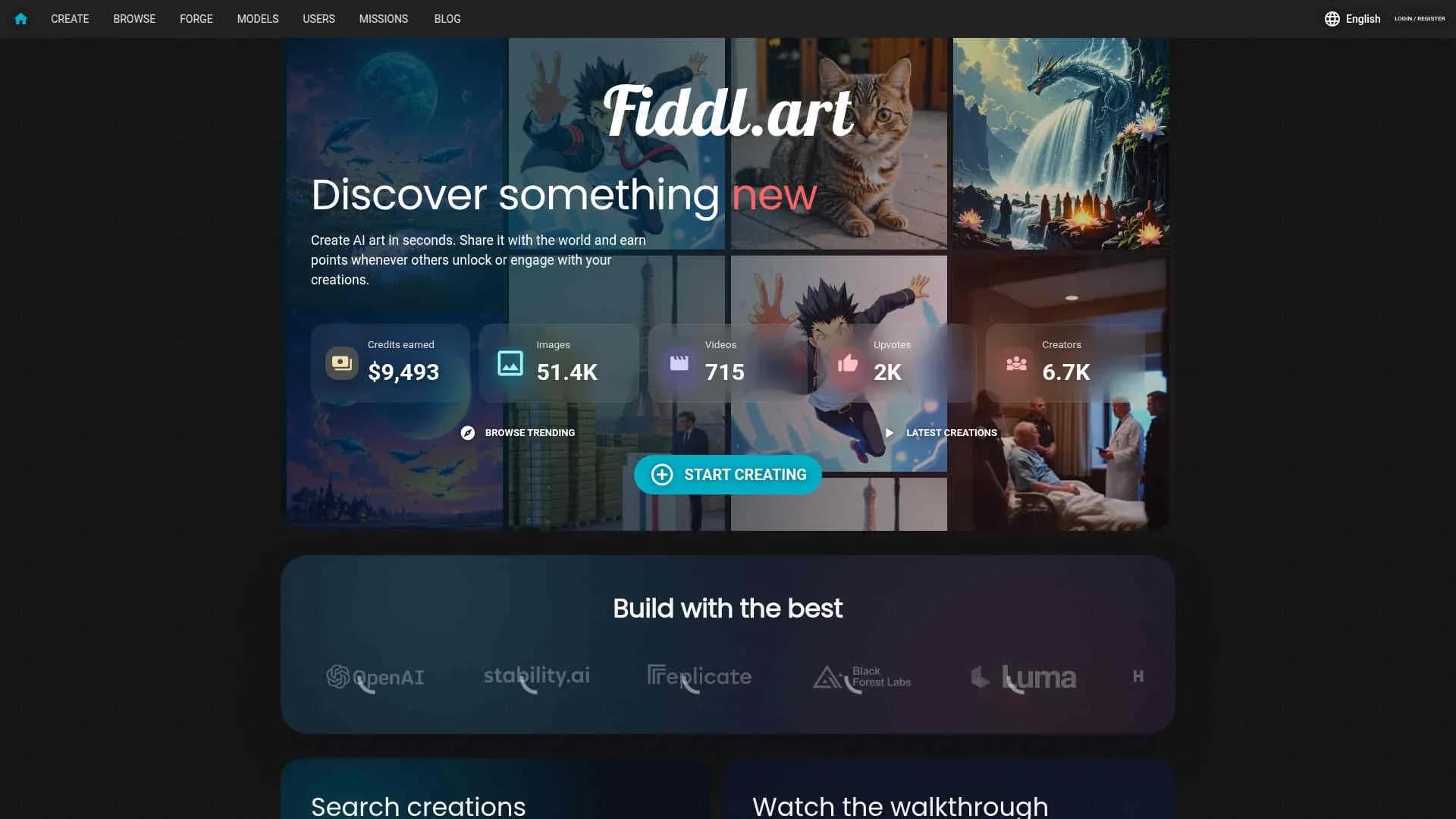
Fiddl.art is a browser based AI art studio and social platform where users generate images and videos with multiple state of the art models, share creations publicly, and earn Fiddl Points whenever others unlock or interact with their work. The site blends an AI generator, a community gallery, and a gamified rewards system into one place. Creators can also train their own custom models through Forge and turn distinctive styles or characters into reusable tools for the community.
Three aspects stand out. First, the points and mission system turns everyday creative activity into a mini economy, where good work and consistent participation directly fund further experimentation. Second, Forge gives non technical users access to custom model training, tying personal datasets into a shared library of styles and characters. Third, the mix of multi model generation, Magic Mirror, and a busy public gallery encourages experimentation far beyond “type a prompt, get a picture.” It feels like a studio, an art game, and a social site rolled together.
Fiddl.art delivers strong creative firepower for artists, studios, and curious newcomers who want modern AI image and video generation without being locked behind a flat subscription. The mix of multi model support, custom training through Forge, and a points based, mission fueled economy means users can treat it as both a serious production tool and a playful space to experiment. Anyone who enjoys the idea of “daily quests, but for making art” will likely find it a particularly appealing addition to their toolkit.
Who is Using Fiddl.art?
Independent artists and illustrators
Using it to prototype styles, develop character sheets, and produce portfolio ready concept art without heavy hardware investment.
Creative agencies and studios
Applying it for pitch decks, moodboards, and fast visual exploration across lighting, props, and compositions when pitching campaigns to clients.
Marketing and brand teams
Creating product stills, social visuals, and campaign variants by blending brand assets with model based generation, and testing different styles quickly.
Content creators and streamers
Generating avatars, thumbnails, animated loops, and stylized portraits using Magic Mirror and community models.
Uncommon Use Cases
Utilized by tabletop RPG game masters to populate campaigns with NPC portraits and environments; adopted by educators in art and design programs to teach prompt writing, critique AI imagery, and discuss style transfer ethics.
Key Features
Rating Breakdown
Pricing Plans
Free starter credits
- New accounts receive a pool of Fiddl Points
- Enough to generate dozens of images or several videos while exploring missions and models before paying anything
Points based pay as you go
- Fidd Points are used for every significant action
- Including image generation
- Video creation
- Forge training
- Users can earn them through missions and community activity or buy them directly
Optional subscriptions or top ups
- Blog material indicates the system supports both one off point purchases and recurring options for heavier users
- So teams can treat it either like prepaid credits or a soft subscription
Fiddl.art Use Cases
Ecommerce product photography
Upload a product image, choose a scene preset, and create marketplace, lifestyle, social-ad, or storefront visuals.
Outcome: Multiple product-photo variations without a full photoshoot.
Consistent character creation
Train a Forge model from varied photos, then generate the same character across scenes and prompts.
Outcome: More consistent identities across generated images and videos.
Brand and style development
Train a custom model using brand or style references and apply it to new creative assets.
Outcome: Visuals aligned with a repeatable brand look.
AI image and video generation
Select an image or video model, configure prompts and settings, and generate public or private media.
Outcome: High-resolution AI-generated creative content.
Community-based creative earning
Publish creations, complete missions, and let other users unlock or favorite your work.
Outcome: Earn Fiddl Points to spend on future generations, templates, upgrades, or model training.
Workflow Ideas with Fiddl.art
Train and use a custom model
- 1Upload 10–20 varied images in Forge
- 2Start training and wait for completion
- 3Open Create, select the trained model, and generate new images or videos
Create ecommerce product visuals
- 1Upload one product image
- 2Choose a scene preset, aspect ratio, and campaign direction
- 3Generate up to four product-photo variants and review them before publishing
Earn points through the creator community
- 1Complete daily or weekly missions
- 2Publish creations and engage with community content
- 3Spend earned Fiddl Points on renders, templates, upgrades, or training
How Fiddl.art fits into your stack
Browser
Fiddl.art is primarily a browser-based creative workspace for generating, editing, upscaling, sharing, and training visual AI models.
Knowledge and files
Users upload photos and curated datasets for image editing, reference-guided creation, and Forge custom-model training.
Automation and APIs
The platform exposes OpenAPI-based creation endpoints and an MCP server for ChatGPT Apps and other compatible clients.
Pros
- +No mandatory subscription: The points based system means users pay only for what they generate, and can earn a meaningful number of credits through normal activity instead of being locked into a monthly fee.
- +High model variety: Having multiple cutting edge image and video models in one interface gives creators more stylistic range than a single model tool, from ultra realistic shots to painterly or anime looks.
- +Creator friendly rewards loop: The unlock system, missions, and favorites turn good prompts and models into a small but real revenue stream of points that can fund future projects. It feels pleasantly like daily quests for artists.
- +Custom models without MLOps pain: Forge hides the infrastructure complexity; non technical artists can turn a small curated dataset into a reusable model and let the platform handle training and serving.
Cons
- −Points system learning curve: New users must grasp model costs, video pricing, and mission rewards before they can really judge “what this will cost” compared to a simple flat subscription.
- −Limited third party integrations: Fiddl.art is primarily a standalone web experience; there is little mention of native integrations into tools like Adobe Creative Cloud or Figma, so exports may require manual workflow steps.
- −Advanced tools can intimidate beginners: Features like Forge training and higher end video options reward experimentation but may feel complex to users who only want quick, simple generations.
Limitations & when to consider alternatives
Known limitations
- Forge requires a focused training set. The documented workflow requires 10–20 varied images and recommends avoiding duplicates, heavy filters, watermarks, and obscured subjects.
- Product Photo Generator accepts one input image. The tool summary specifies a maximum of one input image per product-photo workflow.
- Generation requires an account. Visitors can stage uploads and options anonymously, but must sign in with a free account to generate.
- Video duration affects cost. Seedance 2.5 pricing scales as duration increases toward the documented 30-second maximum.
- Generated commercial visuals require review. Users must check labels, product claims, trademarks, regulated-product compliance, and marketplace policies before publishing.
Look elsewhere when
- You need a native mobile application
- You need shared team workspaces
- You need SAML or enterprise single sign-on
- You need programming-code generation
How to Use Fiddl.art
- 1
Start with Create
Open Create, choose an image or video model, and enter a positive prompt. Use negative prompts, aspect ratios, resolution, quantity, and seed controls to refine results.
- 2
Use an uploaded image when helpful
Choose a focused tool such as Product Photo Generator, Background Remover, Upscaler, Object Remover, or Clothes Changer when starting from an existing image.
- 3
Train consistency with Forge
Upload 10–20 varied images, train a custom model, then select it in Create for recurring characters, styles, products, or branded visuals.
- 4
Keep work public or private
Use the documented public/private sharing setting according to whether you want community discovery and point earning or private output.
- 5
Complete Missions
Track daily and weekly missions, finish their requirements, and claim Fiddl Points or badges when progress reaches 100 percent.
- 6
Review before publishing
For commercial outputs, verify labels, claims, trademarks, compliance, and marketplace requirements before using or publishing generated media.
Who is Fiddl.art For?
Sellers
Create ecommerce product photos, marketplace listings, lifestyle scenes, and advertising variants from one product image.
Founders
Generate polished product visuals and branded creative assets without arranging a full photoshoot.
Marketers
Produce campaign variations, social ads, storefront visuals, and seasonal product imagery.
Visual artists and storytellers
Generate images and videos with multiple models, remix prompts, publish work, and participate in the creator community.
Creators needing consistency
Use Forge to train models for recurring characters, visual styles, products, and brand identities.
Frequently Asked Questions
What is Fiddl.art?
Fiddl.art is a creative platform for generating AI images and videos, remixing prompts, publishing creations, and earning points.
How do missions work?
Daily and weekly missions reward users with Fiddl Points for completing creation, engagement, streak, and challenge activities.
What is Forge?
Forge lets users train custom models from their own images for consistent characters, styles, products, and branded visuals.
How do I train a custom model?
Upload 10–20 varied images, start training, wait a few minutes, then select the trained model in Create.
Can I create product photos?
Yes. Upload one product image and generate ecommerce listings, lifestyle scenes, advertising variants, and storefront visuals.
How do I earn Fiddl Points?
Complete missions, maintain streaks, publish creations, and earn when others unlock or favorite your work.
Community reviews
Be the first to share your experience.
Sign in to leave a review for Fiddl.art.
Fiddl.art Alternatives
Looking for alternatives to Fiddl.art? Here are similar tools in the same category:
Learn to Master Fiddl.art
With Skill Leap courses
Get in-depth training on Fiddl.art and 50+ other AI tools with our expert-led video courses.
Start 7-Day Free Trial