
FiftyOne
Enhances data management, annotation, and model evaluation.
Key Takeaways
- What it is
- Enhances data management, annotation, and model evaluation.
- Best for
- Smarter Annotation
- Data Curation & Management
- Model Evaluation
- Rating
- 4.6/5
What is FiftyOne?
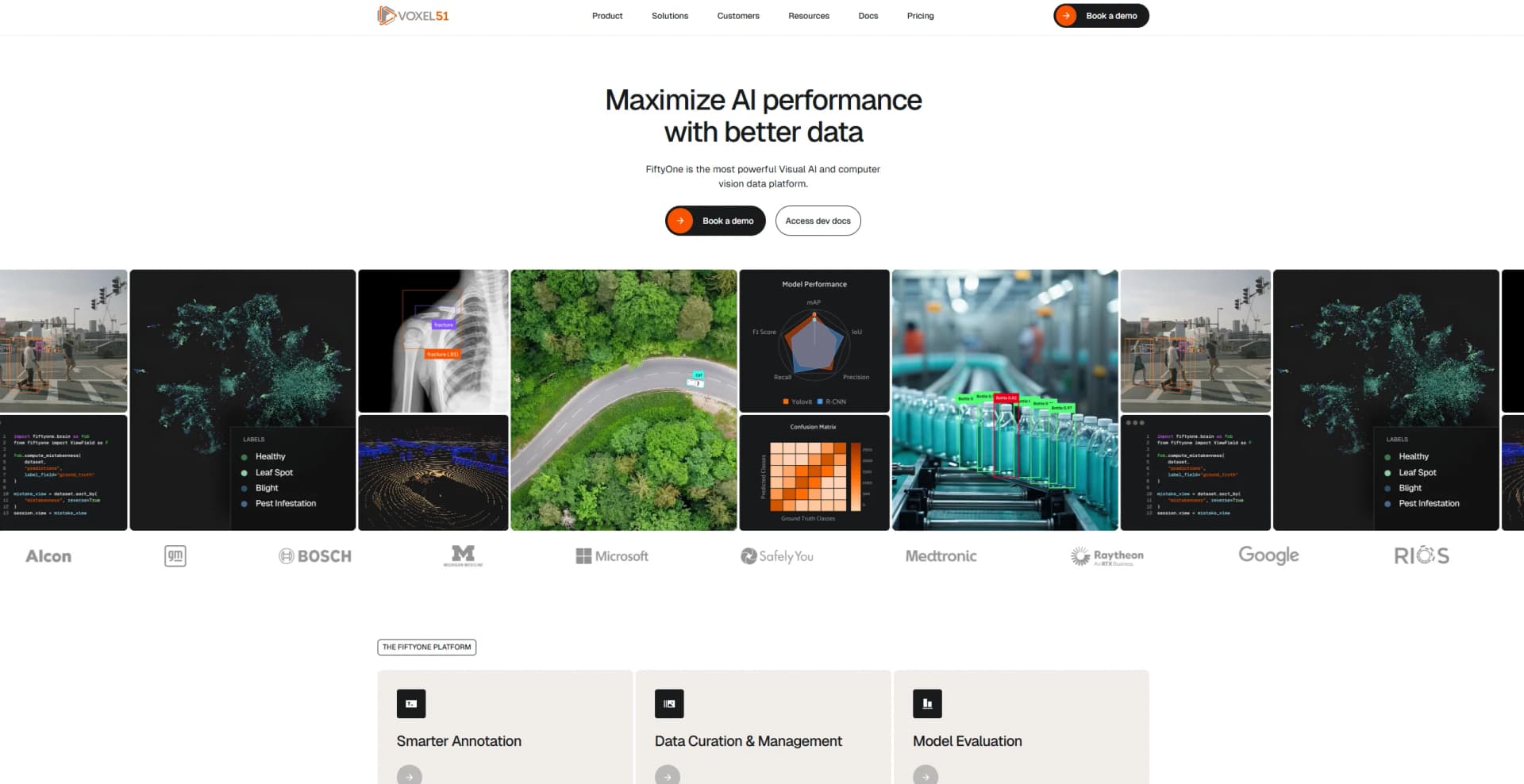
FiftyOne revolutionizes the landscape of computer vision and multimodal AI by providing a robust platform designed to enhance data management, annotation, and model evaluation. Tailored for enterprises seeking to maximize AI performance with better data, FiftyOne simplifies complex workflows and accelerates the development of high-performance models. With its comprehensive suite of tools, FiftyOne is the go-to solution for organizations aiming to streamline their AI processes and reduce costs significantly.
FiftyOne stands out with its Verified Auto Labeling feature, a game-changer for reducing annotation costs and improving data quality. Its ability to seamlessly integrate with diverse data types and existing ML stacks sets it apart, making it an indispensable tool for enterprises aiming to enhance AI model performance efficiently.
FiftyOne offers a comprehensive, powerful platform that transforms how enterprises handle computer vision and multimodal AI tasks. By enhancing data annotation, curation, and model evaluation, it empowers organizations to achieve unprecedented efficiency and accuracy in their AI endeavors. Whether it's reducing costs or boosting productivity, FiftyOne proves to be an invaluable asset for any enterprise looking to harness the full potential of AI technology.
Who is Using FiftyOne?
Agriculture Enterprises
Utilizing the tool for precision agriculture and crop monitoring.
Healthcare Providers
Employing the platform for medical imaging and diagnostic support.
Autonomous Systems Developers
Leveraging FiftyOne for enhanced navigation and object detection.
Retail Companies
Using the tool for inventory management and customer insights.
Uncommon Use Cases
Adopted by defense sectors for surveillance data management; utilized by educational institutions for teaching advanced AI courses.
Key Features
Rating Breakdown
Pricing Plans
Starter
- Includes 4 user seats, 4 guest seats, 2 VPUs with 1,400 compute hours/month, 1 production deployment, cloud deployment, unlimited data, model inference, SSO, and standard support
Growth
- Adds 25 user seats
- 100 guest seats
- 20 VPUs with 14,000 compute hours/month
- 3 production and 3 dev/staging deployments
- On-premise support
- Premium enterprise support
- A dedicated success engineer
Enterprise
- Includes unlimited users, VPUs, and deployments, plus full Growth plan features, dedicated success team (engineering + solutions), and professional services
Which FiftyOne plan should you pick?
Start with the open-source FiftyOne package for local, single-user workflows; choose Team for collaborative enterprise work, Growth for larger deployments, and Custom for organization-wide scale.
Team
Good for teams needing shared visual-AI workflows, 8 user seats, 16 guest seats, SSO, and managed compute.
Growth
Good for organizations scaling across projects with 25 user seats, 100 guest seats, more compute, and on-premise or air-gapped deployment options.
Custom
Good for organizations needing unlimited users, guests, compute, deployments, and dedicated enterprise resources.
FiftyOne Use Cases
Dataset curation
Import, filter, query, visualize, and organize image, video, 3D, and multimodal datasets.
Outcome: More focused and usable training datasets.
Model evaluation
Compare predictions against ground truth and inspect model strengths, weaknesses, and failure cases.
Outcome: Better understanding of model performance.
Image annotation
Create or edit classifications, detections, segmentations, polygons, polylines, and keypoints in the App.
Outcome: Structured labeled datasets for machine-learning workflows.
Similarity search
Search datasets using image similarity, text similarity, or an uploaded image.
Outcome: Faster discovery of visually or semantically related samples.
Multimodal sensor analysis
Visualize, play back, tag, and query synchronized camera, LiDAR, IMU, GPS, and other sensor streams.
Outcome: Unified analysis of robotics and autonomous-vehicle recordings.
Workflow Ideas with FiftyOne
Curate and evaluate a vision dataset
- 1Install FiftyOne and import the dataset
- 2Launch the App to filter, sort, and inspect samples
- 3Run model predictions and evaluate them against ground truth
Create an annotated training set
- 1Load image or multimodal data into a FiftyOne dataset
- 2Annotate samples in the App or send jobs to an annotation backend
- 3Export the labeled dataset in the format required by the training framework
Automate model-analysis jobs
- 1Define a delegated operation or plugin
- 2Schedule it through the FiftyOne orchestrator
- 3Monitor background execution and review the resulting dataset fields
How FiftyOne fits into your stack
Browser
The FiftyOne App runs in a web browser for exploring images, videos, 3D data, labels, metadata, and model predictions.
Automation and APIs
Python SDK access, API keys, plugins, delegated operations, and webhooks connect FiftyOne to data and model workflows.
Knowledge and files
Teams import and manage image, video, 3D, audio, DICOM, and other multimodal datasets while preserving links to source media.
Team collaboration
FiftyOne Enterprise provides shared datasets and models, user roles, permissions, SSO, versioning, and collaborative annotation workflows.
Pros
- +Time Efficiency: Significant reduction in development time with streamlined data workflows.
- +Cost-Effective: Drastically lowers annotation and operational costs with advanced auto-labeling technology.
- +Enhanced Accuracy: Improves model accuracy by providing better-curated data and evaluation tools.
- +Comprehensive Integration: Easily integrates with existing ML stacks, supporting billions of samples.
Cons
- −Initial Learning Curve: Users may require time to familiarize themselves with the platform's extensive features.
- −Complexity for Small-Scale Projects: The tool's broad capabilities might be overwhelming for smaller projects or less experienced users.
Limitations & when to consider alternatives
Known limitations
- Uploaded image queries are limited to 10 MB. The App's image-upload similarity query accepts local images under 10 MB.
- Video workflows require FFmpeg. FFmpeg must be installed to work with video datasets and codecs.
- Label Studio video annotation is unsupported. The documented Label Studio integration does not currently support annotating videos.
- Datasets are non-persistent by default. Datasets created during sessions may be deleted when all Python sessions using them exit unless persistence is enabled.
- Enterprise features require the commercial edition. Multi-user collaboration, SSO, cloud-backed media, centralized orchestration, and governance features are provided by FiftyOne Enterprise.
Look elsewhere when
- You need a native mobile application.
- You need a standalone desktop installer.
How to Use FiftyOne
- 1
Install FiftyOne
Create a Python environment and run pip install fiftyone to install the open-source package.
- 2
Import or load data
Load local files, supported dataset formats, cloud data, or datasets from the Dataset Zoo.
- 3
Launch the App
Call launch_app() to open the browser-based interface for exploring and managing the dataset.
- 4
Curate and search
Use filtering, dataset views, similarity search, embeddings, and image uploads to find useful samples.
- 5
Annotate or integrate
Annotate in the App or connect annotation backends such as CVAT, Label Studio, V7, or Labelbox.
- 6
Evaluate and automate
Run model evaluations, inspect failures, and schedule longer-running workflows through delegated operations or Enterprise orchestration.
Who is FiftyOne For?
Medical imaging teams
FiftyOne provides workflows for DICOM, CT scans, and volumetric data.
Autonomous vehicle teams
It supports sensor-fusion and trajectory-analysis workflows for multimodal vehicle data.
Computer vision engineers
Engineers can curate datasets, run models, evaluate predictions, and analyze failures.
Manufacturing teams
FiftyOne supports defect-detection and quality-inspection workflows.
3D vision teams
It supports point-cloud and 3D visual-AI workflows.
Frequently Asked Questions
Can I open the FiftyOne App in a browser?
Yes. This is the default behavior when launch_app() is called outside a notebook.
Which web browsers does the FiftyOne App support?
The App fully supports Chrome, Firefox, and Safari. Edge, Opera, and Chromium may work but are not fully supported.
What operating systems does FiftyOne support?
FiftyOne officially supports current MacOS and Windows versions, plus Amazon Linux, Debian, Ubuntu, and RHEL/CentOS distributions.
What image file types are supported?
FiftyOne generally supports image types handled by the browser, including JPEG, PNG, and BMP.
What label types are supported?
Supported label types include classifications, detections, segmentations, polylines, polygons, keypoints, and geolocation data.
Can I access data stored in the cloud?
Yes. Cloud-backed data access is available through FiftyOne Enterprise.
Community reviews
Be the first to share your experience.
Sign in to leave a review for FiftyOne.
FiftyOne Alternatives
Looking for alternatives to FiftyOne? Here are similar tools in the same category:
Learn to Master FiftyOne
With Skill Leap courses
Get in-depth training on FiftyOne and 50+ other AI tools with our expert-led video courses.
Start 7-Day Free Trial