
Final Touch
Effortlessly transform product photos into captivating, professional scenes.
Key Takeaways
- What it is
- Effortlessly transform product photos into captivating, professional scenes.
- Best for
- AI-Driven Scene Generation
- No Design Skills Needed
- Advanced Editing Mode
- Rating
- 4.7/5
What is Final Touch?
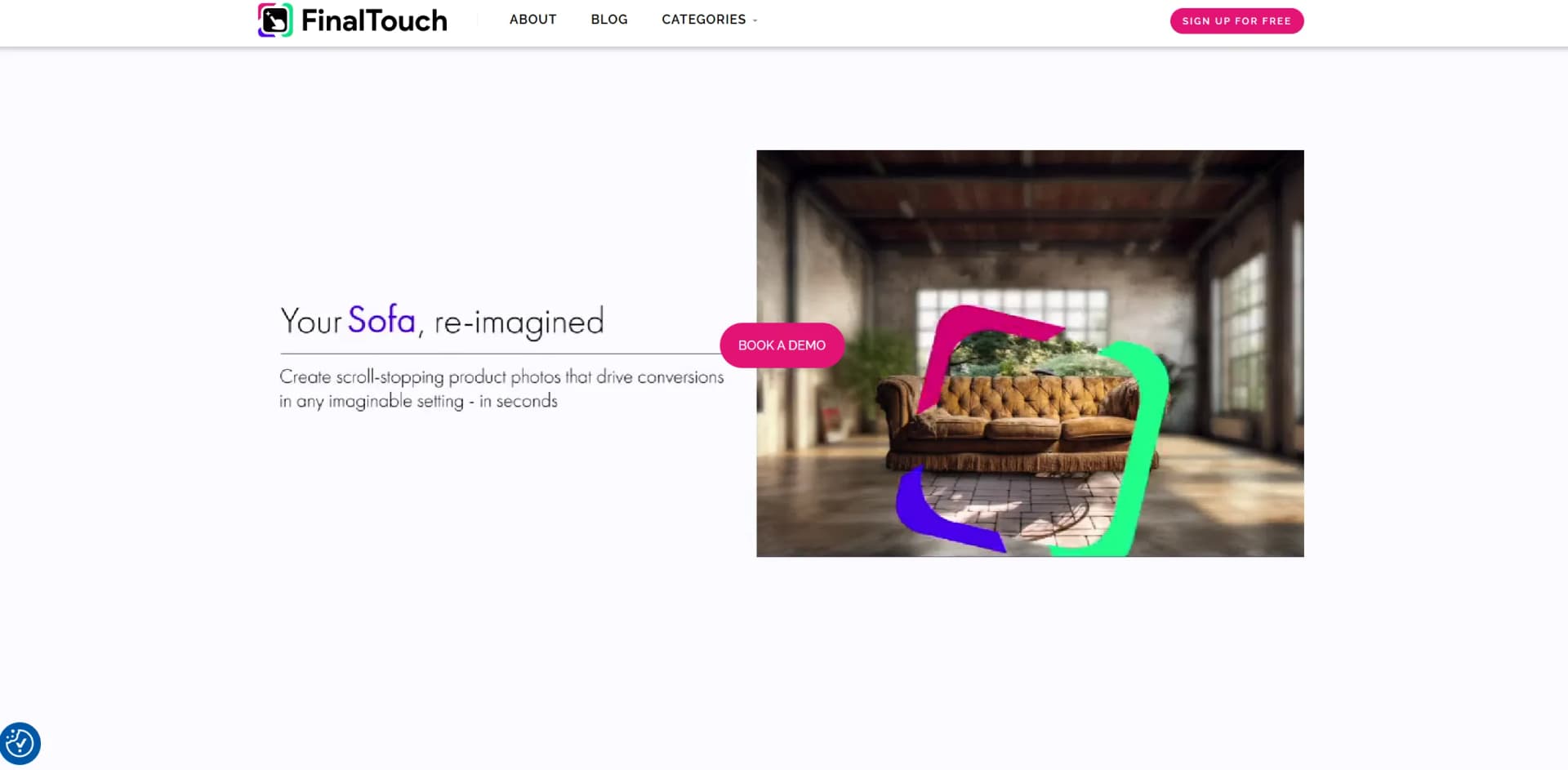
Final Touch revolutionizes the art of product photography by offering AI-powered solutions that transform ordinary product photos into captivating, professional-grade scenes. Designed for e-commerce businesses, marketers, and creative professionals, it simplifies the complex task of creating visually appealing product imagery. With just a click, Final Touch enables users to generate stunning images that breathe new life into their digital presence.
Final Touch stands out with its ability to generate entirely unique, natural-looking scenes for product photos with AI precision. Its no-code solution democratizes access to high-quality image creation, making it a game-changer for small businesses and creative professionals who need to produce captivating content quickly and efficiently.
Final Touch offers a transformative approach to product photography, leveraging AI to empower users to create stunning, professional images with ease. By combining advanced technology with user-friendly design, it caters to a wide array of professionals seeking efficient, cost-effective solutions for their visual content needs. Whether you're a small business owner or a seasoned marketer, Final Touch provides the tools you need to elevate your brand's visual storytelling.
Who is Using Final Touch?
E-commerce Businesses
Utilizing the tool to enhance online product imagery, attracting more customers with visually appealing displays.
Digital Marketing Agencies
Employing Final Touch to create compelling marketing content that stands out.
Social Media Managers
Leveraging the tool for producing engaging content that boosts social media presence.
Graphic Designers
Using it to streamline design workflows, saving time and resources.
Key Features
Rating Breakdown
Pricing Plans
Free Access
- Final Touch is currently free for all users in exchange for feedback to enhance the platform
Final Touch Use Cases
Adopted by educational institutions for teaching digital marketing concepts.
Utilized by freelance photographers to expedite editing processes.
Workflow Ideas with Final Touch
Create a product scene
- 1Upload a product photo
- 2Choose a relevant AI-generated background and aesthetic
- 3Adjust the product size, then save and download the scene
Build consistent catalog imagery
- 1Open a preferred generation and select Refine & Edit
- 2Reuse the same scene with Perfect & Tweak
- 3Upload additional products through Assets and replace the original product
Publish a social post
- 1Select a generated image and choose Refine & Edit
- 2Click Create Social Post and add a headline, description, and product URL
- 3Publish the post directly to Facebook, LinkedIn, or Twitter
How Final Touch fits into your stack
Browser
FinalTouch is used as a web-based visual production platform: upload product photos, select or generate scenes, refine them, and download or publish the results.
Social media
Users can create social posts from generated product scenes and publish them directly to Facebook, LinkedIn, or Twitter.
Marketing and e-commerce
Marketing teams use FinalTouch to produce consistent product imagery for websites, social channels, digital catalogs, and promotional campaigns.
Pros
- +Time Efficiency: Reduces the time needed to create professional product images from days to minutes.
- +Creative Control: Provides users with the ability to customize and refine images to their exact specifications.
- +Cost-Effective Solution: Currently free to use, offering significant savings compared to traditional photography and design services.
- +High-Quality Output: Generates images that are indistinguishable from those produced by professional photographers.
Cons
- −Limited Integration: May not yet fully support integration with all third-party platforms or software.
- −Learning Curve: Although minimal, there might be a slight learning curve for users unfamiliar with AI tools.
Limitations & when to consider alternatives
Known limitations
- Pre-production status. The terms describe FinalTouch as an unsupported pre-production prototype provided as-is.
- Support may end. FinalTouch says it may temporarily or permanently suspend the tool or part of it at its discretion.
- AI output may contain errors. The terms warn that AI-driven features may produce errors or unexpected outcomes.
- Supported uploads are image formats. The documented upload workflow lists JPEG, PNG, GIF, and WebP files.
Look elsewhere when
- You need a native mobile app
- You need a documented developer API
How to Use Final Touch
- 1
Create an account
Join the FinalTouch alpha or early-access program to enter the product workspace.
- 2
Upload a product photo
Upload a JPEG, PNG, GIF, or WebP product image; FinalTouch removes the background.
- 3
Choose a scene
Select from relevant AI-generated backgrounds and refine the aesthetic or vibe.
- 4
Adjust and edit
Use size controls and Refine & Edit to adjust the product, add text, overlays, or shapes.
- 5
Reuse the scene
Use Perfect & Tweak and Assets to apply a consistent scene to additional products.
- 6
Publish or download
Save and download the final image, or create a social post and publish it directly to supported networks.
Who is Final Touch For?
Marketers
FinalTouch helps marketers create product imagery for websites, ecommerce campaigns, and social channels.
Brand managers
Brand managers can reuse scenes and backgrounds to maintain consistent visual branding across products.
Ecommerce businesses
Ecommerce businesses can produce product scenes without arranging traditional photography shoots.
Marketing teams
Marketing teams can generate realistic product images through a no-code workflow.
Content creators
Content creators can produce and edit product visuals without specialized photography or design expertise.
Frequently Asked Questions
What does FinalTouch do?
FinalTouch transforms plain product photos into unique AI-generated product scenes for ecommerce, websites, and social media.
How much does FinalTouch cost?
The FAQ states that FinalTouch is currently completely free for anyone to use.
What file formats can I upload?
The documented upload formats are JPEG, PNG, GIF, and WebP.
Who is FinalTouch made for?
The site names marketers, brand managers, ecommerce businesses, marketing teams, and content creators.
Can generated scenes be reused?
Users can reuse backgrounds and scenes across multiple product images while generating distinct outputs.
Can I publish generated images to social media?
FinalTouch documents direct publishing to Facebook, LinkedIn, and Twitter after creating a social post.
Community reviews
3 reviews from people who use Final Touch.
Sign in to leave a review for Final Touch.
Tal Lev-Ami
bal M
Resh Naidu
Final Touch Alternatives
Looking for alternatives to Final Touch? Here are similar tools in the same category:
Learn to Master Final Touch
With Skill Leap courses
Get in-depth training on Final Touch and 50+ other AI tools with our expert-led video courses.
Start 7-Day Free Trial