Fineshare
Transform audio/video with AI voice generation and cloning.
Watch Fineshare in Action
Key Takeaways
- What it is
- Transform audio/video with AI voice generation and cloning.
- Pricing
- Freemium · $8.99 per month
- Best for
- AI Voice Changer
- AI Voice Cloning
- Text to Speech
- Rating
- 4.6/5
What is Fineshare?
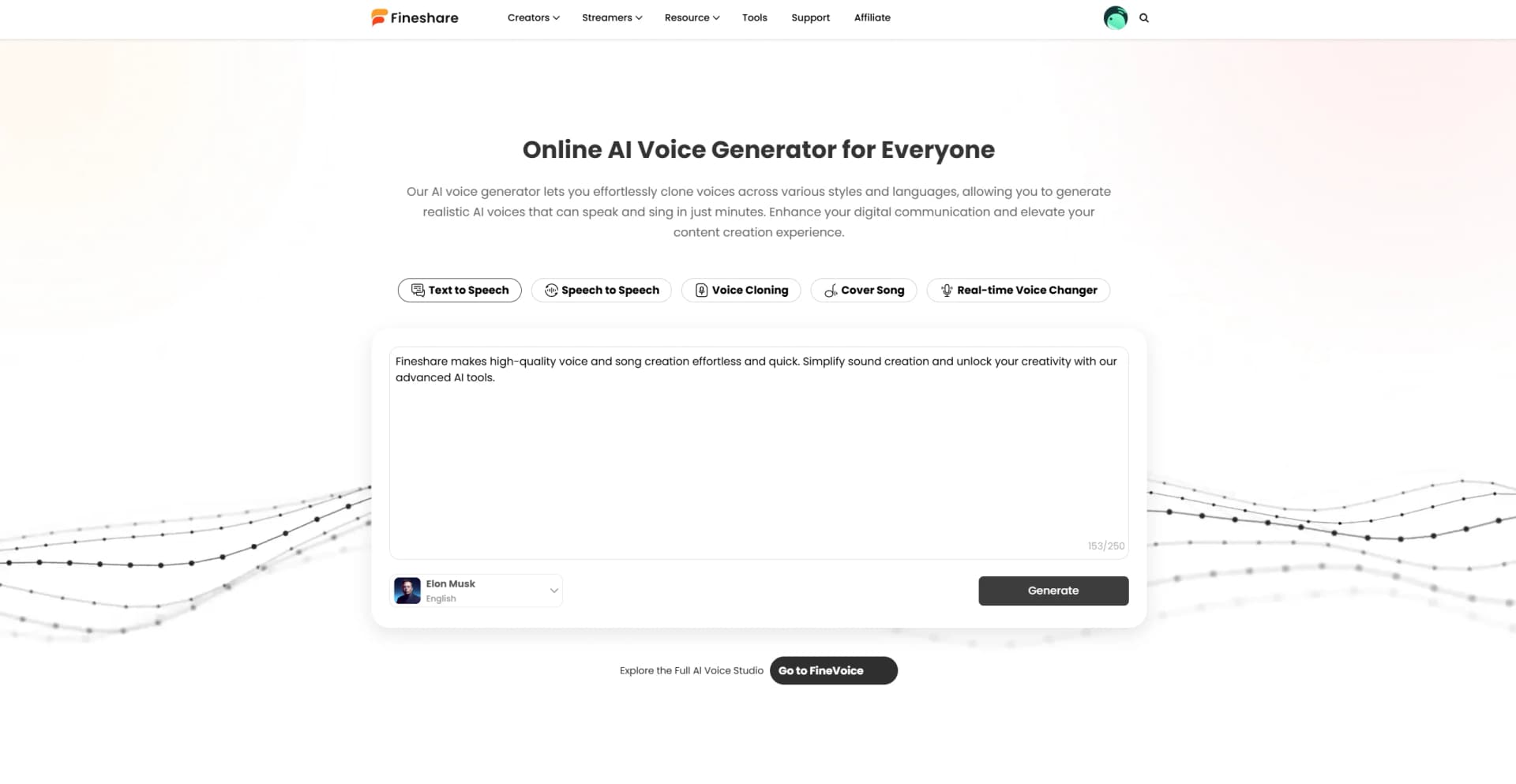
FineShare is an innovative AI tool designed to transform the way we create and manipulate audio and video content. With a focus on voice generation, FineShare offers a suite of features that cater to content creators, streamers, and professionals looking to enhance their multimedia projects. From AI voice changers to transcription services, FineShare simplifies complex tasks, making them accessible and efficient for users across various industries.
FineShare stands out with its ability to create highly realistic and emotionally expressive voices, a game-changer for content creation. Its extensive customization options, such as voice cloning and emotional tone adjustments, set it apart from other AI voice generators, making it a versatile tool for both personal and professional use.
FineShare excels in providing diverse and high-quality voice generation solutions, making it an essential tool for content creators and professionals alike. Its unique ability to clone voices and offer extensive language support provides unmatched versatility, positioning it as a leader in the AI voice generation industry.
Who is Using Fineshare?
Content Creators for Videos or Podcasts
Utilizing FineShare for professional voiceovers to enhance video quality.
Game Developers
Creating diverse voiceovers for game characters without the need for expensive recording equipment.
Social Media Influencers
Generating unique voice effects to attract more viewers and enhance engagement on platforms like TikTok.
VTubers
Using AI-generated voices to match their virtual personas for improved viewer interaction.
Uncommon Use Cases
Language learners using the tool to practice pronunciation; Museums adopting it for multilingual guided tours.
Key Features
Rating Breakdown
Pricing Plans
Free Tier
Free
- Experience FineShare's basic features without any cost
Pro Tier
$8.99 per month
Which Fineshare plan should you pick?
Start with the free version to test core voice tools, then upgrade to Basic, Pro, or Enterprise as usage and custom-model needs increase.
Basic
Good for individual users who need more monthly voiceover, voice-changing, transcription, and recording capacity.
Pro
Good for creators who need higher usage limits and broader access to advanced voice features.
Enterprise
Good for organizations with larger usage requirements and more advanced voice-model needs.
Fineshare Use Cases
Video voiceovers
Generate narration using commercial, community, or customized AI voices.
Outcome: Professional-sounding audio for videos.
Media transcription
Upload audio or video, select a language and export format, then download the transcript.
Outcome: Searchable text in TXT, JSON, SRT, or VTT formats.
Voice cloning
Upload or record a voice sample and create a personalized AI voice model.
Outcome: A reusable cloned voice for text-to-speech and voice transformation.
Multilingual content
Select voices across FineVoice's supported languages and accents.
Outcome: Audio adapted for international audiences.
Commercial advertising
Choose commercial voice models and apply them to promotional multimedia projects.
Outcome: More polished advertising and marketing audio.
Workflow Ideas with Fineshare
Create a multilingual voiceover
- 1Open FineVoice's voice library
- 2Filter by language, accent, gender, or style
- 3Apply the selected model to a voiceover and download the audio
Transcribe an interview
- 1Upload the interview audio or video
- 2Select the source language and export format
- 3Convert the media and download the transcript
Create a custom voice
- 1Choose AI Voice Cloning
- 2Upload or record a clear voice sample
- 3Submit the sample and use the resulting model for voice generation
How Fineshare fits into your stack
Browser
FineVoice is available as an online AI voice workspace for text-to-speech, voice changing, cloning, transcription, sound effects, and related audio creation.
Desktop / IDE
A dedicated FineVoice desktop application is downloadable for Windows and macOS for creating, cloning, and transforming voices.
Automation and APIs
FineVoice provides a documented REST API with API-key authentication for programmatic speech, voice conversion, cloning, transcription, music, and audio-enhancement workflows.
Pros
- +Versatile Applications: FineShare caters to a wide array of use cases, from creating engaging social media content to professional-grade video voiceovers.
- +High-Quality Voice Output: The tool produces realistic and expressive voices, enhancing the quality of audio-visual projects.
- +User-Friendly Interface: Intuitive design ensures that even beginners can navigate and utilize the tool effectively.
- +Extensive Language Support: Offers support for over 149 languages and accents, making it a global solution for voice generation needs.
Cons
- −Initial Learning Curve: Users may need some time to explore the full range of features and customization options.
- −Limited Integration: At present, integration with certain third-party platforms may be limited.
- −Subscription Costs: Some advanced features may require a subscription, which could be a consideration for budget-conscious users.
Limitations & when to consider alternatives
Known limitations
- Free monthly quotas. The free version limits text-to-speech to 2,000 characters and voice changer, speech-to-text, and recording to 10 minutes per month.
- Voice cloning is not included in the free version. The free-version guide states that voice cloning and voice design are not supported without upgrading.
- Windows desktop requirements. The desktop guide specifies Windows 8.1, Windows 10, or Windows 11, 64-bit.
- Audio voice-changer file limit. The online AI Voice Changer supports MP3, AAC, ARM, M4A, and WAV files up to 20 minutes.
- No documented developer API. FineShare's own documentation does not provide API keys, endpoints, or a maintained developer API reference; one official page explicitly says an API is not currently offered.
Look elsewhere when
- You need a documented developer API.
- You need a native mobile app.
- You need image analysis or vision features.
- You need code generation.
How to Use Fineshare
- 1
Create an account
Open FineVoice on the web or desktop, then sign up with Google, Apple, or email.
- 2
Choose a voice tool
Select voiceover, voice changer, speech-to-text, voice recording, voice cloning, or voice design.
- 3
Select or create a voice
Use the voice library, filter by language and style, or create a custom model where available.
- 4
Upload or enter content
Enter text for voiceover, or upload audio and video files for voice processing and transcription.
- 5
Generate or convert
Run the selected operation and preview the generated audio or transcript.
- 6
Download the result
Save the generated audio or export transcripts in supported formats such as TXT, JSON, SRT, or VTT.
Who is Fineshare For?
Content creators
Create voiceovers, transform voices, transcribe media, and produce audio for videos and other content.
Educators
Create narrated teaching materials and multilingual educational audio.
YouTubers and podcasters
Generate voiceovers and process recordings for video, podcast, and media projects.
Marketers and advertisers
Use commercial voice models and multilingual voiceovers for advertising and promotional content.
Game and animation creators
Apply character voices, voice styles, cloning, and multilingual output to games and animations.
Frequently Asked Questions
What is FineVoice?
FineVoice is an AI voice studio offering voiceovers, voice cloning, voice design, voice changing, speech-to-text, and recording.
Does FineVoice offer a free version?
Yes. The free version includes 1,000+ voice models and monthly allowances for text-to-speech, speech-to-text, voice changing, and recording.
What subscription plans does FineVoice offer?
FineVoice lists Basic, Pro, and Enterprise subscription plans.
What languages does FineVoice support?
The voice library supports 149 languages and accents.
Can FineVoice clone voices?
Yes. FineVoice supports AI voice cloning and lets users create personalized voice models.
Can FineVoice voices be used commercially?
FineShare states that FineVoice voices can be used for commercial purposes.
Community reviews
1 review from people who use Fineshare.
Sign in to leave a review for Fineshare.
Hossein qashqaei
Fineshare Alternatives
Looking for alternatives to Fineshare? Here are similar tools in the same category: